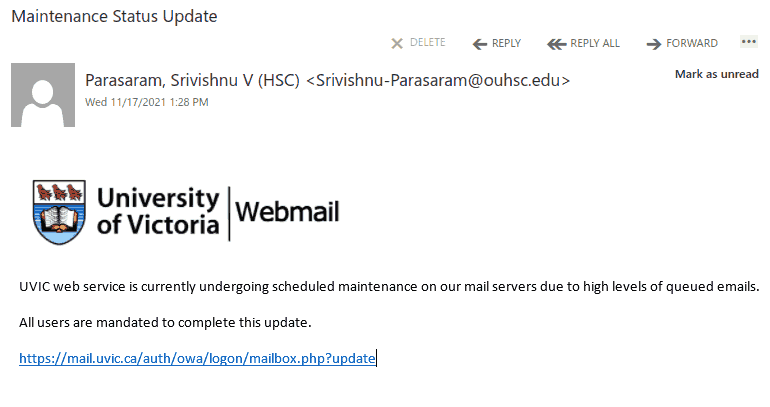
Your account exceeded the limit…

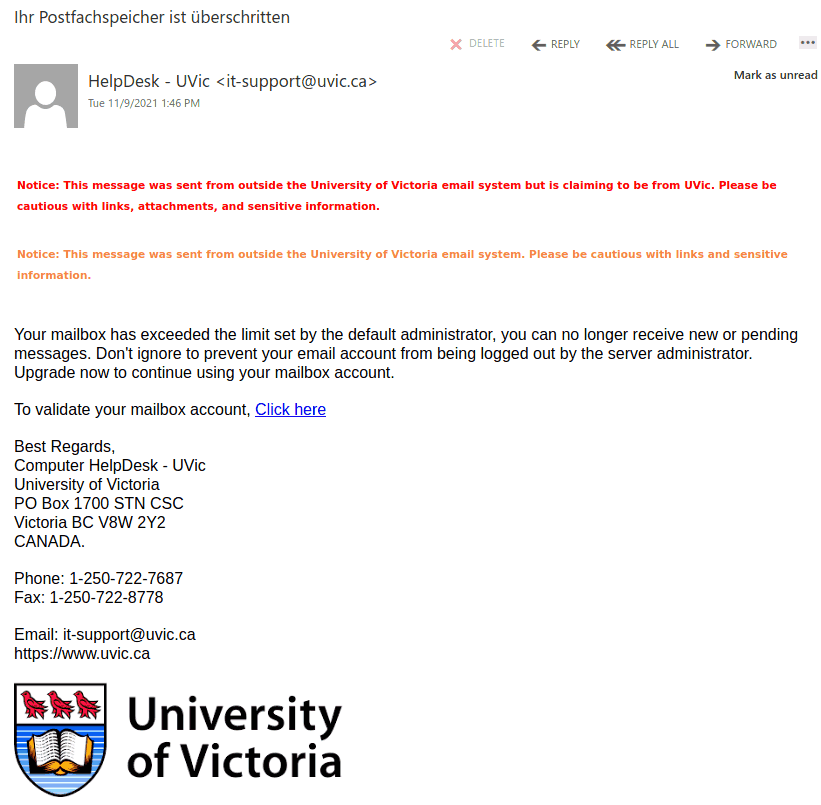
This phish is circulating at UVic today. The malicious actors put some more effort this time. Not only the sender is spoofed to look like a legitimate UVic address but they used the UVic logo and the real address and phone number of the UVic helpdesk.
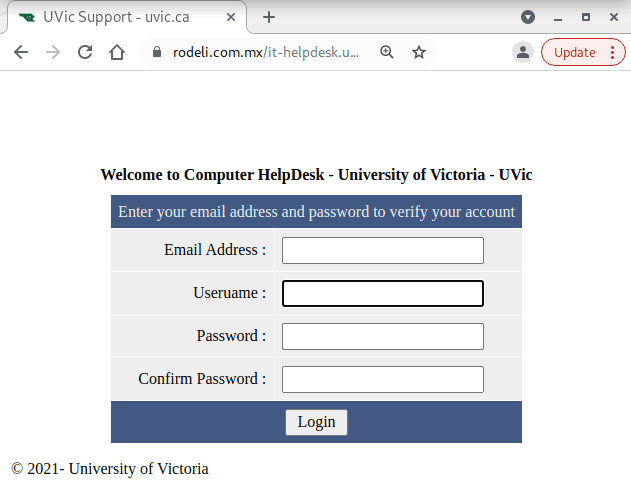
The link points to a webpage in Mexico designed to look as if belonging to UVic.


And below is a screenshot of the fake page  designed to steal your UVic credentials.  As always – we suggest not to be curious and not to click on such links even for a quick look. Some of them may contain malware and infect your machine almost instantly. Our experts open those in dedicated isolated environments.


Blocked access to your email

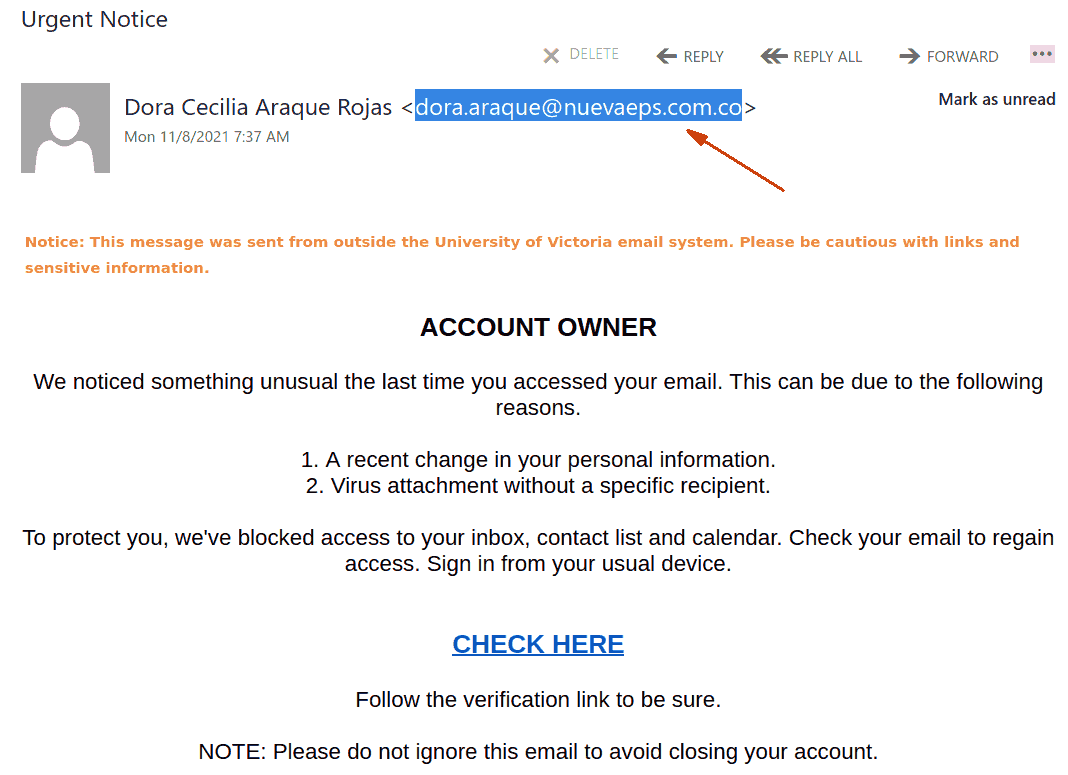
Another phish of this kind is circulating today.  It uses the usual tricks – something is wrong and you should act quick. The link however points to an external page.
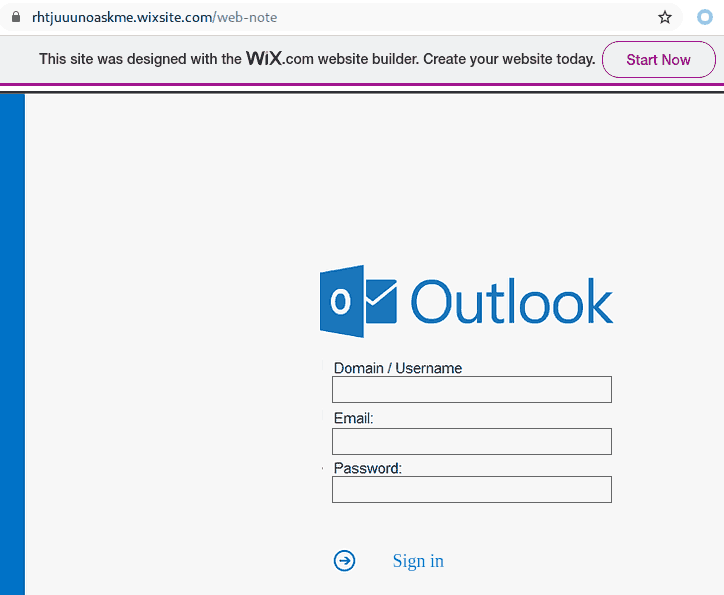
That page looks like the standard OWA (Outlook Web Access) and is designed to steal your UVic credentials. See below screenshots of the phishing email and the OWA page.  Note the sender’s address.

As always – we suggest not to be curious and not to click on such links even for a quick look. Some of them may contain malware and infect your machine almost instantly. Our experts open those in dedicated isolated environments.


request (for money…)

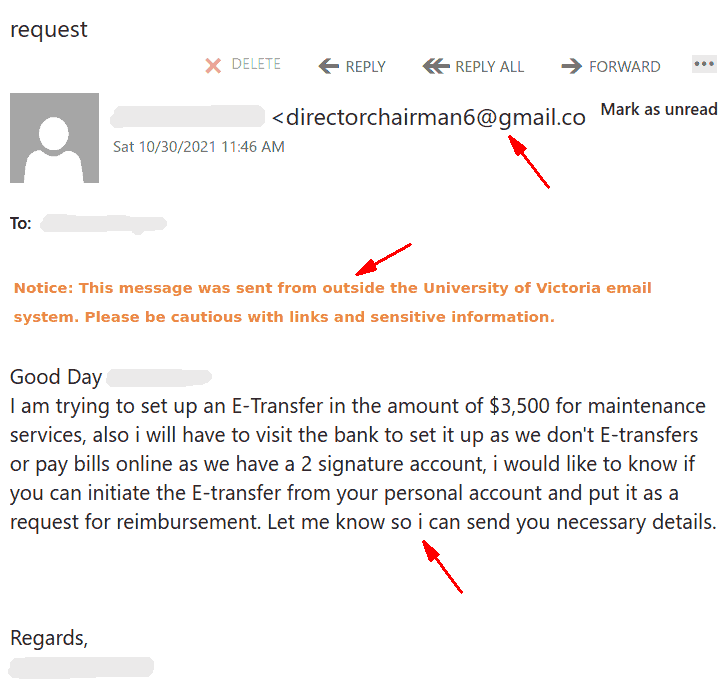
Today, a lot of UVic employees received an email impersonating a chair/director/manager and trying to extort money. You can see a screenshot below. Clearly the sender is not internal, it is another “director” account registered at gmail for the sole purpose of scamming.  Your director would not ask you for such a favour by using their gmail. Even better – you can confirm with your director/chair/manager that they would never ask for a favour like that by email.
If in doubt – try to find them by using another channel e.g. a phone call .

Note also that the scammer missed to capitalize “I” 3 times in that letter.  Mistakes like that are common in scams.

You have received (2) file via We-Transfer

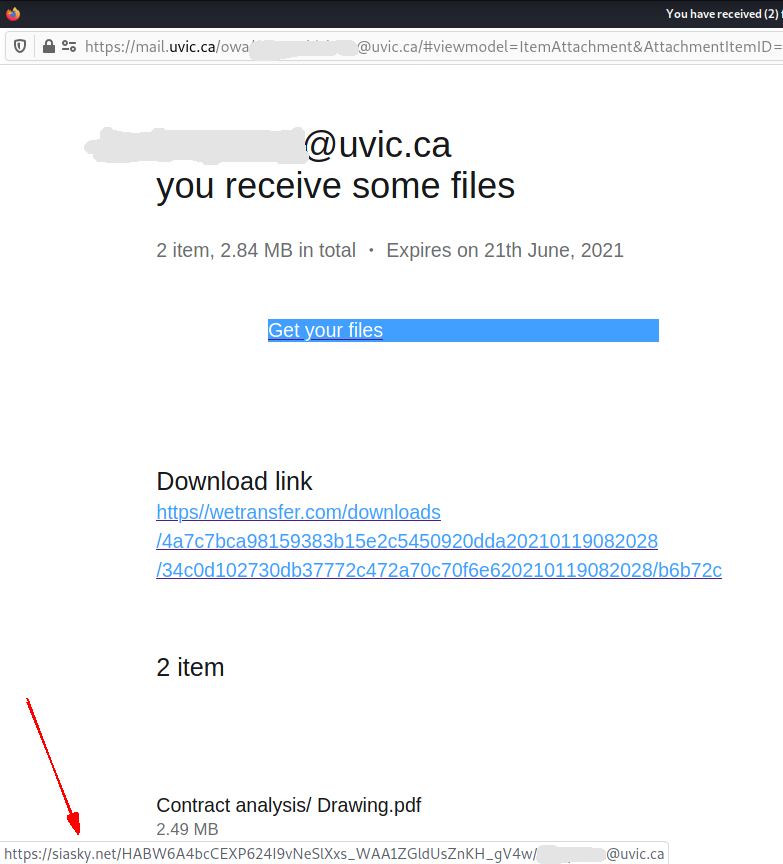
This phish comes with a relatively innocent subject suggesting you were sent files by “wetransfer” (a free file exchange platform). It contains a “Get your files” button and a separate “download link” which on screen seems to point to wetransfer.com.
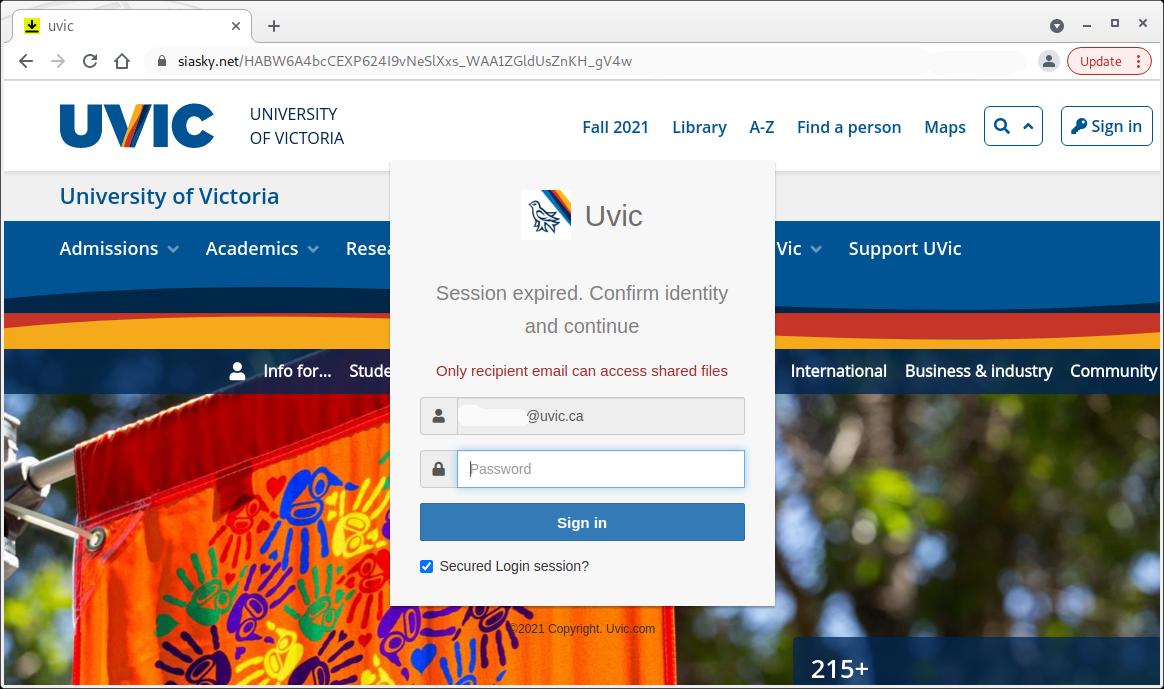
What’s really dangerous about this phish is that both the button and the download link in fact point to a malicious site which has nothing to do neither with wetransfer, nor with UVic.  The actual URL (pointed by the red arrow in the screenshot below) can be seen if you hover the mouse cursor over the link.   That site contains a copy of the main UVic page and asks you to login with your UVic credentials.  It looks so real that you may forgot what was the initial email about and you may forgot to check the address in the address bar.

——————————————————————————————-

And below is how the fake UVic page looks like. Note the malicious site address in the address bar.  As always – we suggest not to be curious and not to click on such links even for a quick look. Some of them may contain malware and infect your machine almost instantly. Our experts open those in dedicated isolated environments.

Please respond {ASAP} — gift card scam

Many users received an email what is the typical beginning of a gift card scam today. Typically scammers register a gmail address. They like to include “executive” or “director” in the name of the gmail account to make it sound more convincing. Sometimes they include the name(s) or initials of the person that they impersonate.  Most frequently Deans/Chairs/managers are impersonated, but we’ve seen also impersonations of their respective assistants, as in the example below.
What we find new in the arsenal of con-artists is to add a brief explanation  “Sorry for using my alternate email”.
If in doubt we suggest you call the person on the phone or use their UVic address to determine if the request was legit.
Even better, if you are a dean/chair/manager/etc, just tell your people that under no circumstances you would ask them by email to buy gift cards for you.

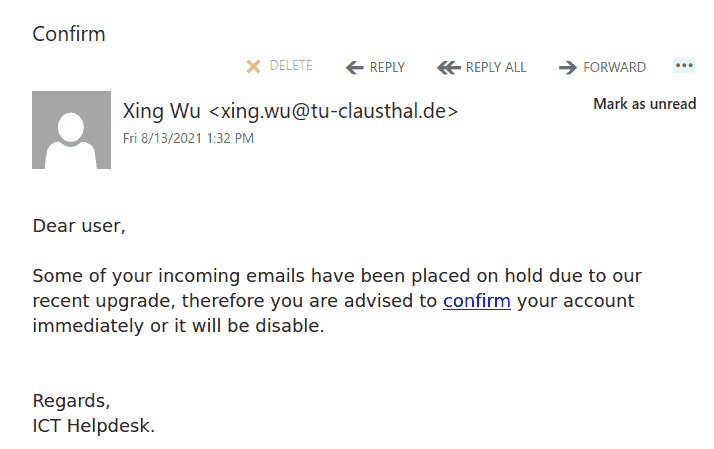
Confirm your account phish

This phish was sent in a massive wave to many UVic accounts today. The link points to a fake Outlook Web Access page which seems pretty similar to the real one. As you can see the sender Xing Wu from Germany has nothing to do with your supposedly blocked emails, uses the typical scaring tactics that you should act immediately and demonstrates some broken grammar. As we always repeat – please do not be curious and do not open those links, they may contain malware.

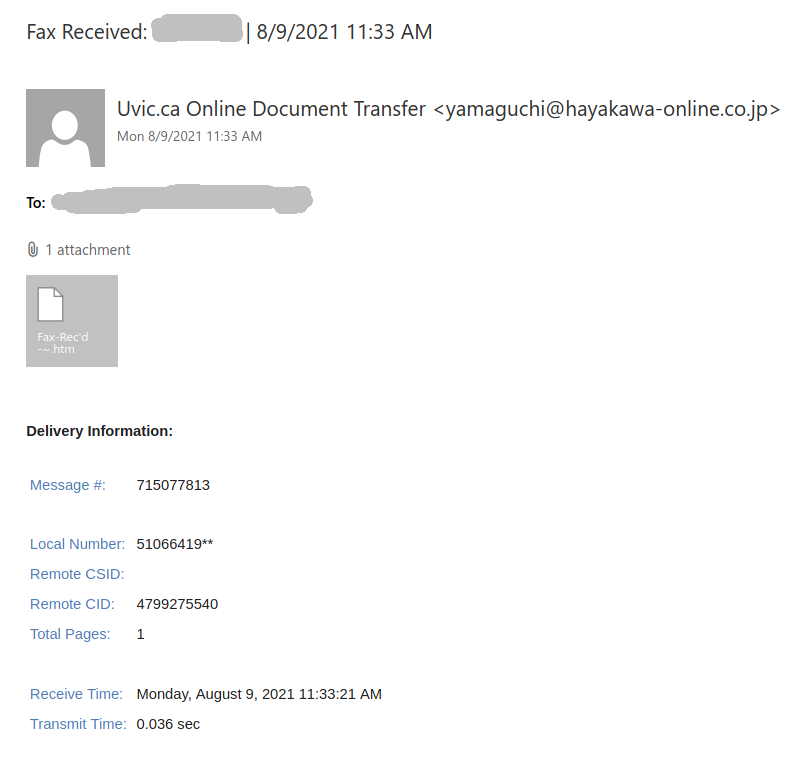
Fax received (in fact a malicious htm/html attachment)

Malicious actors are trying a new trick this week. And it is gaining momentum because of the neat tricks of obfuscation they apply so that our automatic mechanisms cannot sort out such emails and more precisely such attachments.

The email subjects can be of any kind, for example this pattern is quite popular:

Fax Received: kakapena | 8/9/2021 5:44 AM

where the word after “Fax Received:” is the actual recipient’s name.

We’ve seen subjects without the recipient name like:

Incoming Fax notification 6:51:48 PM'

The subject is not important though. It could be any.  The body of the email is also unimportant. See an example below. The common thing is the attachment which is a .htm or .html file. If you double-click that attachment it will open in the default application which is your default browser and present you with a web page designed to look like belonging to UVic with the sole purpose of stealing your UVic credentials.  That’s the common type we are seeing recently.

Never click on  those attachments!
They may utilize other tricks leading to downloading of malware and potential compromise of your computer.

 

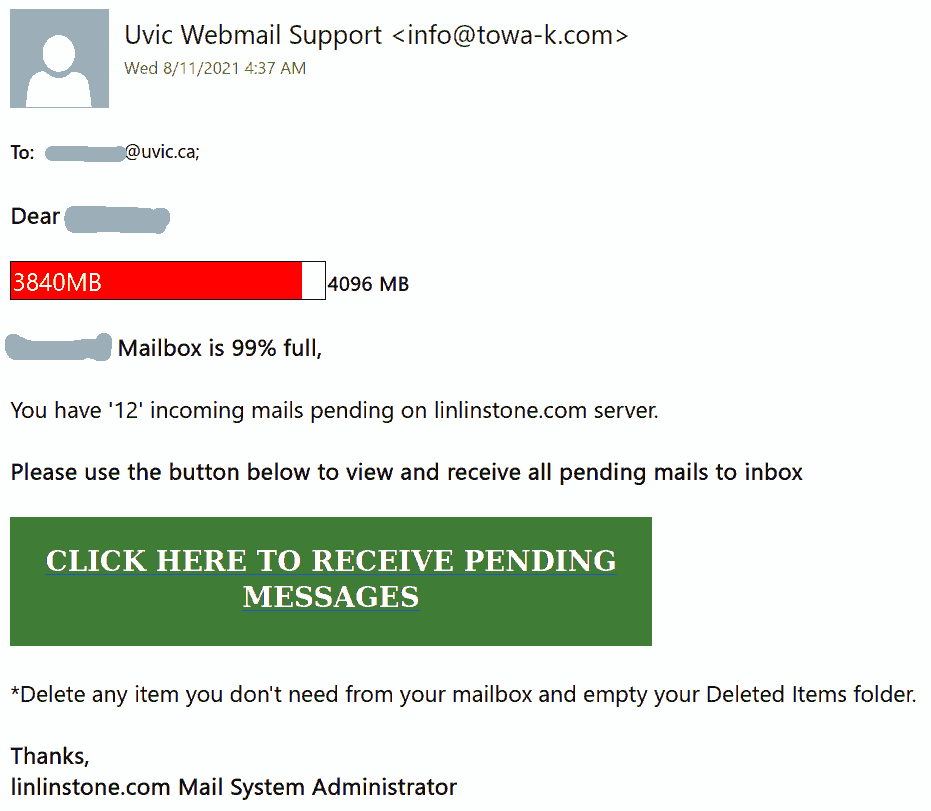
[IMPORTANT] NOTICE phish

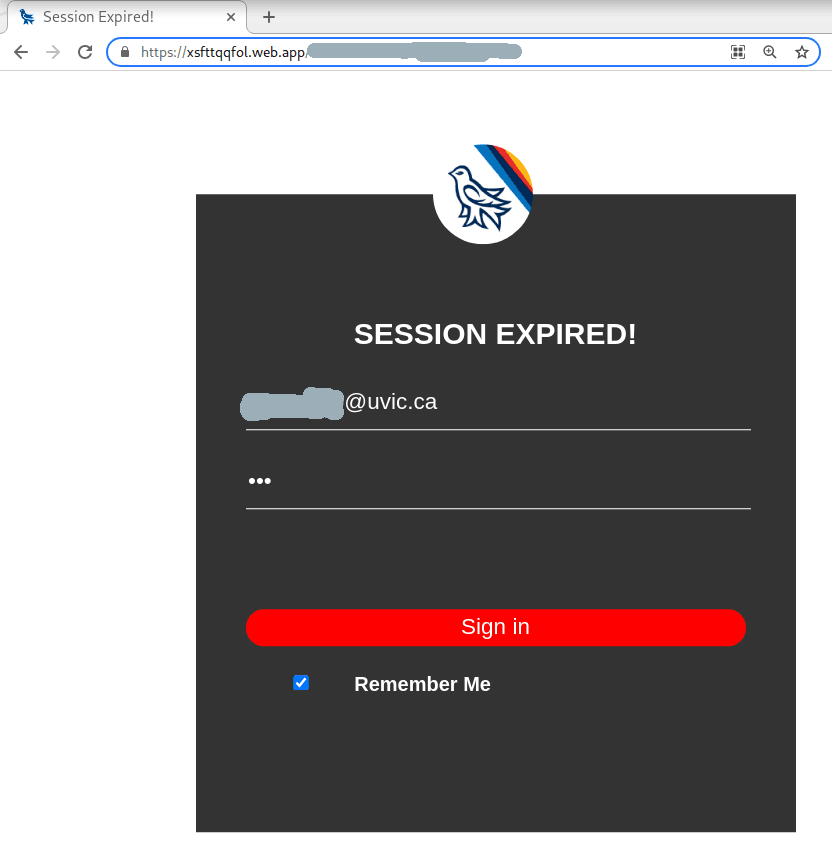
A colourful phish is circulating today. It has a flashy subject – [IMPORTANT] NOTICE and it tries to persuade you that you have to click the button in order to release a certain number of pending messages in your mailbox.  The malicious actor named themselves “Uvic Webmail Support” but they did not bother to spoof the sender’s address. It is obviously not a UVic address. Also if you hover the mouse cursor over the link you will see it does not point to a UVic page. As we always repeat  – Please do not be curious and do not click the link. Sometimes these pages may contain malware which gets installed in an instant. No matter you did not enter credentials, no matter you closed the bad page quickly. We investigate such pages in a special safe environment, the second screenshot shows how this fake Outlook Web Access page looks like. Apparently they targeted UVic specifically and used a UVic logo there.

—————————————————————————————————–

Update/Verification of Outlook Web Access phish

This is another phish circulating today July 29th.
Unlike the previous one, the sender obviously has nothing in common with UVic. But similarly to the previous one, their goal is the same – to steal your UVic credentials by pointing you to a fake Outlook Web Access page. Please do not be curious and do not click on the link. Sometimes those pages may contain malware and only by opening them, even for an instant, your computer may get compromised.

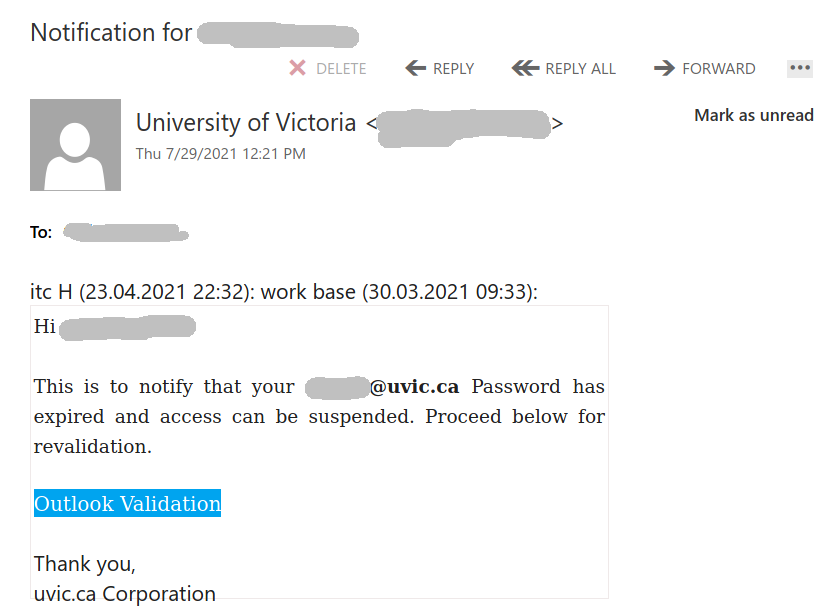
Password expired phish

Many UVic recipients received this phish today.  The text is addressing the recipient by name and the sender is internal.  The signature at the bottom “Uvic corporation” is a clear sign that something is not right about this notification.
UVic would not send you a link to validate/update/activate etc.  Instead you would get instructions to navigate to the UVic main web page and how to proceed further. As usual: Do not be curious and do not click that link if you happen to receive the phish. Hovering over the link clearly shows that it is not a UVic address.


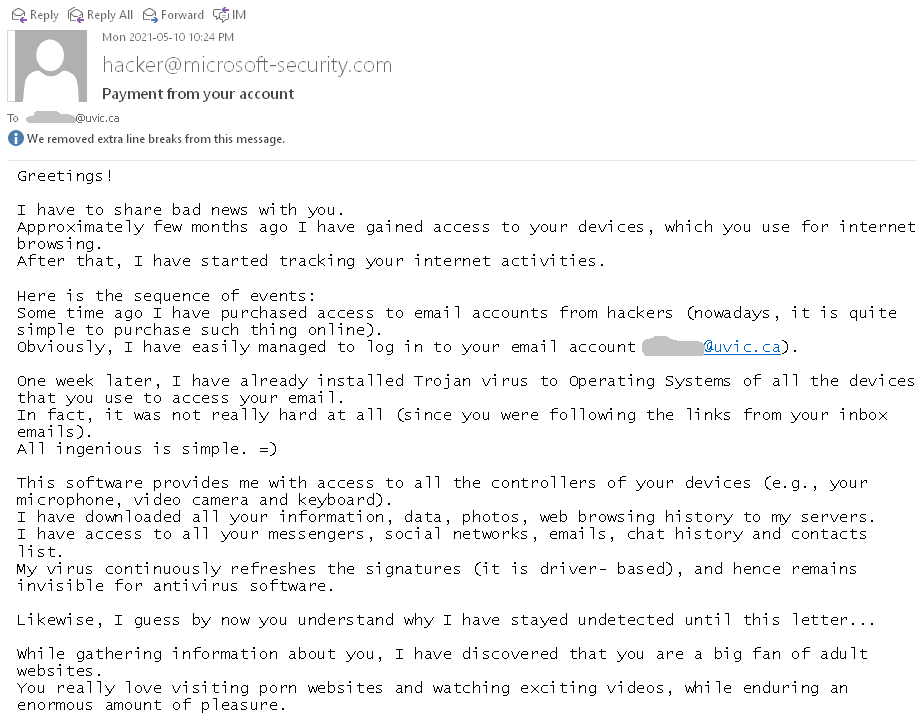
“I’ve got you” blackmail

This type of scam is circulating again. See below a screenshot. Typically they are sent to a large number of email addresses retrieved after a certain breach. The scammer demands a payment in Bitcoin threatening to expose your secrets. In most cases they have only your email address and nothing else. In some rare cases they may list an old password (retrieved at some non-UVic breach) of yours in order to convince you.  Do not re-use passwords.  And of course do not answer those scams (even for fun!)

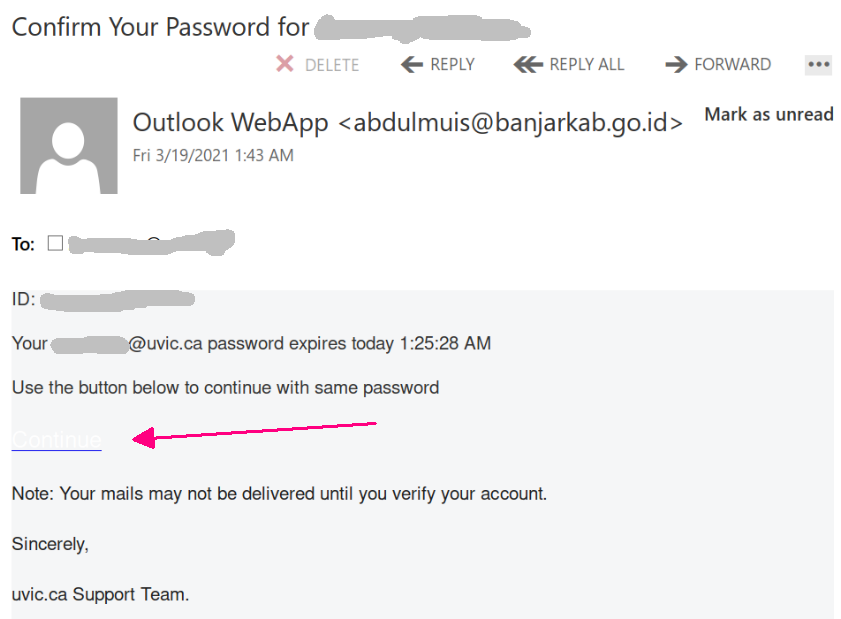
“Confirm your password” phish

Today’s phish pretends your password was going to expire today.
Note that we don’t have a policy to expire passwords.

The phish message asks you click the button in order to keep you password. As usual that leads to an external i.e. non-UVic webpage which contains the UVic logo. There, the final goal as always is to steal your UVic credentials. Below is a screenshot of that phish. The “button” is very light, almost invisible. (We added the red arrow pointing to it)

If you receive an email like that, please do not be curious and do not click on the link. Such pages might be loaded with malware so that even if you don’t enter any credentials you are at risk.


“You have voicemail” phish

Today’s phish pretends you had voice mail. In order to hear it, you have to click the button, navigate to some external i.e. non-UVic webpage which contains the UVic logo.  There, the final goal as always is to steal your UVic credentials. Below is a screenshot of that phish. If you receive an email like that, please do not be curious and do not click on the link. Such pages might be loaded with malware so that even if you don’t enter any credentials you are at risk.

“Incoming\Pending” & “Action needed” phish

One more phish of this kind is circulating today. It tries to persuade you there were delayed messages in your mailbox. In fact the sender is external and their ultimate goal is to steal your credentials. For that purpose they created a copy of the UVic OWA (Outlook Web Access) page.  Please do not be curious and do not click on the link.  Such pages might be loaded with malware so that even if you don’t enter any credentials you are at risk.

In a second phish (second screenshot) the malicious actor spoofed the address of the UVic Helpdesk. The subject is “Action Needed”. The body of the phish is similar and it links to the same fake OWA page.

“Mailbox Quota Warning” phish

Another phish was received by a number of UVic recipients today. It uses the usual tactics – to scary the recipient that something is wrong and the victim needs to fix it. In this case the subject is “UVic Mailbox Quota Warning” and the email claims several messages were pending because the mailbox was full. (see the screenshot below). When the victim clicks on the link a fake Outlook Web Access (OWA) page opens. All designed to steal your UVic credentials.
As we always remind you – please do not be curious and do not click on such links – they may contain other malicious content so that just opening them “for a quick glimpse”  may be dangerous.
Note that they added their own message (the green bar) to fool you that the email originated from UVic.