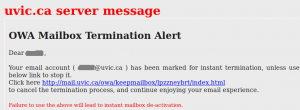
Undelivered mail notification

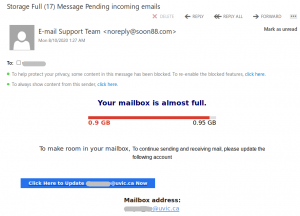
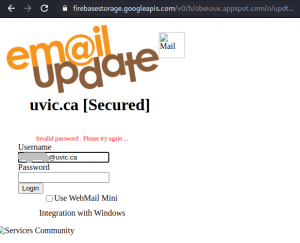
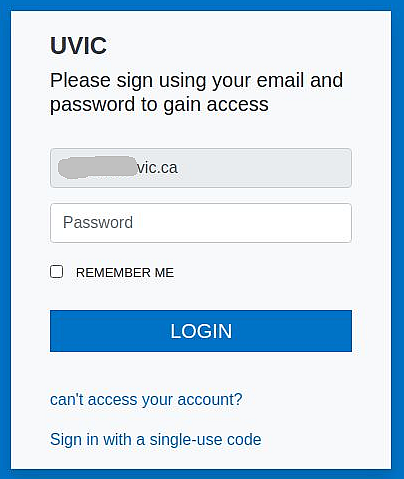
This phish was received by UVic users today. It tries to persuade the victim there was a “configuration error” and as a result some mails could not be delivered. The goal is the same  – to make you click on a malicious link which opens a fake OWA page in order to steal your credentials. Please do not click on the link.
The email and the fake OWA page are shown in the next screenshots:

————————————————————–
 

Non delivered messages phish

Another version of the popular phish that claims some of your email messages were blocked and you needed to click on that link in order to “unblock” them is circulating around.
The sender is clearly non-UVic. Please do not be curious and do not click on such links even just for a quick peek. They may contain malicious load. The email looks like this:
=================================================================
 

and the page looks like this:

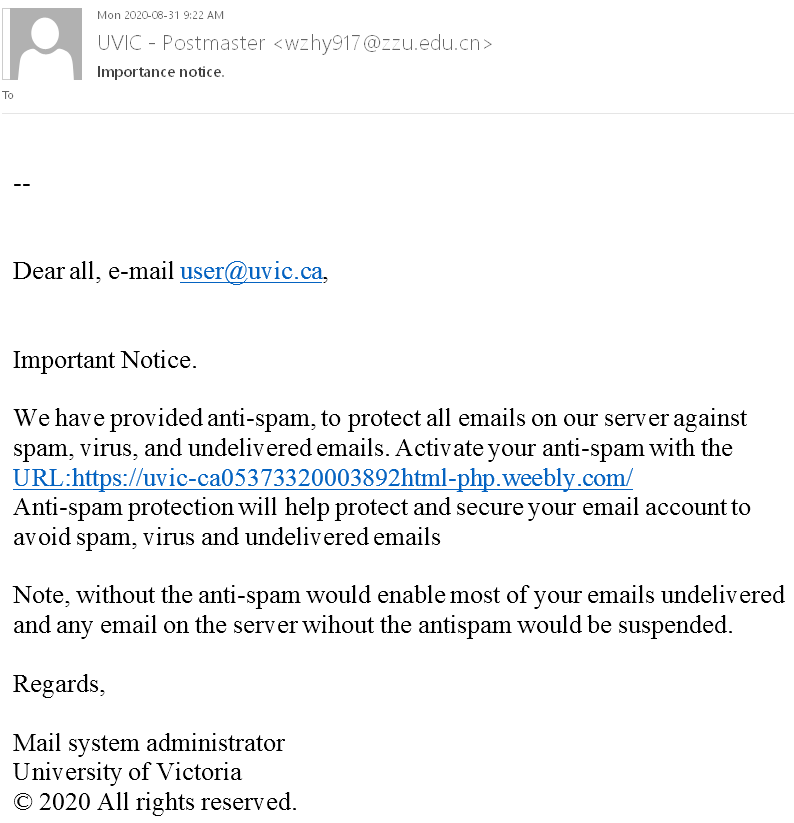
“Important notice” phish

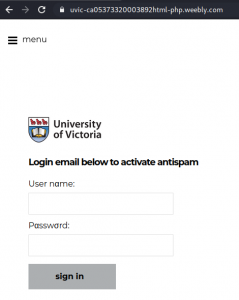
This phish tries to persuade the victim to “activate their anti-spam” by clicking on a link. Both the link and the sender are clearly not UVic addresses. Nevertheless the email is signed “University of Victoria” and the page contains the UVic logo.

As usual the goal is to steal your credentials. Do not click on the link!


Microsoft verification phish

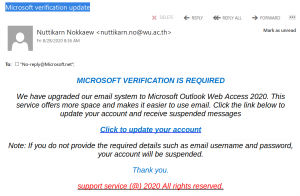
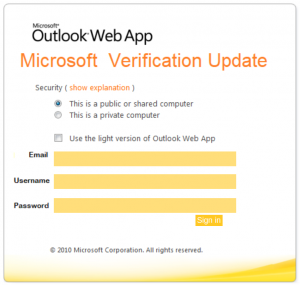
Many UVic users received this phish today. It claims that “Microsoft Verification is required” and supposedly comes from “support service”.  However the sender is clearly not a UVic address. The body of the message looks like this:
Please do not be curious and do not click on the link.  The goal is to steal your UVic credentials (fake Outlook Web App page is shown below). Besides stealing credentials, these pages may contain malware which is why even opening the page is not a good idea.
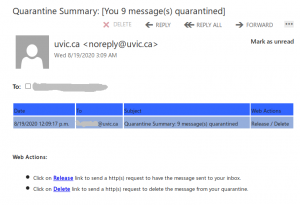
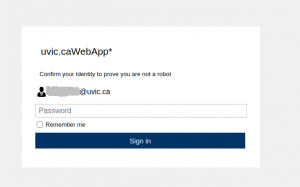
x message(s) quarantined

This is another phish that tries to persuade the victim something was wrong with their email account. They are supposed to click a link to “release” quarantined messages. Note that UVic does not have such a practice.


The sender is forged to seem internal, but the links are clearly external.
Please do not be curious and do not click. The links lead to a fake Outlook Web App page that’s designed to steal your credentials:


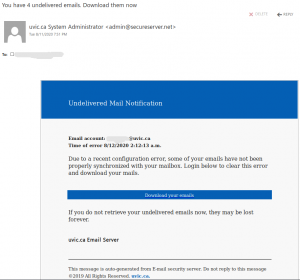
You have undelivered emails phish.

This phish tries to persuade the user there was a problem with their emails and they need to act immediately in order not to loose the unsent emails.
The sender is clearly external.
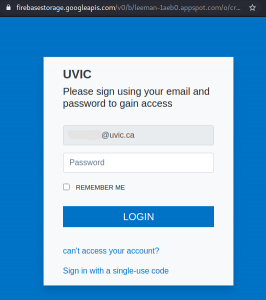
Do not click on the link. It leads to a fake OWA page that pretends to belong to UVic and is designed to steal your credentials. See below the screenshots of the email and the fake Outlook Web App page


Update your account phish

This is another phish that tries to persuade the victim to “update their account”.
The message looks like this:

Please do not be curious and do not click the link if you get this phish.
It leads to a page that’s designed to stole your credentials.
One can clearly see in the address bar that it is not hosted at UVic:

Another fake OWA page

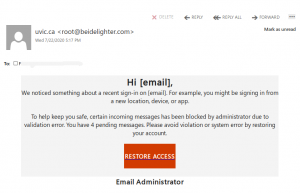
The phish tries to persuade the victim that their email was blocked and they need to click the button in order to “restore access”.

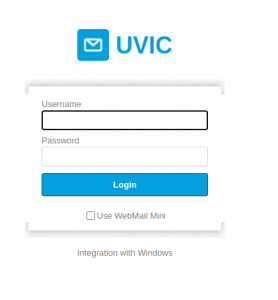
After clicking a fake OWA page opens with the intent to steal the victim’s UVic password.  The fake OWA (Outlook Web App) page is in fact hosted on a Russian server (see the address bar).

Do not click on the “restore access” in that email!

A letter from the president

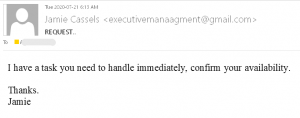
Today a number of UVic recipients received an impersonation email supposedly from the president Jamie Cassels.
The email looked like this:
This is a typical start of a gift card scam. We wrote about those back in November:
https://www.uvic.ca/systems/status/notices/current/gift-card-scam_nov2019.php

and later on the topic was covered with more detail by our Chief Information Security Officer:

From the archives: An email exchange with the President (not really)

Please do not respond to impersonating emails (even for fun) and report them by using the “phish” button.

Financial statement

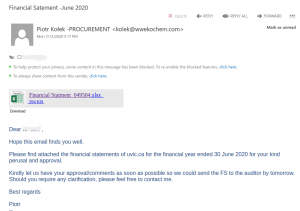
This phish pretends to be sending financial statements for 2020 (misspelled in the subject as “satement”). The email body looks like this:
The actual attachment is a html file which redirects the victim to a UVic like OWA page:
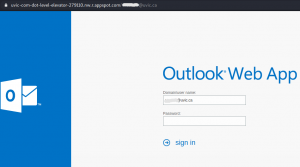
with the intention to steal your credentials. That page is clearly external – look at the address bar in the screenshot.
Fake “verify your account” phish

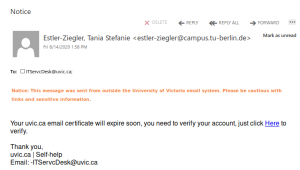
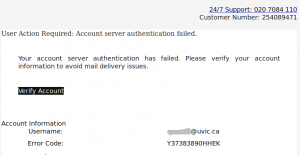
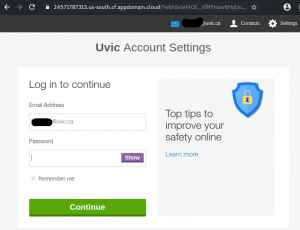
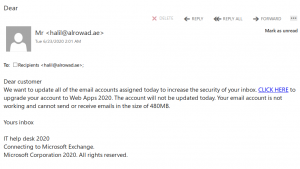
This phish tries to persuade the victim that they need to click a link to verify their account.  It opens a page that pretends to belong to UVic and steals the credentials of the victim. Do not click on that link!
The email looks like this:


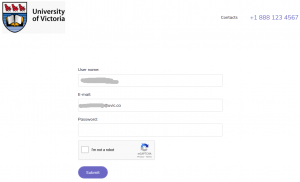
The page pretends to be UVic, but clearly is external (see the address bar)

Fake Helpdesk message with a link to google drive

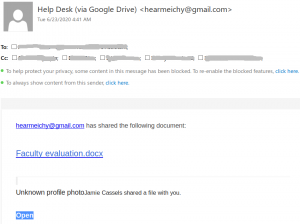
This message pretends to be coming from the helpdesk, while clearly it comes from a random gmail address. Apparently it was designed  to target the UVic audience because it mentions the name of the UVic president. Do not click on the link.
Neither the Helpdesk, nor the president will send a document by using google drive.