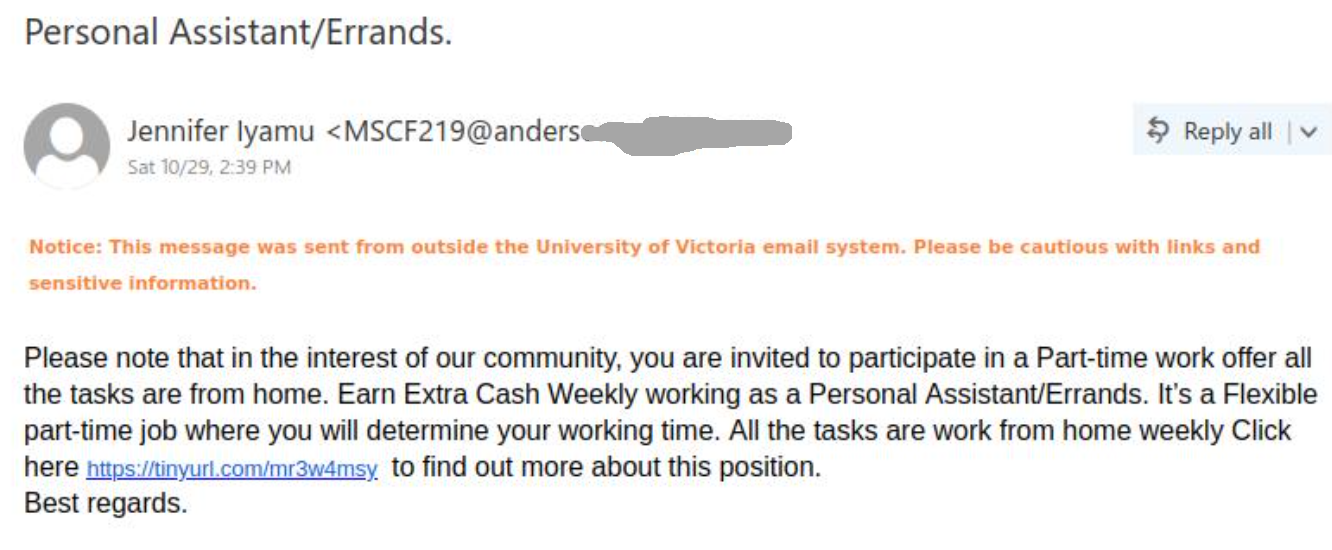
Personal Assistant/Errands

This scam is circulating today. The sender is some external compromised account (but could be any).

Whether a scam that would eventually try to extract money or a phish that aims to steal your credentials, our advice remains the same – never answer by email and never open the links – they may contain malware to infect your computer instantly. Our experts open these in dedicated isolated environments.
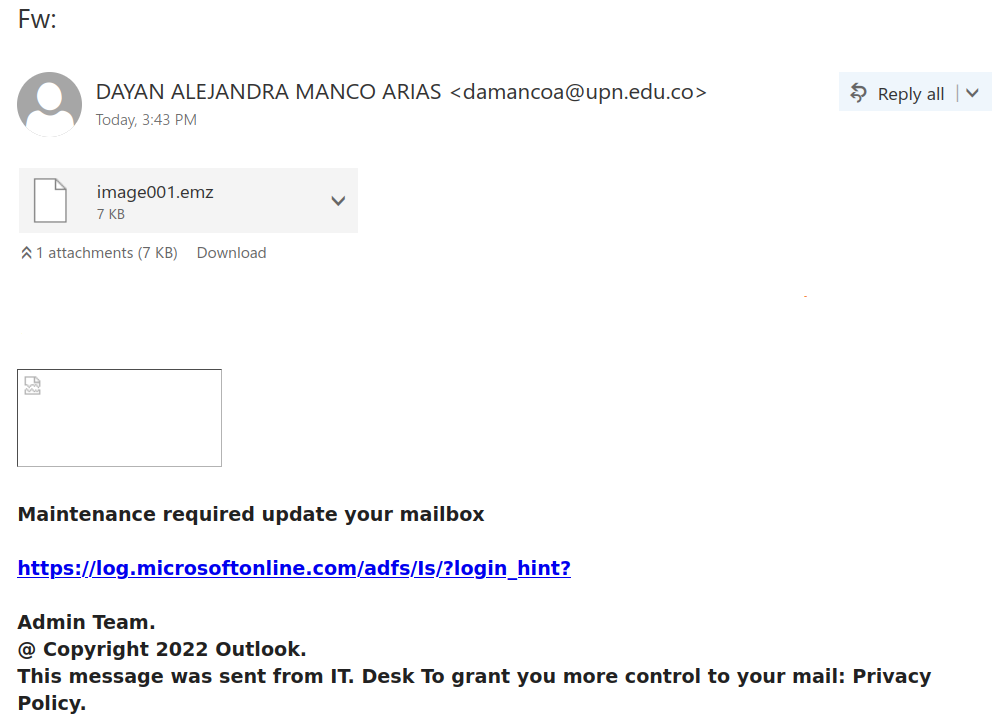
FW:

This phish is circulating today afternoon.  The sender is some compromised account in some other university. The link only appears as a legitimate Microsoft site but in fact points to a login page designed to harvest credentials.
As always – please do not be curious and do not open these links – they may contain malware to infect your machine instantly.

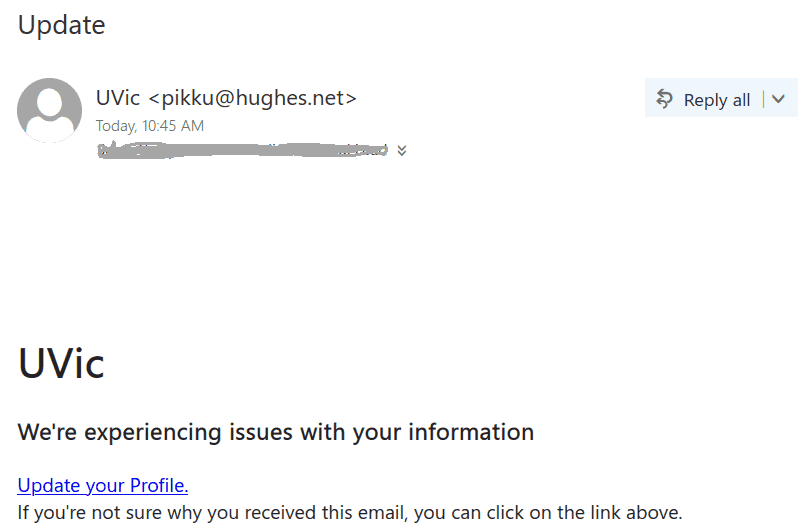
Update

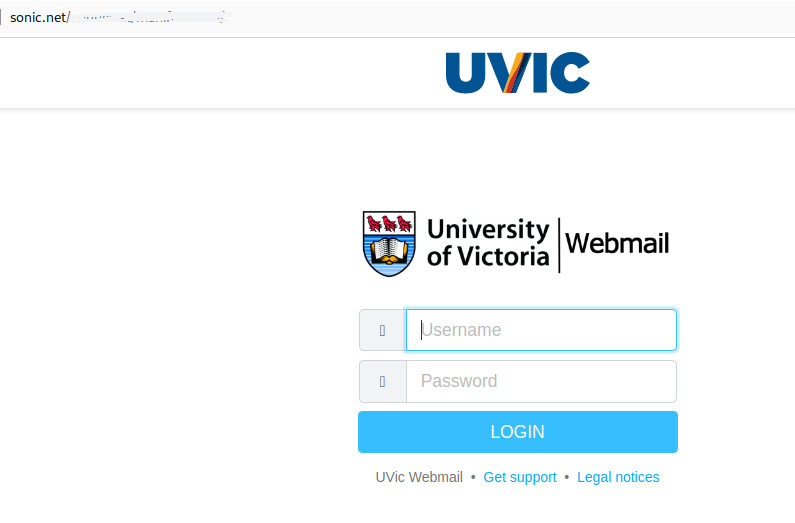
This simplistic but massive phish circulates today. The sender set a display name “UVic” but the address is clearly external. Same old tactics – you have to act quick to prevent something bad from happening. The link leads to an external page (shown below) made to look like belonging to UVic.
The purpose is all the same – to steal your credentials.
Please don’t be curious and don’t open these links. Sometimes they may contain malware to infect your computer instantly. Our experts open them in a dedicated isolated environment.


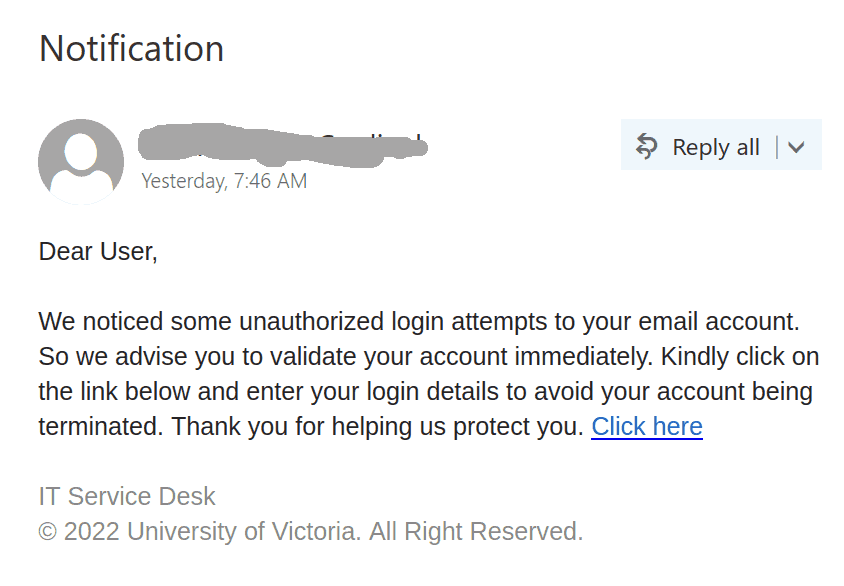
Notification

This otherwise simple phish was massively sent to UVic users yesterday, Sep 5th and there could be more coming today. The usual tactics is used – to create a sense of urgency as if your account is going to be terminated. The sender could be external or could be a spoofed internal one but the link is pointing to an external web provider.
Note that sometimes malicious actors register domains or use subdomains of existing providers by introducing the string “uvic” in order to imply legitimacy.
Our top domain is uvic.ca, whereas in cases like www.uvic.a1.biz the top domain is a1.biz which has nothing to do with UVic.
Please don’t be curious and do not click on these links. Usually their goal is to steal your credentials, but sometimes they may contain malware to infect your computer instantly. Our experts open them in dedicated isolated environments.
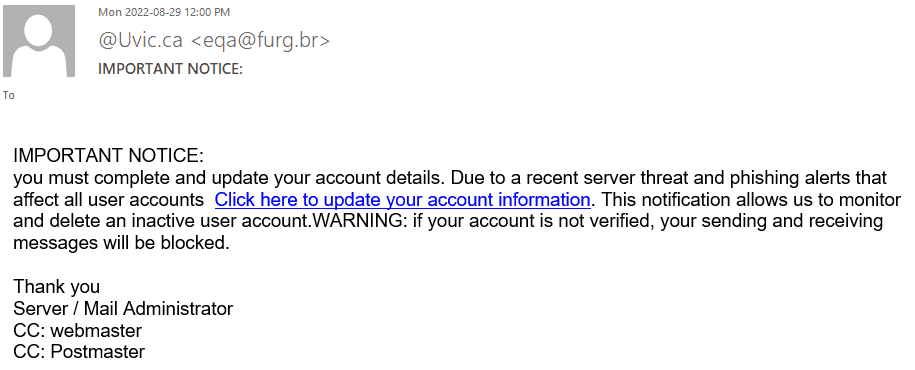
IMPORTANT NOTICE

How many “important notices” did we have so far?  Hopefully UVic users can identify this phish easily. Below is a screenshot of the message. The sender is some compromised account in another university. The usual urgency tactic (otherwise your account is going to be deleted). To make it more authentic, they even mention phish!
If a scammer mentions “scam” that doesn’t make them legit, does it?

Again – do not be curious, do not click on these links. They might contain malicious software to infect your computer instantly.

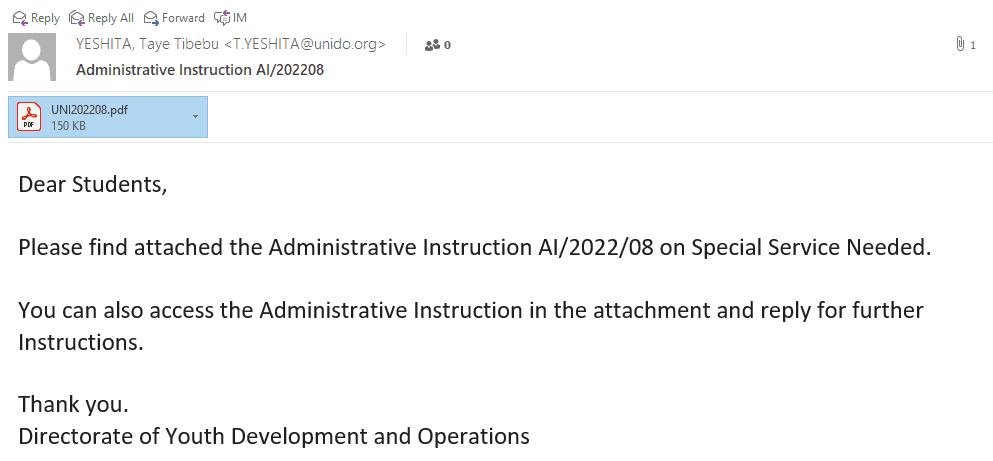
ADMINISTRATIVE INSTRUCTION

This phish looks quite convincing. The sender is external and the body of the message is a bit vague in order to provoke the reader’s curiosity to open the pdf file.
——————————————————————————

The pdf itself contains the following text. It promises $400 for 3 hours of work (too good to be true especially when sent to an unknown recipient)
At the end they ask you to provide personal information.

————————————————————————————

NEW FAX MESSAGE

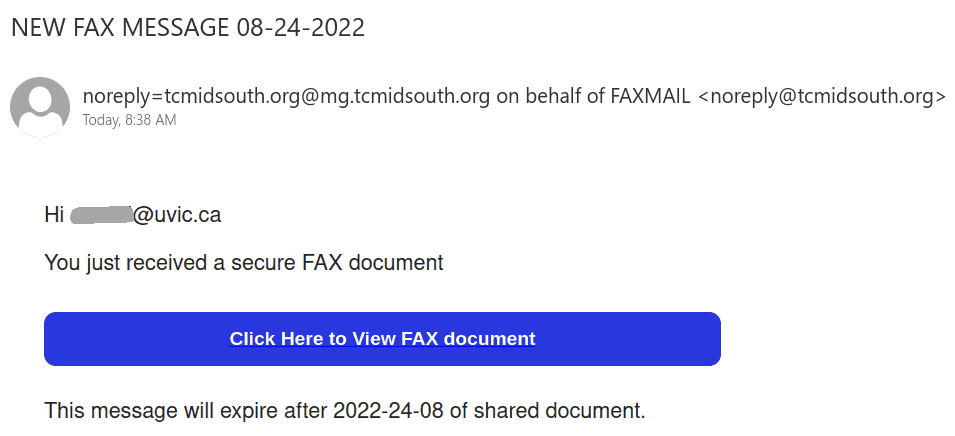
This phish has variations, but the common thing is to click to get a document, a voicemail, etc. The one circulating today pretends you received a fax (somewhere?!) and it is one click away. What happens actually when you click is that a browser window opens and a .jar file downloads automatically.  Jar files are Java programs, and this one is a malicious one. Once downloaded, there is a chance you click on it, the program executes and your computer gets infected.
Please report such phish, do not be curious and do not click on the buttons.

Notification (IT Service Desk)

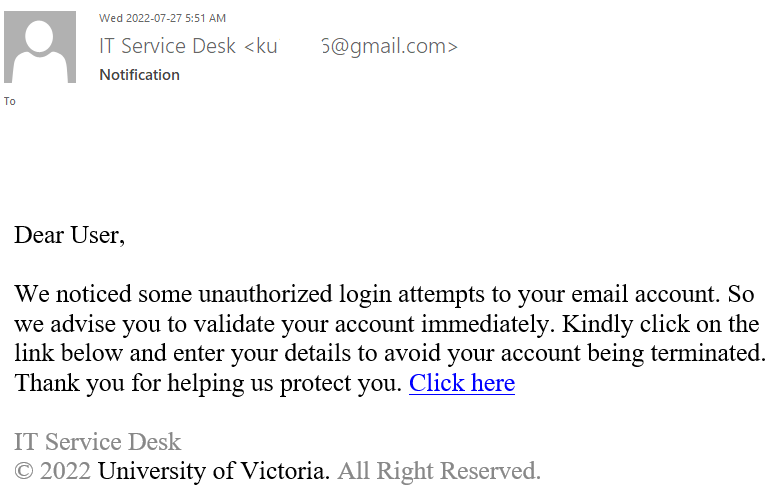
Many UVic mailboxes received this phish in the morning. It is a copy of what we had earlier this month.

Again, it comes from a gmail sender and overall the short text does not make much sense – to validate (what?) because there were unauthorized login attempts?!?

Their fake page contains UVic symbols though. Please do not be curious and do not open such links as they may contain malware to infect your computer instantly (Mac users – that applies to you too!)


Re:Update!

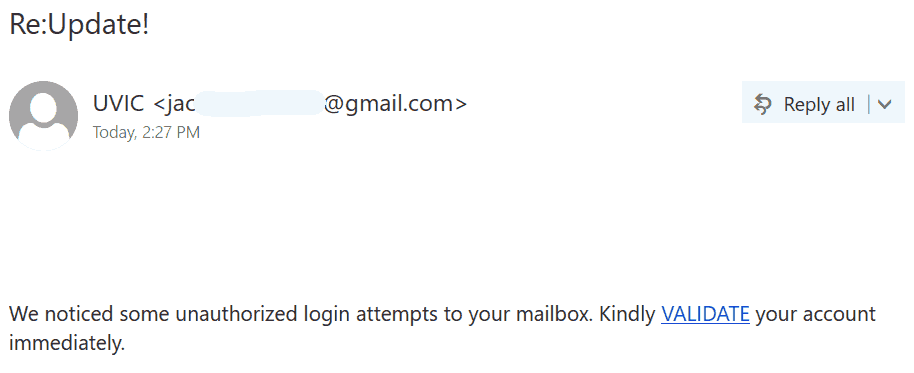
Another massive phish is circulating this afternoon.
It has “Re:”  in the subject to imply you already had a thread with this sender.
It has an exclamation mark as a typical trick of phish senders is to suggest some level of emergency.

It comes from a gmail sender and overall the short text does not make much sense – to validate (what?) because there were unauthorized login attempts?!?

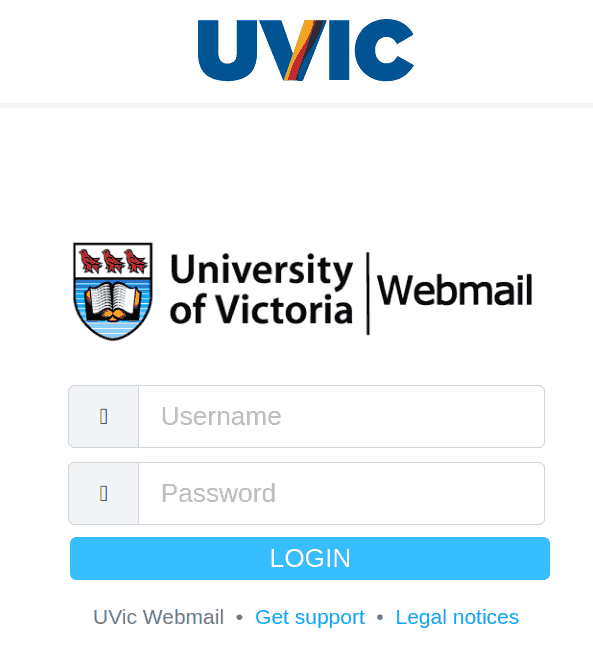
Their fake page contains UVic symbols though. Please do not be curious and do not open such links as they may contain malware to infect your computer instantly (Mac users – that applies to you too!)


The fake logon page is shown below:

Deactivation

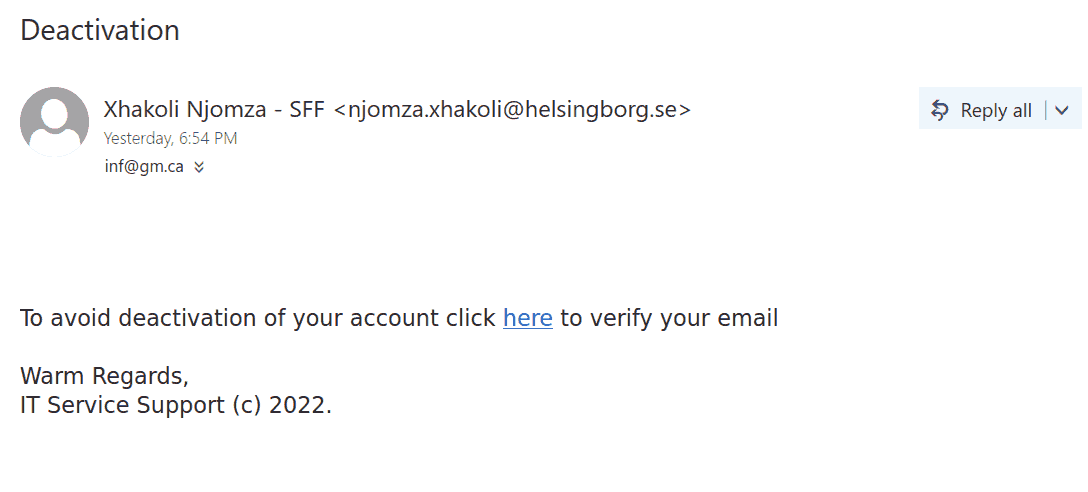
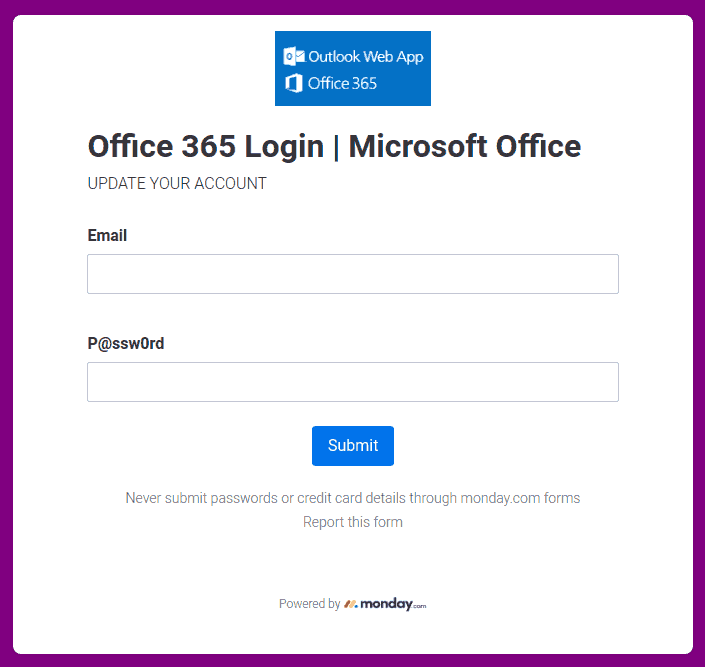
This phish is in circulation today. The same old story – click to prevent deactivation of your account.  See below. The sender is external.  Please don’t be curious and do not click these links. They are designed to steal credentials but they may contain malware to infect your computer instantly. Our experts open them on dedicated isolated machines.

This is how the phish looks like:

And this is a screenshot of the fake page:


Action required

Another try to persuade you to act quick, this phish comes with a subject “Action required”. It may or may not use a forged UVic address as a sender (see the screenshot). To be more convincing the body of the message contains the email address of the recipient.
As usual – do not be curious, do not open these links that point to fake UVic login pages designed to steal your credentials.

Payment confirmation

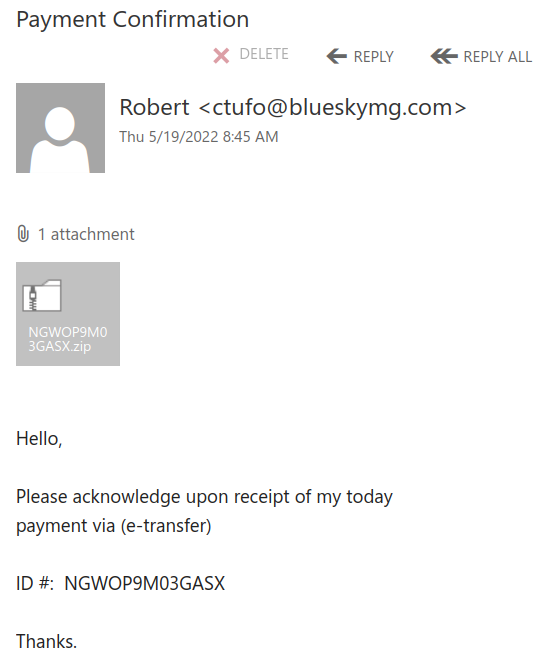
An email with a subject “payment confirmation” is circulating today. To avoid detection the malicious actors made a huge executable file (containing the malicious code) then put that executable file into a .iso file and then zipped that .iso.
The zip file is about 2Mb in size and attached in the email.
Please do not open these attachments!  If in doubt, first ask your Desktop support person or the Helpdesk.

In the screenshot below it is shown the sender is an external one. As is usual for such campaigns they used many different sender addresses.

ICT System Administrator

This phish is circulating since the early morning today. See a screenshot below.
As usual you are expected to act fast. Your password expires in 3 hours, and if you don’t act  your account will be deleted in 4 hours?!?  Isn’t that ridiculous?
The sender pretends to be a “System administrator connected to Microsoft Exchange”. They are clearly using some external address somewhere in Germany. They put themselves as a recipient and all other recipients received bcc: copies.


——end of the first screenshot ——

The link is external of course, and points to a fake login page that’s created to steal your credentials.

Please never click on suspicious links, don’t be curious. Sometimes these pages may contain malware to infect your machine instantly. Our experts open these in a dedicated isolated environment.
This particular fake page looks like shown below:

“your email” failed vulnerability check

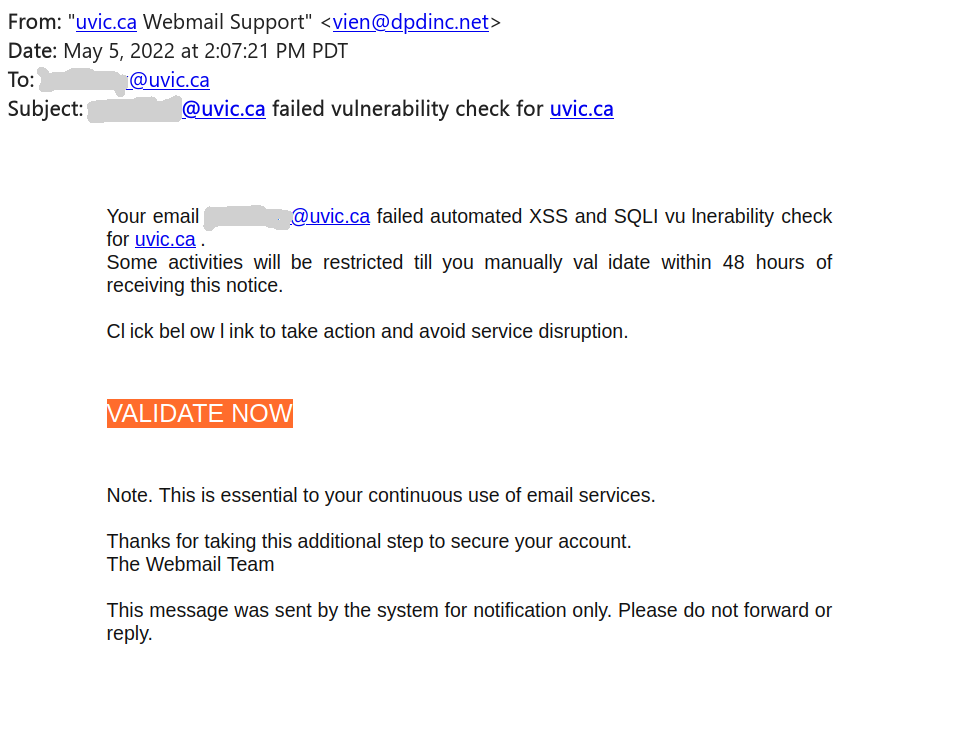
This phish is circulating around today.  See a screenshot below.
Of course something must be wrong and of course you have to act fast. The sender pretends to be a “uvic webmail support” but clearly is using some external address. Note how the malicious actor deliberately put space in some words in the message body in order to evade automatic detection of phish, e.g. in the words “vulnerability”, “click”, “below”, “validate”

The link is external of course, and points to a fake roundcube mail page that’s created to steal your credentials.

Please never click on suspicious links, don’t be curious. Sometimes these pages may contain malware to infect your machine instantly. Our experts open these in a dedicated isolated environment.

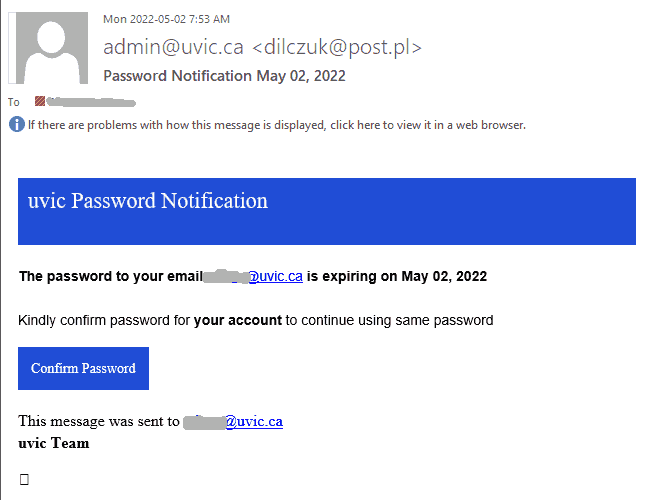
Password notification May 02

Same old tactics – scary the user there is something wrong to deal with fast, navigate to a fake page, steal your UVic credentials.

A screenshot of the phish message is shown below.  The link in fact points to an external site (that can be seen when hovering with the cursor above the link, without clicking).


A screenshot of the fake page is shown below

Please never click on suspicious links, don’t be curious. Sometimes these pages may contain malware to infect your machine instantly. Our experts open these in a dedicated isolated environment.