UVic Alerts

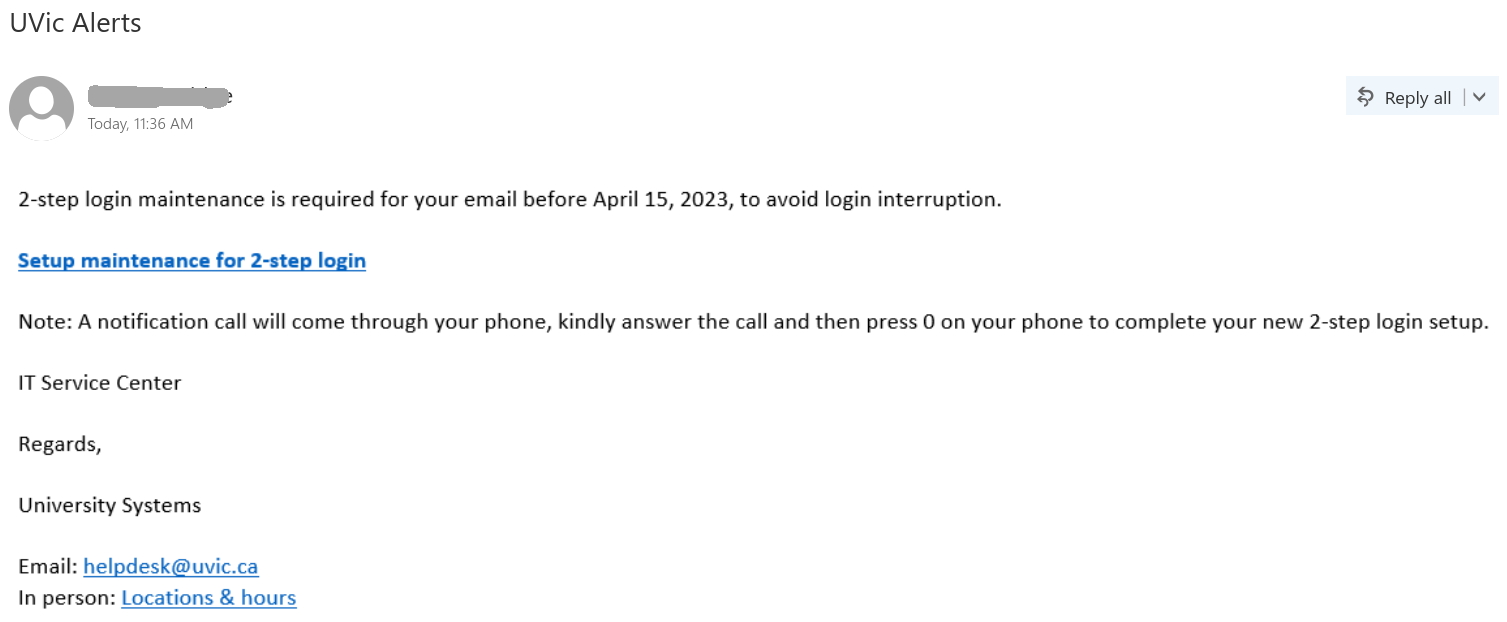
This is another very “popular” phish today.

It made effort to sound legit, it contains helpdesk@uvic.ca at the bottom and the sender may appear as an internal one to add to the sense of legitimacy.

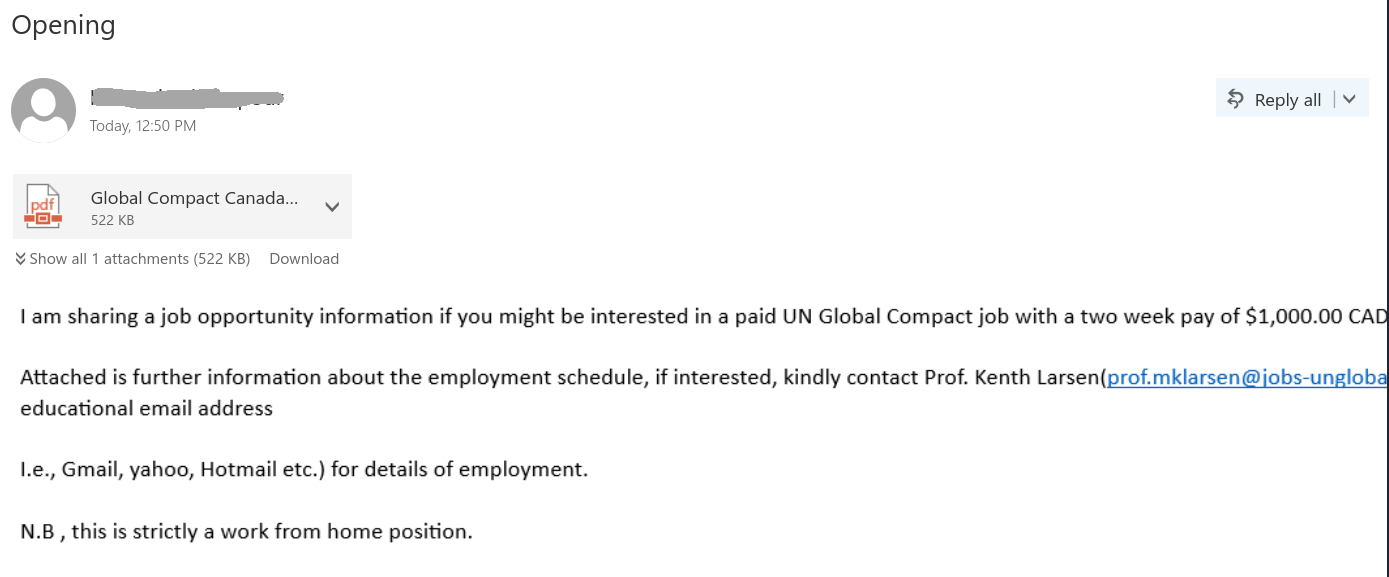
Similarly to the job scam we posted about below, this phish uses the trick to put the whole message in a bitmap. It only looks like text with a link, but the whole body is a single picture. That picture is linked to the malicious website. This way
the victim may click somewhere on what looks like text, thinking it was safe. That would immediately trigger their web browser to open the malicious web page.
Please be careful with clicks and don’t be curious. If in doubt – ask your desktop support person or the Helpdesk.
Opening

This job scam is circulating today. It contains an attachment and tries to persuade victims to reply  back to some external address. The actual sender could be different. The body of the email message is not text but actually a bitmap picture. (the body is shown below).

The pdf also contains the email address of the scammer.

Update

Many UVic people received this phish today. It uses the usual “scary” tactic to make you act quick and eventually provide malicious actors with your UVic credentials. The link points to a fake login page.

Please don’t be curious and don’t click on links in phishing emails since some of them may contain malware to infect your computer instantaneously.

If in doubt, ask your desktop support person or the Helpdesk.
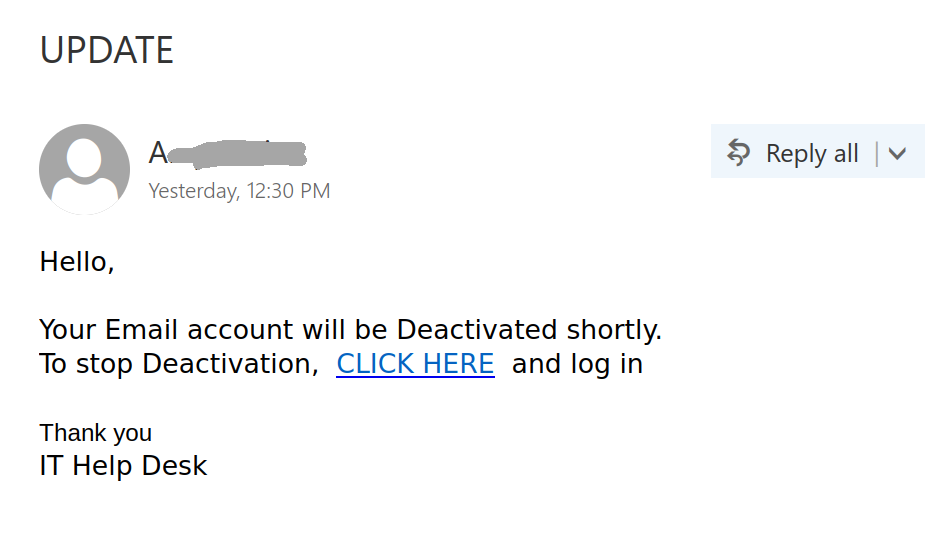
A screenshot of the phish message is shown below.


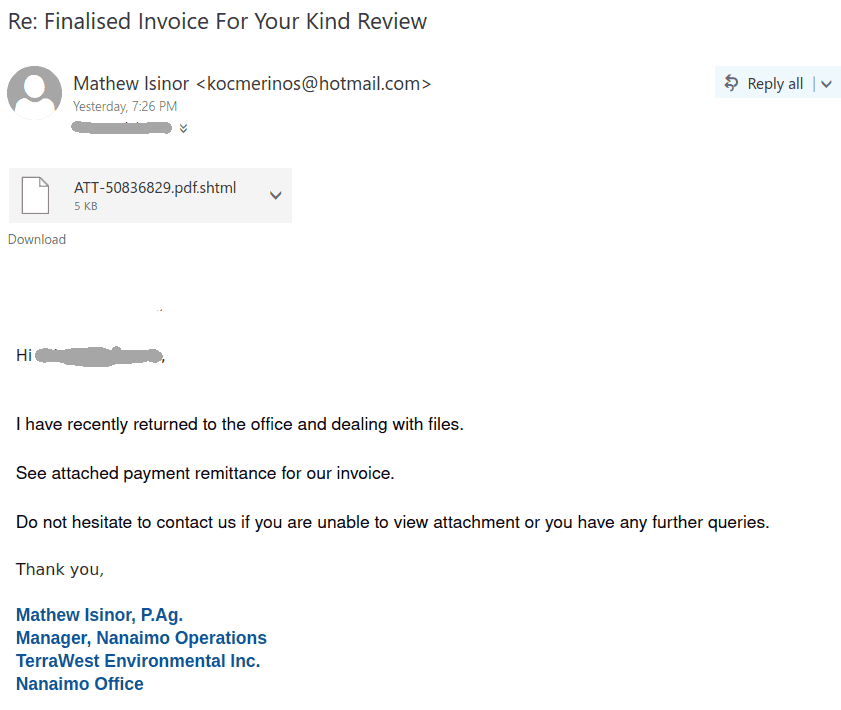
Invoice in a .html attachment

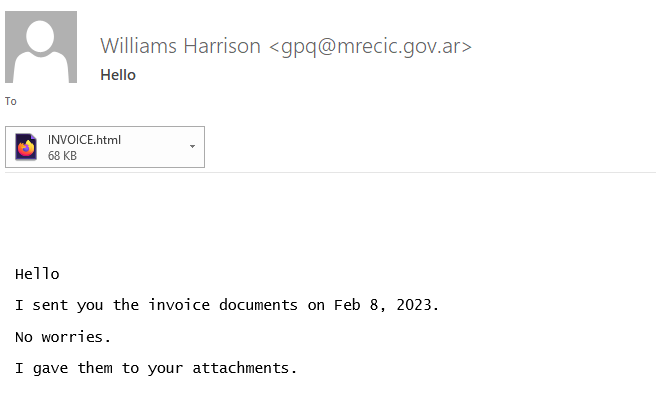
Recently UVic students and employees receive a lot of phish containing html attachments. The attachments might be very small or larger, may contain malware directly or redirect to malicious sites, including but not limited to fake UVic login pages.

There are numerous variations of the text in the email.  In many cases it is short as in the example below.

Please do not be curious and do not open html attachments from untrusted senders. If in doubt – ask the helpdesk or your desktop support person or give the sender a phone call and ask whether they sent you the suspicious attachment.

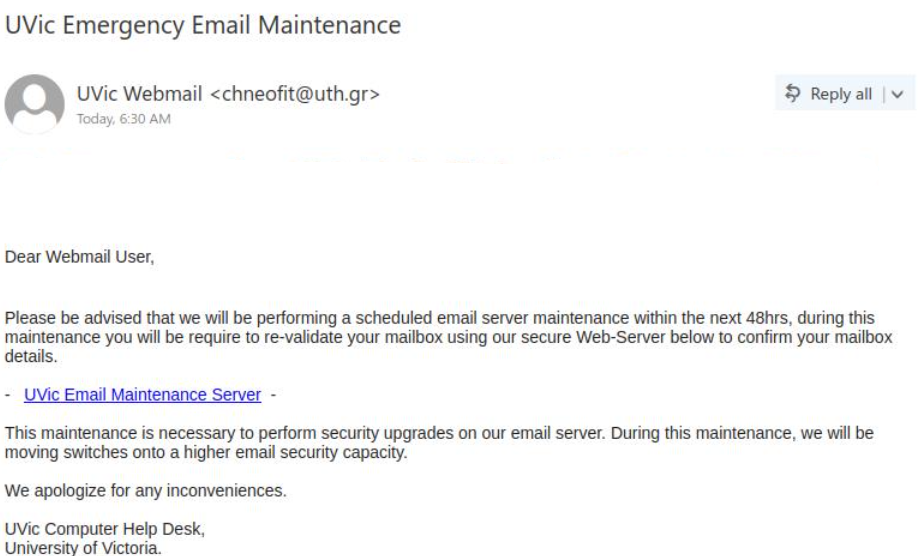
UVic Emergency Email Maintenance

Another phish that is crafted to steal your UVic credentials.

The sender is clearly external and the link is clearly external – you can see it by hovering over it with the mouse cursor.

Remember, if in doubt – never click the links in the email. Instead open the main web page of the organization – whether UVic or your bank, CRA, etc  and find your way to the desired setting from there.

Please do not be curious and do not click on the links in phish emails, sometimes they may contain malware to infect your computer instantly. Our experts open them in specialized isolated environment.

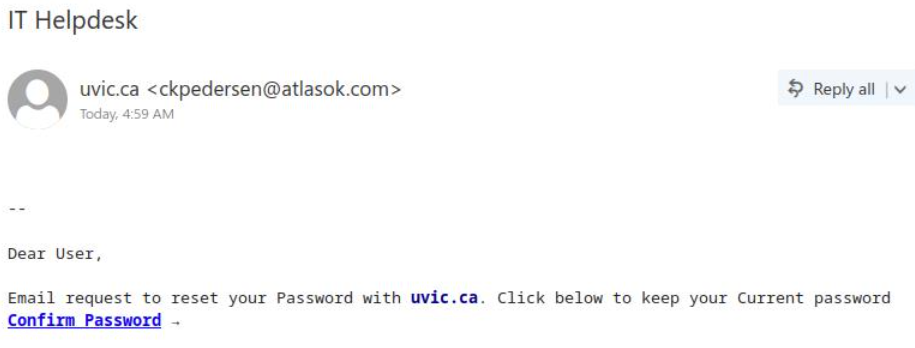
IT Helpdesk

Another phish that claims to help you keep your current password. This does not make sense. The UVic Helpdesk would never send you an email it order to keep a password unchanged.

The sender is clearly external and the link is clearly external – you can see it by hovering over it with the mouse cursor. The goal of course is to steal your credentials.
Please do not be curious and do not click on these links, sometimes they may contain malware to infect your computer instantly. Our experts open them in specialized isolated environment.

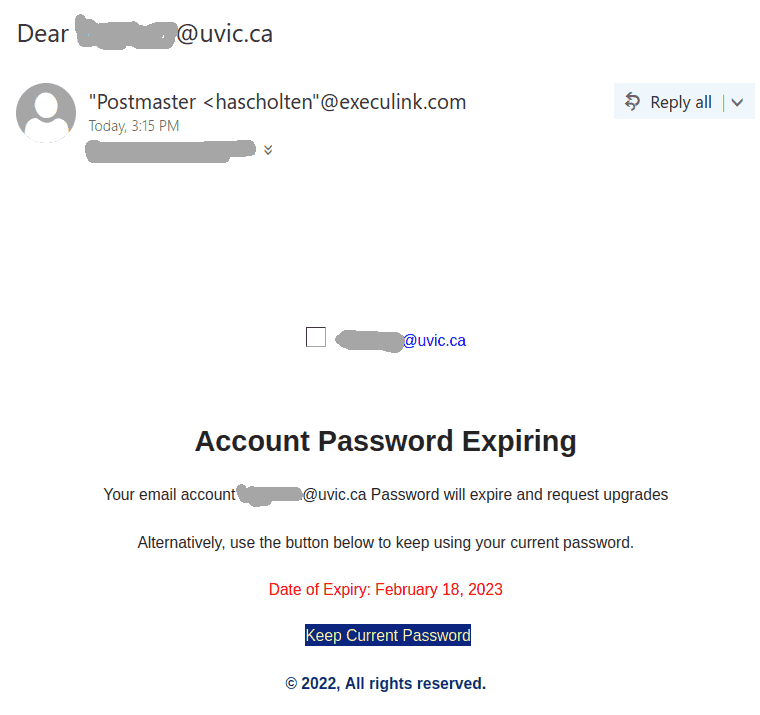
Dear youremail@uvic.ca

A screenshot of another phish that is circulating today is shown below. It tries to persuade you to click on a link to prevent your password from expiring.  The recipient email is quoted in the subject and then also in the email body.

Remember: Whenever  you receive a suspicious email that sounds plausible, never click any link that’s inside that email and do not call phone numbers listed in the email. Instead find the proper links or phone numbers by other means.

This phish is far from plausible. Currently UVic passwords do not expire. The sender is clearly external and the link is clearly external – you can see it by hovering over it with the mouse cursor. It leads to a fake UVic page – a perfect copy of the real home page of UVic. The goal of course is to steal your credentials.
Please do not be curious and do not click on these links, sometimes they may contain malware to infect your computer instantly.  Our experts open them in specialized isolated environment.

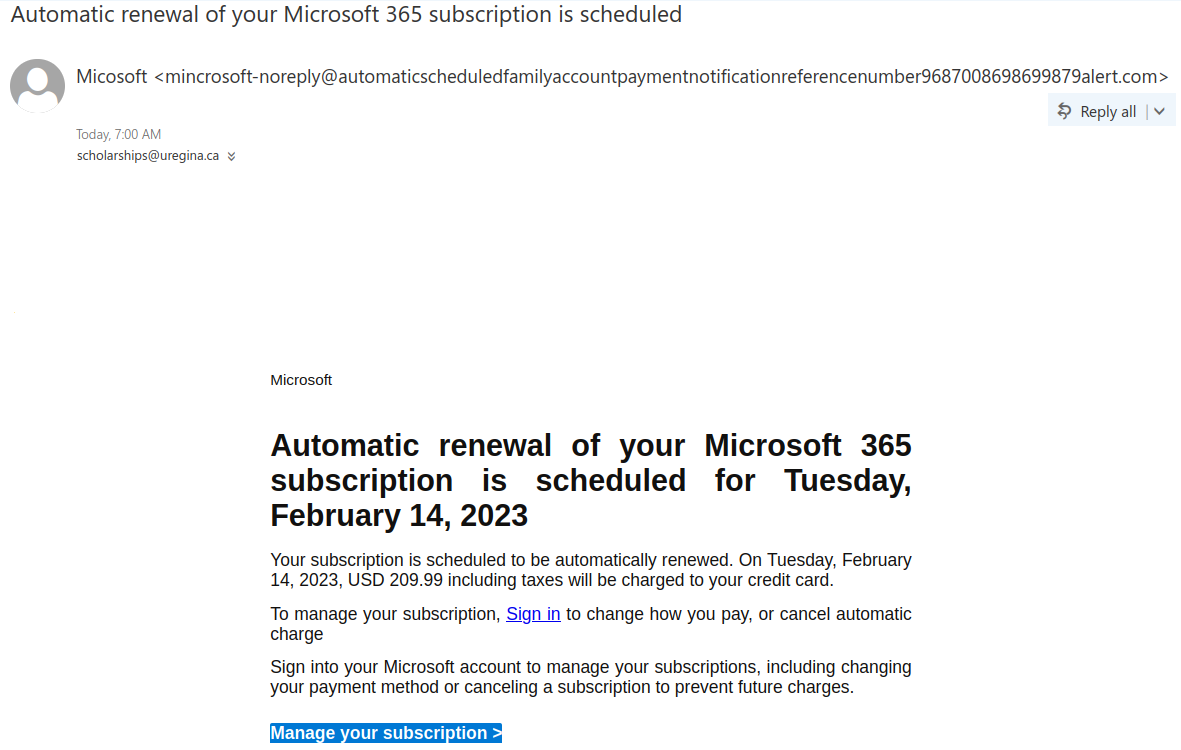
Automatic renewal of your Microsoft 365 subscription is scheduled

A phish with this or similar subject line started circulating around in the weekend.

Note the long domain name of the sender which is neither microsoft.com nor uvic.ca. Malicious actors register domain names for their phishing campaigns. This one in particular is made to look legit by starting with “automaticscheduled..” As usual the goal is to steal credentials. (it leads to a fake login page).
Other suspicious indicators are: You never paid for M365, so why pay for renewal?  Why in USD?  The actual domain of the link is neither microsoft.com, nor uvic.ca. You can see it by hovering on it with the mouse cursor.
Please do not be curious and do not click such links – sometimes they can contain malware to infect your computer instantly.


New mail from Canada Revenue Agency

We have observed a large wave of Canada Revenue Agency themed phishing emails sent from a wide variety of addresses (most coming from compromised accounts in Japan. The emails are well-written and contain a link to an Amazon site, which redirects to a phishing domain hosting a convincing CRA look-a-like website.
The subject lines can vary a little.

Please do not be curious and do not open these links as sometimes they may contain malware to infect your computer instantly.

Update

This phish started circulating today in the afternoon. It clearly comes from some external account. As usual, the goal is to steal your UVic credentials. A screenshot of the phish is shown below:

Please do not be curious and do not click these links because sometimes they may contain malware to infect your machine instantly. Our experts investigate them in dedicated isolated environments.


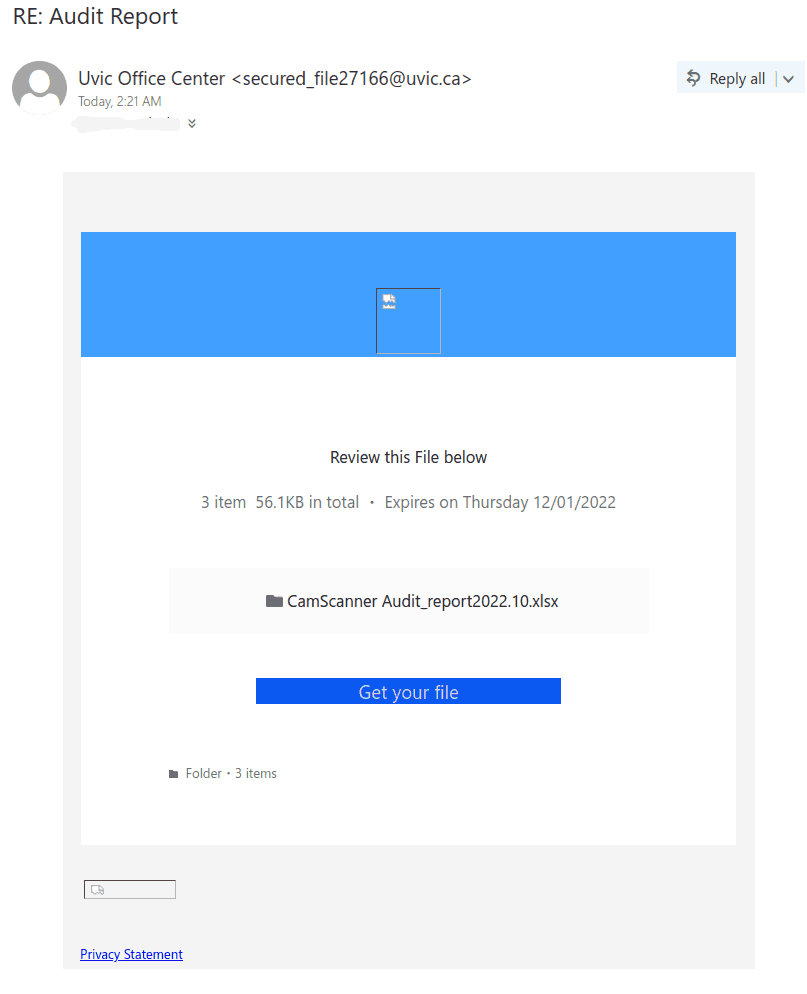
RE: Audit report

This phish circulating today is coming from a Japanese server but the sender is spoofed to look as if internal.  They used some sort of random numbers generator for the spoofed addresses (the number in the sender’s address is different, although they all start with “secured_file” and end up with @uvic.ca.
In some cases the subject is “RE: Audit report”, in other cases it is “Audit_report_Nov.2022”

The “get your file” button and the “Privacy statement” link at the bottom – both lead to the same location – some server in Brazil – fortunately already flagged as dangerous site in Google safe browsing.
Please do not be curious and do not click these links because sometimes they may contain malware to infect your machine instantly. Our experts investigate them in dedicated isolated environments.


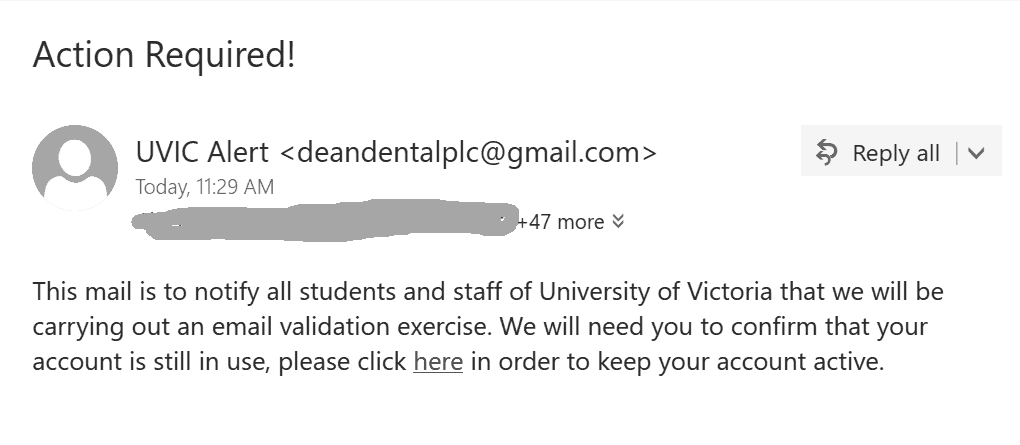
Action Required!

This  phish is circulating today. The text doesn’t  make any sense.  Unlike the malicious actors the UVic Systems can determine if your account is in use without asking you to confirm. The sender is some gmail account.

The goal as usual is to steal your UVic credentials.

As always – please do not click out of curiosity, just to see the fake login page.
Sometimes these pages may contain malware to infect your computer instantly.
Our experts open them in isolated environments. The second screenshot shows the fake login page.


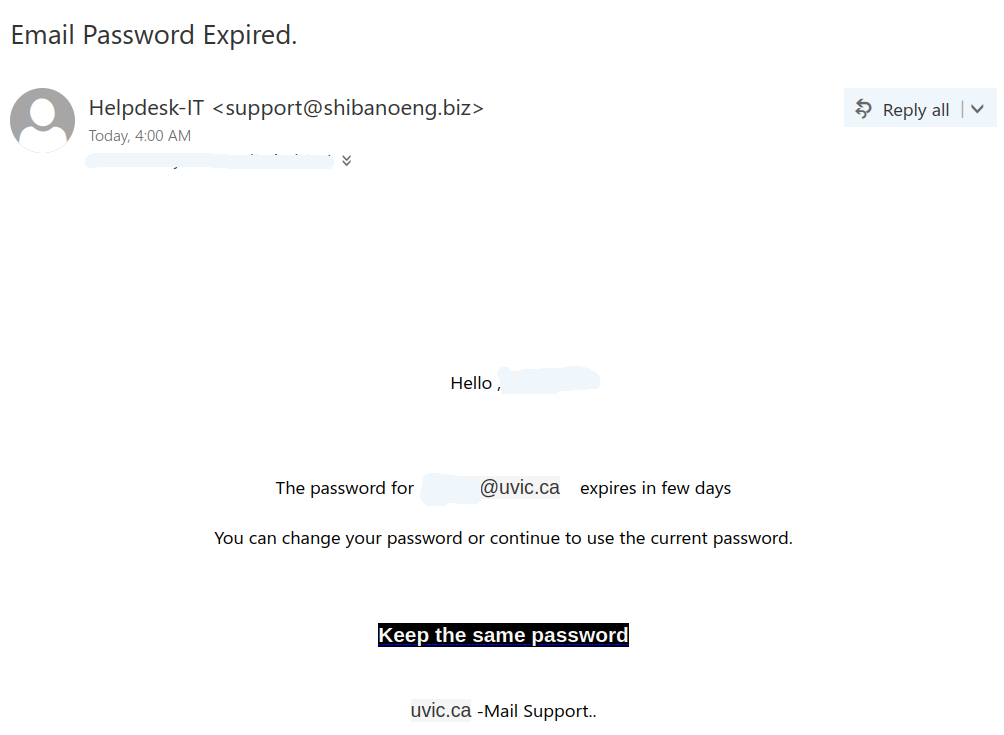
Email Password Expired.

This phish is circulating today. It is virtually the same as our previous posting just a different sender. The sender is  clearly external. The idea of keeping the same password doesn’t make sense. It is always better to change your password periodically with some new long phrase that you never used before. Our tips to choose a new password are published here:
https://www.uvic.ca/systems/support/loginspasswords/password/passwordtips.php

Here is a screenshot of the phish:

The goal is the same as usual – to steal your UVic credentials. For this purpose they created a fake UVic page – an exact copy of the real one. Please do not be curious and do not click these links, as sometimes they may contain malware to infect your computer instantly. Our experts open those in dedicated isolated environment.

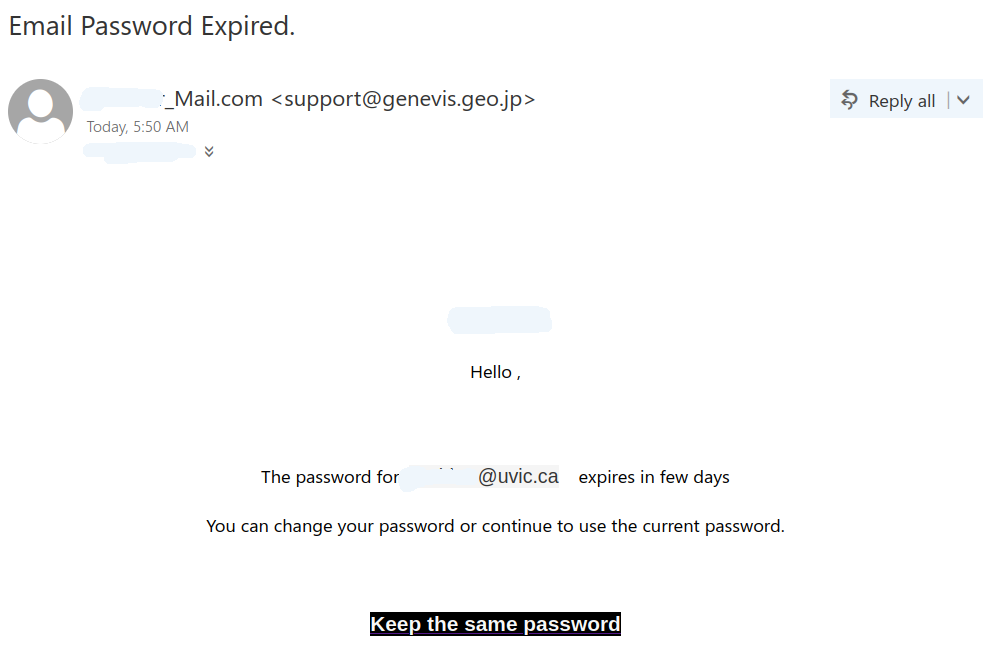
Email Password Expired.

This phish started arriving in the early hours today. The sender display name is formed by attaching _mail.com to the recipient netlinkID. Perhaps the malicious actor thought this would make it look more legitimate?!  The actual sender’s address is external.  Then they use the netlink and the email address of the recipient in the body of the message to make it more convincing.

The goal is the same as usual – to steal your UVic credentials. For this purpose they created a fake UVic page – an exact copy of the real one. Please do not be curious and do not click these links, as sometimes they may contain malware to infect your computer instantly.  Our experts open those in dedicated isolated environment.