Review

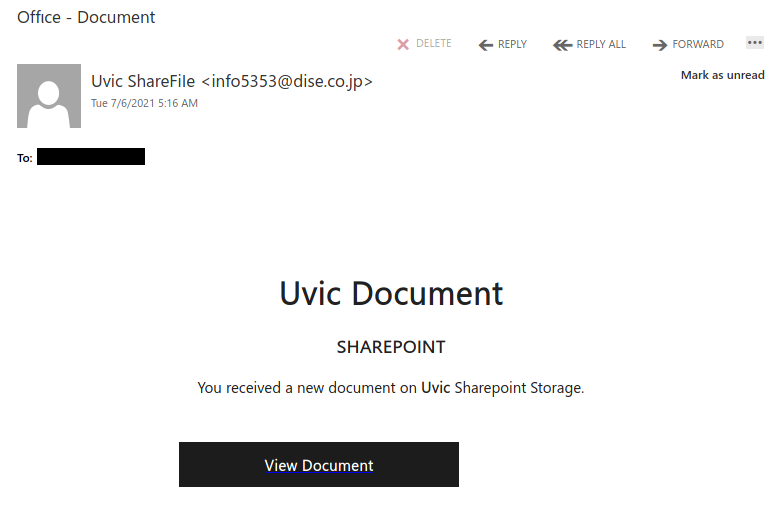
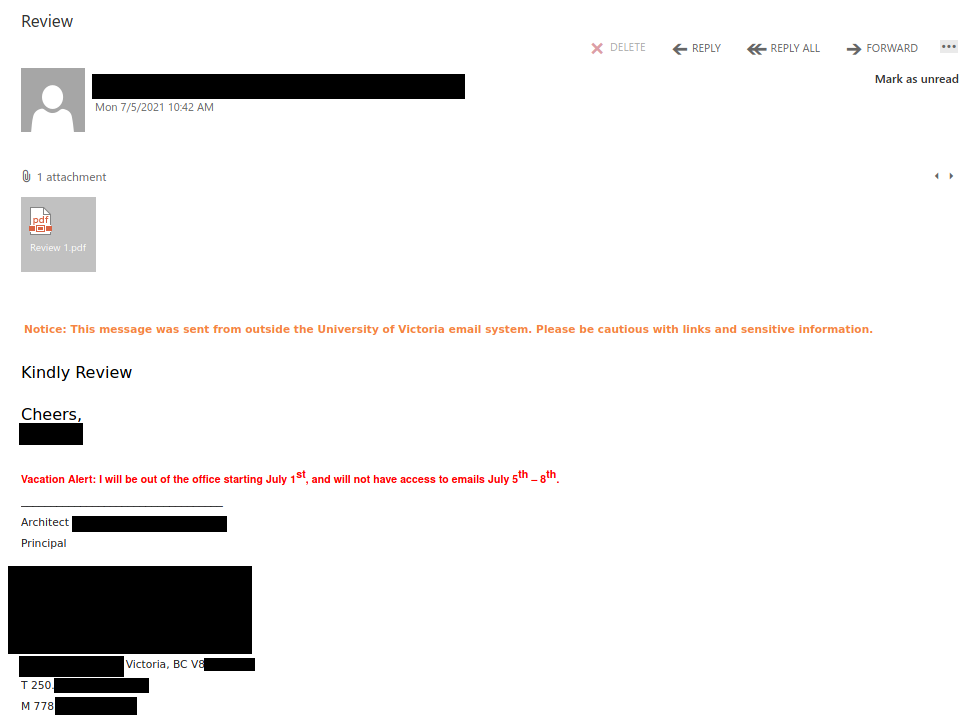
Recently there have been cases where a user at some other Victoria-area organization had their account compromised and used to send phishing emails. These emails come with a PDF attachment that poses as a M365 SharePoint file sharing notification and directs you to click on a link to login and view the shared file. That link takes you to a fake M365 login page to try and trick you into providing your username and password. If you opened this PDF, please reach out to your department’s IT support staff or the Computer Help Desk immediately.
If a phisher manages to compromise an account belonging to someone you know or have prior dealings with, they may try to take advantage of that existing relationship in their phishing attempt, hoping that you’ll think the message is safe and click on links or attachments. When in doubt, contact the sender via another communication channel that you know is trustworthy (e.g.: a known good phone number) to verify that the email is legitimate.

See also: CISO Blog post – How can I tell it’s really you?

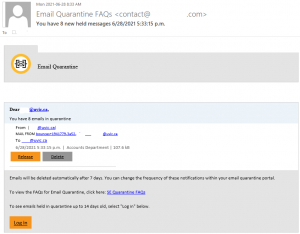
You have new held messages

Sometimes organizations ‘quarantine’ email messages that might be suspicious, allowing the end user to review before releasing them to the user’s mailbox.  This phish tries to fool the user into thinking they have messages that need to be released from that quarantine.

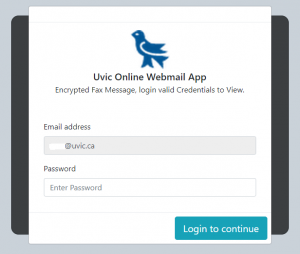
In this case, the fake login page was hosted on the Google Firebase storage service.  The attacker used the UVic martlet image to try to fool users into thinking this is a legitimate UVic service, which it’s not.

Gift card scams

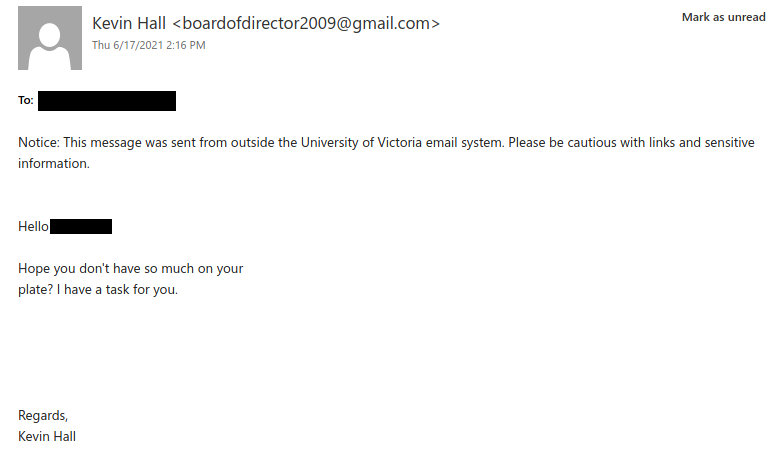
Gift card scammers often start by sending emails like the example below. They pretend to be a person in a position of authority (the president in this case) and ask the recipient if they are free to help with an urgent task. People who reply will be asked to purchase several hundred dollars’ worth of gift cards out of their own pocket and then send pictures of them with the numbers revealed to the scammer. If you’re curious, this CISO Blog post has a detailed example of how the correspondence can pan out.

We’ve also seen variations where the scammer begins by asking the recipient to send their mobile phone number. This lets the scammer shift to communicating by SMS to try and avoid detection.

Tips to avoid falling for these gift card scams:

  • Check the sender email address – in this case, it’s a dodgy Gmail address, which clearly indicates that this request is fraudulent.
  • Even if the sender email address looks legitimate, it could be spoofed. Reach out to the purported sender via a different communication channel, such as calling a phone number you know is trustworthy, to check whether the email is legitimate.
  • Never send pictures of gift cards by email, SMS or messaging app; a legitimate request for gift cards would not ask you to do that.
    • If you did, call the company who issued the gift card (e.g.: Apple iTunes, Google Play, etc.) as soon as possible; they may be able to freeze the funds and/or help you get your money back. Also reach out to your department’s IT support person.
  • Do not reply to these sorts of emails with your cell phone number – the scammer might target you with vishing (voice phishing) or smishing (SMS phishing) in the future.

New Invoice for Uvic

This phish pretends to be from an internal UVic fax service. It used a sender display name of “Uvic” but actually came from an external email address, which of course is a red flag. Also note the green “sender has been verified” banner–that is a fake one added by the phisher.

The phish also came with an attachment called “Uvic statement.pdf”. Do not open it–the contents direct you to login to a phishing site. In general, opening such attachments is very risky since they could contain phishing content or malware. If you opened this attachment, contact your department’s IT support staff or the Computer Help Desk immediately.
“I’ve got you” blackmail

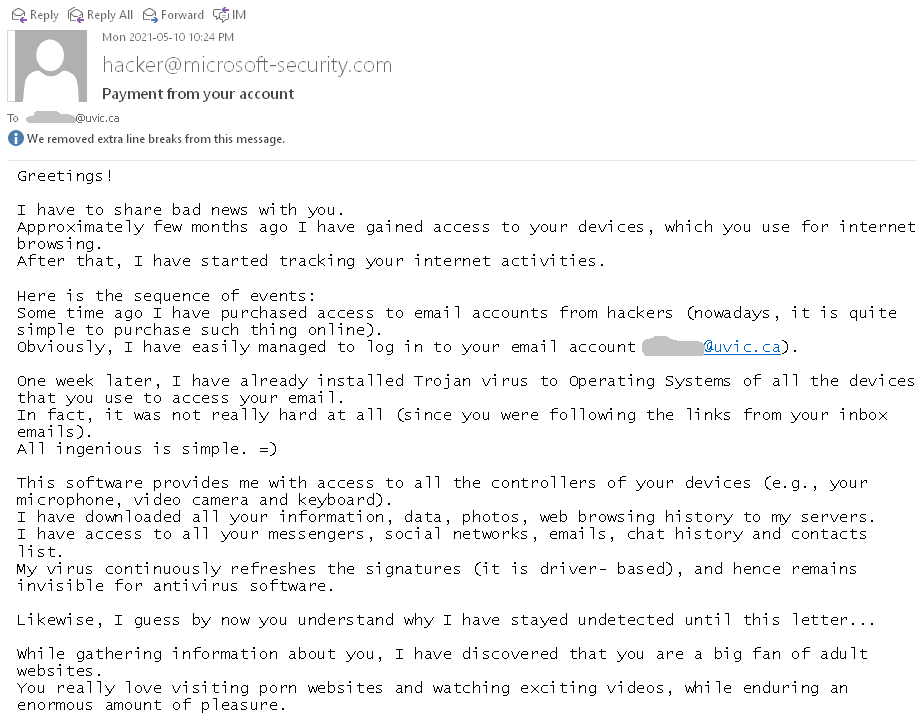
This type of scam is circulating again. See below a screenshot. Typically they are sent to a large number of email addresses retrieved after a certain breach. The scammer demands a payment in Bitcoin threatening to expose your secrets. In most cases they have only your email address and nothing else. In some rare cases they may list an old password (retrieved at some non-UVic breach) of yours in order to convince you.  Do not re-use passwords.  And of course do not answer those scams (even for fun!)

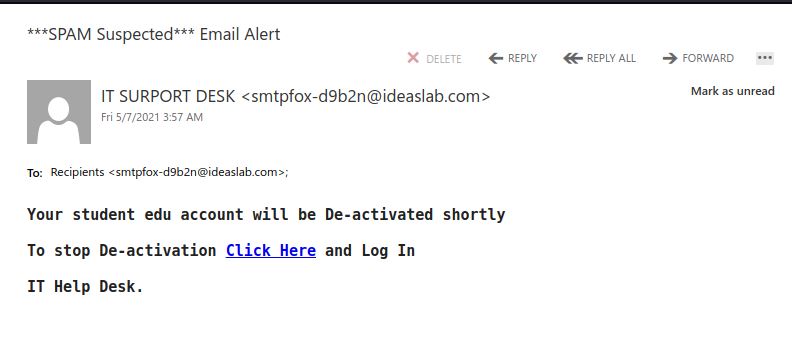
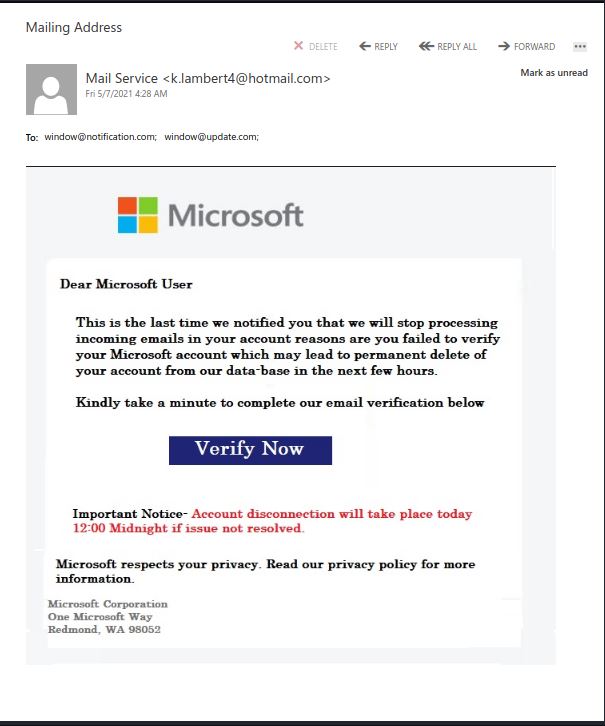
Fake Microsoft Verification Email

Pause when you feel sense of urgency and when it doubt, simply contact the Computer Help Desk. We /Microsoft do not have extreme/urgent account disconnection notices or implementations or deadlines.

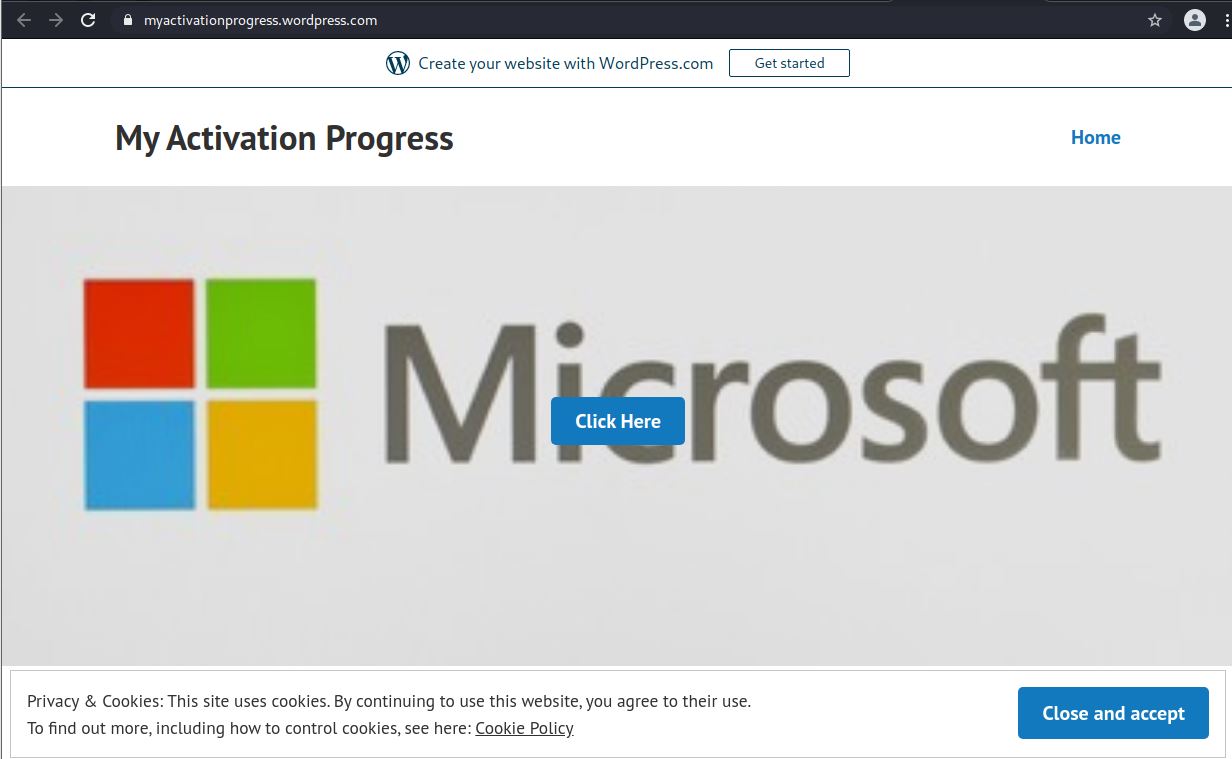
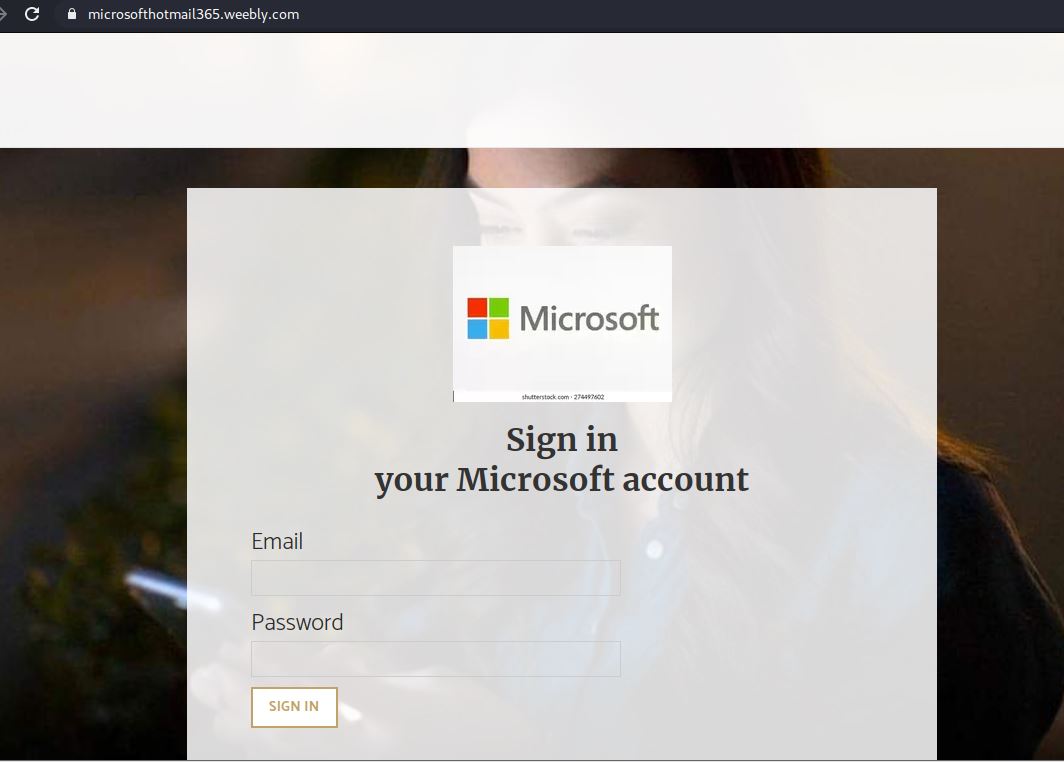
NOTE: Microsoft does not host their services on WordPress or Weebly. These and other free web hosting services are commonly abused/compromised for such phishing campaigns.

The Verify Now button will lead to a Fake Microsoft My Activation page hosted on a compromised WordPress site.

The Click Here button will land you on Fake Microsoft Logon page hosted on a compromised or malicious Weebly site.

Fake Microsoft 365

Do not use buttons provided in a suspect page (eg. Close and accept button above). If you’d proceeded this far, simply close the whole browser instead and inform your IT Support contact.


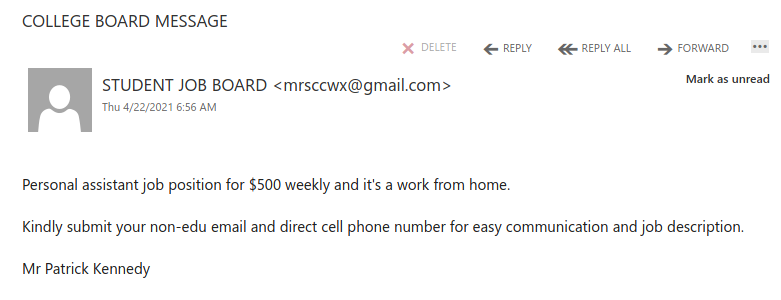
COLLEGE BOARD MESSAGE

Work from home job scams are unfortunately very common right now with scammers trying to take advantage of people having financial difficulties due to the pandemic. If you receive an unsolicited email like this, do not reply with your email address, phone number or any other personal information. If you did, be extra vigilant about scams, phishing, smishing (SMS phishing) and vishing (voice phishing) since the scammers may view you as a promising target.

More on work from home job scams:

CBC News – Online job scams on the rise during pandemic year, fraud prevention expert says

CTV News – Better Business Bureau warning about these work-at-home scams


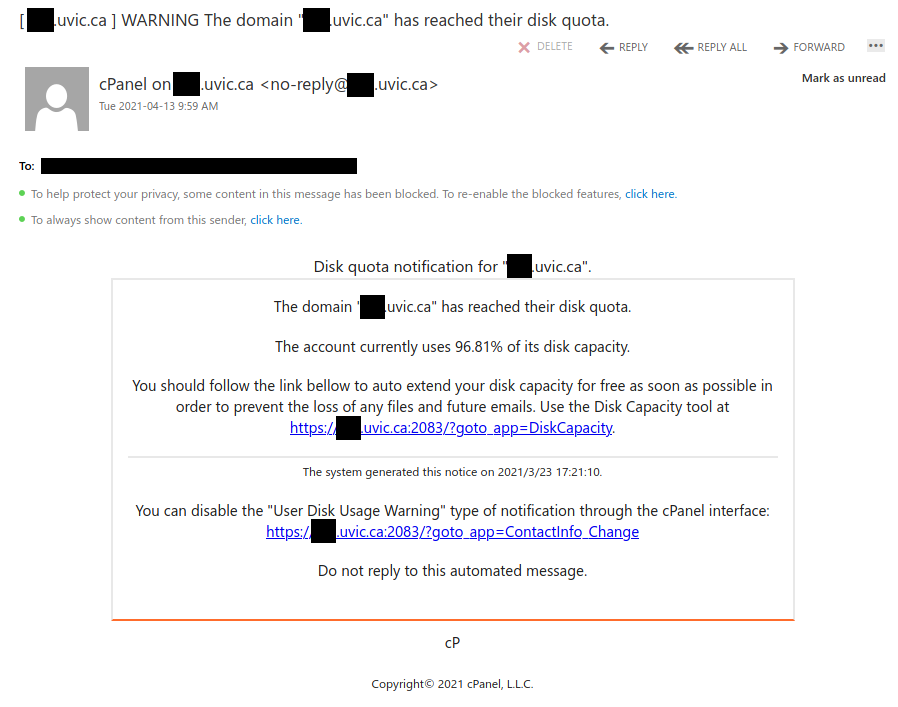
WARNING The domain has reached their disk quota

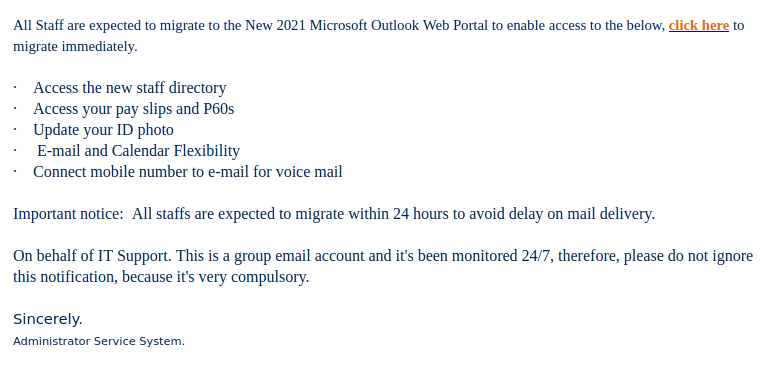
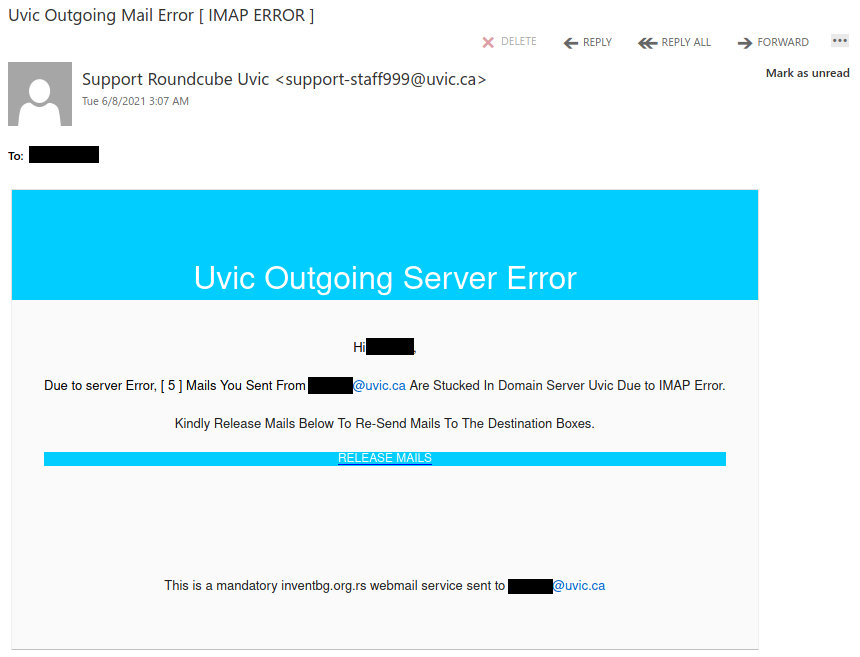
Various groups at UVic received this targeted phish. Note how the phisher used a spoofed sender to make the message look more legitimate. The URL that you can see in the phish message looks OK, but if you were to hover over those links you would find that they actually go to a phishing site on a completely different domain. This is why it is very important to hover over links to check the true destination before clicking on them.

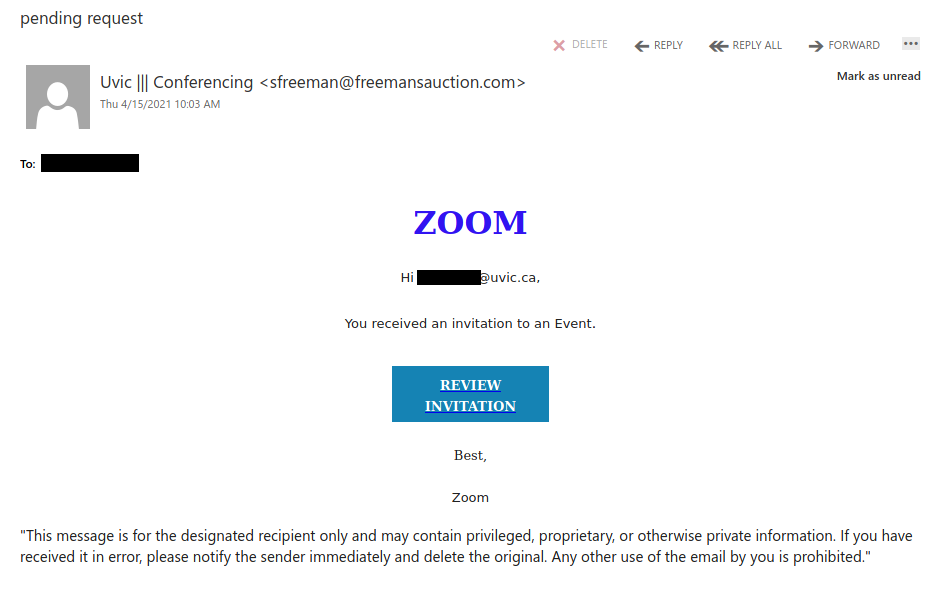
Fake Zoom invitation (subject: “pending request”)

While UVic does officially use and support Zoom, this email is not a genuine Zoom invitation. Note the sender email address–it is clearly not affiliated with UVic or Zoom. If you were to hover over the link, you would find that the URL does not go to either uvic.ca or zoom.us and therefore should not be clicked. If you did click it, contact your department’s IT support staff or the Computer Help Desk.

Phishers are well aware that people are using videoconferencing platforms like Zoom and Teams more and more because of the pandemic, so it is no surprise that they would try to take advantage by creating fake notifications. If you’re not sure if the meeting request is legitimate but it looks like it came a person or organization you recognize, contact them through a different communication channel that you know is safe to verify that it’s legitimate.

Order Acknowledgement

Purchase orders, invoices and receipts are very common lures for phishing and malspam campaigns. In this case, the vagueness of the message should be a red flag. When in doubt about emails like this, it’s best to err on the side of caution and not click on any links or attachments, which may direct you to phishing content or contain malware.

In this case, the PDF tries to make you believe that it has been secured in a way that means you have to login to view the content. In reality, clicking on “View On Adobe” will actually take you to a phishing site that pretends to be the Adobe login page.

Final Notification04/05/2021

This phish tries to use Microsoft branding and a sender display name that mentions UVic to try to look legitimate. As always, do not click on any links or attachments from messages like this.

If you were to hover over “increase storage” you would find it uses the ow.ly link shortener to hide its true destination, which should make you suspicious. The link ultimately takes you to a fake OWA login page designed to steal your login credentials.