Please respond {ASAP} — gift card scam

Many users received an email what is the typical beginning of a gift card scam today. Typically scammers register a gmail address. They like to include “executive” or “director” in the name of the gmail account to make it sound more convincing. Sometimes they include the name(s) or initials of the person that they impersonate.  Most frequently Deans/Chairs/managers are impersonated, but we’ve seen also impersonations of their respective assistants, as in the example below.
What we find new in the arsenal of con-artists is to add a brief explanation  “Sorry for using my alternate email”.
If in doubt we suggest you call the person on the phone or use their UVic address to determine if the request was legit.
Even better, if you are a dean/chair/manager/etc, just tell your people that under no circumstances you would ask them by email to buy gift cards for you.

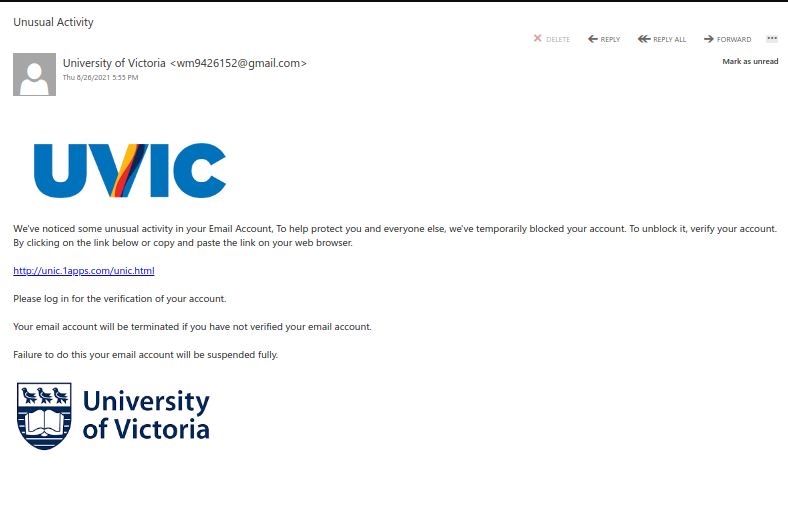
“Unusual Activity” Email with Fake UVic Logon

We are seeing a fake “Unusual Activity” warning asking you to click a non-UVIC link to at 1apps.com. We do not use this service and if ever needing to change or update information with your account, we will not send you a link to do so.
Unusual Activity

For any account updates, changes, verification, etc, always go directly to your “known good” uvic.ca portal instead of following email links.

You also will not receive abrupt threats indicating your account will be terminated or disabled. Any de-provisioning actions will be tied to regular communication protocols typically with much advanced warning.

The link will bring you to a page that does look like uvic.ca with mask mandate banner and all, but pay close attention to the Internet Address. This is not a UVic service.

Fake UVic Logon

Thank you for your continued reports of suspicious emails. If you have any concerns, please do not hesitate to contact your IT Support, or the Computer Help Desk where they will escalate to us as appropriate.

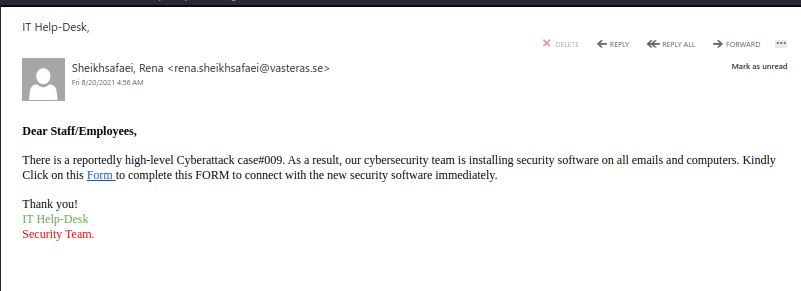
Fake IT Help-Desk cyberattack case

Another scare tactic. Fake IT Help-desk message reporting high-level case/incident and requesting you to fill out of form to acquire new security software.

Again the sender email looks suspicious. You may or may not see that depending on the email client you are using.

IT Help Desk

The logon page may raise your suspicion as well. If you accidently click and submit your username and password, it will behave as if it was successfully accepted.

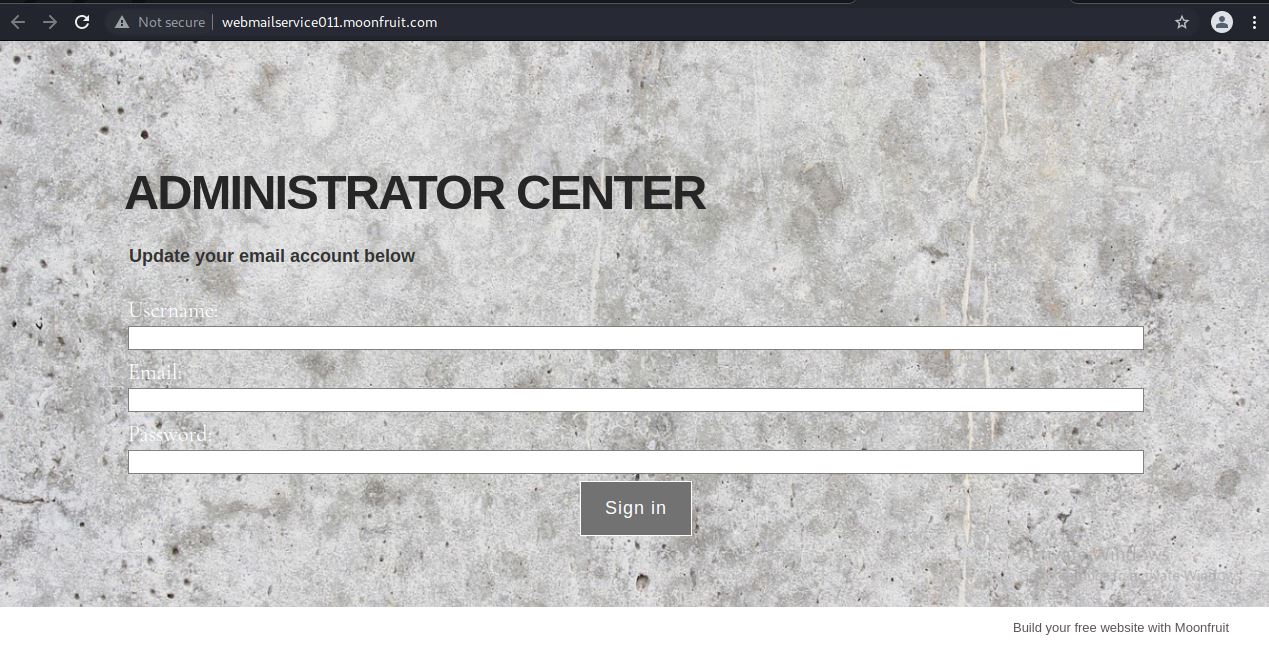
You’ll also notice this supposed support site is hosted on *moonfruit.com, another commonly exploited and abused service for phishing campaigns.

logon page

Most major software deployments would typically be coordinated with your assigned IT Support person and commonly there would be some internally shared communication as a precursor to such deployment or notice.

Fake Public Health Agency of Canada Logon and Assessment Form

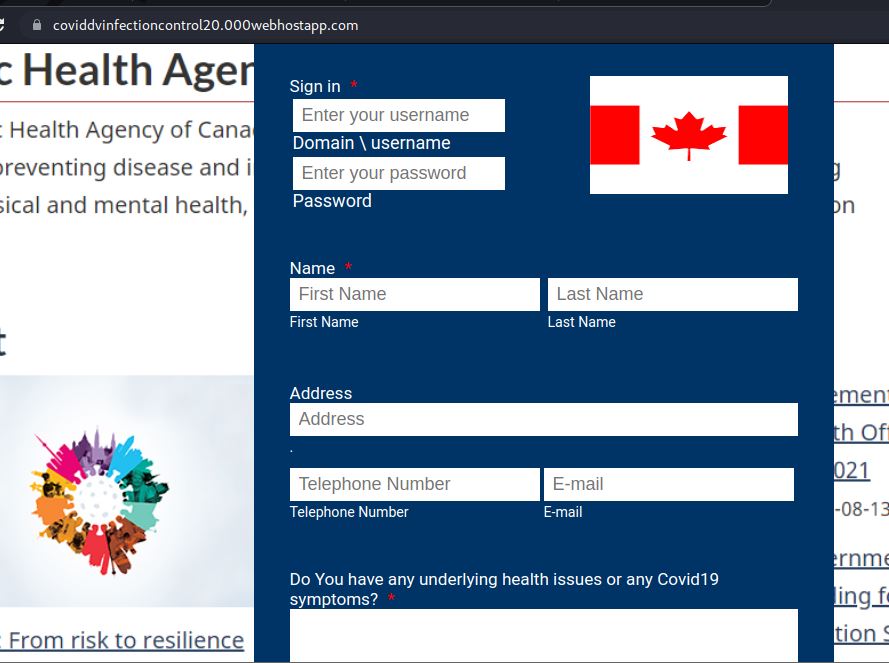
Taking advantage of the more recent heightened concerns about the Covid19 Delta variant, this phishing campaign leads to a Fake Public Health Agency of Canada, asks you to logon and then asks you a couple of general health questions.

fakecovid

The intent is to capture your login details and acquire sensitive personal health information.

Hovering over the Internet Address/URL in the body and/or if clicked, looking at the full URL, you can see this page is hosted at 000webhostapp.com, a commonly abused domain for such phish campaigns.

Depending on how you view this email, you may or may not note the suspicious email address as well. See above capture.

covidform

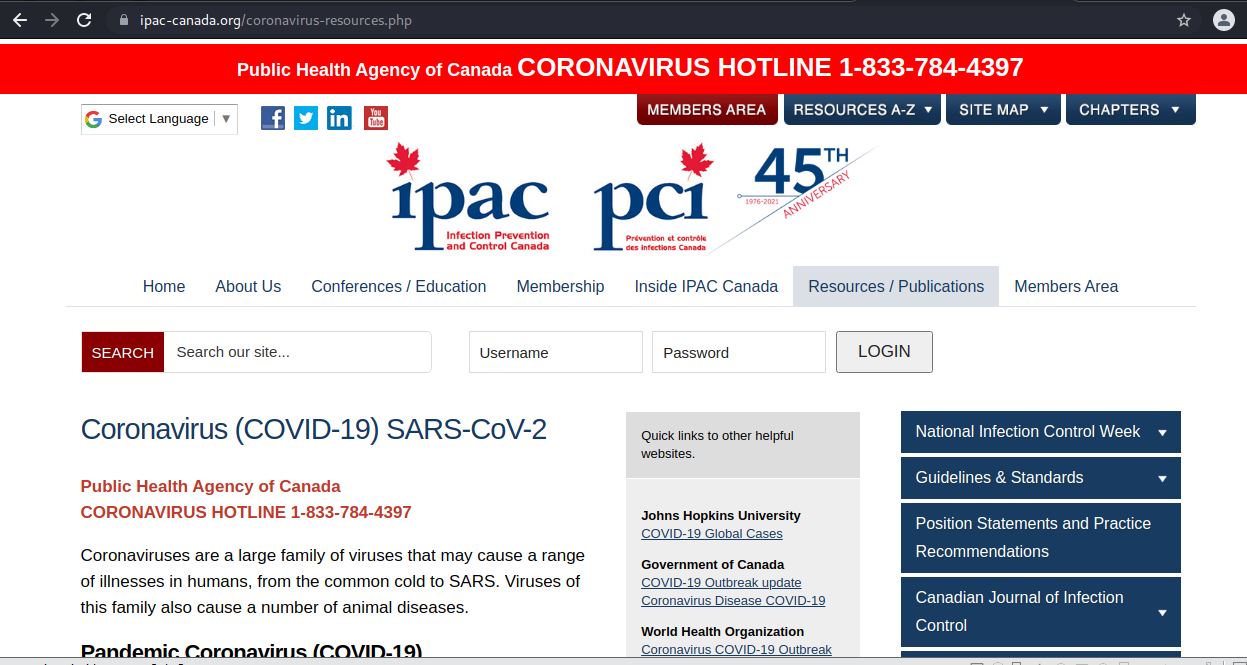
If you do not detect this as a phishing scam and do submit information in the form, it will quickly accept your submission and redirect to an IPAC site. 

ipac
IPAC

Please continue to be vigilant in reviewing these emails and thank you for all of the phishing submissions. Do not hesitate to contact your support person should you have any concerns.

Staff Benefit Enrollment

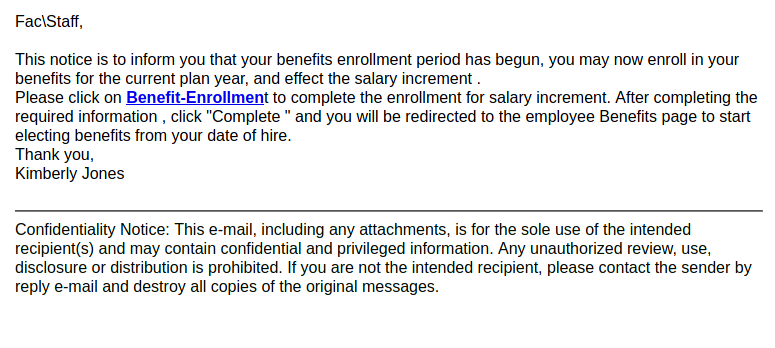
This phish is likely to be targeting users from higher education institutions in general, as the sender made no attempt to tailor this phish or impersonate someone from UVic. The poor quality and errors in the message should also be a red flag.

As usual, you can hover over the link to see where it goes. You would find it does not go to a UVic website; it actually goes to a website on a free web hosting provider. That is not something a legitimate payroll or benefit site would use, so do not click on that link.

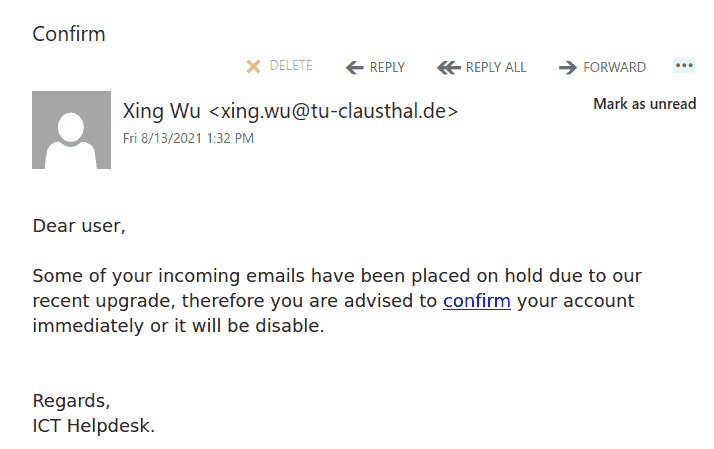
Confirm your account phish

This phish was sent in a massive wave to many UVic accounts today. The link points to a fake Outlook Web Access page which seems pretty similar to the real one. As you can see the sender Xing Wu from Germany has nothing to do with your supposedly blocked emails, uses the typical scaring tactics that you should act immediately and demonstrates some broken grammar. As we always repeat – please do not be curious and do not open those links, they may contain malware.

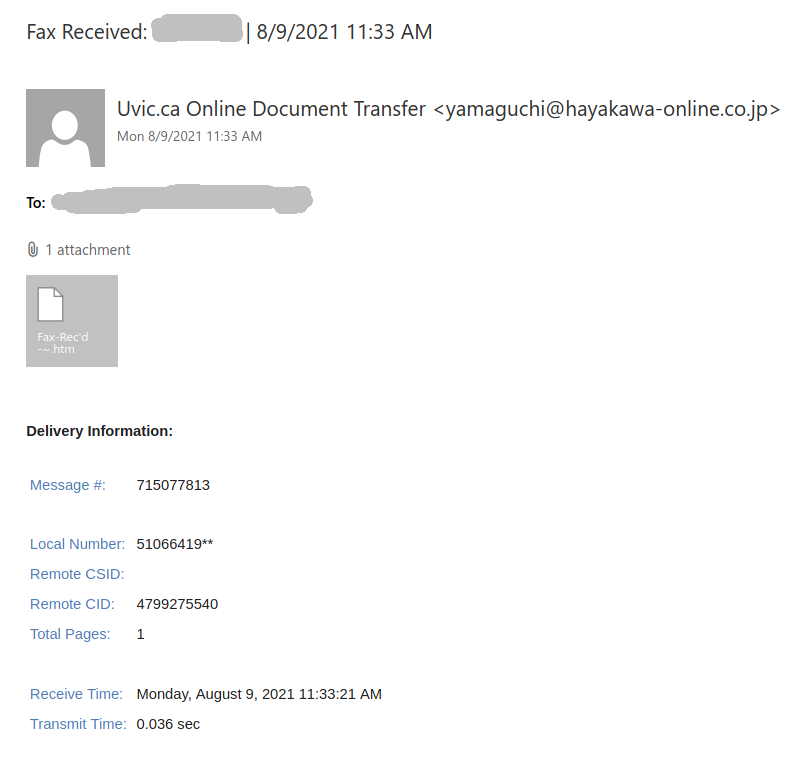
Fax received (in fact a malicious htm/html attachment)

Malicious actors are trying a new trick this week. And it is gaining momentum because of the neat tricks of obfuscation they apply so that our automatic mechanisms cannot sort out such emails and more precisely such attachments.

The email subjects can be of any kind, for example this pattern is quite popular:

Fax Received: kakapena | 8/9/2021 5:44 AM

where the word after “Fax Received:” is the actual recipient’s name.

We’ve seen subjects without the recipient name like:

Incoming Fax notification 6:51:48 PM'

The subject is not important though. It could be any.  The body of the email is also unimportant. See an example below. The common thing is the attachment which is a .htm or .html file. If you double-click that attachment it will open in the default application which is your default browser and present you with a web page designed to look like belonging to UVic with the sole purpose of stealing your UVic credentials.  That’s the common type we are seeing recently.

Never click on  those attachments!
They may utilize other tricks leading to downloading of malware and potential compromise of your computer.


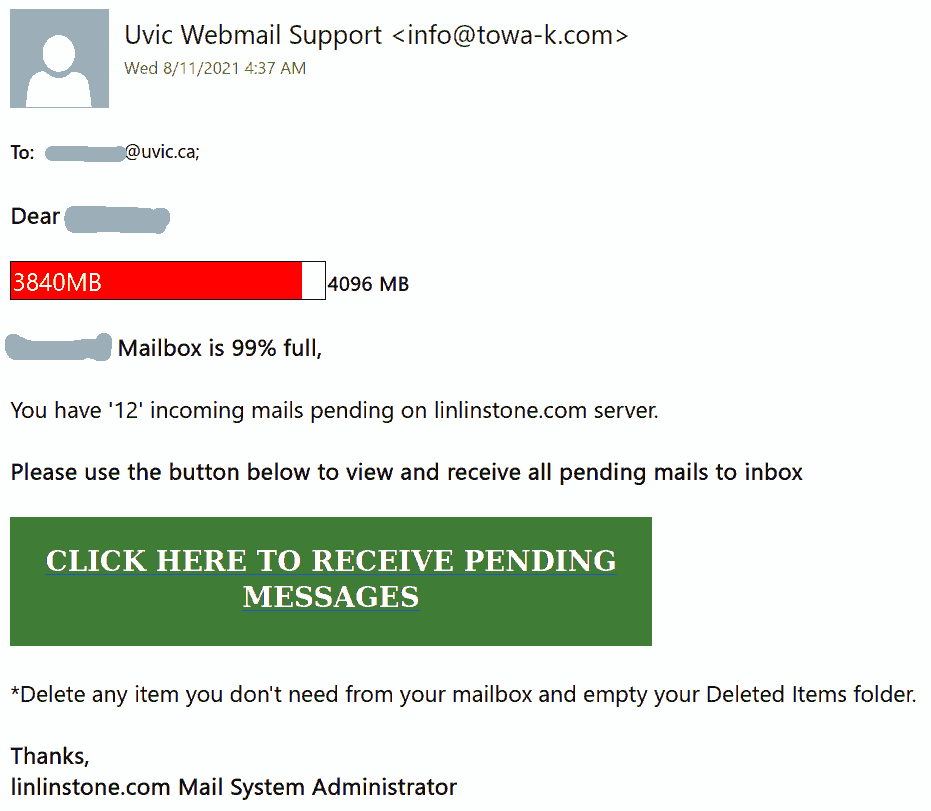
[IMPORTANT] NOTICE phish

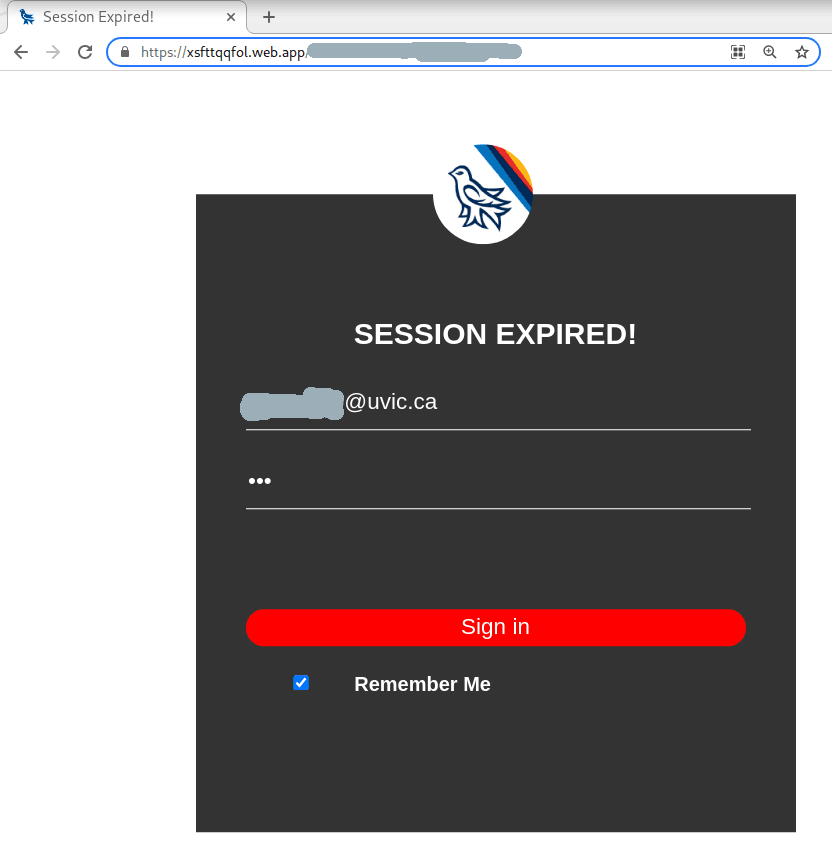
A colourful phish is circulating today. It has a flashy subject – [IMPORTANT] NOTICE and it tries to persuade you that you have to click the button in order to release a certain number of pending messages in your mailbox.  The malicious actor named themselves “Uvic Webmail Support” but they did not bother to spoof the sender’s address. It is obviously not a UVic address. Also if you hover the mouse cursor over the link you will see it does not point to a UVic page. As we always repeat  – Please do not be curious and do not click the link. Sometimes these pages may contain malware which gets installed in an instant. No matter you did not enter credentials, no matter you closed the bad page quickly. We investigate such pages in a special safe environment, the second screenshot shows how this fake Outlook Web Access page looks like. Apparently they targeted UVic specifically and used a UVic logo there.

—————————————————————————————————–

Update/Verification of Outlook Web Access phish

This is another phish circulating today July 29th.
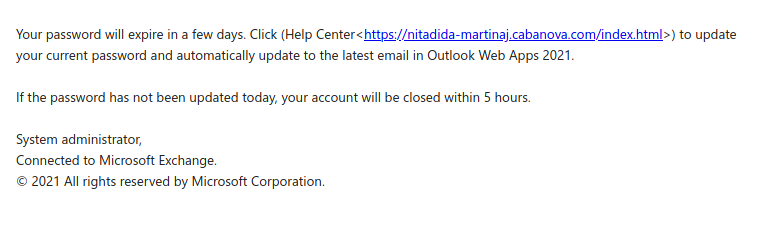
Unlike the previous one, the sender obviously has nothing in common with UVic. But similarly to the previous one, their goal is the same – to steal your UVic credentials by pointing you to a fake Outlook Web Access page. Please do not be curious and do not click on the link. Sometimes those pages may contain malware and only by opening them, even for an instant, your computer may get compromised.

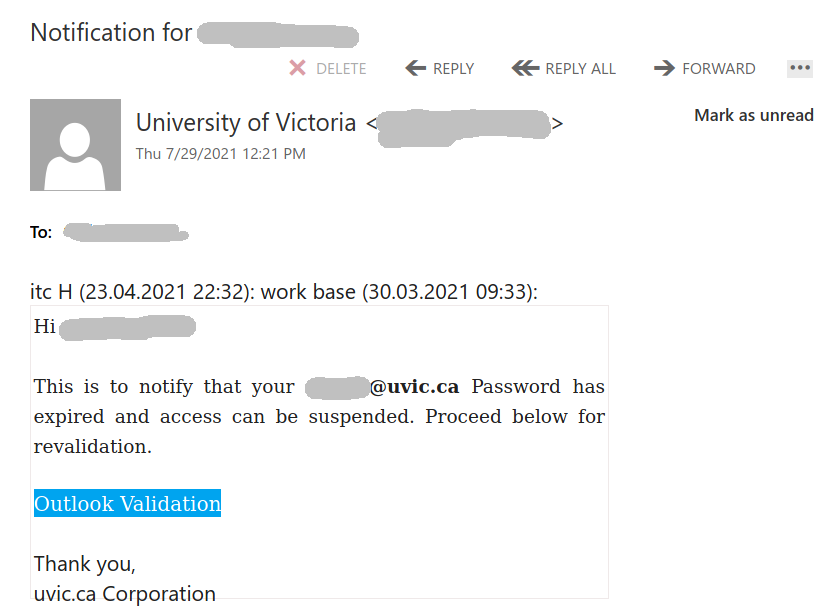
Password expired phish

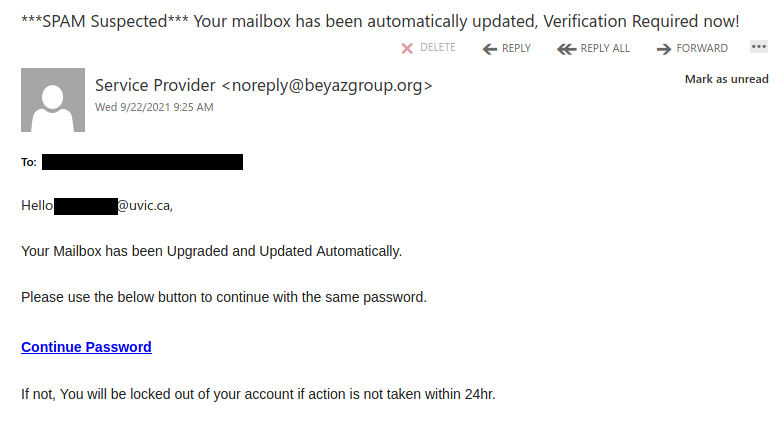
Many UVic recipients received this phish today.  The text is addressing the recipient by name and the sender is internal.  The signature at the bottom “Uvic corporation” is a clear sign that something is not right about this notification.
UVic would not send you a link to validate/update/activate etc.  Instead you would get instructions to navigate to the UVic main web page and how to proceed further. As usual: Do not be curious and do not click that link if you happen to receive the phish. Hovering over the link clearly shows that it is not a UVic address.


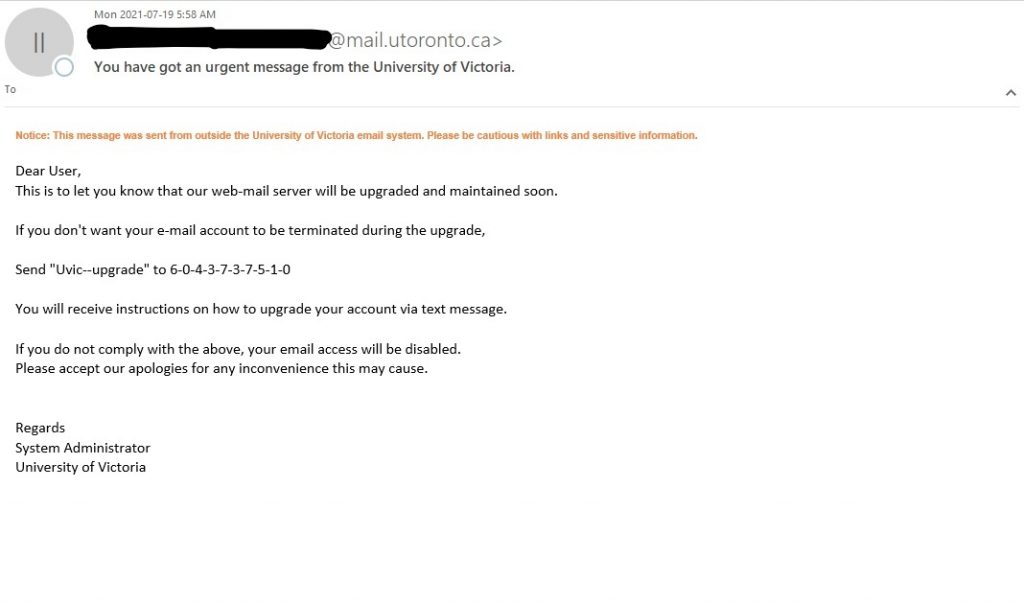
Urgent Message upgrade SMS phish

Malicious actors constantly try different methods to trick users. This phish was received by a large number of UVic email accounts and was sent from a compromised account at another Canadian university. Rather than sending a link to click on, it lures people to text a number, that locals will recognize as typically Vancouver area code.

A text to the number will eventually result in a shortened URL that leads to a UVic looking login page to steal credentials if entered. After entering credentials, the page redirected to uvic.ca. The host URL has also hosted a fake login page from the other Canadian university; showing how malicious actors take successful results from one campaign and use it to spread to others to get more accounts.

SMS Phish

Validate Your Email Account….To Avoid closed down

This spear-phishing email used a tailored sender display name, spoofed UVic email address and the UVic logo to make this spear phishing email look more legitimate. Unlike most other phishes, which tend to have a generic signature, the signature block here impersonates the UVic Computer Help Desk.

Though there are other red flags in the email’s contents, the smoking gun is the link–if you hover over it, you can clearly see that it goes to a suspicious non-UVic website (see the bottom of the screenshot). That website hosts a realistic copy of the UVic OWA login page, complete with the policy text. Don’t click on that link or enter your credentials on that page!

If you clicked on the link, contact your department’s IT support staff or the Computer Help Desk immediately.

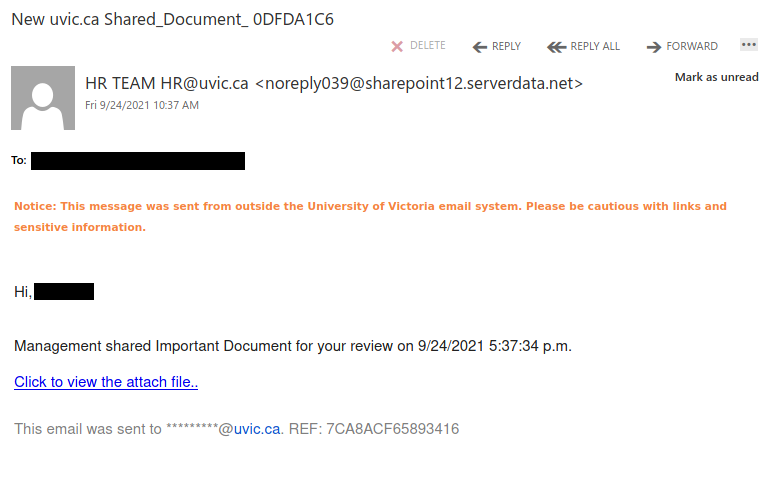
New tasks assigned

This phish spoofed the recipient’s email address. It tries to use Microsoft branding to make the email look like a Microsoft Planner notification, even going so far as to make all of the blue links go to legitimate Microsoft Planner pages. However, the green “Open in Microsoft Planner” is a different story–it goes to a feedproxy.google.com URL, which is a red flag in this context.

While feedproxy.google.com itself isn’t a phish site, that service is used to redirect visitors to other sites, so the final destination is likely to be completely different and untrustworthy. The phisher has used a legitimate redirect URL to hide the real malicious destination.