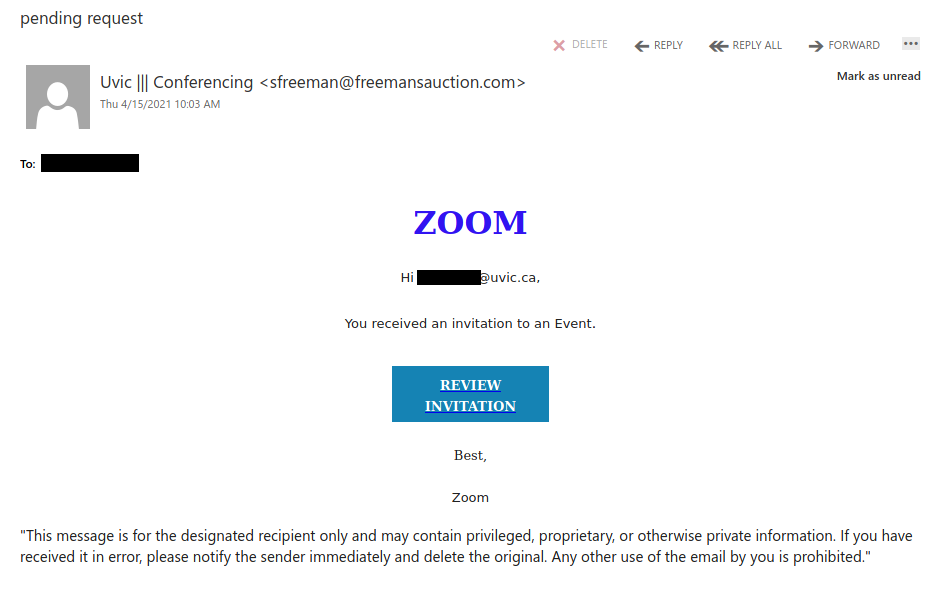
Fake Zoom invitation (subject: “pending request”)

While UVic does officially use and support Zoom, this email is not a genuine Zoom invitation. Note the sender email address–it is clearly not affiliated with UVic or Zoom. If you were to hover over the link, you would find that the URL does not go to either uvic.ca or zoom.us and therefore should not be clicked. If you did click it, contact your department’s IT support staff or the Computer Help Desk.

Phishers are well aware that people are using videoconferencing platforms like Zoom and Teams more and more because of the pandemic, so it is no surprise that they would try to take advantage by creating fake notifications. If you’re not sure if the meeting request is legitimate but it looks like it came a person or organization you recognize, contact them through a different communication channel that you know is safe to verify that it’s legitimate.

Order Acknowledgement

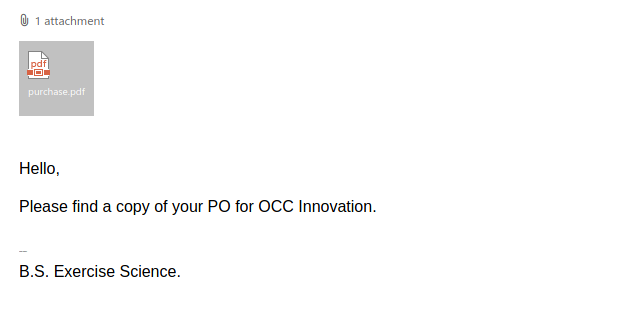
Purchase orders, invoices and receipts are very common lures for phishing and malspam campaigns. In this case, the vagueness of the message should be a red flag. When in doubt about emails like this, it’s best to err on the side of caution and not click on any links or attachments, which may direct you to phishing content or contain malware.

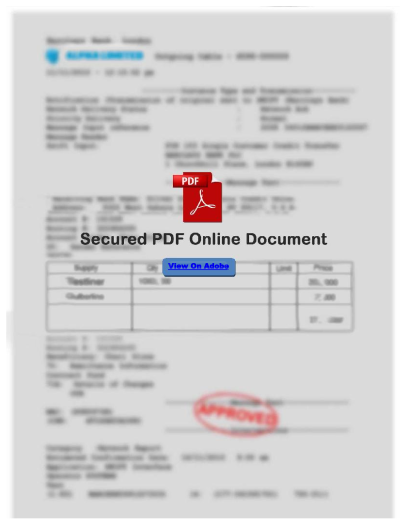
In this case, the PDF tries to make you believe that it has been secured in a way that means you have to login to view the content. In reality, clicking on “View On Adobe” will actually take you to a phishing site that pretends to be the Adobe login page.

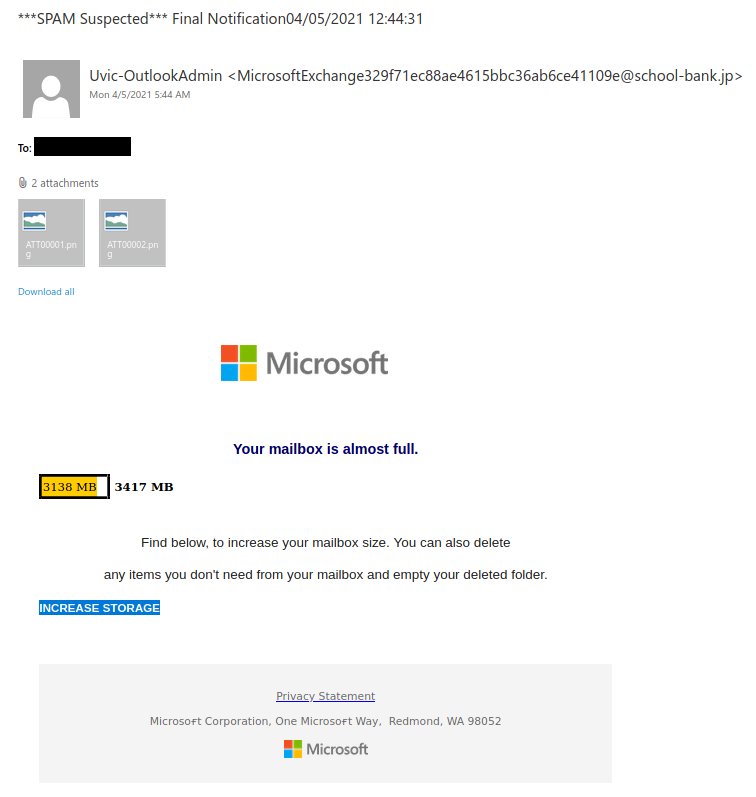
Final Notification04/05/2021

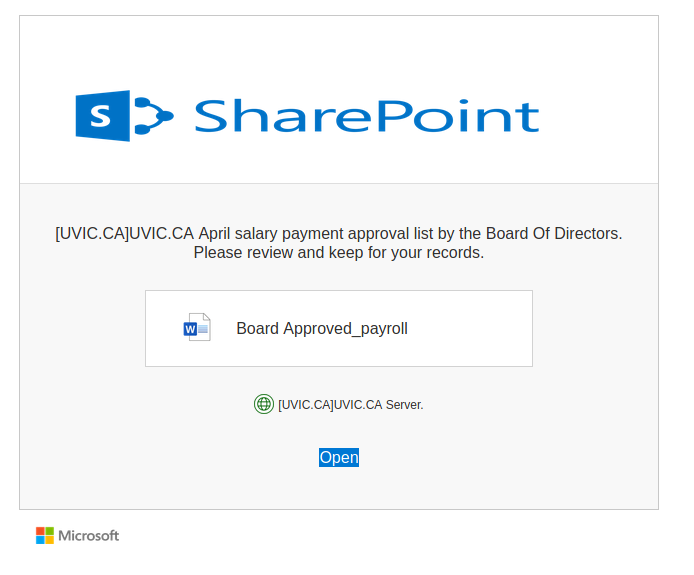
This phish tries to use Microsoft branding and a sender display name that mentions UVic to try to look legitimate. As always, do not click on any links or attachments from messages like this.

If you were to hover over “increase storage” you would find it uses the ow.ly link shortener to hide its true destination, which should make you suspicious. The link ultimately takes you to a fake OWA login page designed to steal your login credentials.

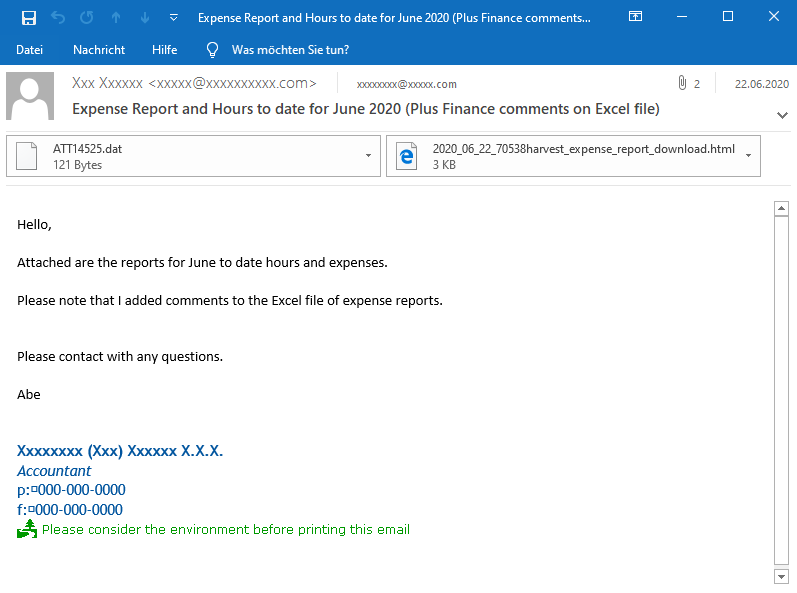
Spearphishing emails with html attachments.

This month, we became aware that several universities have been targeted by spearphishing emails with serious malware.  These emails use targeted language, come from compromised internal accounts, spoof (appear to be from) another internal account, and copy real email signatures. These tactics are used to make the emails look more legitimate. The emails include an .html or .dat attachment, which leads to an attempt to encrypt machines with Clop ransomware.

More information about these phishing emails, including example screenshots can be found here: https://www.hornetsecurity.com/en/security-information/clop-clop-ta505-html-malspam-analysis/, such as this example:

Please report phishing emails using the Report Phishing button or by emailing it as an attachment to the Computer Help Desk.

Dial Active Recording

In this case, the phishing link is not in the email body but in the attachment. As always, if you receive an unsolicited email and it looks suspicious, don’t open any attachments; they may contain malware or redirect you to a dangerous site (this one would have done the latter).

The sender email address is also a giveaway that this is not a UVic email, despite what the sender display name and email body claim.

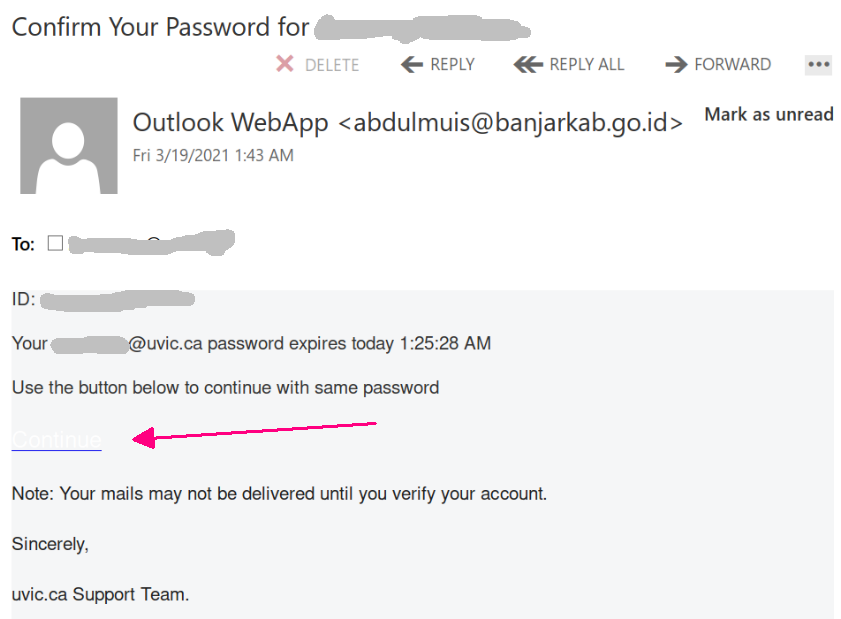
“Confirm your password” phish

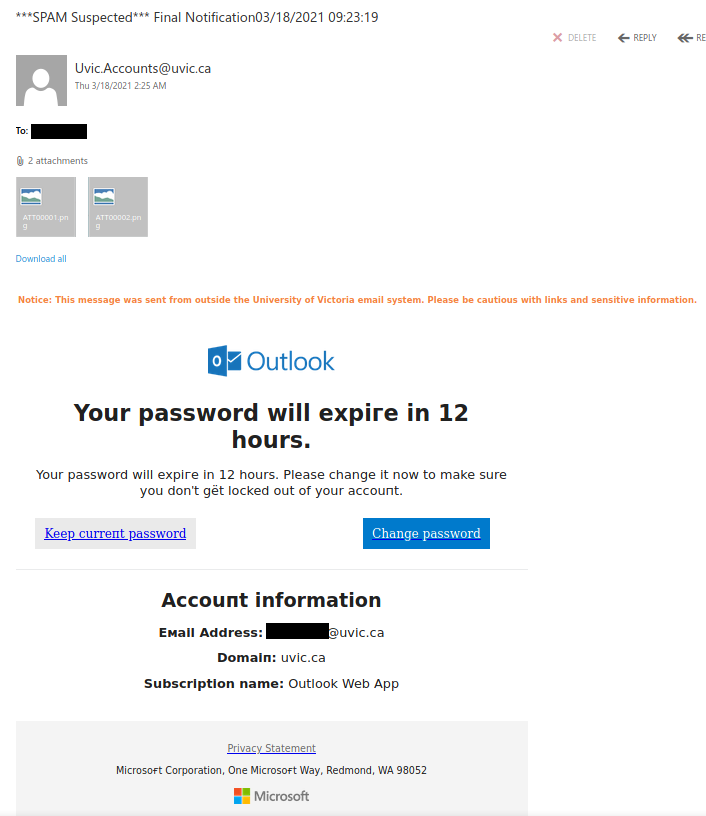
Today’s phish pretends your password was going to expire today.
Note that we don’t have a policy to expire passwords.

The phish message asks you click the button in order to keep you password. As usual that leads to an external i.e. non-UVic webpage which contains the UVic logo. There, the final goal as always is to steal your UVic credentials. Below is a screenshot of that phish. The “button” is very light, almost invisible. (We added the red arrow pointing to it)

If you receive an email like that, please do not be curious and do not click on the link. Such pages might be loaded with malware so that even if you don’t enter any credentials you are at risk.


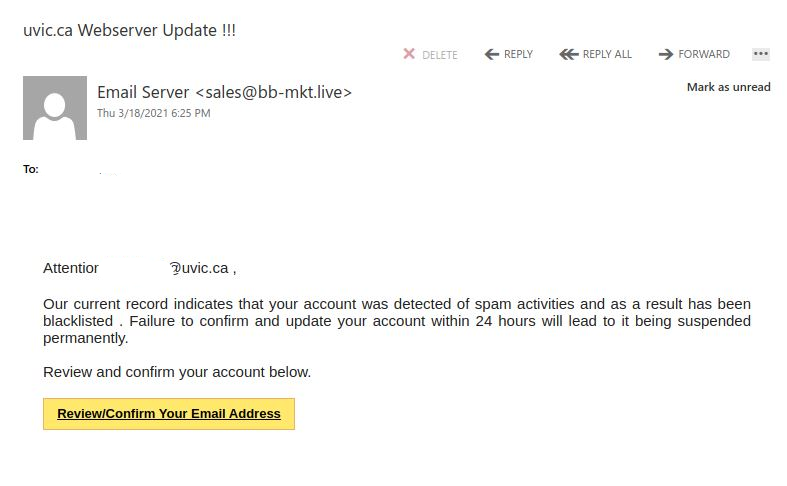
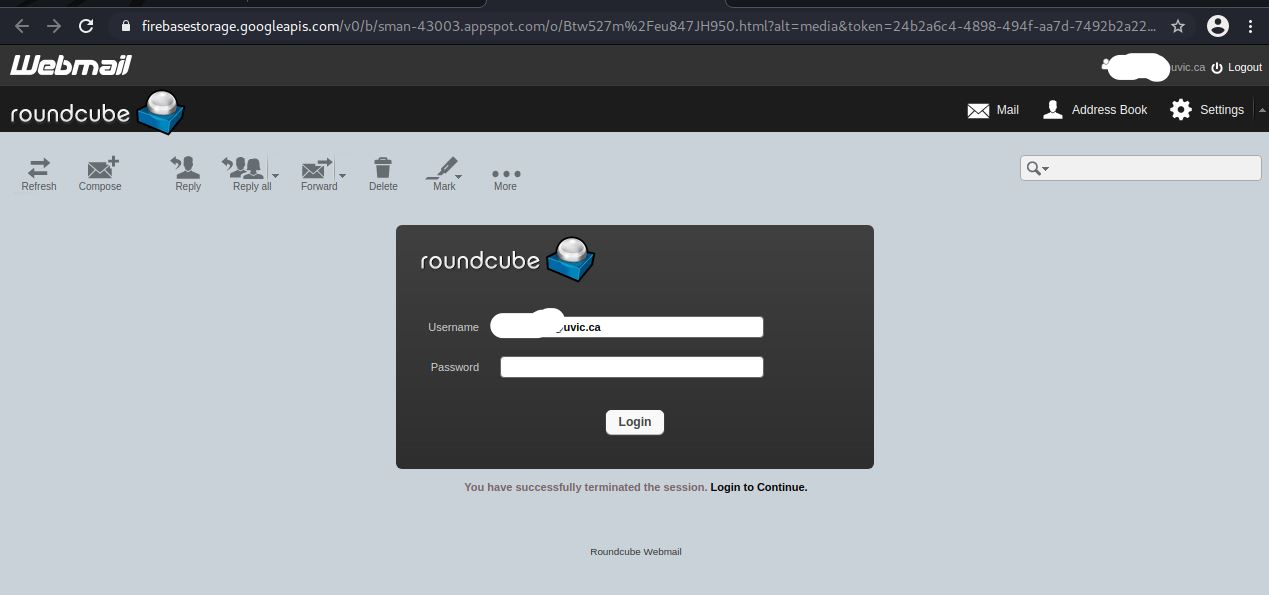
Fake Webmail /Roundcube Phish

Another scare tactic suggesting your account has been blacklisted. On occasion you may have challenges with your account due to forgotten passwords, password changes or potential compromise from clicking on links in emails such as these but typically this can be rectified with a quick call to the Computer Help Desk.

Pay attention to your sender email as well.

If in any doubt whether there is a problem, instead of opening attachments or clicking links, check to see if you can use it as  you normally would for UVic service access. You can always contact the Computer Help Desk to verify its authenticity as well.

Thank you for continuing to report these.

Final Notification

This is another spoof phish; the phishing email that claims to come from UVic but is actually from an external source. Fake Outlook and Microsoft notifications are a perpetually popular theme for phishes. As always, do not click on links or attachments from such emails.

Covid-19 Aid

Do not reply to unsolicited emails about COVID-19 aid or click on any links in them (not that there are any in this particular one). In the vast majority of cases, they are scams sent out by malicious people trying to take advantage of the pandemic.

There are a couple of variations of this campaign that use different Gmail addresses from the one in the screenshot. If you see an email of this sort and the sender is using a free email provider like Gmail, you can be pretty certain it’s a scam.

For official information about government COVID relief:

Notification “your email@uvic.ca” – Extortion messages

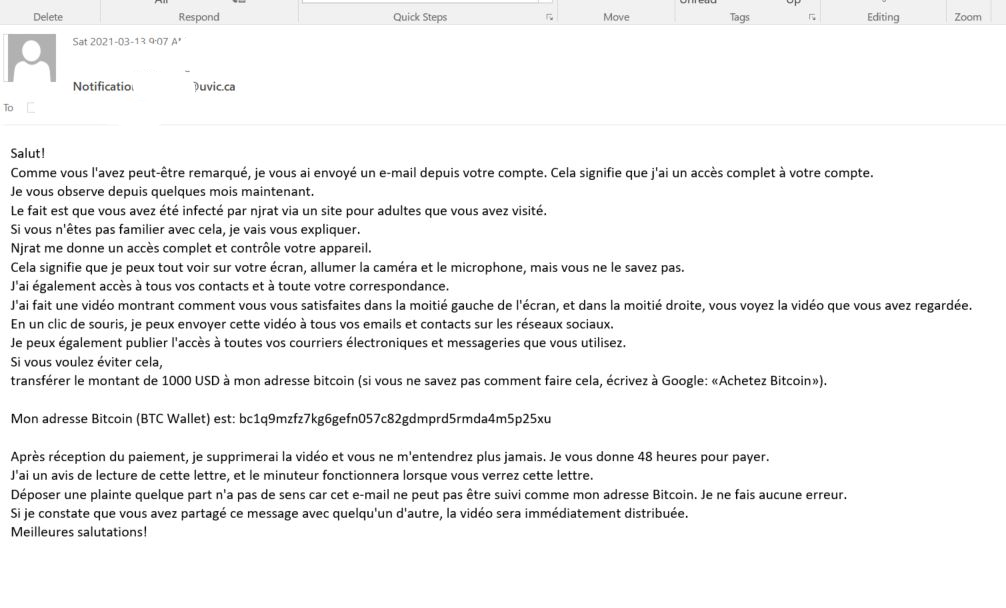
Over several years now we have seen various versions of extortion type emails where the criminal attempts to scare you into thinking they have some sort of damaging or embarrassing piece of information about you. Over the weekend we saw a such emails, that happen to be in French and reporting they have hacked your system, stole your photos etc and are using a Bitcoin Exchange to have you reply to their ransom. The included link is a link to a bitcoin exchange service.

These weekend versions also spoof/fake your email address and lead you to believe that perhaps your email account was hacked or is being misused. It can happen, yes, but those we’ve seen in this run are fake messages that only look like they were sent via your email address.

These two examples are only some of the variants you may see. Next week they may be in English or another language. Sometimes they capture an old password you used from old password breaches and scare you by putting a copy of that password in the subject line.
Important: If you haven’t changed your passwords in a long time and you reuse, please change them now to longer and unique passphrases for every service.

It is scary to see that someone has discovered an old password but less scary when you know you are now practicing better passphrase and account management.

Second sample email and English translation below:
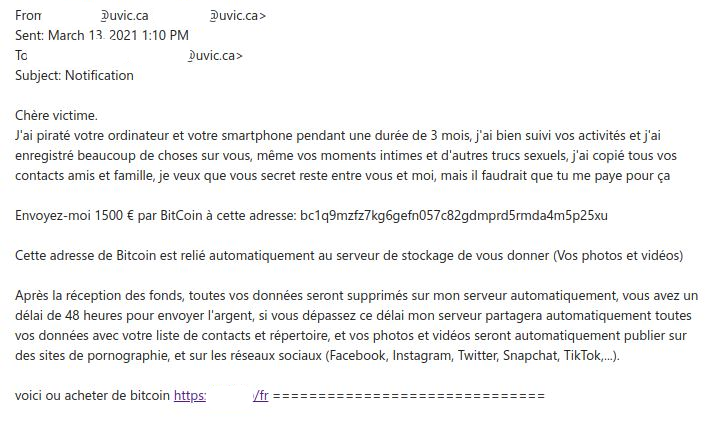
English Translation:

Dear victim.

 I hacked your computer and your smartphone for a period of 3 months, I followed your activities well and I recorded a lot of things about you, even your intimate moments and other sexual stuff, I copied all of them your friends and family contacts, I want you secret to stay between you and me, but you would have to pay me for that 

Send me 1500 € by BitCoin to this address: bc1q9mzfz7kg6gefn057c82gdmprd5rmda4m5p25xu 

This Bitcoin address is automatically linked to the storage server to give you (Your photos and videos) After receiving the funds, all your data will be deleted on my server automatically, you have a 48 hour deadline to send the money, if you exceed this deadline my server will automatically share all your data with your contact list and directory, and your photos and videos will automatically be published on pornography sites, and on social networks (Facebook, Instagram, Twitter, Snapchat, TikTok, ...). 

here is where to buy bitcoin https://<redacted>==============================

“You have voicemail” phish

Today’s phish pretends you had voice mail. In order to hear it, you have to click the button, navigate to some external i.e. non-UVic webpage which contains the UVic logo.  There, the final goal as always is to steal your UVic credentials. Below is a screenshot of that phish. If you receive an email like that, please do not be curious and do not click on the link. Such pages might be loaded with malware so that even if you don’t enter any credentials you are at risk.

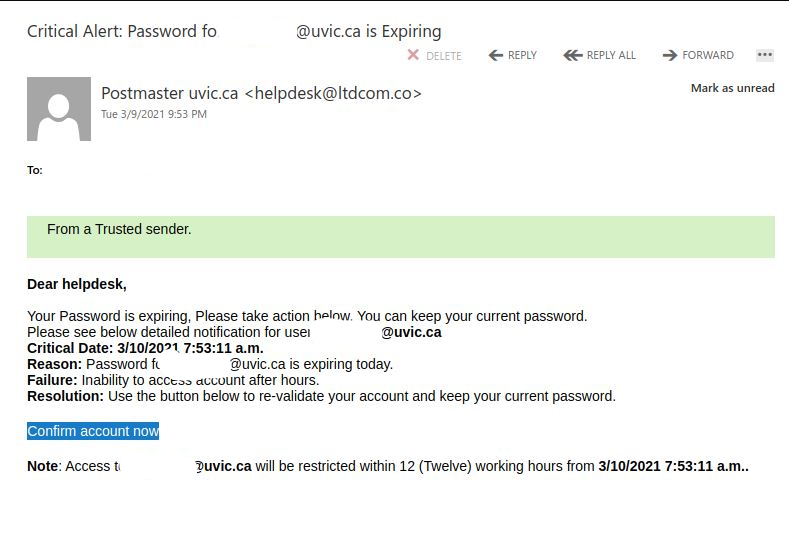
Your Password is not expiring!

Fake password expiry notice encouraging a webmail logon.

Attempted to encourage you to click as soon as possible by giving you a deadline and scaring you into thinking you won’t be able to access your account.

Account and password management processes will always follow known UVic procedures and any hiccups with accounts can typically be alleviated relatively quickly by contacting the Help Desk at helpdesk@uvic.ca or calling them directly when you encounter a problem. We do not encourage or force changes via email or phone calls.


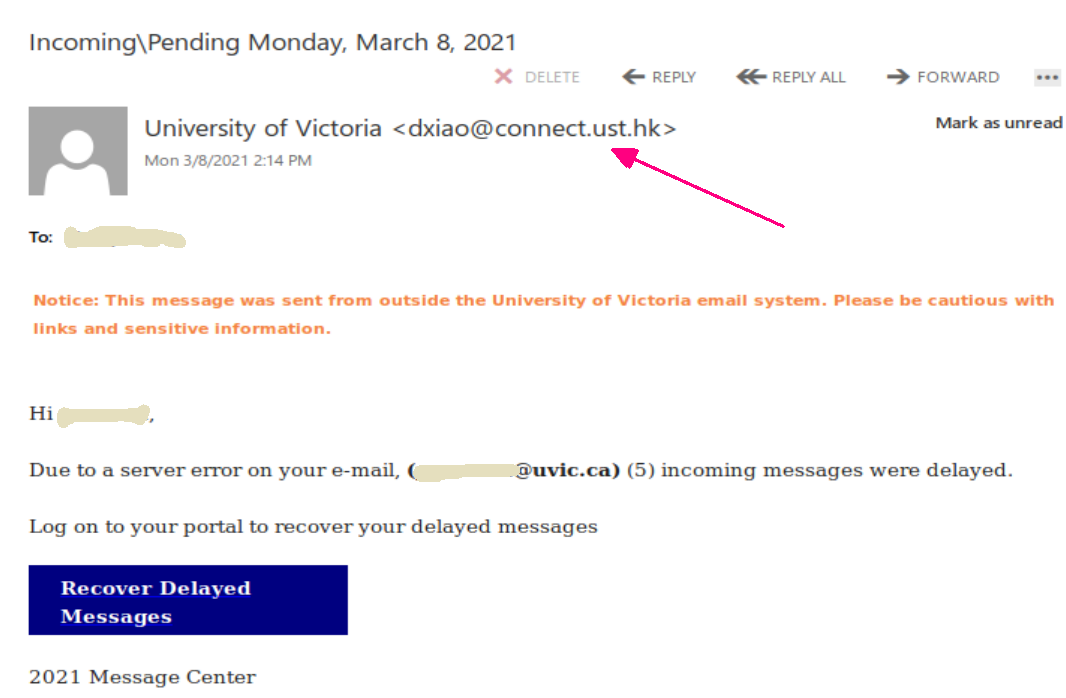
“Incoming\Pending” & “Action needed” phish

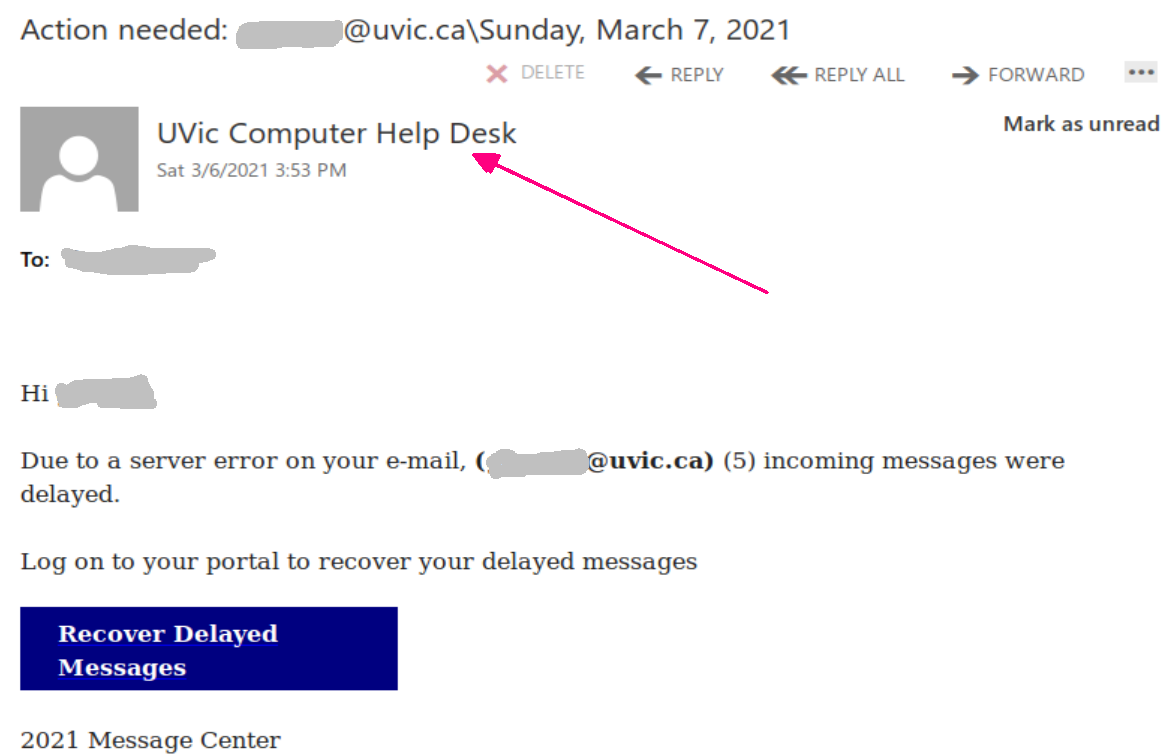
One more phish of this kind is circulating today. It tries to persuade you there were delayed messages in your mailbox. In fact the sender is external and their ultimate goal is to steal your credentials. For that purpose they created a copy of the UVic OWA (Outlook Web Access) page.  Please do not be curious and do not click on the link.  Such pages might be loaded with malware so that even if you don’t enter any credentials you are at risk.

In a second phish (second screenshot) the malicious actor spoofed the address of the UVic Helpdesk. The subject is “Action Needed”. The body of the phish is similar and it links to the same fake OWA page.

Tutor Scam – Cheque Overpayment

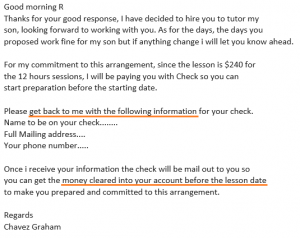
A student recently reported a variation of a cheque overpayment scam involving an advertisement seeking a tutor for a high school student.  This tutor scam began with an innocent-looking email to the department, which was forwarded to interested students.

When the student emailed the supposed parent, the response seemed fairly believable but already contained signs of the typical scam.  The short-term nature and the involvement of a nanny, while plausible, are scam characteristics.


Next the scammer asked for some personal information, and indicated payment would be made in advance.  Both of these are additional warning signs of the scam.


Finally, the scammer indicated the cheque would have more than the agreed-upon fee due to some extenuating circumstance, and that the student/tutor would be expected to give the additional money to someone else (the nanny, in this case).


Thankfully the student realized this was a scam and reported it to their department.  Victims of these scams can lose thousands of dollars when the cheques eventually bounce.

If you are a UVic student and have seen these scams, report them to the Computer Help Desk.