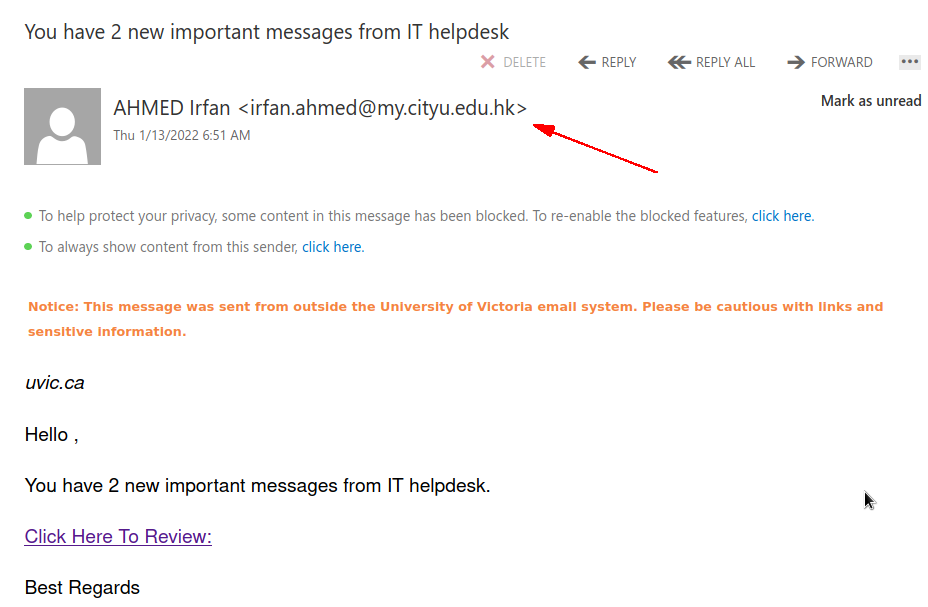
You have 2 new important messages from IT helpdesk.

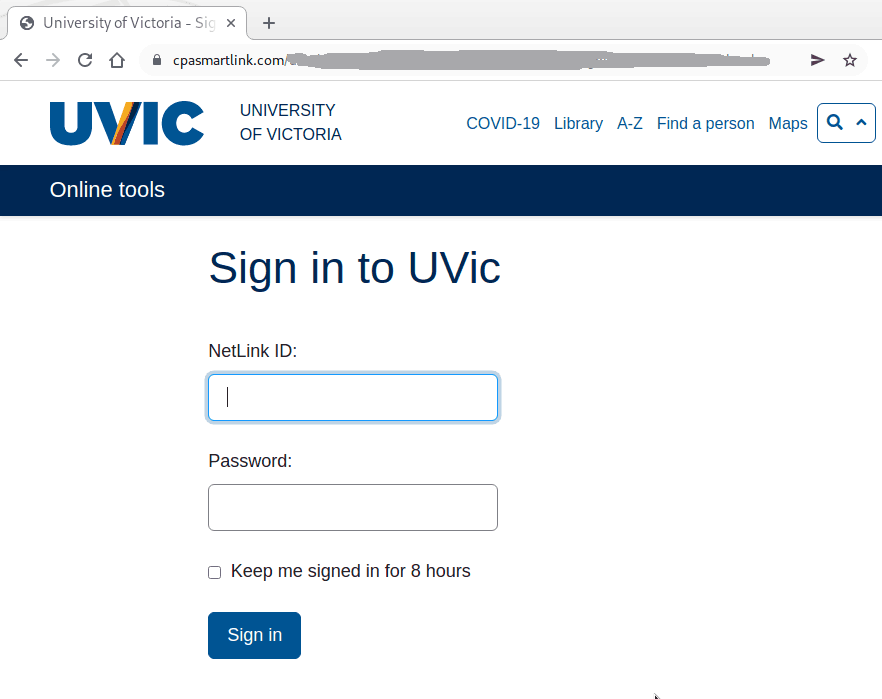
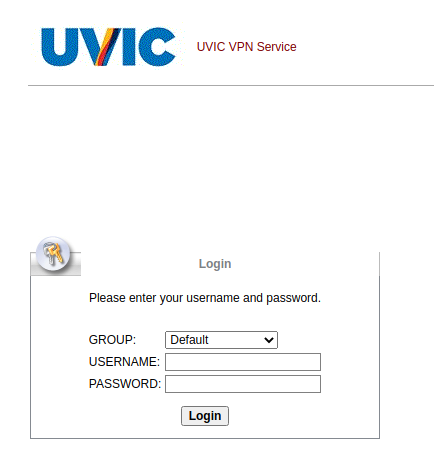
Many UVic users received a phish with this subject today. The text of the email looks quite trivial (see a screenshot below) but it leads to a very well copied fake UVic login page (also shown below). Another variation leads to a fake VPN login page. Note the address of the sender is external. Also it is easy to spot the links are external if you hover with the mouse cursor on those.  Please do not click on them, do not be curious. Your computer may get malware even just by visiting such pages. Our experts investigate them by using specially  isolated computers.

The email:
 

The fake login page:
The fake VPN login page:
You have a new voice message

Voice mail” phish has been around for years.
Yet some people see it for the first time and may fall victims. Generally it claims you have a voice message to hear. You click on the attachment but rather than a voice recording it is a html file which contains malware, or in more sophisticated cases – it redirects you to an external web page where you are supposed to hear the promised recording. That page may or may not require credentials – if you put your UVic credentials they get stolen and the attacker has access to all UVic resources that you have access to. The “recording” may in fact be malware which will take control of your workstation the moment you load it.  Moreover in some cases just loading the web page may get your workstation infected.

This is why we always suggest not to be curious and not to click on such links even for a quick look. Our experts open those in dedicated isolated environments.

Same trick is applied with all kinds of  alleged “documents”, for example the subject “Scanned documents” is heavily used by scammers.


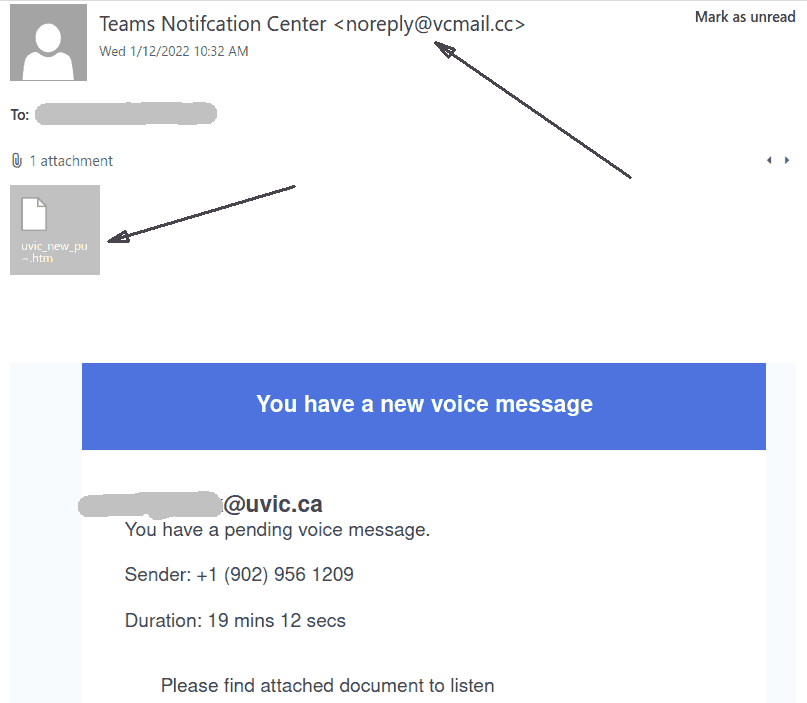
Note the sender’s address and the .htm attachment.


Benefits Enrollment

The phisher used a compromised account from someone in the K-12 education sector to send this phish, which is very similar to ones we saw in August. Do not click the link–it goes to a spear phishing page with the UVic logo and is designed to harvest your credentials. People who enter information on that page may also be prompted with a second form designed to harvest PII.

If you clicked this link, contact your department’s IT support staff or the Computer Help Desk immediately.

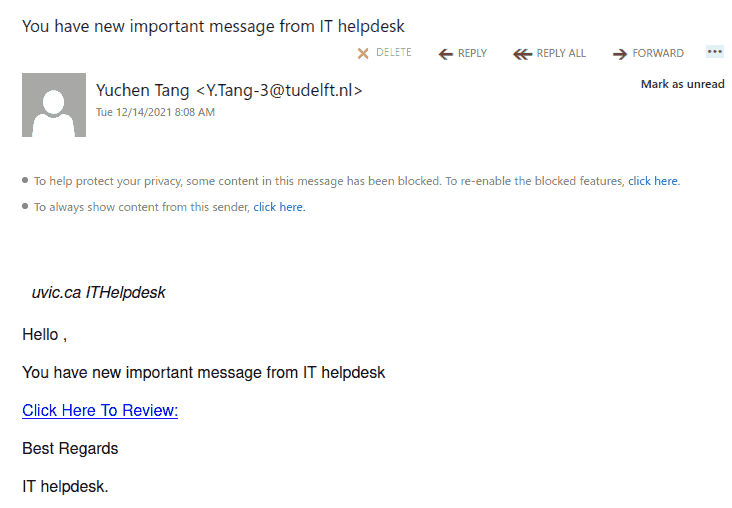
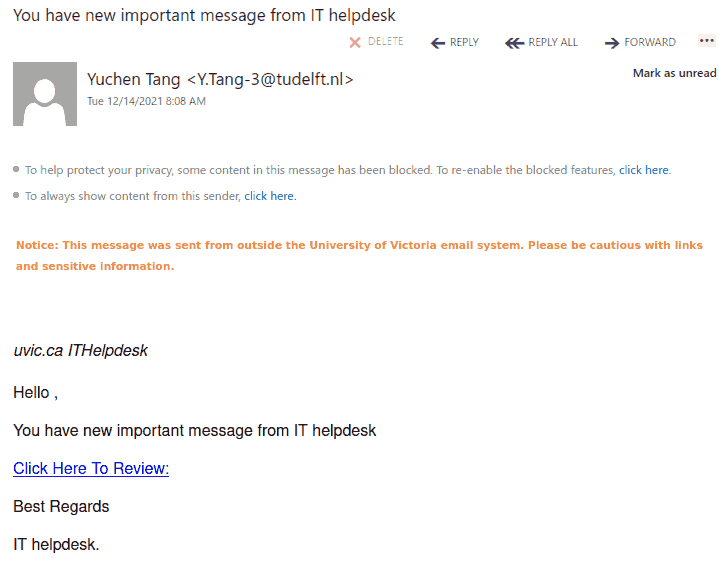
You have new important message from IT helpdesk

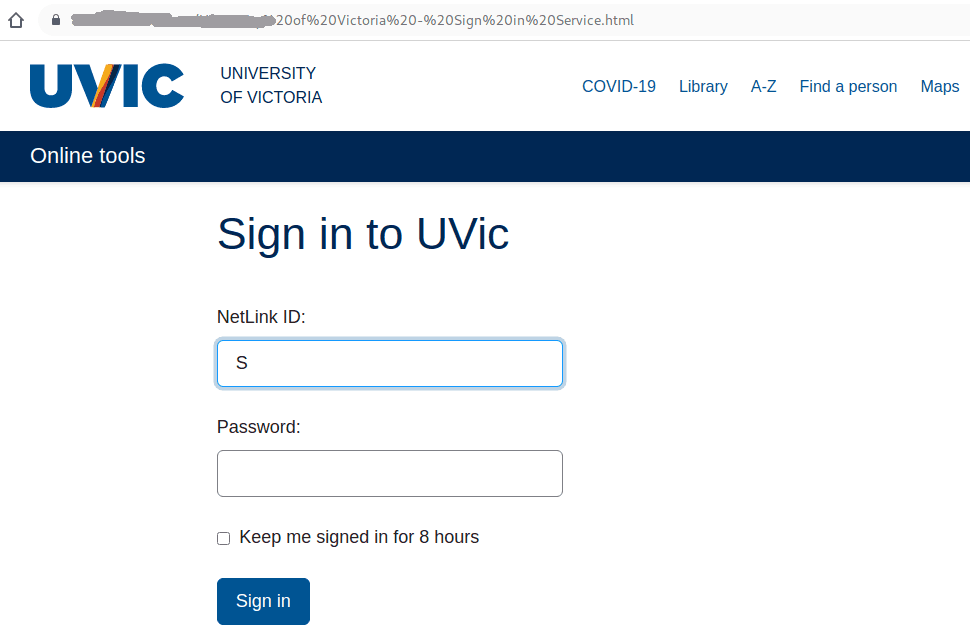
This phish is circulating today. The link leads to a very precise copy of the real UVic login page, stored by malicious actors on some external server. As usual the goal is to steal your UVic credentials.

If you hover with the mouse cursor over the link without clicking you can clearly see the address of the fake page is not on uvic.ca.

We are showing below two examples of the same phish from two different recipients. The first did not subscribe to get the “External sender” banner, while the second did.  You can subscribe to flag external emails on this page (the bottom):
https://web.uvic.ca/sysprog/cgi-bin/spamhater.pl


Please don’t be curious and don’t click on such links because sometimes they may contain malware which can infect your computer in an instant.
The fake page is shown below:

Authentication Error – You have some pending messages

Message is advising you that you have pending messages and a warning that you email is blocked. Scare tactic to get you to follow-up quickly

There are two malicious glitch.me links here. One at the time of assessment was broken, the other lands on a Fake Zimbra Email Service logon page.

This is not from the UVic Help Desk.

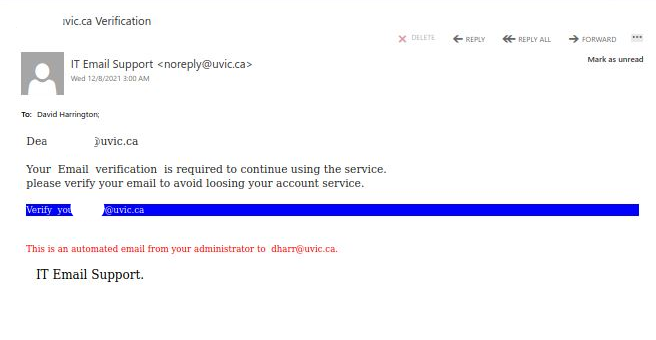
…@uvic.ca Verification – fake UVic Web App

Attempting to alarm you into clicking the link before you lose your email service, this phishing campaign lands on fake page asking you to verify a captcha prompt before landing on a fake UVic Web App logon page.

This is not a legitimate UVic mailing nor website. When you hover over the provided link you will see that this is not a UVic email service.

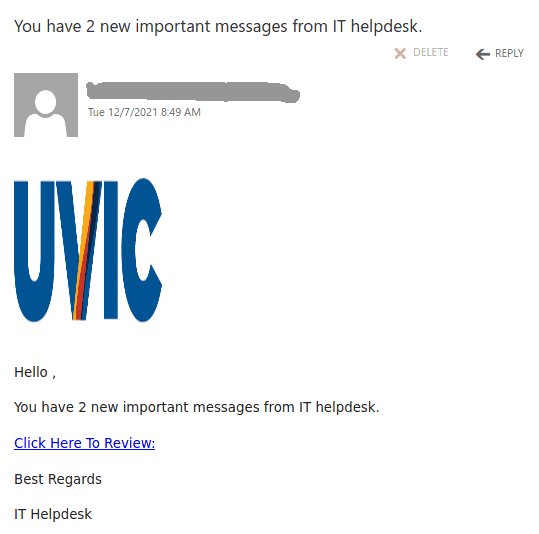
You have 2 new important messages from IT helpdesk

This phish is circulating today. It uses the UVic logo and the link leads to a very precise copy of the real UVic login page, stored by malicious actors on some external server. As usual the goal is to steal your UVic credentials.

If you hover with the mouse cursor over the link without clicking you can clearly see the address of the fake page is not on uvic.ca.

Please don’t be curious and don’t click on such links because sometimes they may contain malware which can infect your computer in an instant.

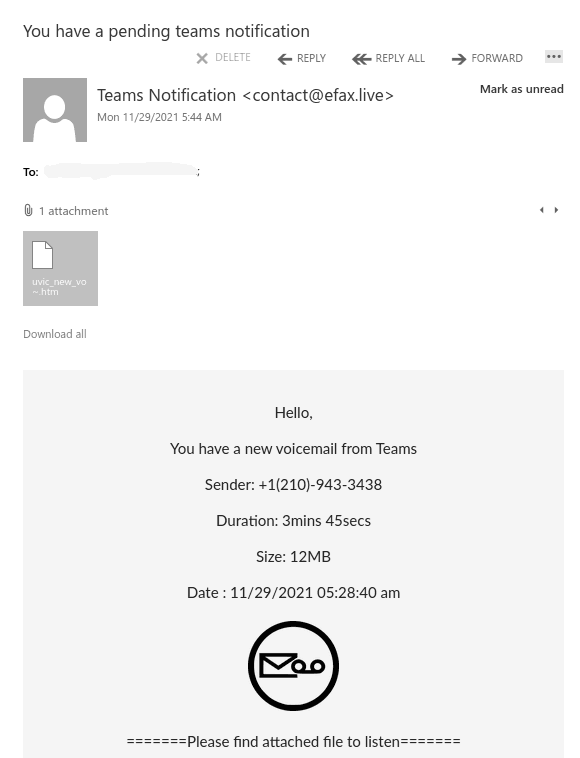
You have a pending teams notification

This phish is circulating today, but we have seen similar in the past and perhaps there will be more in the future. What is common — they contain a malicious .htm or .html  attachment.

The one from today (see a screenshot below) raises too many red flags:

  • It comes from some external sender.
  • Voicemail from Teams???
  • Claims the size to be 12Mb but it is actually very tiny.
  • A voice recording wouldn’t come in a html file

Please ask the Helpdesk or your dedicated Desktop support person but never open these attachments if not sure about their legitimacy.

This one in paricular contains a link which loads up automatically in the browser when you open the attachment.  That page contains scripts that start downloading malicious content onto your computer.

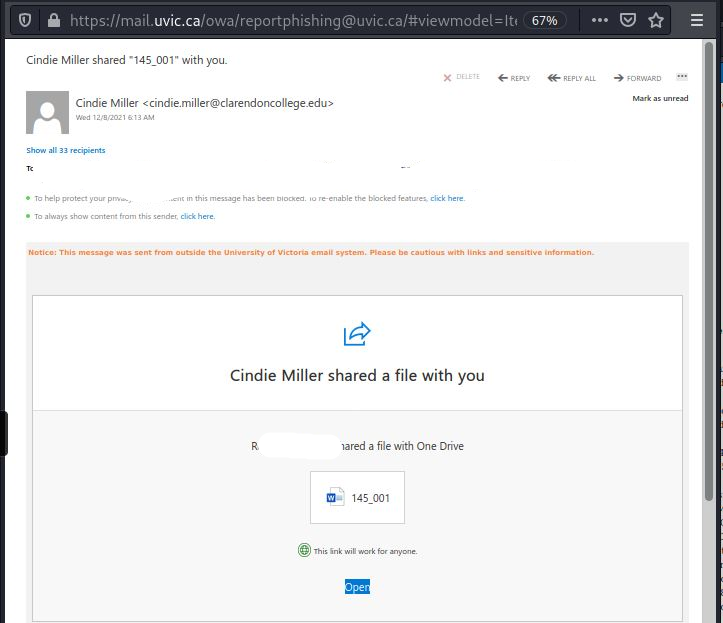
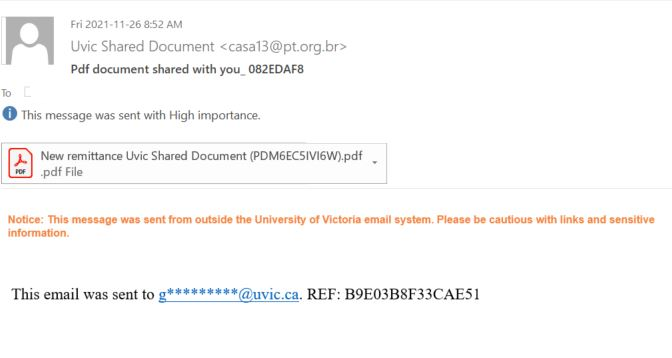
Friday Campaign #2: Fake UVic Shared Document

Malicious PDF attached to fake UVic Shared Document phishing campaign.

No content or context included in message. Note the external warning banner and the non UVic email.

We recommend that where possible you configure your email client to not only show the “Friendly Name” of the sender but also the full email address.

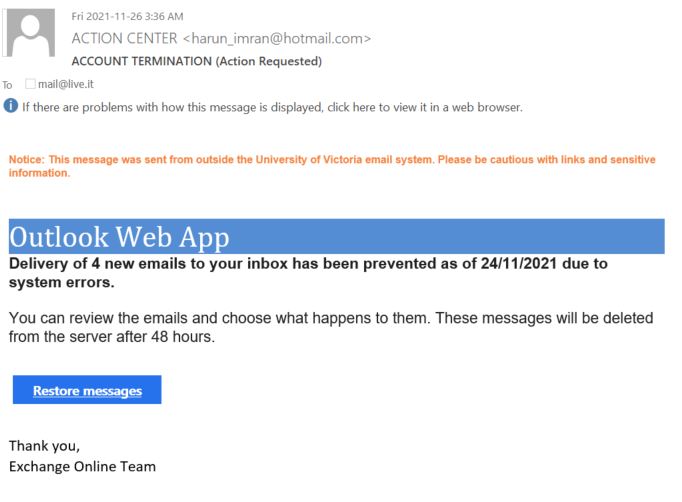
Account Termination (action requested)

Friday Campaign #1: Fake Account Termination campaign with link landing on fake Outlook Web Access (OWA) logon.

Note the sense of urgency this perpetuates.

Reminder that any account access concerns can be remediated with a consult with the Computer Help Desk. This is not a communication from our University Systems team.

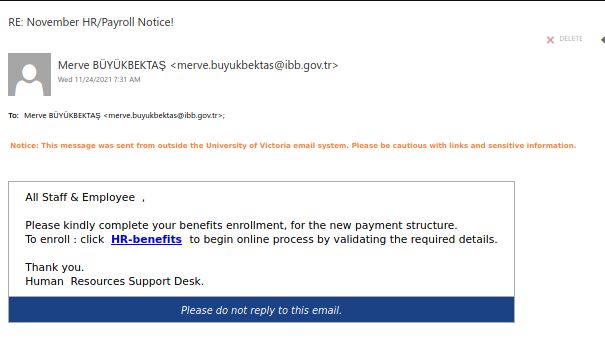
Fake November HR /Payroll Notice

This morning’s fake HR/Payroll notice redirects to a suspect logon form in attempt to grab your credentials (username/password). This is not a legitimate mailing from UVic nor our HR/payroll office.

If in doubt, avoid the links and contact the Payroll office directly to verify.

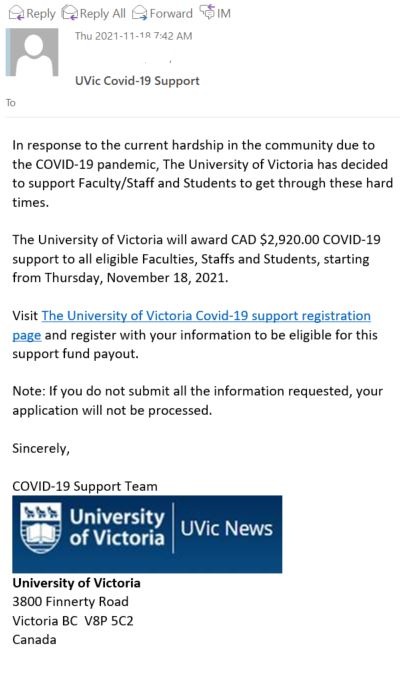
UVic Covid-19 Support

This morning’s phishing campaign is a fake Covid-19 campaign. Although the scammer made use of our logos etc., the link goes to a malicious cabanova.com web page.

This is not a legitimate mailing or UVic funding campaign. Please advise your IT Support contact or the Computer Help Desk if you have clicked this link.

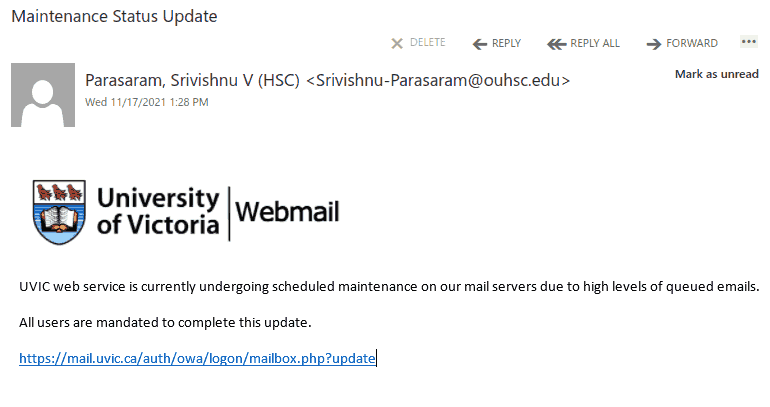
UVic web service is currently undergoing scheduled maintenance.

Many UVic users received this phish today. It uses the UVic logo and a malicious link is disguised to look like belonging to UVic. In fact it points to an external address which you can see by hovering the mouse pointer over the link.
Obviously the sender is also external.


As always – we suggest not to be curious and not to click on such links even for a quick look. Some of them may contain malware and infect your machine almost instantly. Our experts open those in dedicated isolated environments.