“Invoices” and other infected Excel attachments

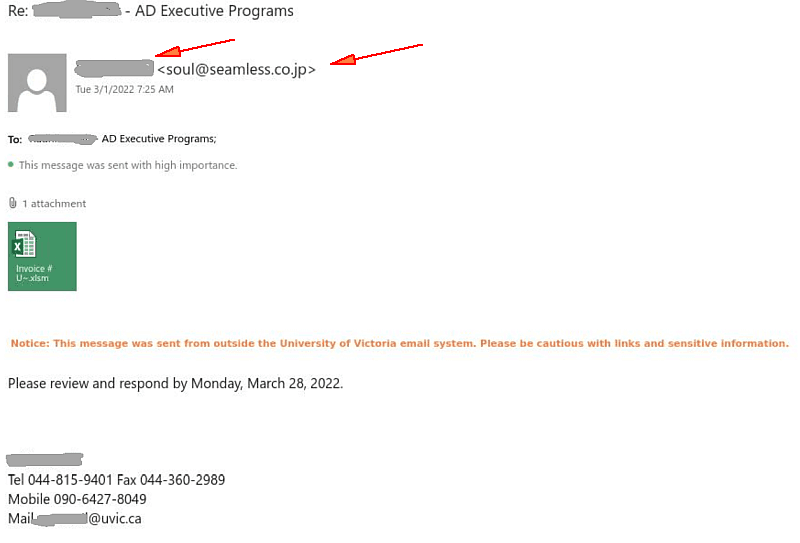
Today UVic users are attacked by emails containing infected Excel attachments. In some cases those impersonate UVic people and send to their colleagues (names redacted). In some cases the display name of the sender is just “uvic”. The sender address is clearly external. Note also their 044 phone numbers.
It can pretend to be an invoice or anything else as well.
Do not open these attachments!
Report by the phish button or call your desktop support for assistance.
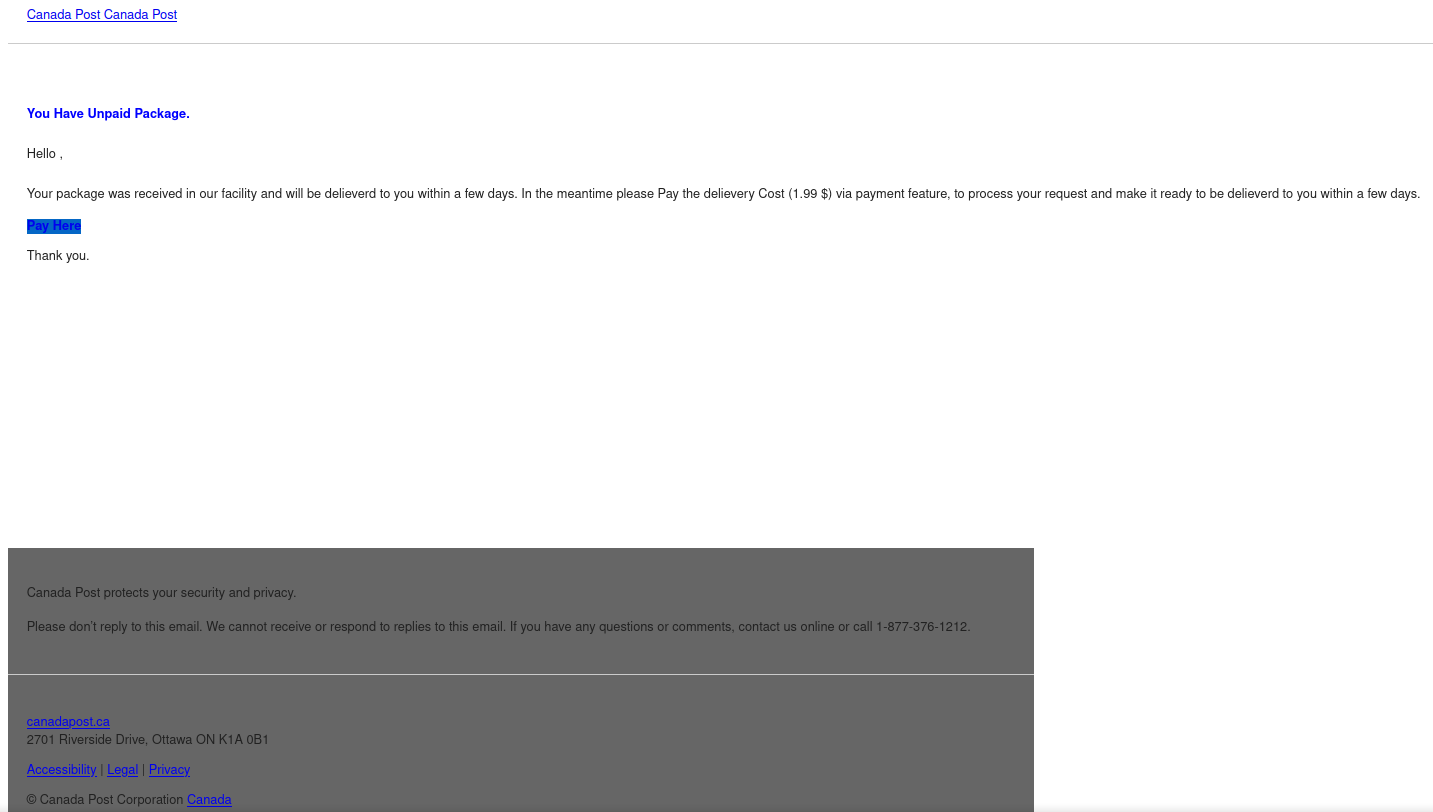
 

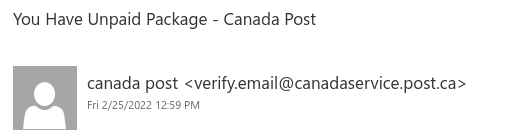
You Have Unpaid Package – Canada Post

This Canada Post phish even includes a few links to real Canada Post websites at canadapost.ca canadapost-postescanada.ca to try and make the email look legitimate. However, the “Pay Here” link that you’re directed to click on is the one link in the email that does not go to a legitimate site. It actually goes to a completely different site with a phish form that imitates Canada Post branding and aims to trick you into providing your personal information.

It’s worth noting that the sender was very cleverly crafted to look like it could be a Canada Post email address. But in reality, post[.]ca (to be safe, don’t go to that site) doesn’t actually belong to Canada Post.

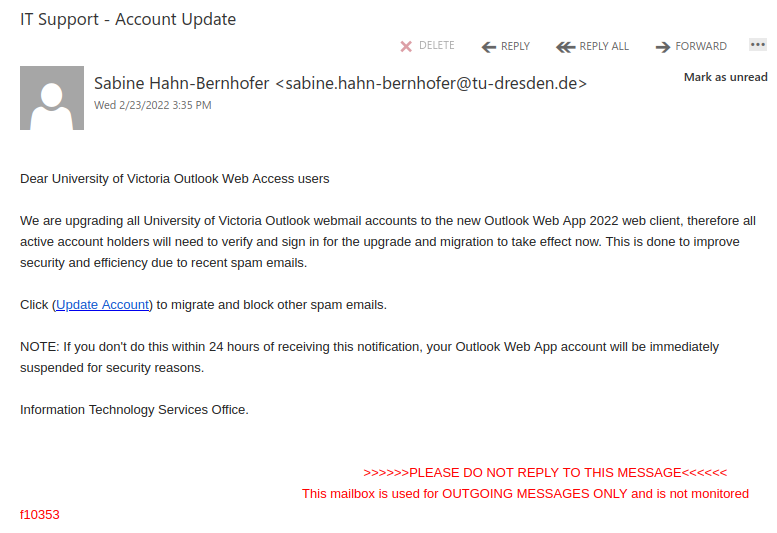
IT Support – Account Update

Hovering over the link reveals that it actually goes to a web page on wixsite.com, which is associated with a free website builder. No legitimate UVic or Microsoft login page would be hosted on a free website or form builder, so that’s a clear sign that this is a phish.

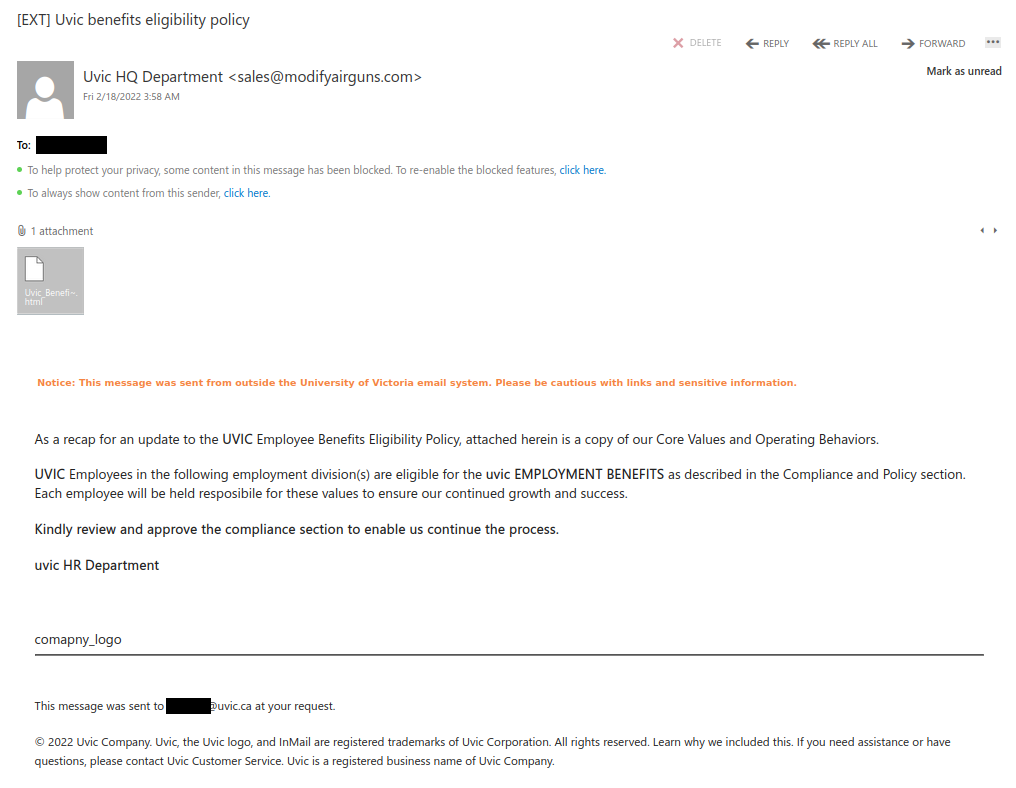
Uvic benefits eligibility policy

Sending phishing emails that look like HR notices about benefits is a very popular tactic among phishers. Instead of trying to get you to click on a link, this phish tries to get you to open an attachment. The attachment is actually a webpage (HTML file) that will then ask you to enter your Microsoft account credentials because you are trying to view sensitive information.

Always be wary of attachments that come from unsolicited emails. If you are prompted for Netlink or Microsoft account credentials upon opening an attachment, contact your department’s IT support contact or the Computer Help Desk immediately, as that is a sign the attachment is phishy.

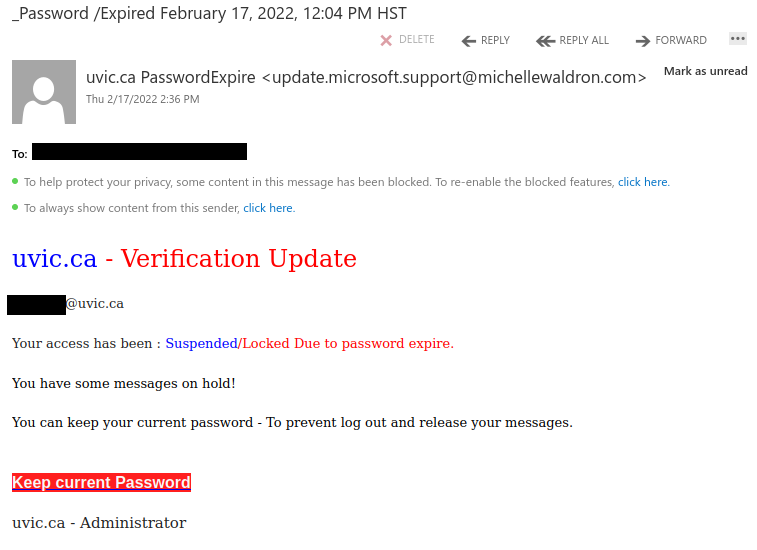
_Password /Expired

If you hover over the link in this phish, you will see it does not go to uvic.ca but instead goes to a sendgrid.net address. SendGrid is a legitimate emailing platform and its links might be expected in things like newsletters and other email subscriptions. But phishers like to abuse it for their own nefarious purposes too, so if you see a SendGrid link in an email directing you to click and login or do something about your password, that is usually a sign of a phish.

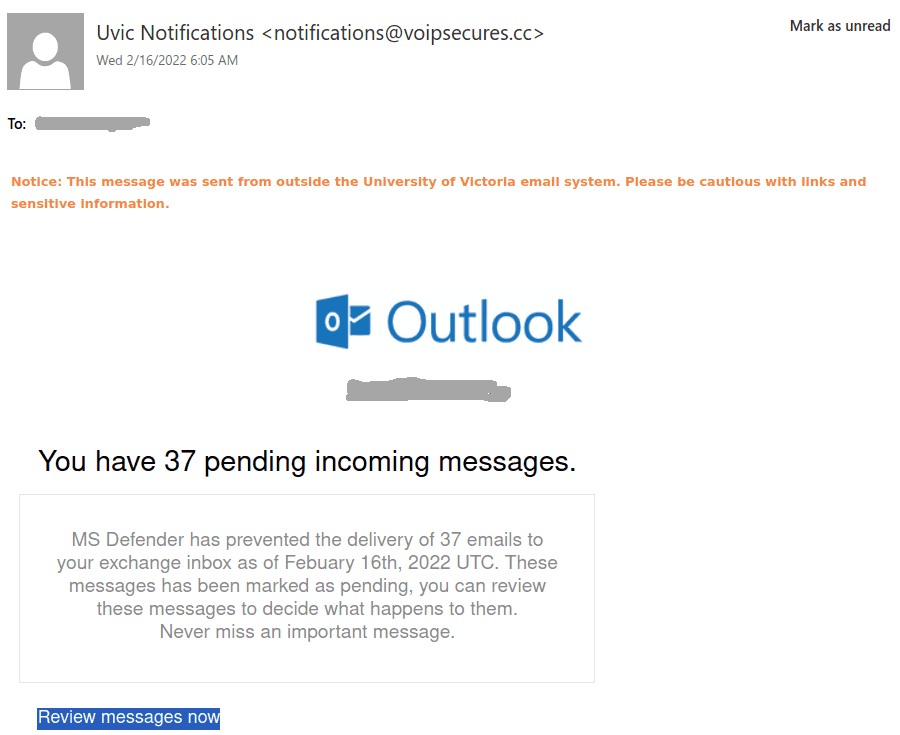
You have pending incoming messages.

We see a  novel idea in the phish area today. This time they are trying to persuade you that MS Defender prevented delivery of email messages.
The sender is clearly external. The link to “review messages” is also external,
you can see it by hovering over it with the mouse cursor, without clicking.

Please do not click on such links out of curiosity, they may contain malware to infect your machine instantaneously. Our experts open those in a dedicated isolated environment.
The fake login page is pretty much like our regular Outlook Web Access page (aka OWA).

Final Important Notice !!

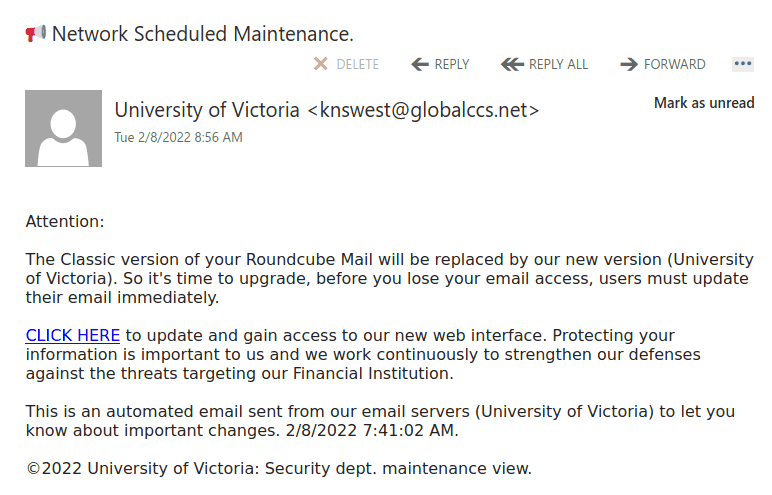
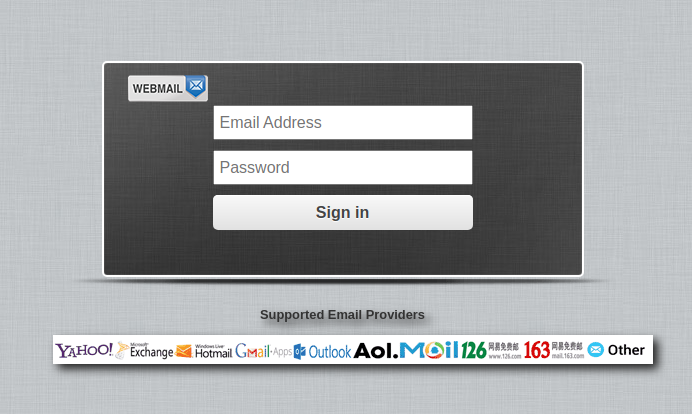
This phish claims roundcube mail was to be upgraded and asks you to click on a link that has nothing to do with UVic.  The sender is clearly external and if you hover over the link with the mouse cursor you will notice it is external too. Please do not click on such links out of curiosity, they may contain malware to infect your machine instantaneously. Our experts open those in a dedicated isolated environment.
The fake login page is shown at the bottom.


——————————————————————————–

Apparently the same actors sent the same link in a different phish, which has a different subject line but the same text in the body of the message. It looks like this:
———————————————

Below is the fake login page:

COVID-19 benefits phishes… again

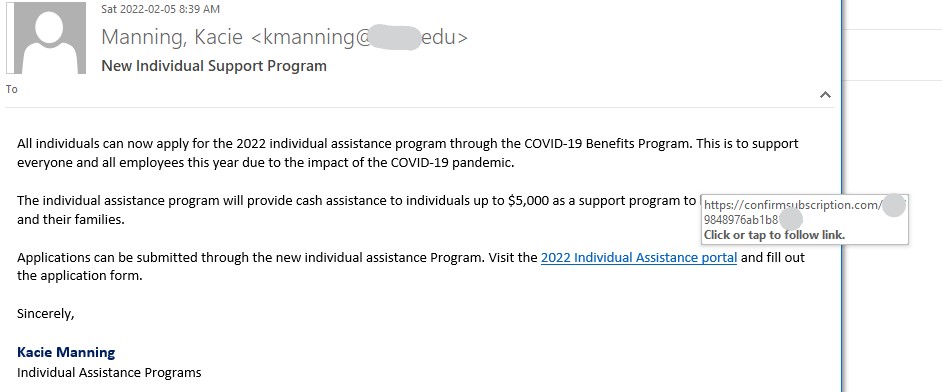
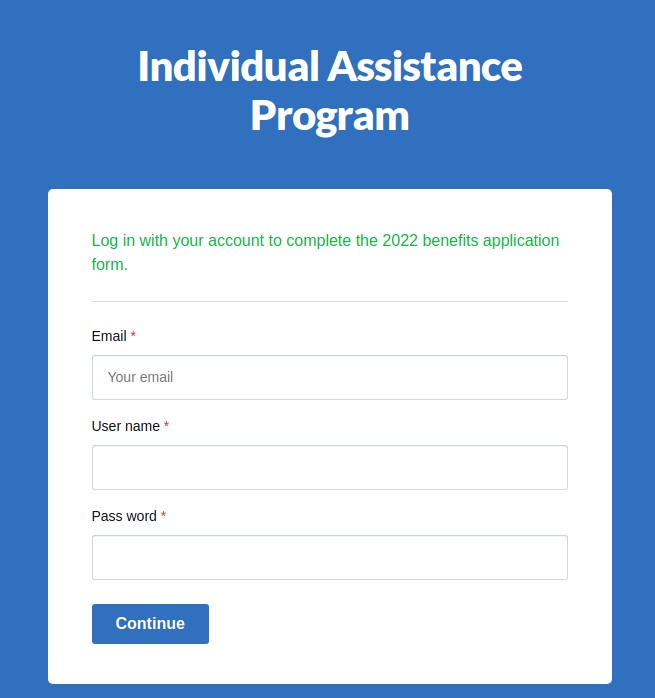
As usual, criminals will take advantage of current events to try to trick people into clicking and submitting credentials. This phishing email appears more legit than most due to use of a compromised .edu account and clear, proper English. The login page was not very tricky or splashy, with clear red flags such as an unusual website domain and the password field is not obfuscated with ***.

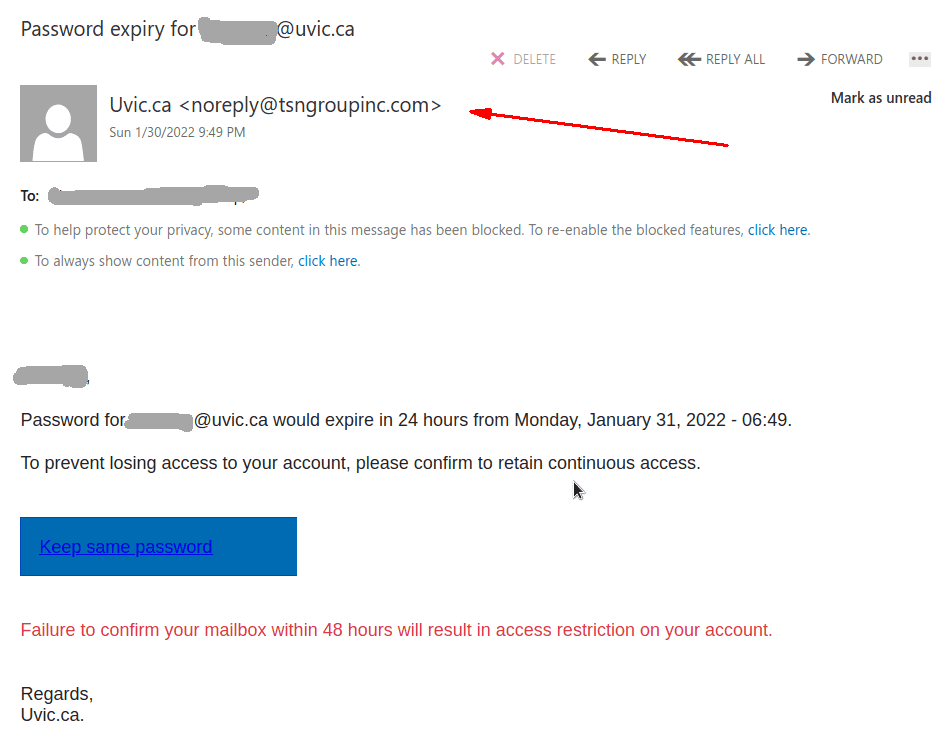
Password expiry for …

This phish was received by many UVic recipients today.  The usual tactic is employed – to scary the recipient to act fast, otherwise their password (allegedly) would expire. We don’t send such emails.
Note also the sender address — clearly external.
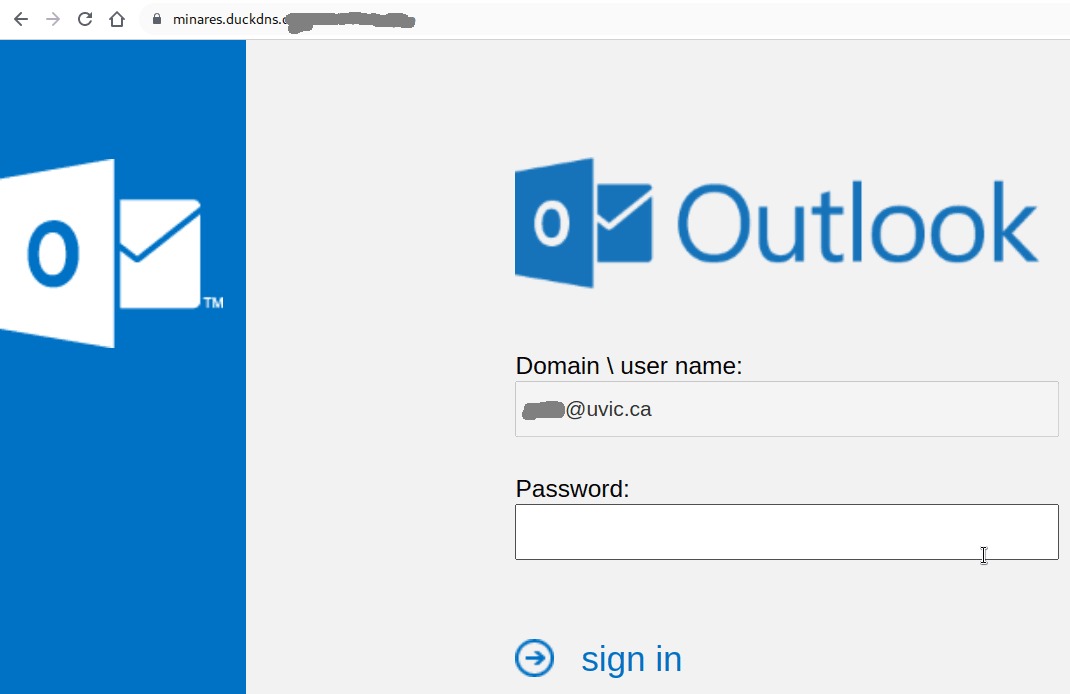
If you hover the mouse over the link (without clicking!) you will notice it is not a UVic address there. That link redirects to another which contains a CAPTCHA, to imply legitimacy, and after that you end up with the usual login page designed to steal your UVic credentials. The page contains your UVic email address thus implying you are at the right place. You are not.

=================================================================


This is how the fake page looks like:

It is important to remember that in some cases just loading the web page may get your workstation infected. This is why we always suggest not to be curious and not to click on such links even for a quick look. Our experts open those in dedicated isolated environments.

You have a new pending message

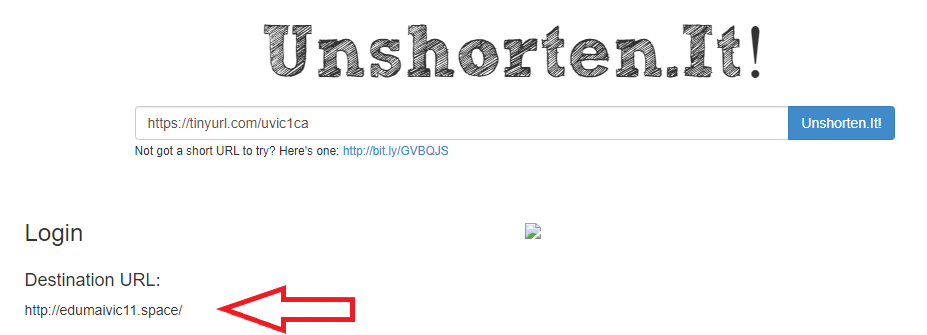
Always be wary of shortened URLs in emails; phishers often use them to hide the true destination of the link, as is the case in this example. The phisher made the effort to pick a TinyURL containing UVic to make it look more legitimate. Also, note that this was sent from a Gmail address, which is a sure sign that this is not from a UVic system.

You can often find the real destination of a shortened link by using an unshortening service like unshorten.it – below is the result of running it on that TinyURL, and you can see the destination is not uvic.ca.

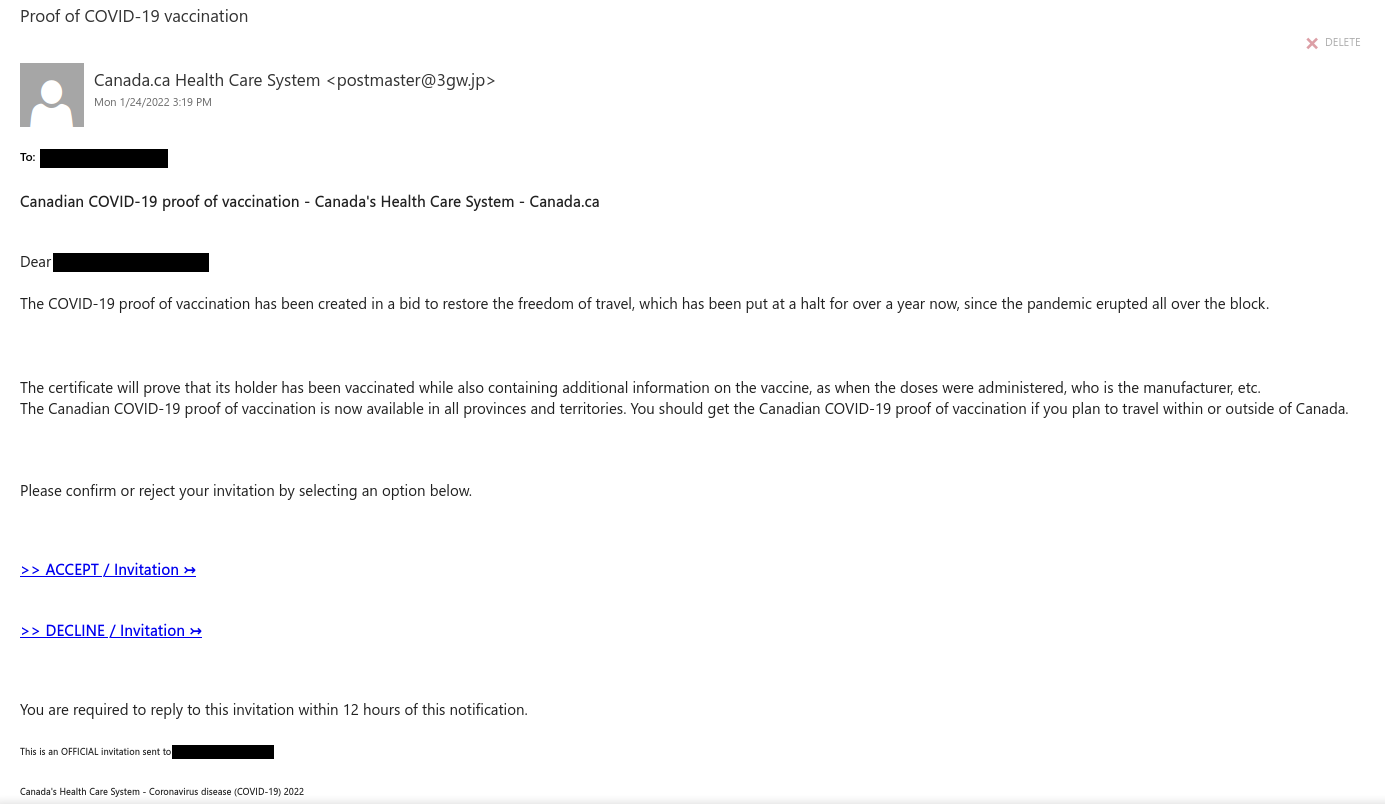
Proof of COVID-19 vaccination

This phish claims to be from canada.ca and the Canadian health care system, but hover over the link and you will find that it does not actually go to canada.ca or a site on .gc.ca (it actually goes to an out-of-country site). Similarly, the sender address is also not from either canada.ca or a .gc.ca site.

For information about the real COVID-19 proof of vaccination, click here, or go directly to canada.ca and find the appropriate link on the homepage.

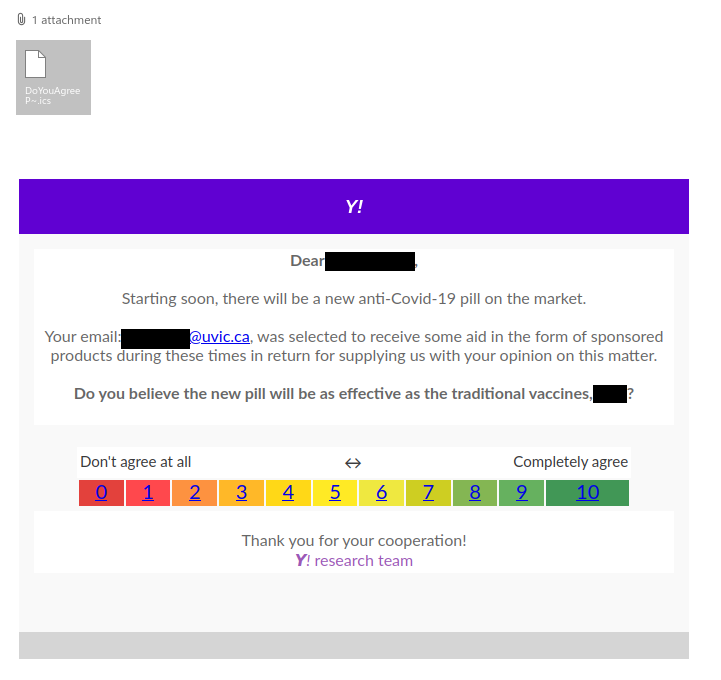
You are eligible [COVID-themed phish with calendar attachment]

COVID-themed phishes will continue to be common while the pandemic is ongoing. This one sounds too good to be true–saying that your email address was randomly selected to received sponsored products is just a ploy to get you to click on a phishing link disguised as a survey.

An interesting tactic that the phisher employed in this one is attaching a calendar file containing the same phishing link as the email message itself. This is because some calendars may default to automatically adding calendar items from incoming emails. Worse, some may even default to triggering notifications for them on your device even if you didn’t RSVP, meaning the link could appear among your device notifications (a place where the phisher is hoping your guard will be down so that you’ll be more likely to click the link).

You can read more about calendar phishes in this article from WIRED.

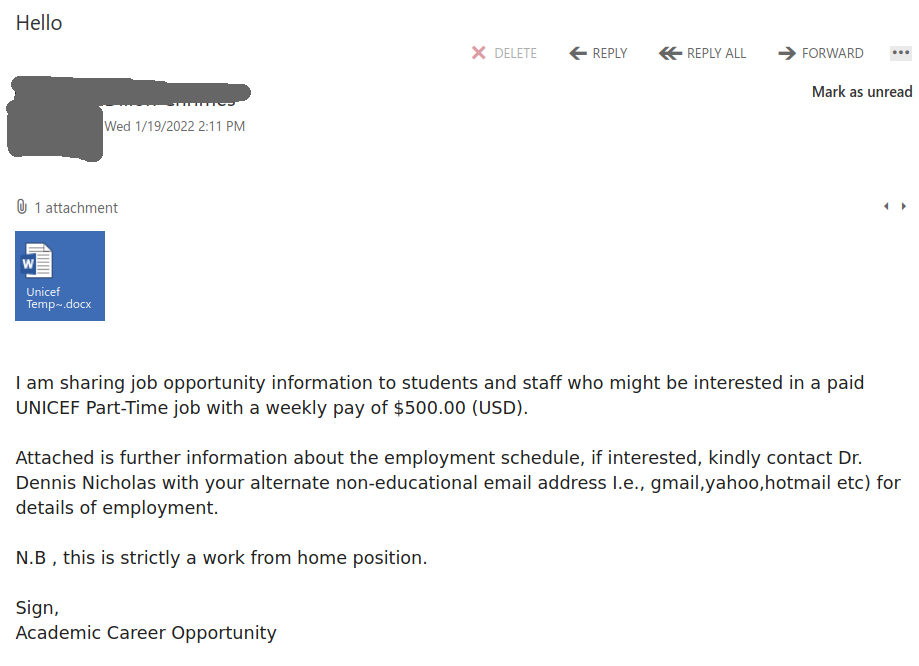
Hello

Similarly to our previous post, this phish was received by many UVic users today.
Such attachments may contain malicious scripts and macro’s. They may come from external senders but they may come also from internal compromised accounts. If unsure, ask your desktop support person for help, don’t be curious and don’t rush to open the attachments.

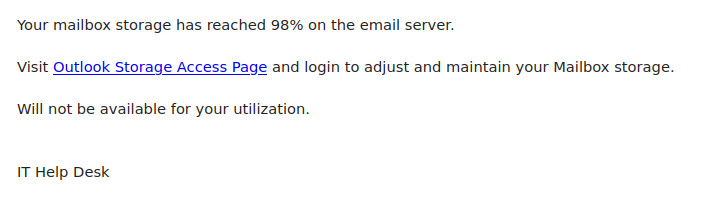
Help Desk

This generic phish was sent to a large number of people today. Always hover over the link before clicking to check if the link is safe If you were to hover over the link you would find it does not go to uvic.ca or a Microsoft site, indicating the link is not safe.

If you clicked on the link, contact your department’s IT support staff or the Computer Help Desk immediately.

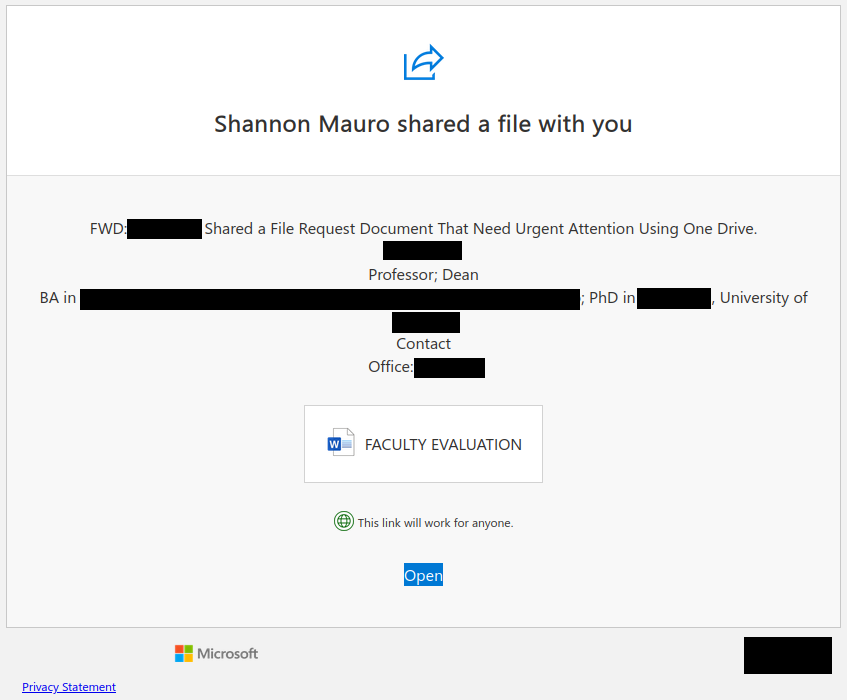
FACULTY EVALUATION [phish via Google Docs and SharePoint Online]

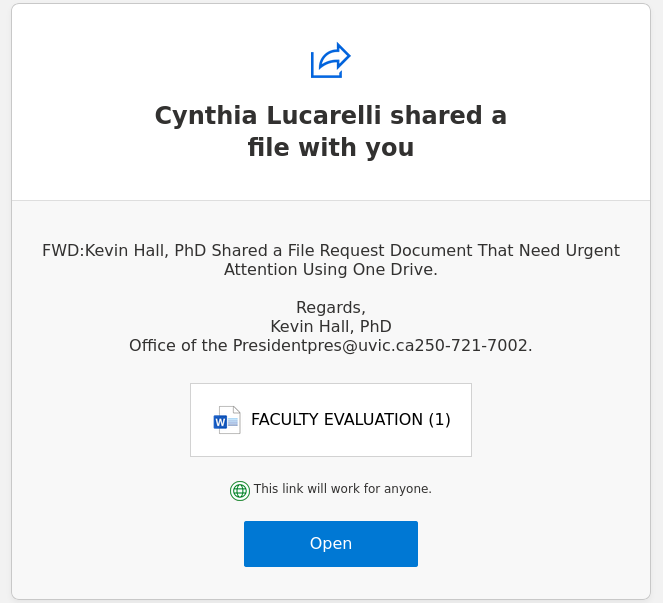
Legitimate cloud file sharing services like Google Docs and Microsoft SharePoint Online are frequently abused by phishers. The examples below attempted to impersonate one of UVic’s deans in an attempt to make the phish look legitimate, but note the errors in capitalization and grammar in the document description.

Version sent via Google Docs:

Version sent via SharePoint Online:

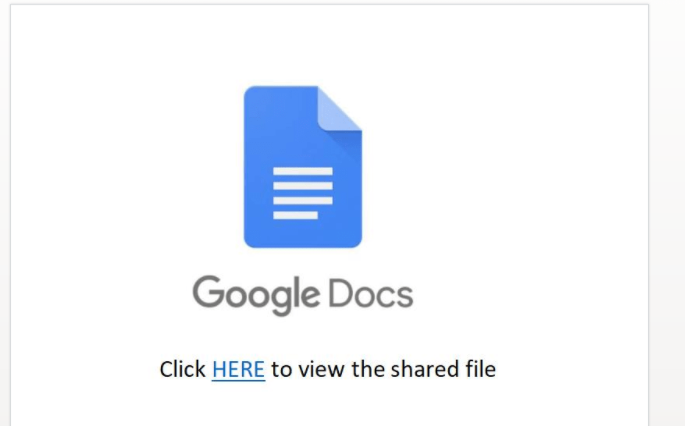
Both versions lead to a file with a Google Docs logo and instructions to click another link to view the real contents (which is a red flag as well). That link goes to a phishing page on Google Forms. Never enter login credentials on Google Forms or other free web form builders; no genuine login page would ever be hosted there.

Update 2022-01-19: there is also a version from SharePoint Online that impersonates President Kevin Hall.