“your email” failed vulnerability check

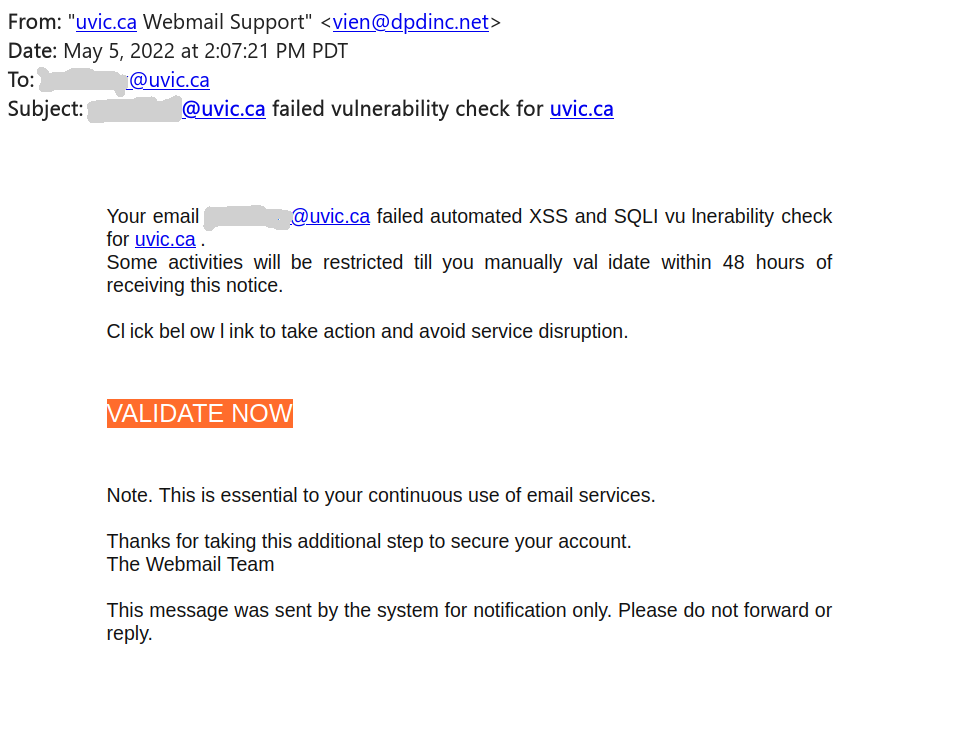
This phish is circulating around today.  See a screenshot below.
Of course something must be wrong and of course you have to act fast. The sender pretends to be a “uvic webmail support” but clearly is using some external address. Note how the malicious actor deliberately put space in some words in the message body in order to evade automatic detection of phish, e.g. in the words “vulnerability”, “click”, “below”, “validate”

The link is external of course, and points to a fake roundcube mail page that’s created to steal your credentials.

Please never click on suspicious links, don’t be curious. Sometimes these pages may contain malware to infect your machine instantly. Our experts open these in a dedicated isolated environment.
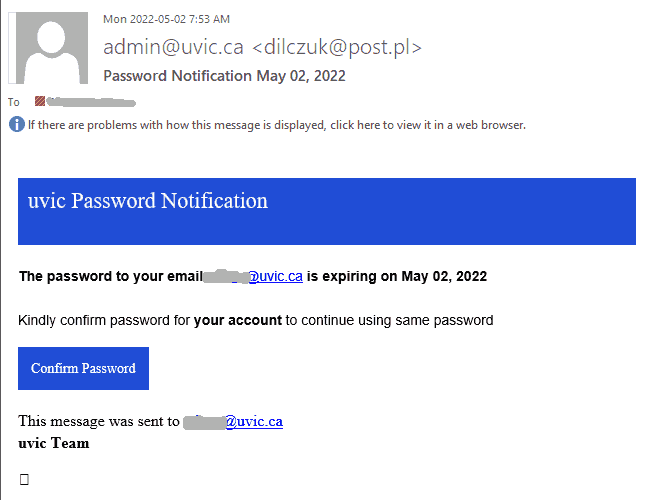
Password notification May 02

Same old tactics – scary the user there is something wrong to deal with fast, navigate to a fake page, steal your UVic credentials.

A screenshot of the phish message is shown below.  The link in fact points to an external site (that can be seen when hovering with the cursor above the link, without clicking).


A screenshot of the fake page is shown below

Please never click on suspicious links, don’t be curious. Sometimes these pages may contain malware to infect your machine instantly. Our experts open these in a dedicated isolated environment.

Email Deactivation Phish

A typical phish attempting to take advantage of similar, legitimate emails was recieved by a number of UVic users today. The example below received by our Computer Helpdesk shows how malicious actors attempt to hide that this is a fake email in the sender display name, the url display name, and the body of the email. The link uses a URL shortener service and leads to a real looking, UVic branded login page, with your email prefilled in.
If you are not sure if an email is legitimate, ask your DSS, CHD or IT support expert for assistance!

2022 Employee Benefits Plan

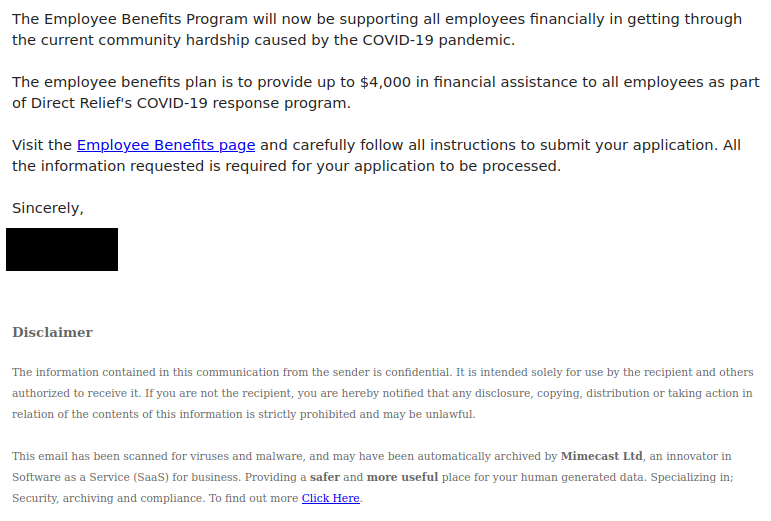
Phishers are continuing to take advantage of the ongoing COVID-19 pandemic to try and get people to click the link. This phish also uses a URL shortener to hide the true destination of the link, which is a fake login page created by a free web form builder. Remember, always hover over the link to see where it goes before clicking, and be wary of shortened URLs in emails.

Fake OneDrive Phish

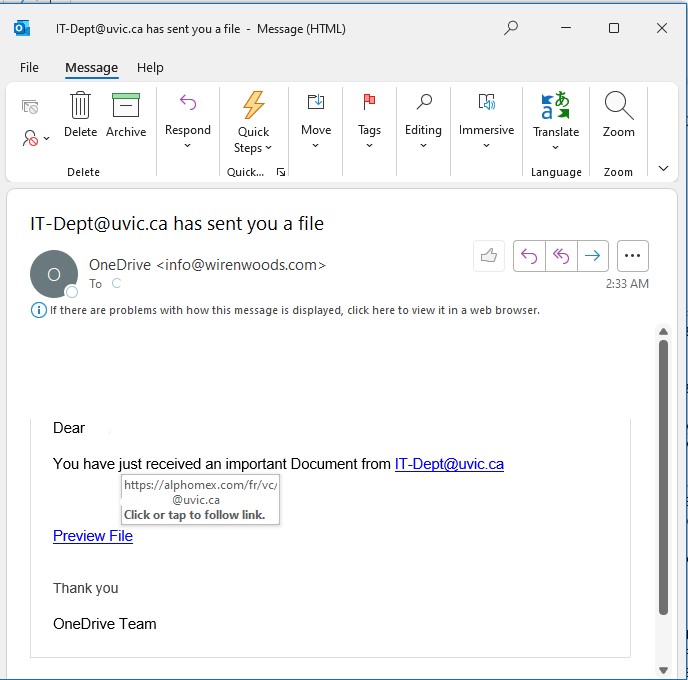
A lot of these phishing emails were recieved by UVic users today. This email appears a bit like a OneDrive file link email.
Always be mindful of the link, actual sending email address, and whether you expected an email.

Email Storage is 95% full

This phish is circulating today.

Same old tactics – scary the user there is something wrong to deal with fast, navigate to a fake page, steal your UVic credentials.

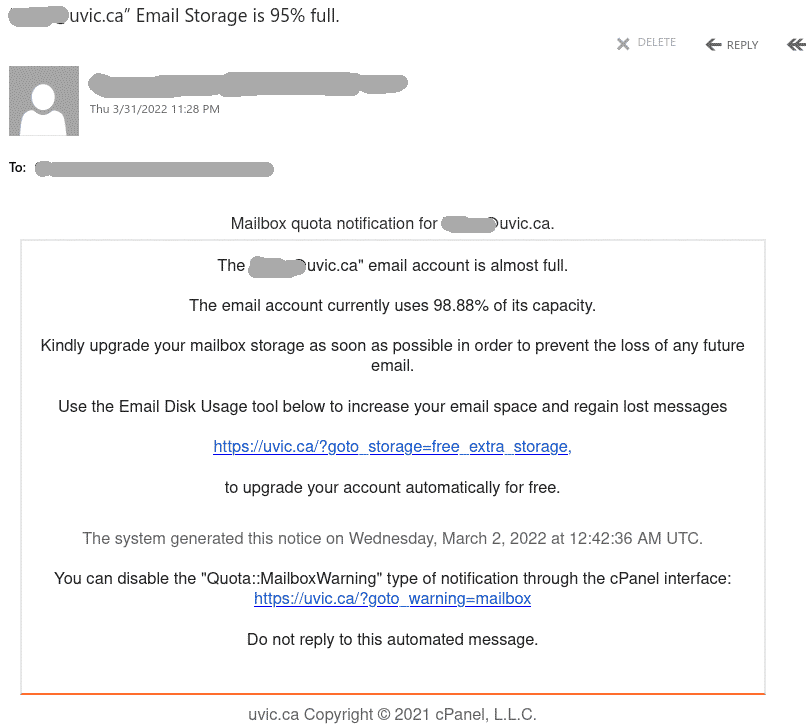
A screenshot of the phish message is shown below. The email of the recipient is included in the message. The links pretend to be internal but in fact point to an external site (that can be seen when hovering with the cursor above the link, without clicking).


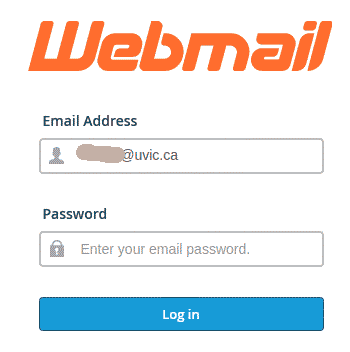
This is how the fake page looks like:


RE: ICT System Administrator!

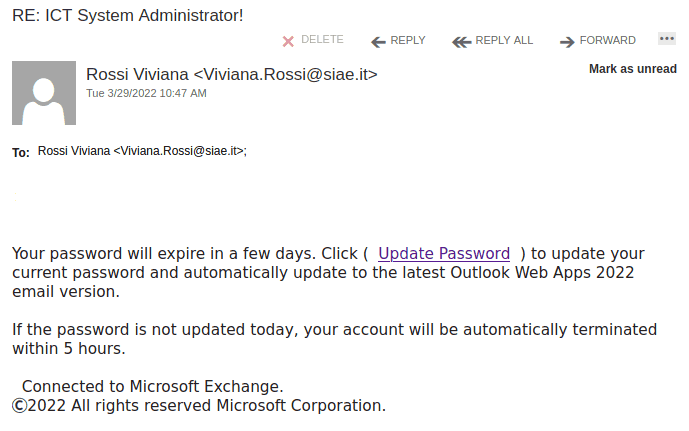
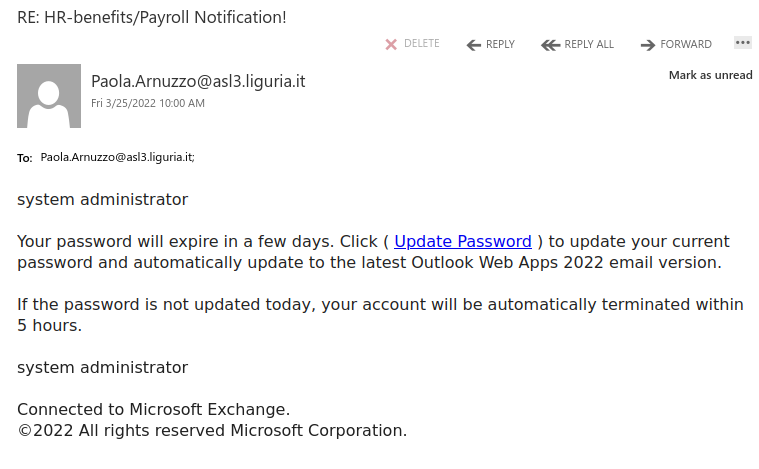
This phish is circulating today. Nothing really innovative – if you don’t update your password , allegedly your account will be deleted withing 5 hours. Same old scary tactics – act fast, think less.
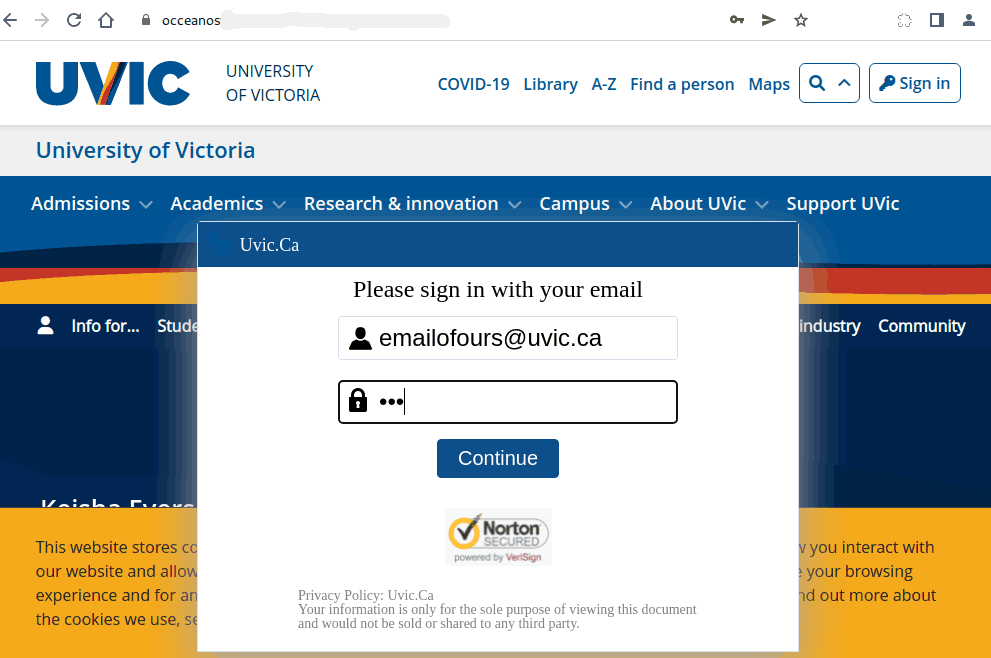
As usual a fake UVic-like page is designed with the single purpose to steal our credentials. In fact this time it is not quite UVic-like (shown at the bottom)
Please never click on suspicious links, don’t be curious. Sometimes these pages may contain malware to infect your machine instantly. Our experts open these in a dedicated isolated environment.

A screenshot of the phish is shown below. The sender is clearly external and the link is external too (the safe way to see it is to hover on it with the cursor without clicking).


————————-

The fake credentials page:

ACTION REQUIRED

As the subject suggests this malicious actor employs the trivial scary tactics. You have to act fast or allegedly you will lose emails. As usual a fake UVIc-like page is
designed with the single purpose to steal our credentials.

The sender is clearly external and the link is external too (the save way to see it is to hover on it with the cursor without clicking.

Below you can see the email that many UVic users received today. Please never click on suspicious links, don’t be curious. Sometimes these pages may contain malware to infect your machine instantly. Our experts open these in a dedicated isolated environment.


The fake page looks like this:

Attention

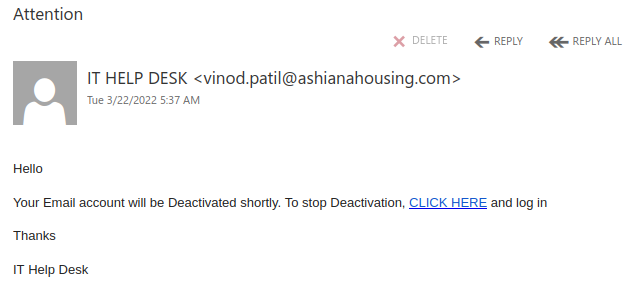
Threatening to deactivate your email account in the immediate future is a common tactic of phishers, who are hoping that someone will act hastily and click the malicious link.

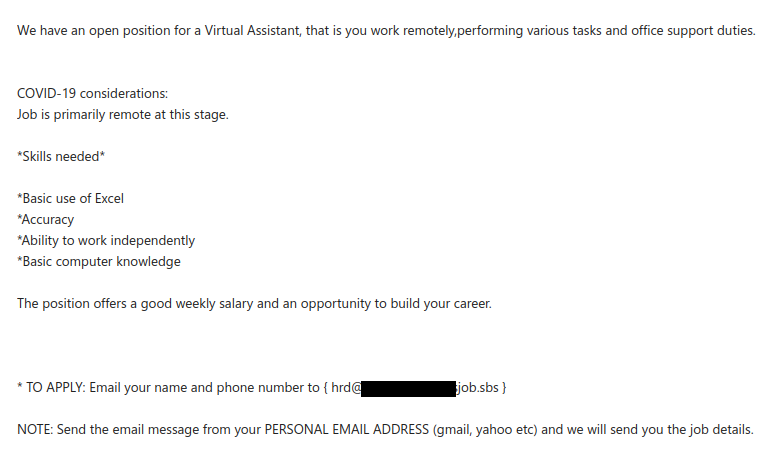
Vacancy: online virtual assistant position is open

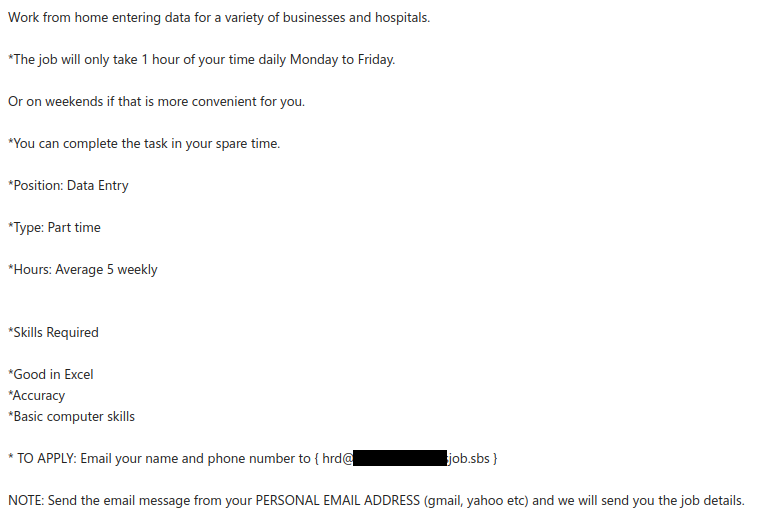
Once again, a compromised account from another Canadian university was used to send a remote work scam email. This one is extremely similar to the one we wrote about two weeks ago and even uses the same contact email address.

In both cases, the scammer asks you to reply from your personal email address. This is because the scammer wants to move the conversation away from UVic’s email systems to evade detection.

In general, be suspicious of remote job offers that come from unsolicited emails and do not send money or personal information in response to such offers. For more information on these scams and further advice on how to avoid them, read this CBC article.

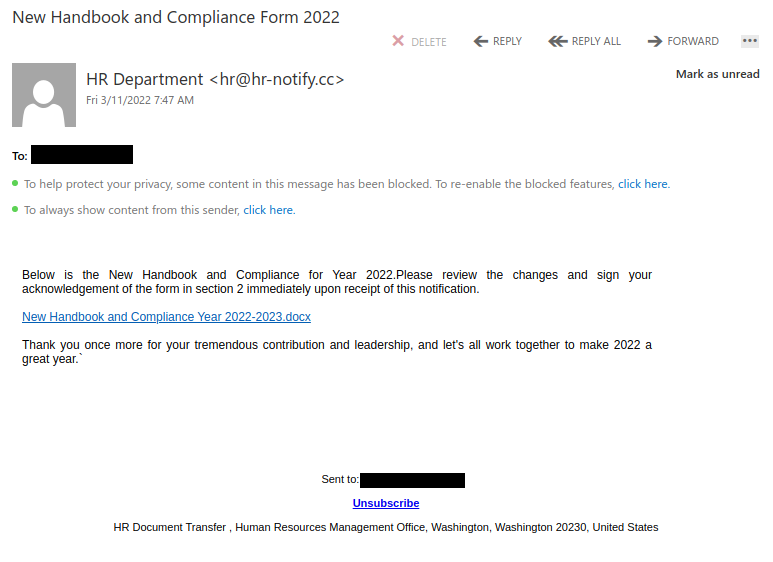
New Handbook and Compliance Form 2022

The phisher used individualized click-tracking links for this HR-themed phish, meaning that they will know which recipients clicked. Since this is a phish, don’t click on the Unsubscribe button either. There’s no guarantee the phisher will respect that, and it might just mean you’ll get more phish since the phisher now knows that your email address is valid.

Also note the American address in the footer; that should be a red flag given that we’re a Canadian university.

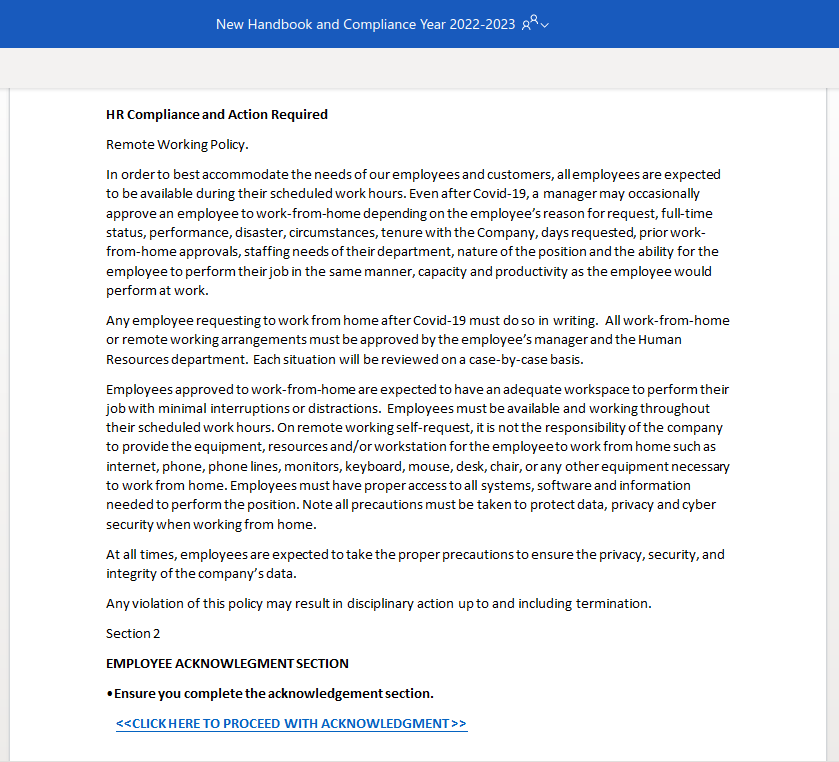
Clicking on the link (don’t do this!) takes you to a phony remote working policy document that tells you to click on a second link to acknowledge and sign the document. That second link goes to a phony Microsoft 365 login page for harvesting your login credentials.

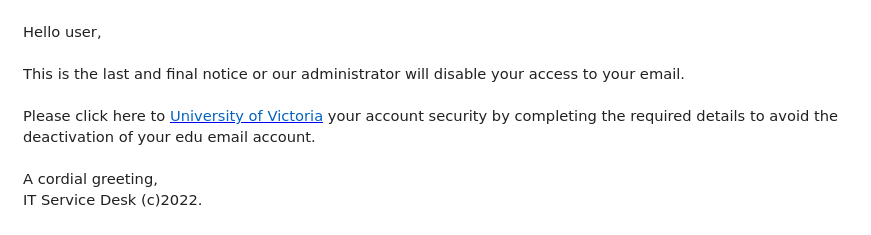
ITS Help-desk

The phisher seems to have used a compromised account at a public institution in the UK to send this phishing email. Like many other phishing emails, it uses a threat to try to get you to act hastily and click on that link. Pause and look closely before you click! If you hover over the “University of Victoria” link, you will find that it actually goes to Cognito Forms. Presumably this is a free web form builder; as mentioned in the previous post, such services are frequently abused by phishers and no real UVic login page would be hosted on them.

If you clicked on this link, contact your department’s IT support staff or the Computer Help Desk immediately.

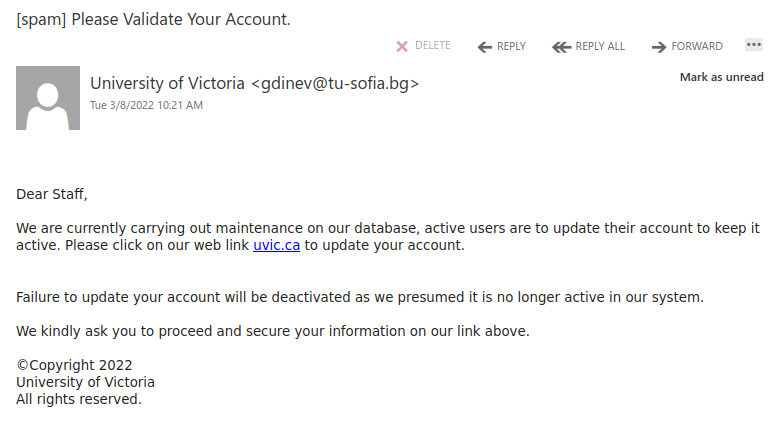
Please Validate Your Account.

This is an example of a spear phishing email–it is designed to target the UVic community specifically. Notice how the actual sender address is not a UVic email address, even though the email claims to be from UVic (you may need to open/expand detailed sender information to see this if you are using a mobile app for email).

As always, hover over the link before you click. That link that says “uvic.ca” actually goes to a site that contains UVic in its name but actually ends in weebly.com. Weebly is a free website builder; phishers love to abuse such services to create phishing sites. No real UVic login page would ever be hosted on Weebly or any other free website or form builder.

If you clicked on this link, contact your department’s IT support staff or the Computer Help Desk immediately.