Deactivation

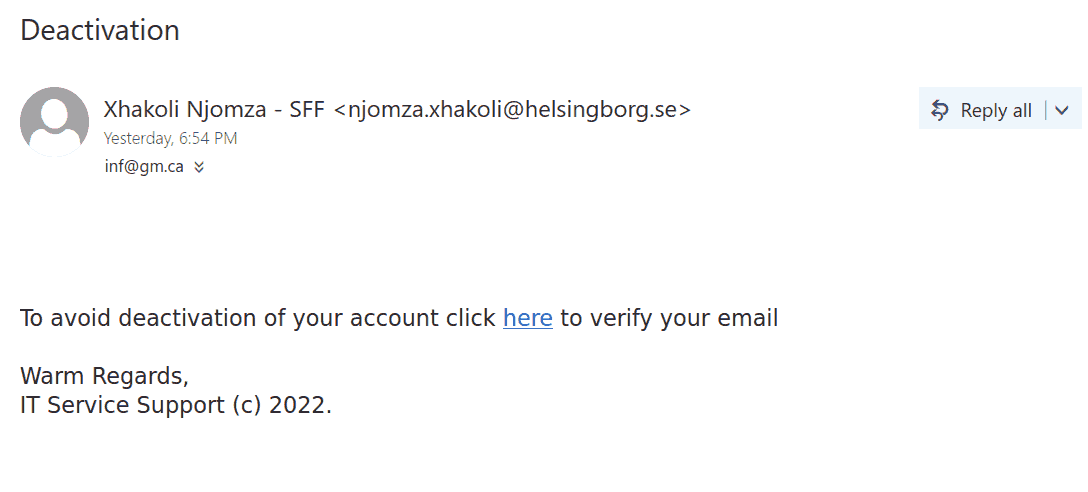
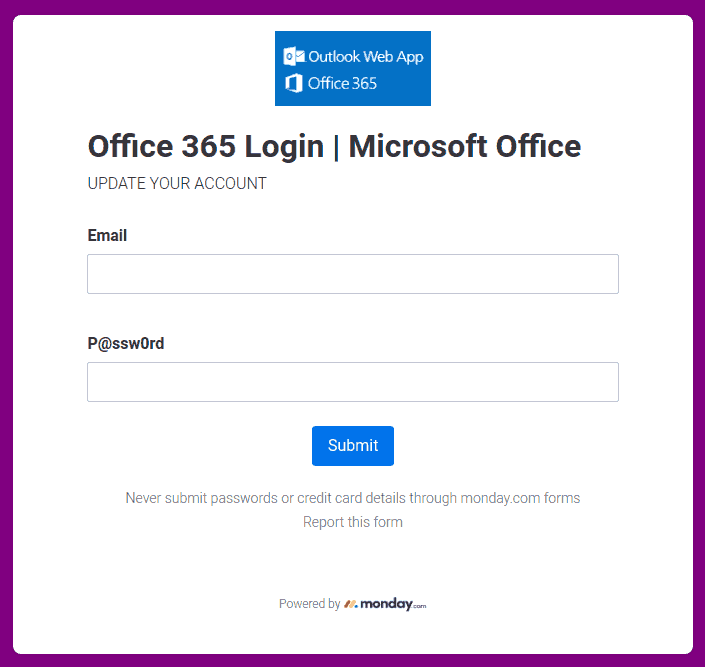
This phish is in circulation today. The same old story – click to prevent deactivation of your account.  See below. The sender is external.  Please don’t be curious and do not click these links. They are designed to steal credentials but they may contain malware to infect your computer instantly. Our experts open them on dedicated isolated machines.

This is how the phish looks like:

And this is a screenshot of the fake page:


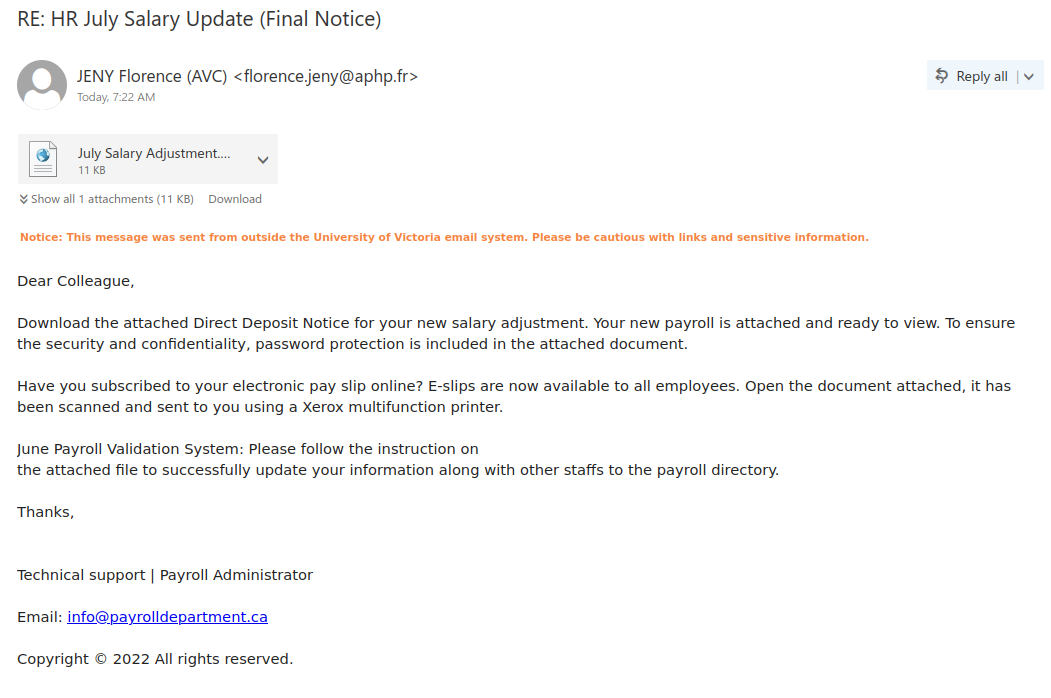
RE: HR July Salary Update (Final Notice)

Phishers know that salary notices are a very tantalizing lure, which is why they are always a popular theme for phishes and malspam. If you look at this example, there are quite a few signs that this is not a genuine salary notice:

  • The subject uses words like “Final Notice” to instill a false sense of urgency
  • The email came did not come from a UVic sender
  • The greeting is impersonal
  • The signature block is very generic and does not mention UVic
  • The contact email in the signature block is also not from UVic
  • There are a few grammatical errors in the message

Therefore you should not open the attachment, which is actually a webpage (HTML) file containing a phishing form and code for harvesting your username and password.

Action required

Another try to persuade you to act quick, this phish comes with a subject “Action required”. It may or may not use a forged UVic address as a sender (see the screenshot). To be more convincing the body of the message contains the email address of the recipient.
As usual – do not be curious, do not open these links that point to fake UVic login pages designed to steal your credentials.

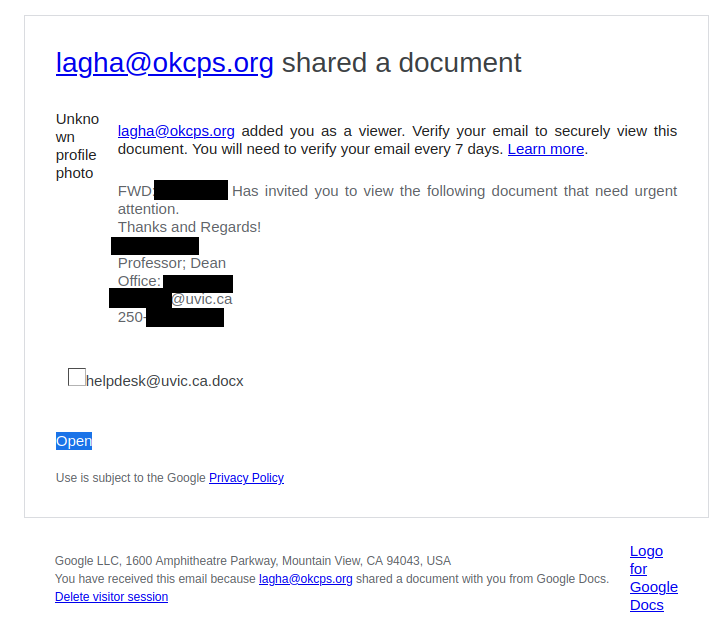
Shared “FACULTY & STAFF DATA REVIEW” with you

Although SharePoint Online is a legitimate service (which is why phishers like to abuse it), not all of the content hosted there is safe. Phishers may create fake SharePoint Online notifications or use a compromised account at another organization to send phish containing real SharePoint links. If you hover over the link and find that it doesn’t go to https://uvic-my.sharepoint.com/, that means the file is not from UVic’s SharePoint Online offering.

Another red flag in this phish was the fact the phisher was trying to claim this file was from a UVic director, but that director’s name was different from the one in the subject and at the top of the email.

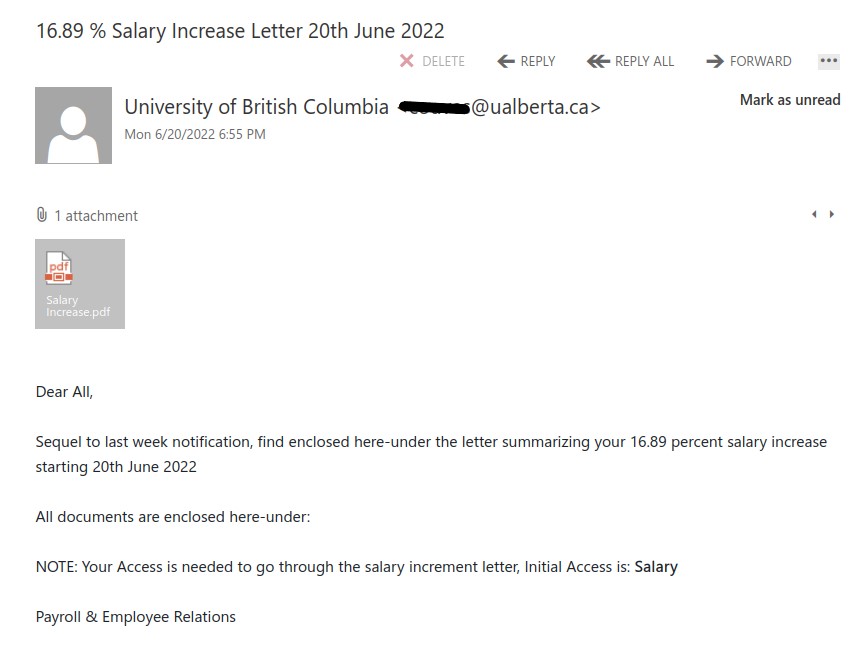
16.89 % Salary Increase Letter 20th June 2022

Yesterday evening we were hit with massive phish, around 11k recipients.

Telltale signs:

  1. Giving you the bait of 16.89% salary increase. Too good to be true!
  2. Why would your salary increase notice be coming from ‘University of British Columbia’?
  3. Although it says sender is ‘University of British Columbia’ but if you look at the email account, it indicates University of Alberta.
  4. General Salutation, ‘Dear All’.

Whenever you get such phish emails, STOP before taking any action and THINK who would send you such an email if it were to be true. It would never be an external sender and would never have an attachment.

Never open any attachments  unless you were expecting one.
The attachment actually leads to the following sign in page. Hence, this phish is after your credentials.


The attachment was opened by InfoSec team in a safe and locked environment. Never be curious to do it yourself.

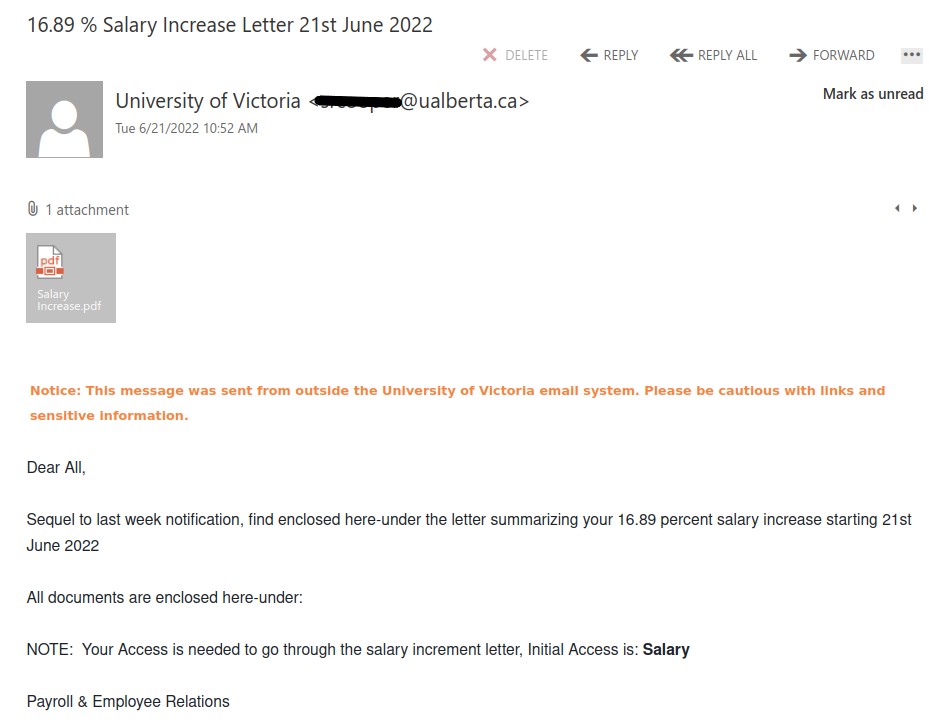
The new phish batch just arrived using a different ualberta account. Phishers corrected their mistake and changed the sender to ‘University of Victoria’, so as to appeal to our audience.

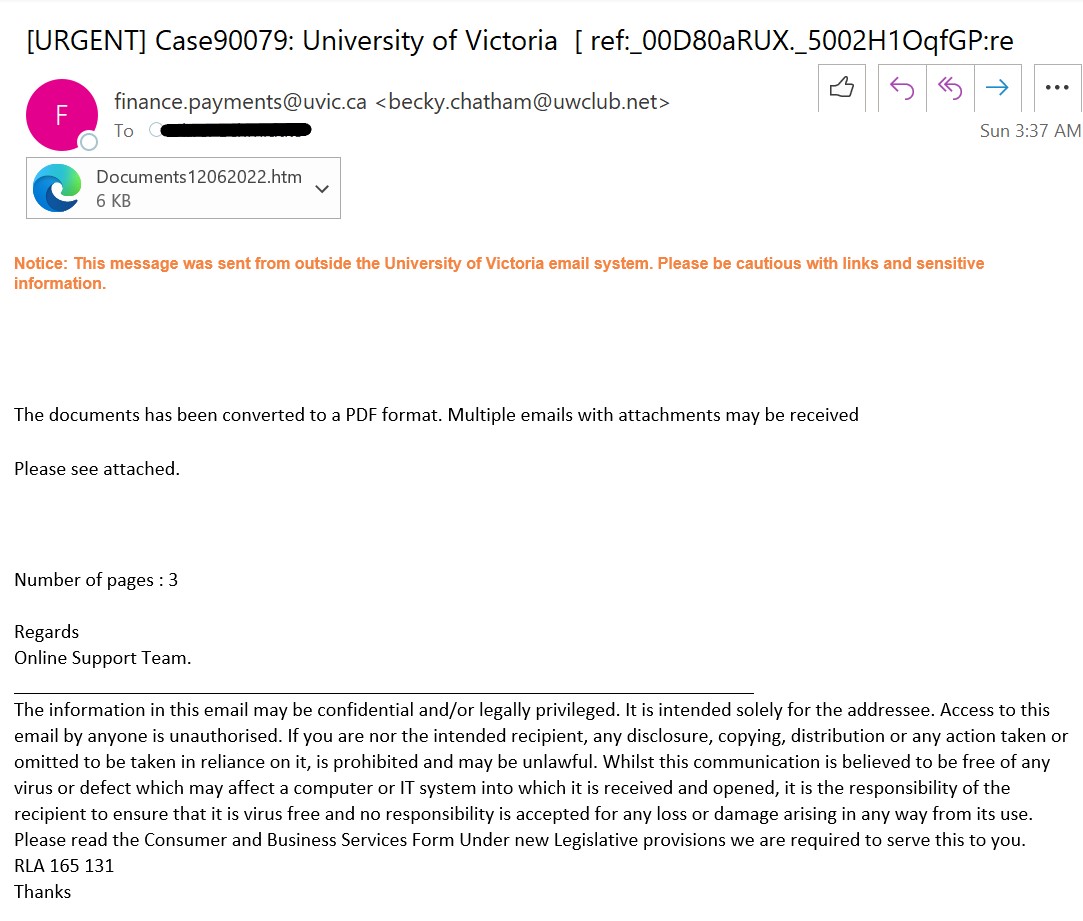
[URGENT] Case90079: University of Victoria [ ref:_00D80aRUX._5002H1OqfGP:re

As we were enjoying our weekend, phishers were busy phishing.

Sunday morning we received large amount of phish, around 1K recipients. Telltale signs of this phish are: outside sender pretending to be UVic finance payments, no greetings let alone generic one, random attachment. The phisher was very thoughtful and has given the disclaimer at the bottom that it is the responsibility of the recipient if the attachment has virus and it affects your system.

Please be advised never be curious to open attachments if you were not expecting one.

The attachment is a fake PDF document asking for your credentials to open it. Hence, this email was to phish for your credentials.

This attachment was opened by Information Security Office in an isolated environment. Please never try to open any email attachments it can affect your system and UVic network.


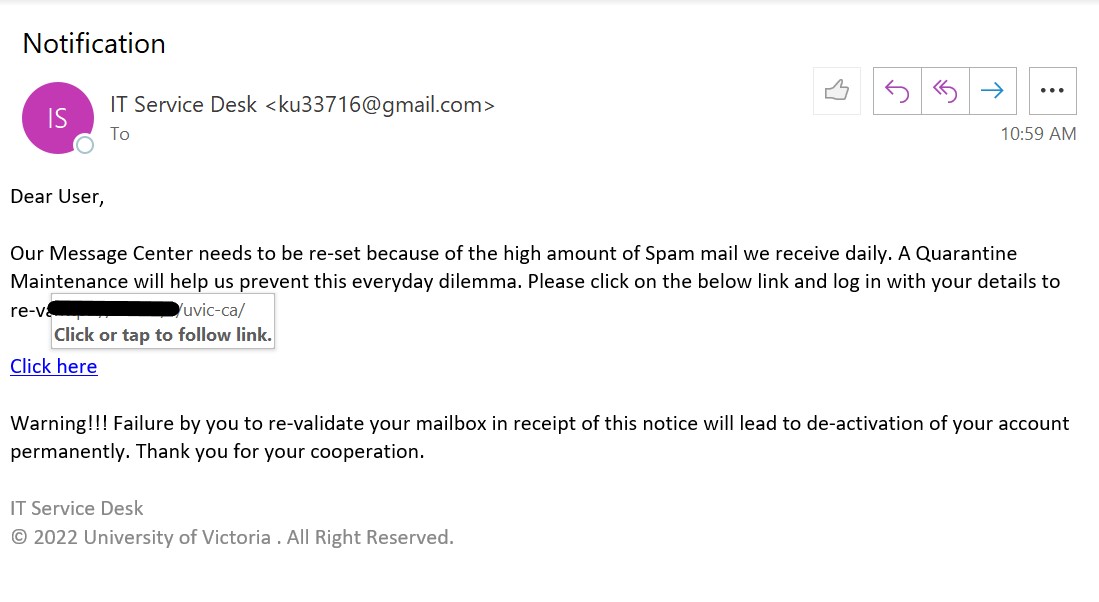
Notification

Major phish hit observed by UVic community today.

This phish has the regular signs of spotting it. Generic greetings, created a sense of urgency that your accounts would be deactivated if not validated, sender is non-UVic: implying to be UVic IT service desk but the email is non-UVic. Hovering over the link reveals that it is not a UVic page, but the phisher tried to confuse by adding ‘uvic-ca’ to the URL.

Kudos to everyone who reported it!!!

Verification Notice

This is another phish that spoofs noreply@uvic.ca but actually came from outside of UVic, similar to yesterday’s spoof phish. The warning to take action within 48 hours is a ploy to get you to act hastily and click on the link. However, if you were to hover over that link, you would find that it does not go to uvic.ca.

WARNING – Immediate Action

This phish claims to be from noreply@uvic.ca but that has been spoofed; it actually came from a non-UVic source. Note the odd space in “sen der” in the green banner–this is a major sign that the banner is a fake one added by the phisher.

As always, hover over the link before you click to see where it goes. Despite the fact that it claims to go to uvic.ca, its actual destination was a non-UVic site.

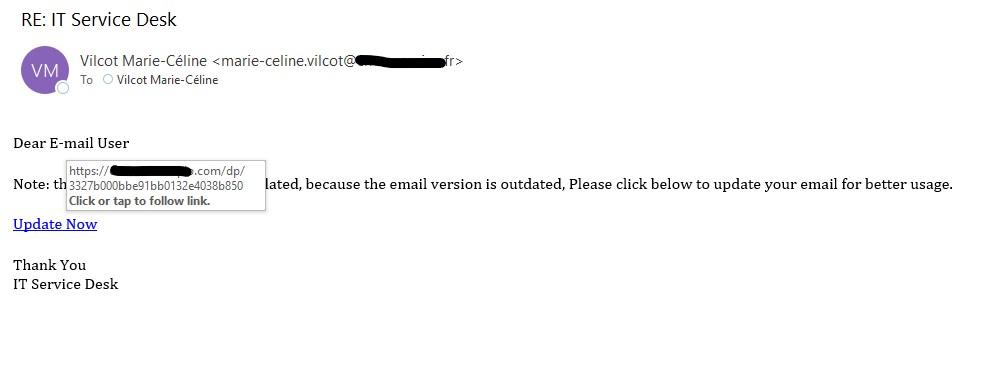
IT Service Desk phish

IT Service Desk Phish

A very generic phish recieved by a lot of UVic users today. Always hover over (or hold your finger on a phone) over the actual link to see if it looks legitimate. Do not click if you are not sure, and ask your IT support professional for assistance.

ICT Service Desk !!!

If you get an email instructing you to click a link to update your account or password, and it came from a free email provider like Gmail or Outlook.com, you can be pretty certain it’s a phish.

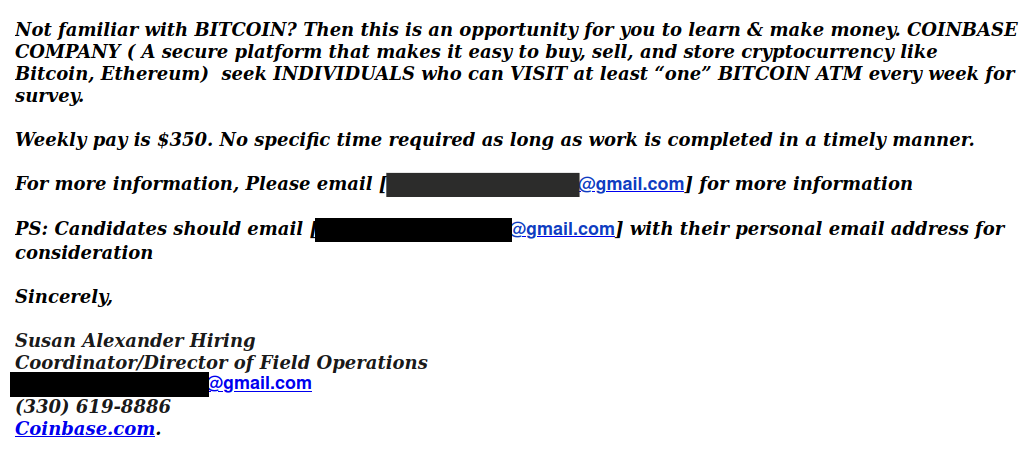
BITCOIN ATM SURVEY

This Bitcoin scam email was sent from a compromised UVic account, and one red flag not included in the screenshot below would have been the mismatch between the name in the signature block and the name of the account used to send the email.

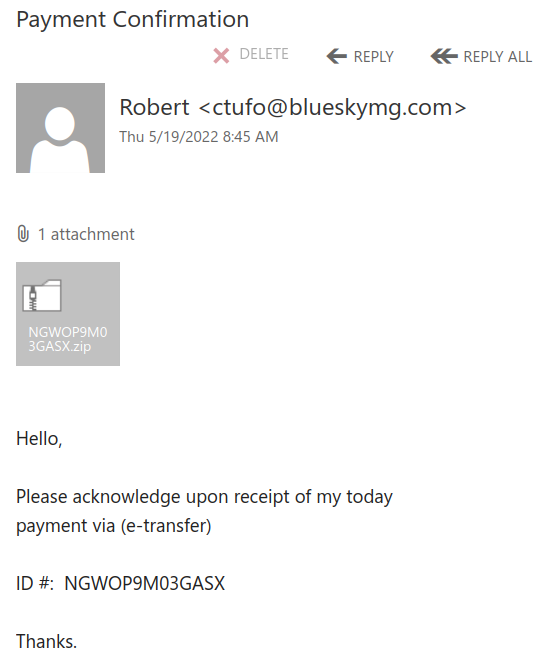
Payment confirmation

An email with a subject “payment confirmation” is circulating today. To avoid detection the malicious actors made a huge executable file (containing the malicious code) then put that executable file into a .iso file and then zipped that .iso.
The zip file is about 2Mb in size and attached in the email.
Please do not open these attachments!  If in doubt, first ask your Desktop support person or the Helpdesk.

In the screenshot below it is shown the sender is an external one. As is usual for such campaigns they used many different sender addresses.

ICT System Administrator

This phish is circulating since the early morning today. See a screenshot below.
As usual you are expected to act fast. Your password expires in 3 hours, and if you don’t act  your account will be deleted in 4 hours?!?  Isn’t that ridiculous?
The sender pretends to be a “System administrator connected to Microsoft Exchange”. They are clearly using some external address somewhere in Germany. They put themselves as a recipient and all other recipients received bcc: copies.


——end of the first screenshot ——

The link is external of course, and points to a fake login page that’s created to steal your credentials.

Please never click on suspicious links, don’t be curious. Sometimes these pages may contain malware to infect your machine instantly. Our experts open these in a dedicated isolated environment.
This particular fake page looks like shown below: