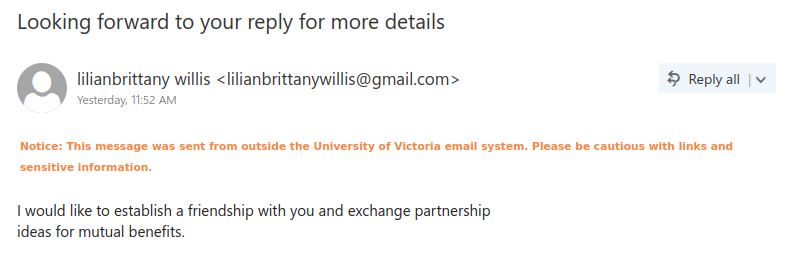
Looking forward to your reply for more details

This phish is clearly a scam email. Eventually this email would either go in direction of romance scam where they will ask for your money for different fake reasons or could be inheritance/beneficiary scam where they inherited money and want your help transferring the money. In any case, if indulging in such scam emails will eventually result in one giving up one’s personal or confidential information (such as bank account details), or duped into giving one’s money.

Be aware of such scam emails and never indulge with unknown external senders.

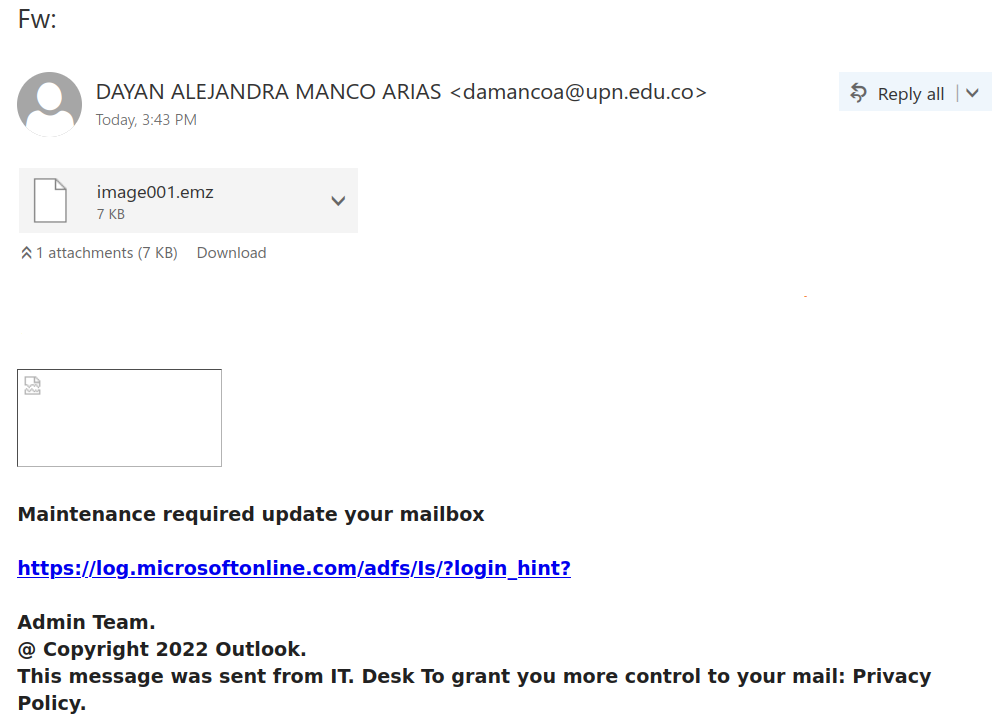
FW:

This phish is circulating today afternoon.  The sender is some compromised account in some other university. The link only appears as a legitimate Microsoft site but in fact points to a login page designed to harvest credentials.
As always – please do not be curious and do not open these links – they may contain malware to infect your machine instantly.

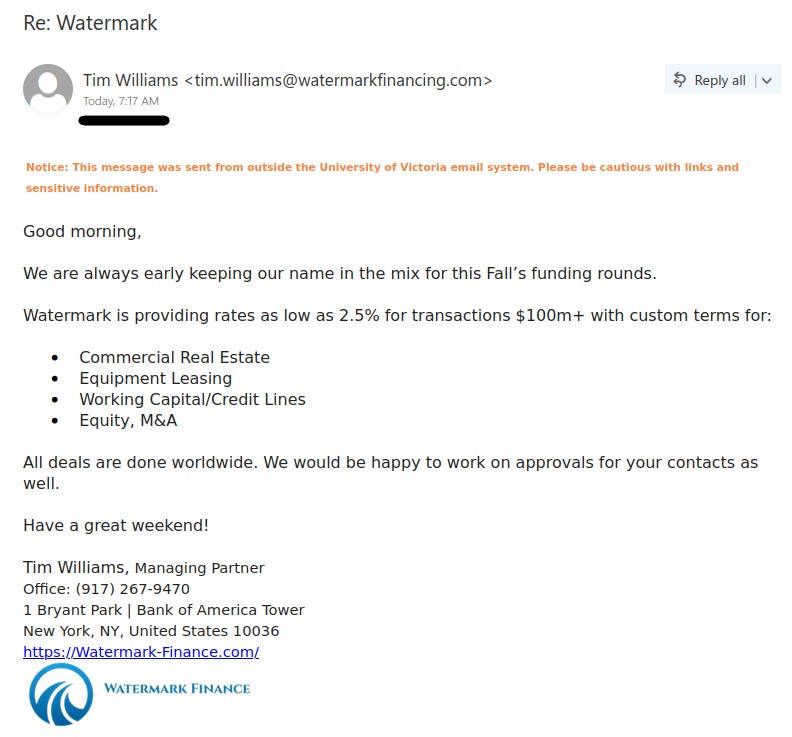
Re: Watermark

This is a financial scam phish which gives you a too good to be true offer of low rate in times when prime and inflation rates are rising.

Although it is not an easy scam to spot but some phishing signs can be observed: sender’s email address is similar but different from their website domain, the attempt here is to make the address look similar so that sender appears legit. If you google the name of this company, the address and phone number mentioned on google is different from the one mentioned in the email. This is not to say that the company itself is legit. Upon investigation on the company website mentioned in the email, it is a scam website to lure in customers. The website mentions they have decades of experience but this website is only 1.5 yrs old. The physical address given in this website is yet again a different address from google and the email one.

It appears that this scam is related to the scam mentioned in this customer review:  https://www.bbb.org/us/ga/alpharetta/profile/financial-services/watermark-financial-0443-28095495/customer-reviews#1318360557

Disclaimer: We have investigated this website in locked environment. Please never be curious to visit suspicious websites for curiosity or investigating yourself, such websites could be malicious.
Note: One could have received this scam email from a different sender than the one mentioned in the screenshot.

Microsoft account security code

This phish is probably imitating real account verification code emails that Microsoft sends in certain circumstances. However, although the sender claims to be the “Microsoft team”, their email address gives away the fact that they are not actually from Microsoft (note: this information may not be immediately visible in mobile mail apps). Also, if you hover over the “click here” link (or hold down your finger on it if you’re using a mobile mail app), you will see that it goes to a site on sibforms.com, which is an email sign-up form builder. Phishers regularly abuse such form builders to create phish sites; a genuine Microsoft login page would not be built on one of those.

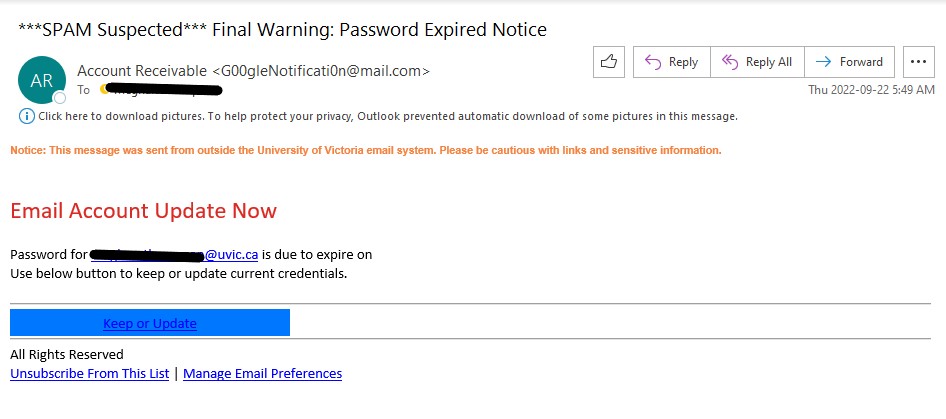
Final Warning: Password Expired Notice

This subject used by this phish is clearly to catch attention and create a fake sense of urgency.

The obvious phishing signs are: external sender asking you to update your UVic account, sender name is clearly fake, grammatical errors, weird formatting and link provided is external (check by hovering over it).

Never be in a hurry to click on links, always think about the plausibility of the email being legit. If in doubt, always confirm with helpdesk or you DSS.

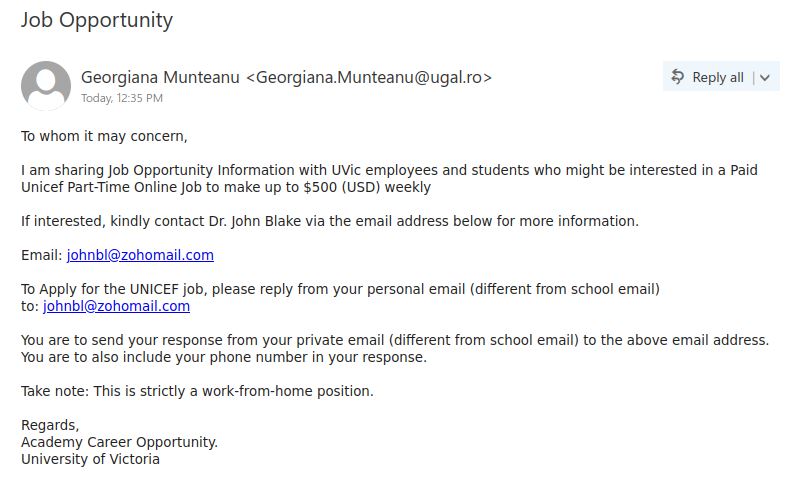
Job Opportunity

Another fake UNICEF part-time job email spotted at UVic.

This scam email is constructed to look like that a UVic office is informing about this opportunity. The phishers use such tactics to increase the legitimacy of the email. But if you look closely, the signature “Academy Career Opportunity” is a fake office and the sender address is external. Big red flag is when the email states to contact an entity from your personal email and not from your school email, this is to avoid detection from UVic network.

Never respond to such scammers. Always pay attention to the phishing signs. Report such emails via report phishing button or to helpdesk and help protect UVic users from falling prey to such scams.


Important Notice or Notification

This high volume phish received on Monday morning is a re-run of the following phish:

Notification

There could be a different sender, nonetheless still external sender. It could have different link which is still externally hosted. To better spot the phishing signs read the above post.

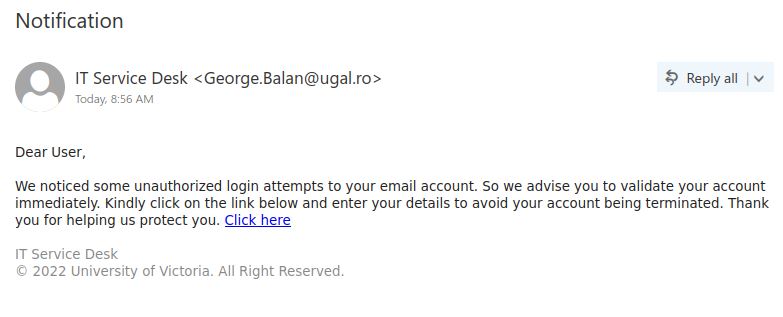
Notification

There is another ‘Notification’ subject phish circulating today. This phish instills a sense of fear “unauthorized login attempts to your email account” so that you would take the bait and click on the link to protect your account. Fear is one of the most common emotion exploited by phishers.

This email has usual phishing signs: external sender (you may have received this email from a different sender than the one in the image below, nevertheless, the sender is external) , generic salutation and signature, fake sense of urgency, and the link is external (not hosted on ‘uvic.ca’).

Never be in a hurry to click on links and take the bait. Always think and look for signs that would make an email illegit. This mind set helps in spotting phishing signs easily.

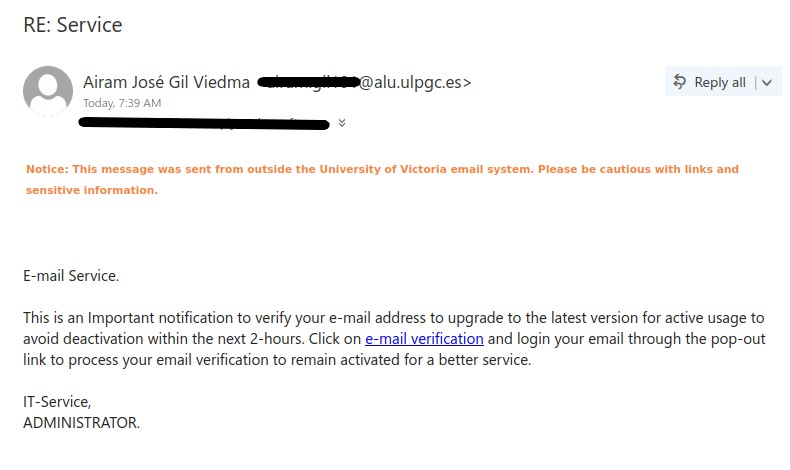
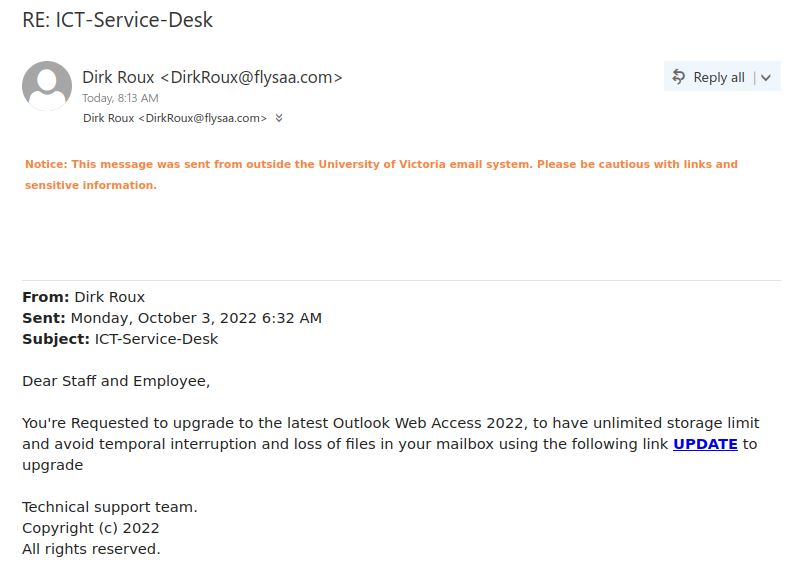
RE: Service or RE: VERIFY

This is a typical phish creating a sense of urgency that your account would be deactivated. The telltale signs for this phish :

  1. External sender, why would an external entity be involved in upgrading UVic accounts.
  2. Meaningless salutation and signature, too generic to the point that makes it senseless.
  3. The link given is external (check by hovering over it), not hosted on ‘uvic.ca’.
  4. Grammatical mistakes.
  5. RE in the subject is to give you a false sense that you know this sender or had prior conversation.

Never click on the links just because the email states it. Take a moment to think and look for phishing signs.


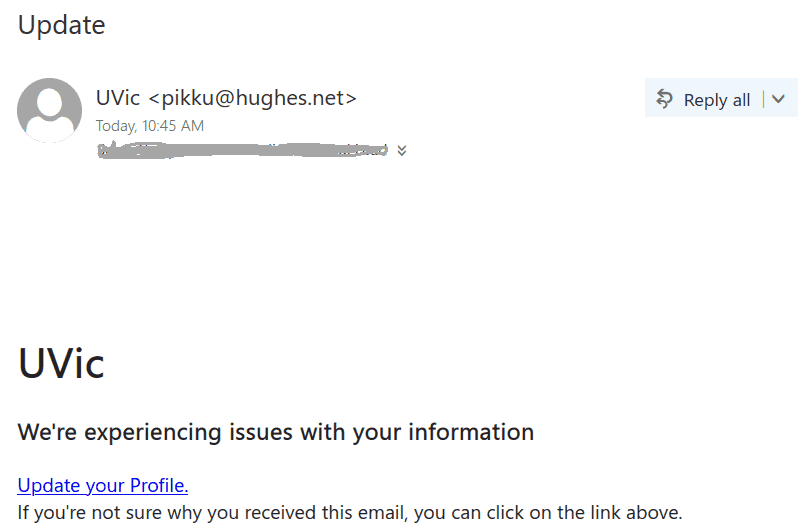
Update

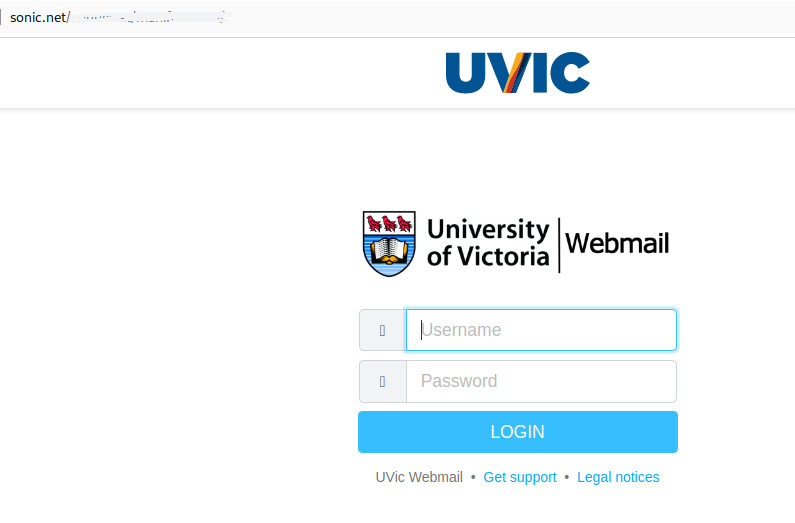
This simplistic but massive phish circulates today. The sender set a display name “UVic” but the address is clearly external. Same old tactics – you have to act quick to prevent something bad from happening. The link leads to an external page (shown below) made to look like belonging to UVic.
The purpose is all the same – to steal your credentials.
Please don’t be curious and don’t open these links. Sometimes they may contain malware to infect your computer instantly. Our experts open them in a dedicated isolated environment.


Notification

Today we received massive phish which is a re-run of the following:

Important Notice

The difference is the use of two different gmail accounts and the subject of email is changed. The senders are still external and if you hover over the link, it is an external hosted domain. Read the above given phish post to spot phishing signs.

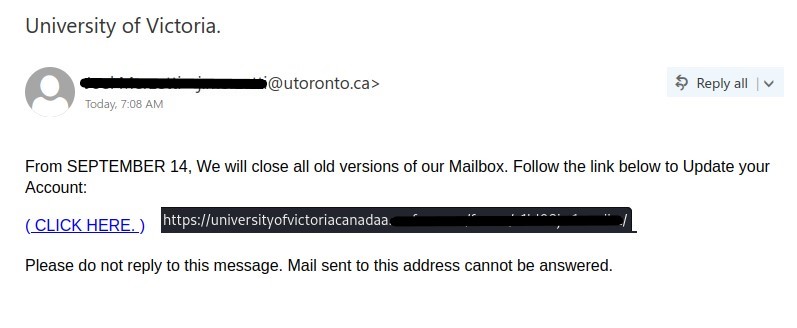
University of Victoria.

The other subjects for this phish could be ‘UNIVERSITY OF VICTORIA.’ or ‘University of Victoria Webmail’

This phish uses scary tactic to bait you into clicking the link. If you hover over the link you would notice the beginning of the link is made to look like it is from UVic but it is hosted on an external domain and have spelling errors, and most importantly not legit. The sender address is external. Even though the sender address seems to be a legitimate University of Toronto account but these addresses can be spoofed to increase the authenticity of the email. In any case, a sender from a different university would not send legitimate email upgrade notifications, and the link does not go to either www.uvic.ca or a Microsoft site.

Never be in a hurry to click the links in the emails, just because it says so. Always look for signs that would make an email illegit.


UVic Critical Security Alert

A usual scary tactic phish observed this morning. Pretending to be coming from UVic computer helpdesk but the sender email address is external. If you hover over the link you would find that the link is actually external, which will never be the case if the email was from helpdesk.

It creates a sense of urgency that your account is deactivated which you can activate by going to the link provided by the phisher. Always think before being hasty in such situations. Look for phishing signs which are generally easy to spot if thought out in a logical manner. Whenever in doubt, reach out to helpdesk or your DSS support directly for better guidance.

We need your help!

If you received an email with this subject, beware, as this a phishing email looking to steal credentials.

This emails creates a fake sense of urgency by claiming that you need to verify your amazon account as it is inaccessible due to unauthorized login. The email has usual phishing signs: asking to verify amazon account but looking at the sender address you would know it is not from amazon. The link is also not hosted on amazon domain (check by hovering over the link). The salutation is generic “Dear Customer” , the email also have spelling errors, needless capitalization, the subject line doesn’t relate to the content in the email body.

Never be in a hurry to take the bait and click on links. Just be calm and look for phishing signs, you would be able to spot it. If still in doubt, always consult with helpdesk or your desktop support.