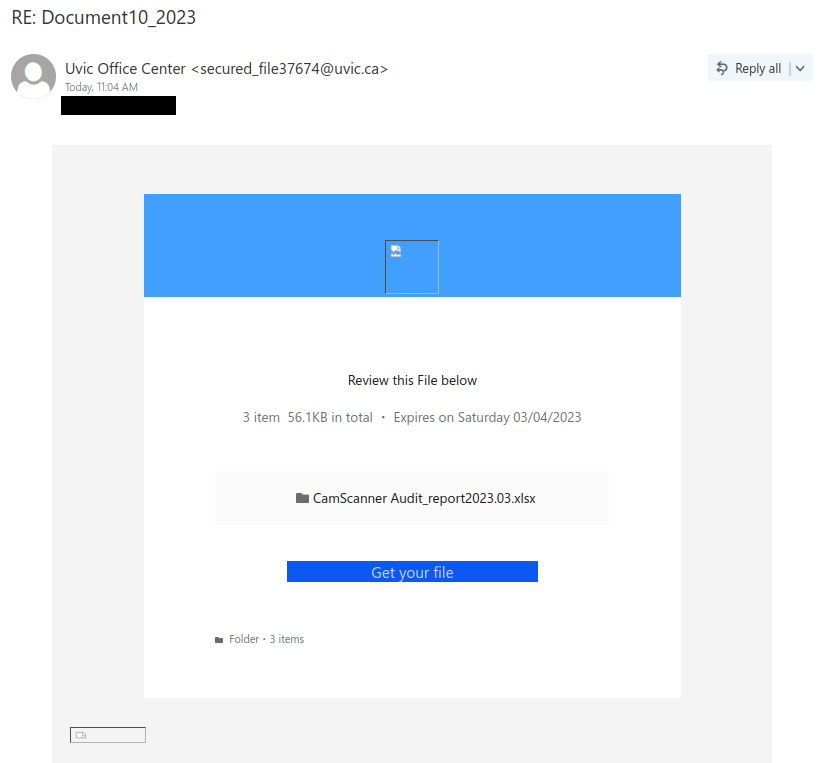
RE: Document10_23

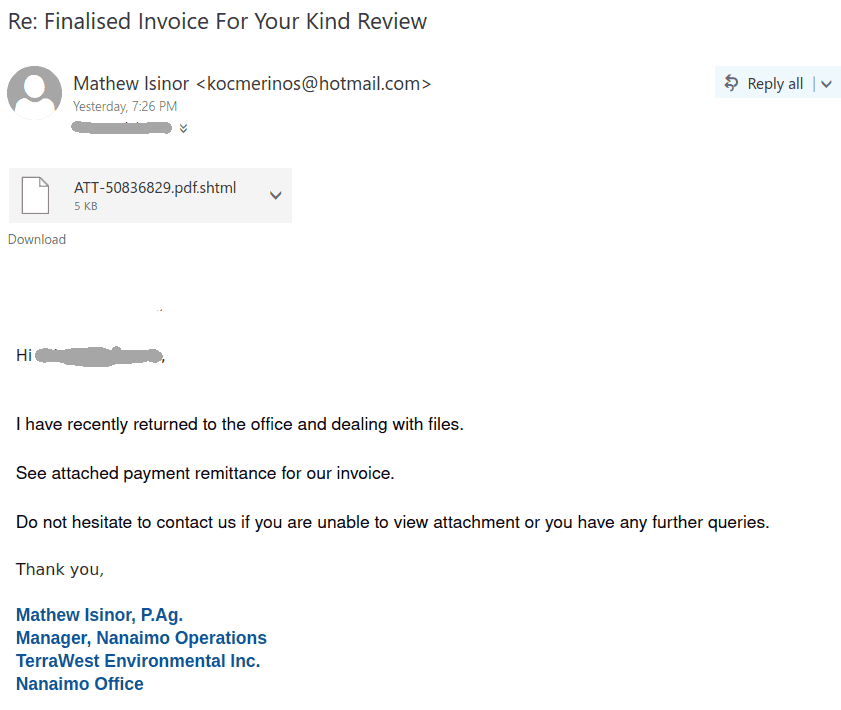
This phish tries to look like a secure file that came from an internal system, but in reality the uvic.ca sender address has been spoofed.

Other signs that this email is not legitimate:

  • There are grammatical and capitalization errors, including the incorrect “Uvic” in the sender display name
  • The email creates a false sense of urgency by saying the file will expire tomorrow
  • Hovering over “Get your file” would reveal a destination link that’s not on UVic or Microsoft.
  • The broken images might also be a bad sign, but in this case it’s not clear whether they would have worked in a different mail client.

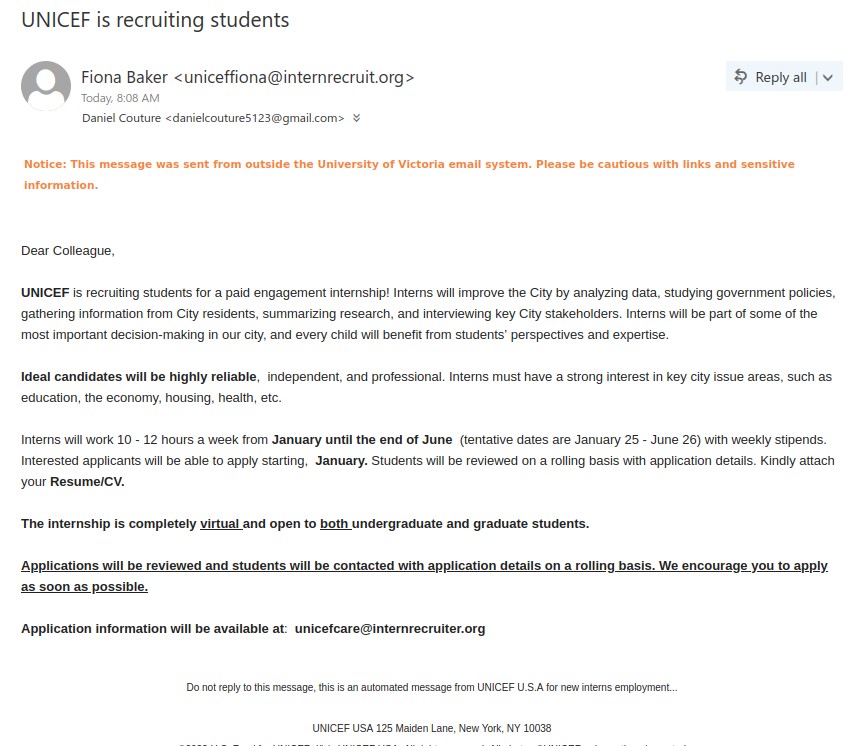
UNICEF is recruiting students

This is a job scam that lures users using big organization names such as ‘UNICEF’ in this case. The same phish has also been observed with different subjects such as ‘internship Opportunity’, ‘Paid engagement internship!’ or maybe more.

Although, it is a well written and well-structured email but still the warning signs remain the same as with usual phishes. The sender email address is not on UNICEF domain, generic salutation and no signature. The job posting mentions about a job that starts from January but we are already at the end of February, which is a big red flag.

For more information on how to be aware of such UNICEF job scams, visit here: https://www.unicef.org/careers/beware-fraudulent-job-offers

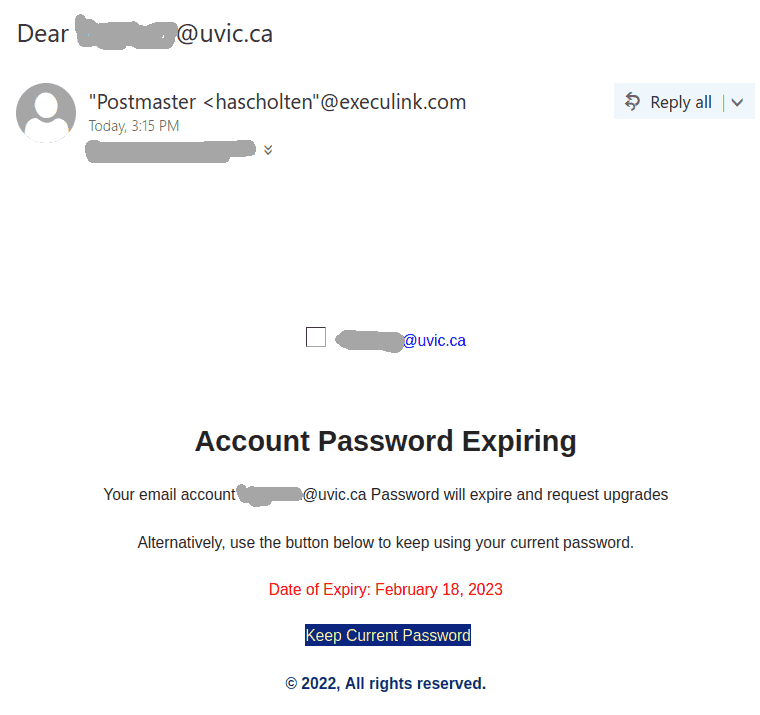
Dear youremail@uvic.ca

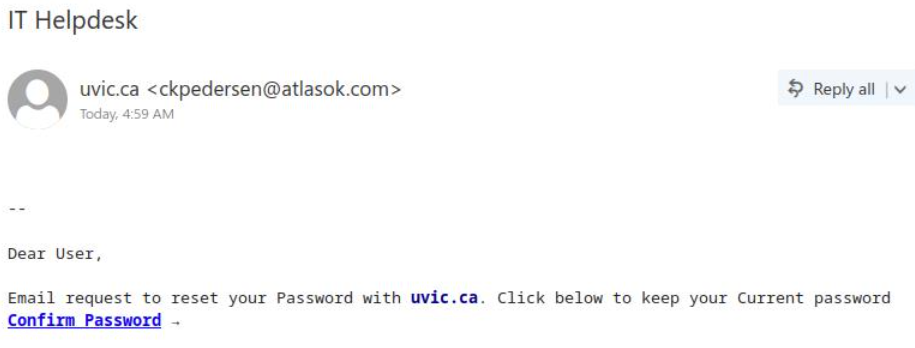
A screenshot of another phish that is circulating today is shown below. It tries to persuade you to click on a link to prevent your password from expiring.  The recipient email is quoted in the subject and then also in the email body.

Remember: Whenever  you receive a suspicious email that sounds plausible, never click any link that’s inside that email and do not call phone numbers listed in the email. Instead find the proper links or phone numbers by other means.

This phish is far from plausible. Currently UVic passwords do not expire. The sender is clearly external and the link is clearly external – you can see it by hovering over it with the mouse cursor. It leads to a fake UVic page – a perfect copy of the real home page of UVic. The goal of course is to steal your credentials.
Please do not be curious and do not click on these links, sometimes they may contain malware to infect your computer instantly.  Our experts open them in specialized isolated environment.

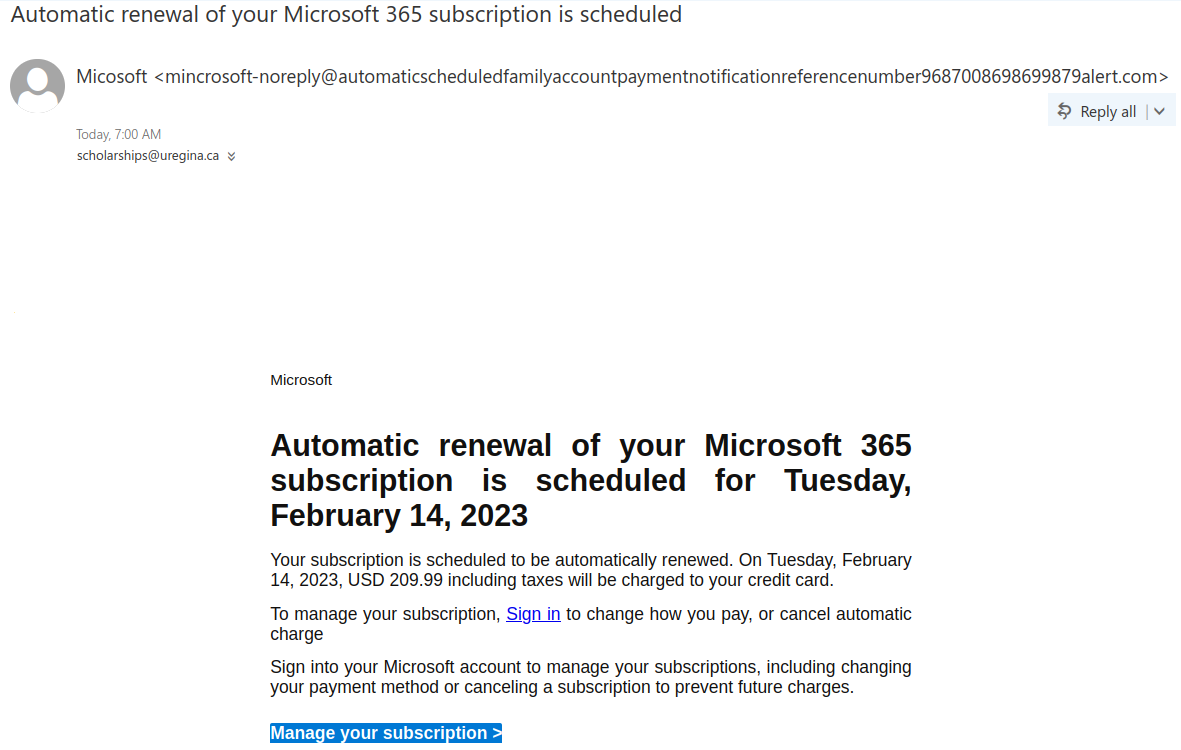
Automatic renewal of your Microsoft 365 subscription is scheduled

A phish with this or similar subject line started circulating around in the weekend.

Note the long domain name of the sender which is neither microsoft.com nor uvic.ca. Malicious actors register domain names for their phishing campaigns. This one in particular is made to look legit by starting with “automaticscheduled..” As usual the goal is to steal credentials. (it leads to a fake login page).
Other suspicious indicators are: You never paid for M365, so why pay for renewal?  Why in USD?  The actual domain of the link is neither microsoft.com, nor uvic.ca. You can see it by hovering on it with the mouse cursor.
Please do not be curious and do not click such links – sometimes they can contain malware to infect your computer instantly.


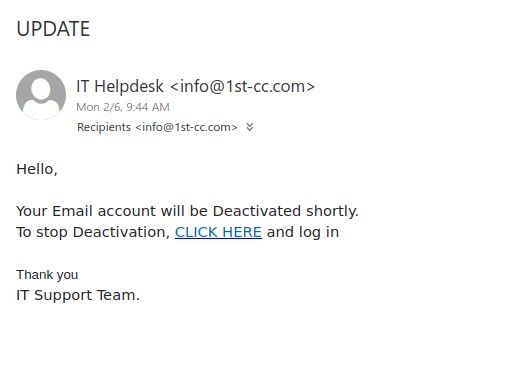
UPDATE

The phish email with this subject have been circulating every day this week,  phishers keep changing the phishing link provided in the email. All the links encountered in such phish emails are external to UVic. The sender email address is not UVic account and no salutation along with vague signature. The content of the email uses scary tactic to bait you into clicking the link.

Always take a moment to look for phishing signs before clicking links or opening attachments given in an email. When in doubt, consult helpdesk.

EMERGENCY

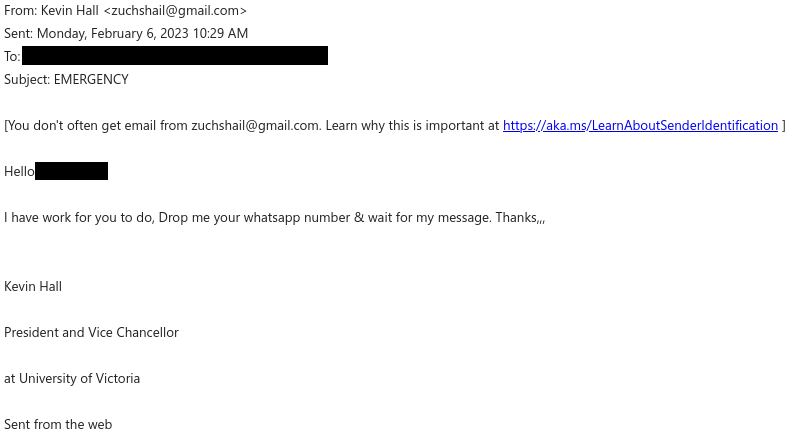
This scam email is trying to impersonate President Kevin Hall and resembles the start of a gift card scam. Below are some signs that this email is not really from the president:

  • The “From” address is from Gmail, not UVic. Also note the warning banner at the top saying that you don’t often get email from that address; that is a signal to take an extra minute to evaluate whether this email is legitimate and actually coming from the person it claims to be from.
  • The subject line creates a sense of urgency, and yet the actual message is extremely vague. That probably means there isn’t really an emergency.
  • The email contains quite a few errors in capitalization, grammar and punctuation, which is not the writing style you would expect from a university president.
  • The email is trying to shift to a different communication channel to evade detection (WhatsApp in this case, though Google Chat, SMS and personal email are also common requests). If you replied with your alternative contact information, be vigilant and watch out for further phishing or scam attempts on that channel, since your contact information is now in the hands of someone malicious.

If you receive an email that claims to be from someone at UVic but you’re not sure if it’s genuine, do not reply to the email or use any contact information from it. Instead, contact that person through a different method that you know is safe, such as by phoning the Office of the President.

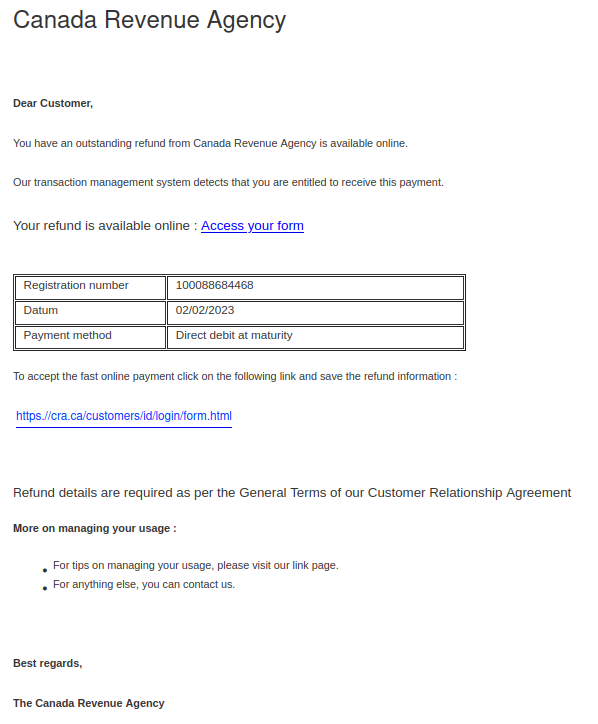
You have an outstanding refund from Canada Revenue Agency.

With income tax filing season approaching, it’s not surprising that phishers are sending emails pretending to be from the Canada Revenue Agency (CRA). The “From” addresses for these emails were not ones from canada.ca or a domain ending in .gc.ca, meaning the emails did not actually come from the Government of Canada. The samples reported to us had sender addresses from various Austrian domains.

There are several other signs that this is a phish in the message contents:

  • The greeting is impersonal, and it seems odd for the CRA to address you as a customer when they’re a government agency.
  • There are some grammatical errors and also weird extra spaces before colons.
  • The use of “datum” instead of “date” is a word choice error.
  • The text about “managing your usage” near the end of the message doesn’t make sense in this context.

The ultimate red flag: hovering over either link will reveal that they use TinyURL or some other link shortener. Be very suspicious of shortened links in emails, as phishers often use them to hide the true malicious destination of the link. We used a security scanner on these shortened URLs and can confirm that they do not go to the real CRA website.

Real CRA webpages are on either canada.ca or domains with names ending in .gc.ca. It’s also worth noting that cra[.]ca actually belongs to a market research company, not the CRA!

For more information, the Canada Revenue Agency also has a page with additional tips on how to protect yourself from fraud.

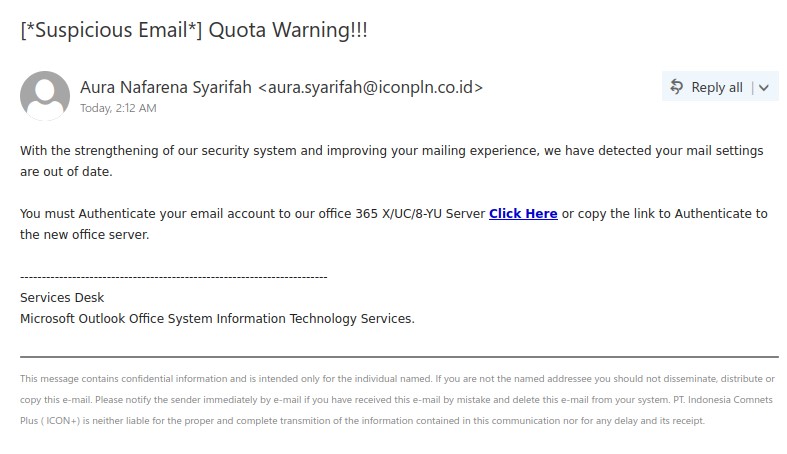
[*Suspicious Email*] Quota Warning!!!

This phish is pretending to be coming from Microsoft office but there are red flags that suggest otherwise. The sender email domain is not Microsoft and the link given is also not hosted on Microsoft domain. Other warning signs are no salutation, generic signature and most of all the subject itself gives warning.

Always be on the look out for warning signs and never be in hurry to take actions suggested in the email. Whenever in doubt please contact helpdesk for advise.

Free Yamaha Baby Grand Piano

This is not the first time we’ve posted about piano scams, but this one is unusually well-crafted and also takes the extra step of impersonating President Kevin Hall. The sender email address in the example below even looks like it came from within UVic, but in reality it was spoofed.

The fact that the email tells you to contact someone you don’t know at a different email address from a free email provider is a red flag. If you’re not sure about the legitimacy of the email, verify it by contacting the supposed sender through a different contact method that you know is safe. Do not reply directly to the suspicious email–in this case, the email was crafted to send any replies to yet another Gmail address that is controlled by the scammer. And as always, be wary of unsolicited offers that look too good to be true.

New mail from Canada Revenue Agency

We have observed a large wave of Canada Revenue Agency themed phishing emails sent from a wide variety of addresses (most coming from compromised accounts in Japan. The emails are well-written and contain a link to an Amazon site, which redirects to a phishing domain hosting a convincing CRA look-a-like website.
The subject lines can vary a little.

Please do not be curious and do not open these links as sometimes they may contain malware to infect your computer instantly.

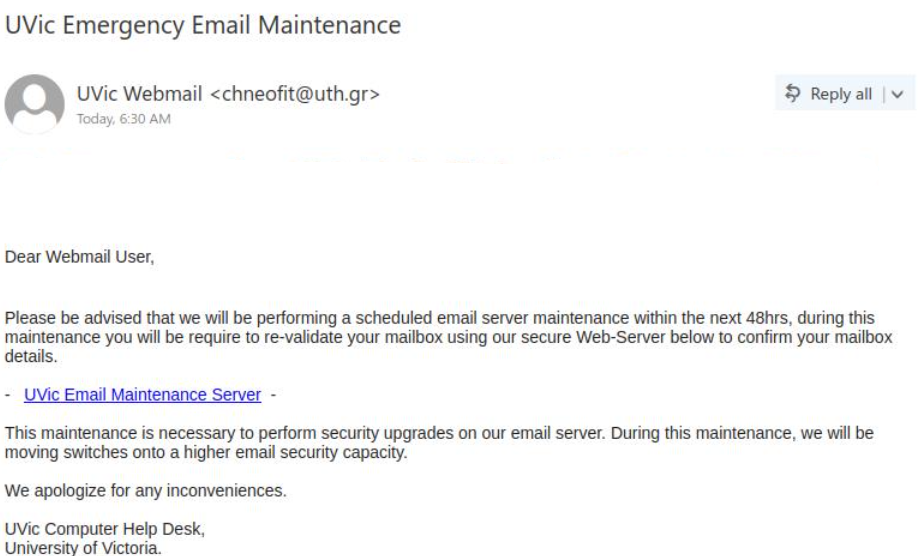
EMERGENCY

A regular phish with scary tactic that you won’t receive new messages until you click on the link to upgrade. By looking at the recipients one may notice it is a mass send email. The senser address is external and sender name is vague. The salutation and signature are generic. The link given (check by hovering over it) is also external. All these warning signs point this email to be phishing.

Never be in a hurry to click the links, think and try to spot the phishing signs. Whenever in doubt, check with helpdesk.