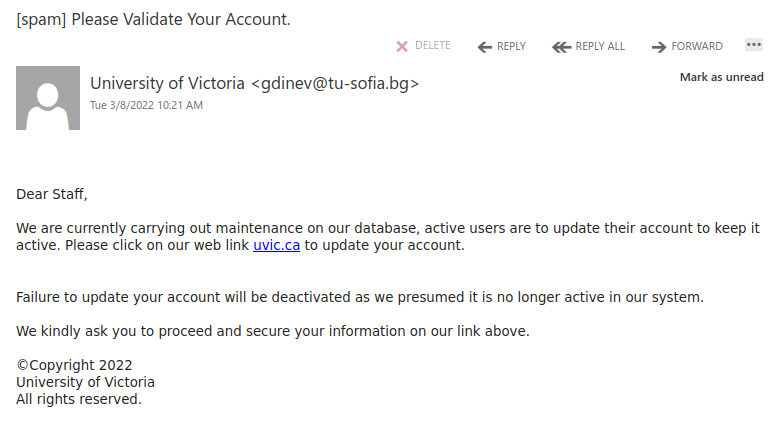
Please Validate Your Account.

This is an example of a spear phishing email–it is designed to target the UVic community specifically. Notice how the actual sender address is not a UVic email address, even though the email claims to be from UVic (you may need to open/expand detailed sender information to see this if you are using a mobile app for email).

As always, hover over the link before you click. That link that says “uvic.ca” actually goes to a site that contains UVic in its name but actually ends in weebly.com. Weebly is a free website builder; phishers love to abuse such services to create phishing sites. No real UVic login page would ever be hosted on Weebly or any other free website or form builder.

If you clicked on this link, contact your department’s IT support staff or the Computer Help Desk immediately.
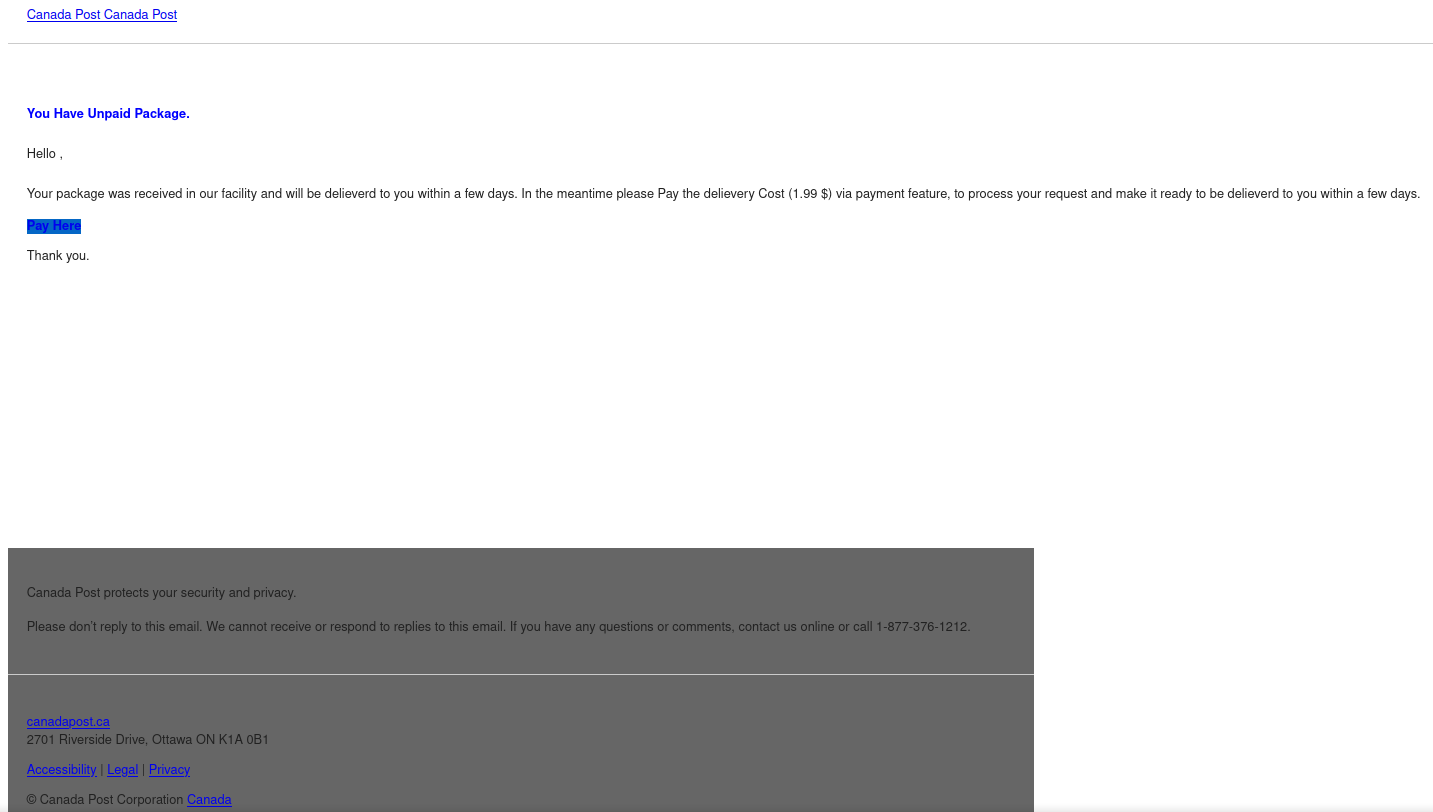
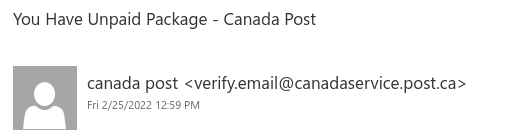
You Have Unpaid Package – Canada Post

This Canada Post phish even includes a few links to real Canada Post websites at canadapost.ca canadapost-postescanada.ca to try and make the email look legitimate. However, the “Pay Here” link that you’re directed to click on is the one link in the email that does not go to a legitimate site. It actually goes to a completely different site with a phish form that imitates Canada Post branding and aims to trick you into providing your personal information.

It’s worth noting that the sender was very cleverly crafted to look like it could be a Canada Post email address. But in reality, post[.]ca (to be safe, don’t go to that site) doesn’t actually belong to Canada Post.

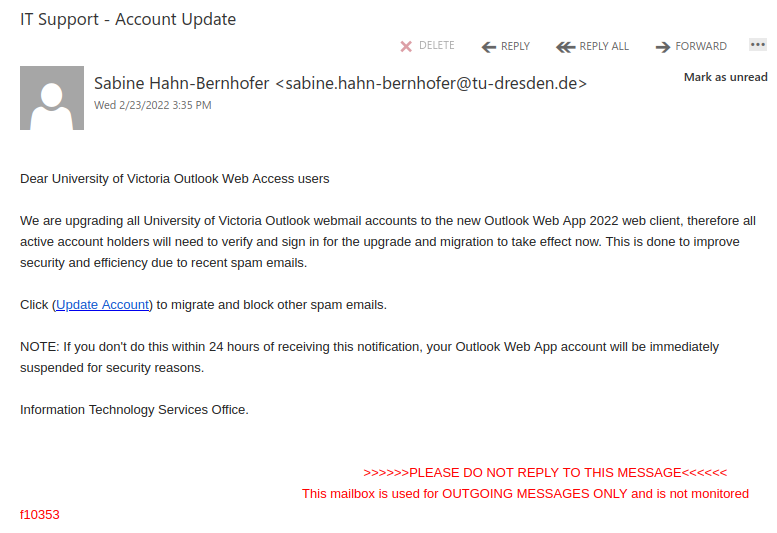
IT Support – Account Update

Hovering over the link reveals that it actually goes to a web page on wixsite.com, which is associated with a free website builder. No legitimate UVic or Microsoft login page would be hosted on a free website or form builder, so that’s a clear sign that this is a phish.

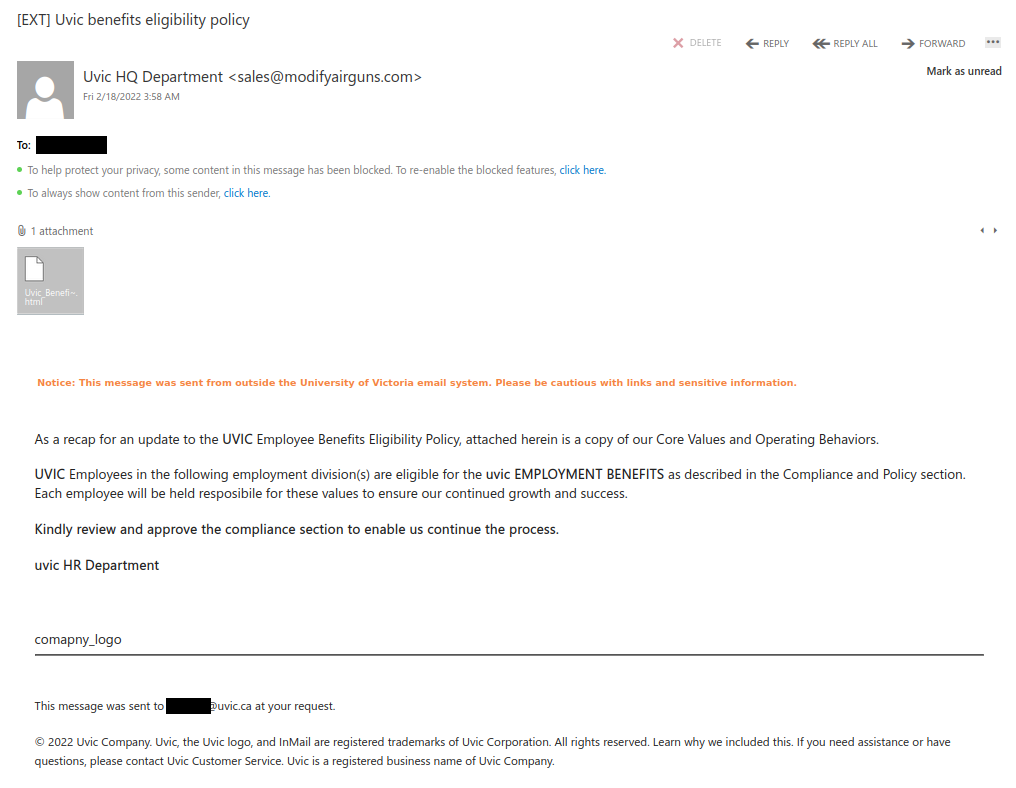
Uvic benefits eligibility policy

Sending phishing emails that look like HR notices about benefits is a very popular tactic among phishers. Instead of trying to get you to click on a link, this phish tries to get you to open an attachment. The attachment is actually a webpage (HTML file) that will then ask you to enter your Microsoft account credentials because you are trying to view sensitive information.

Always be wary of attachments that come from unsolicited emails. If you are prompted for Netlink or Microsoft account credentials upon opening an attachment, contact your department’s IT support contact or the Computer Help Desk immediately, as that is a sign the attachment is phishy.

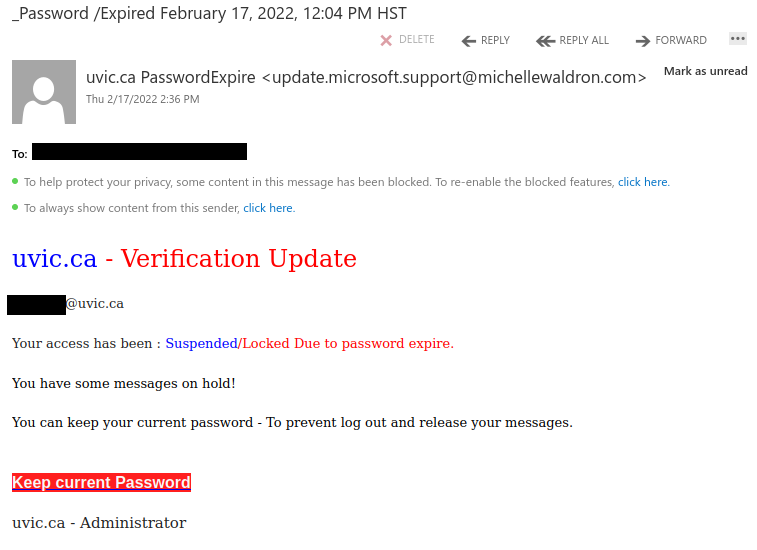
_Password /Expired

If you hover over the link in this phish, you will see it does not go to uvic.ca but instead goes to a sendgrid.net address. SendGrid is a legitimate emailing platform and its links might be expected in things like newsletters and other email subscriptions. But phishers like to abuse it for their own nefarious purposes too, so if you see a SendGrid link in an email directing you to click and login or do something about your password, that is usually a sign of a phish.

You have a new pending message

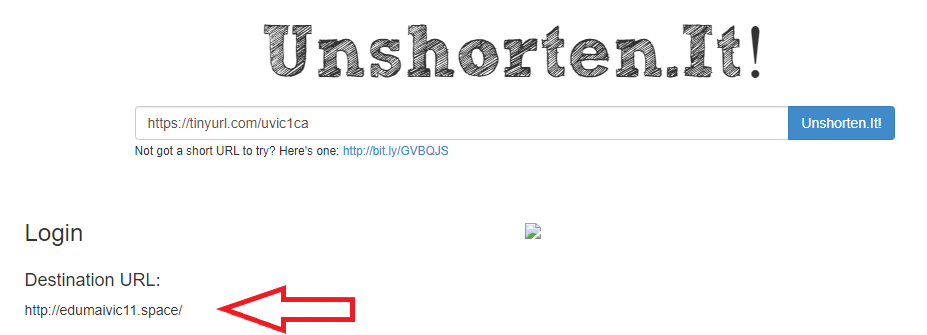
Always be wary of shortened URLs in emails; phishers often use them to hide the true destination of the link, as is the case in this example. The phisher made the effort to pick a TinyURL containing UVic to make it look more legitimate. Also, note that this was sent from a Gmail address, which is a sure sign that this is not from a UVic system.

You can often find the real destination of a shortened link by using an unshortening service like unshorten.it – below is the result of running it on that TinyURL, and you can see the destination is not uvic.ca.

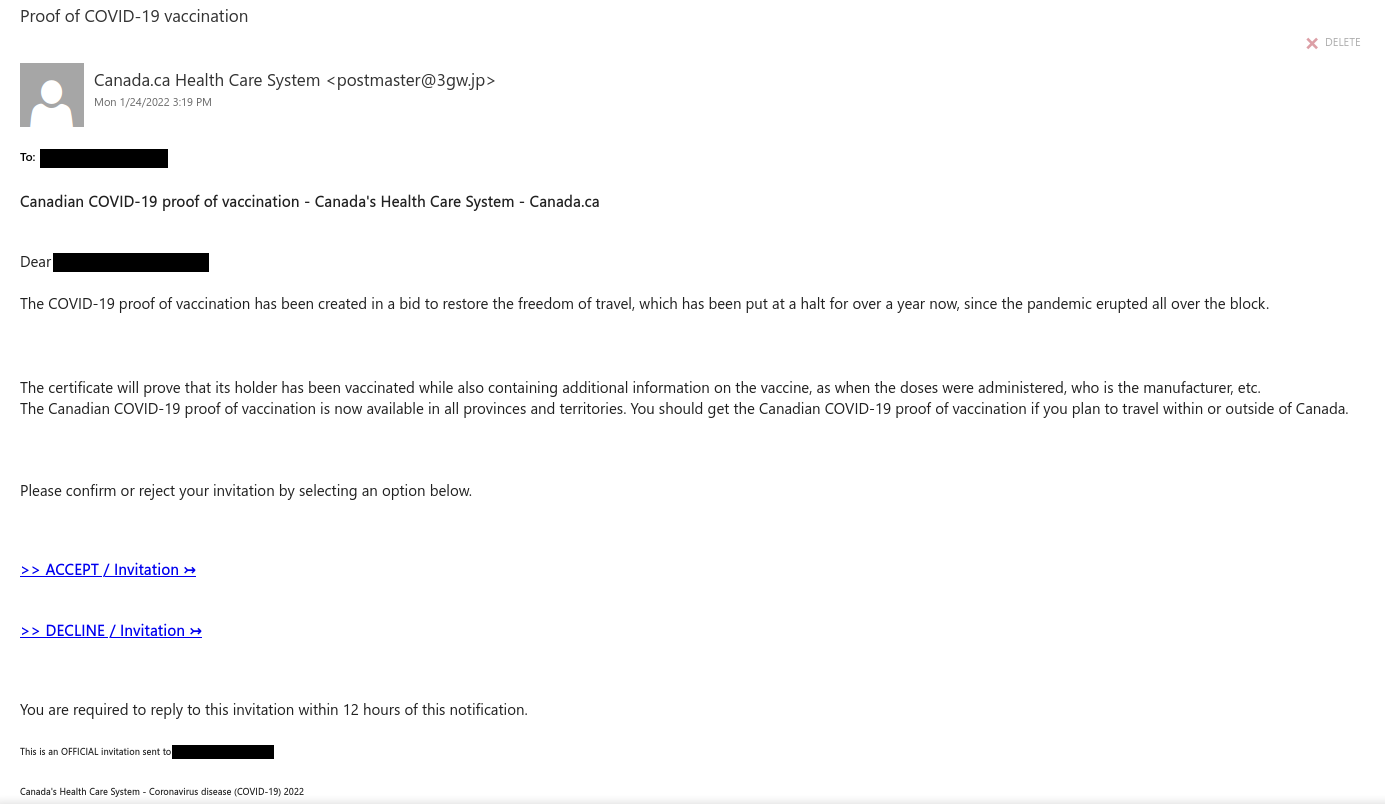
Proof of COVID-19 vaccination

This phish claims to be from canada.ca and the Canadian health care system, but hover over the link and you will find that it does not actually go to canada.ca or a site on .gc.ca (it actually goes to an out-of-country site). Similarly, the sender address is also not from either canada.ca or a .gc.ca site.

For information about the real COVID-19 proof of vaccination, click here, or go directly to canada.ca and find the appropriate link on the homepage.

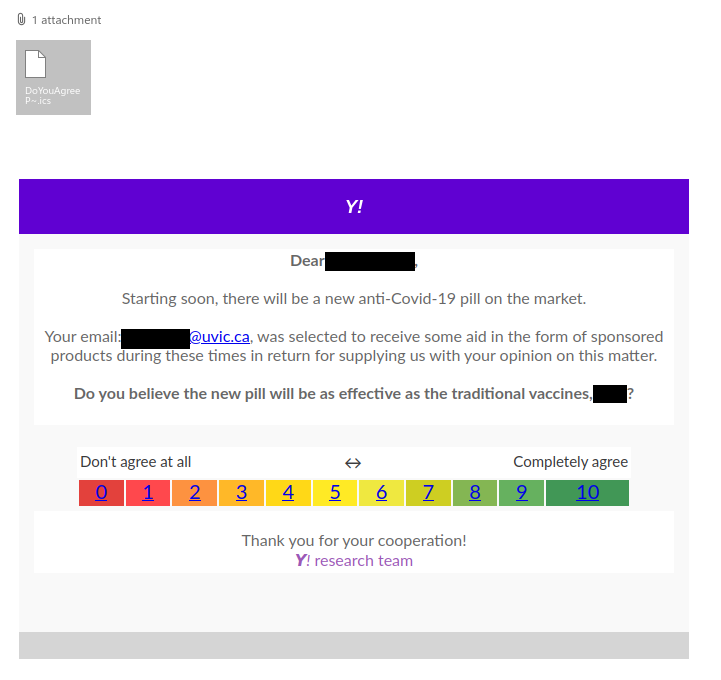
You are eligible [COVID-themed phish with calendar attachment]

COVID-themed phishes will continue to be common while the pandemic is ongoing. This one sounds too good to be true–saying that your email address was randomly selected to received sponsored products is just a ploy to get you to click on a phishing link disguised as a survey.

An interesting tactic that the phisher employed in this one is attaching a calendar file containing the same phishing link as the email message itself. This is because some calendars may default to automatically adding calendar items from incoming emails. Worse, some may even default to triggering notifications for them on your device even if you didn’t RSVP, meaning the link could appear among your device notifications (a place where the phisher is hoping your guard will be down so that you’ll be more likely to click the link).

You can read more about calendar phishes in this article from WIRED.

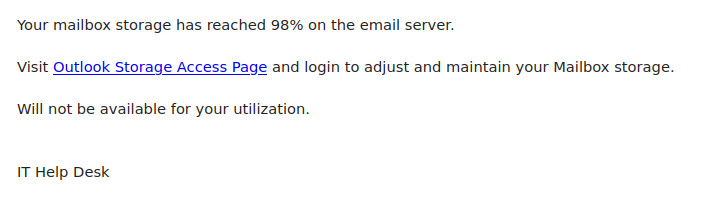
Help Desk

This generic phish was sent to a large number of people today. Always hover over the link before clicking to check if the link is safe If you were to hover over the link you would find it does not go to uvic.ca or a Microsoft site, indicating the link is not safe.

If you clicked on the link, contact your department’s IT support staff or the Computer Help Desk immediately.
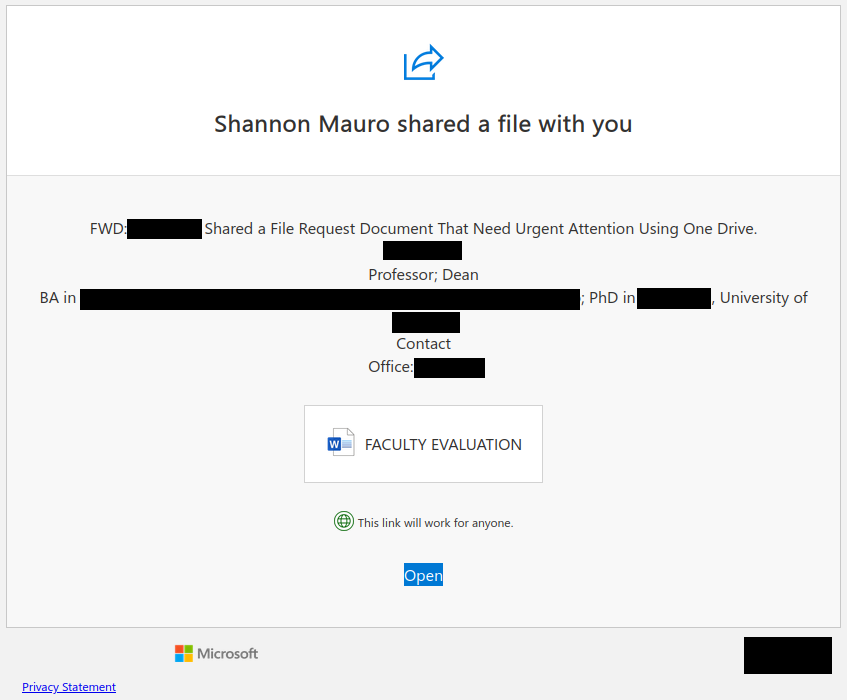
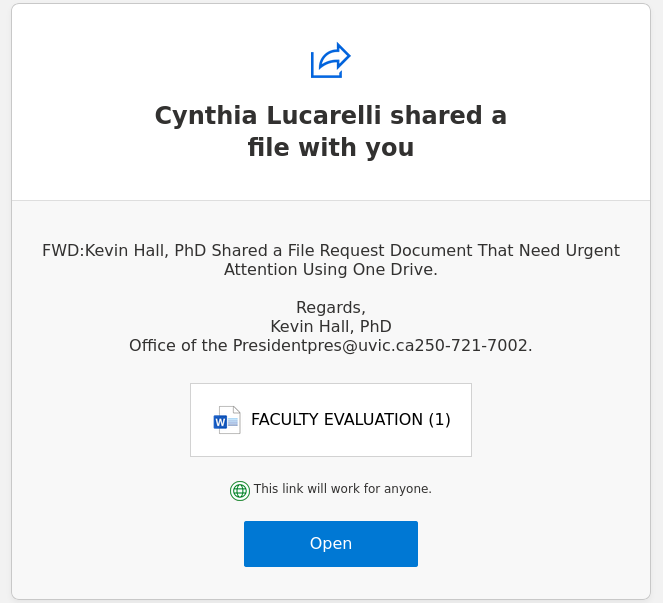
FACULTY EVALUATION [phish via Google Docs and SharePoint Online]

Legitimate cloud file sharing services like Google Docs and Microsoft SharePoint Online are frequently abused by phishers. The examples below attempted to impersonate one of UVic’s deans in an attempt to make the phish look legitimate, but note the errors in capitalization and grammar in the document description.

Version sent via Google Docs:

Version sent via SharePoint Online:

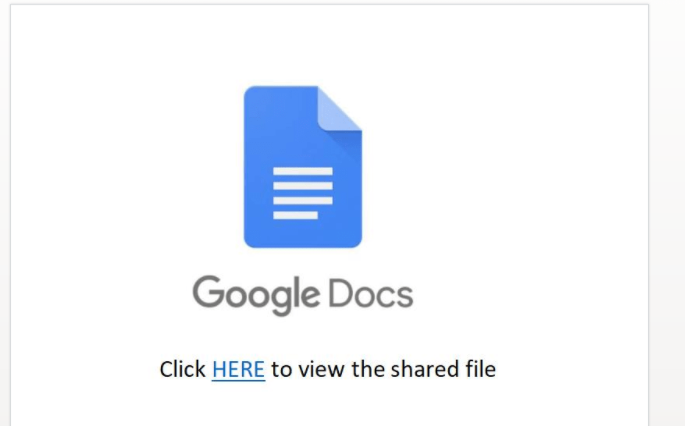
Both versions lead to a file with a Google Docs logo and instructions to click another link to view the real contents (which is a red flag as well). That link goes to a phishing page on Google Forms. Never enter login credentials on Google Forms or other free web form builders; no genuine login page would ever be hosted there.

Update 2022-01-19: there is also a version from SharePoint Online that impersonates President Kevin Hall.

Benefits Enrollment

The phisher used a compromised account from someone in the K-12 education sector to send this phish, which is very similar to ones we saw in August. Do not click the link–it goes to a spear phishing page with the UVic logo and is designed to harvest your credentials. People who enter information on that page may also be prompted with a second form designed to harvest PII.

If you clicked this link, contact your department’s IT support staff or the Computer Help Desk immediately.
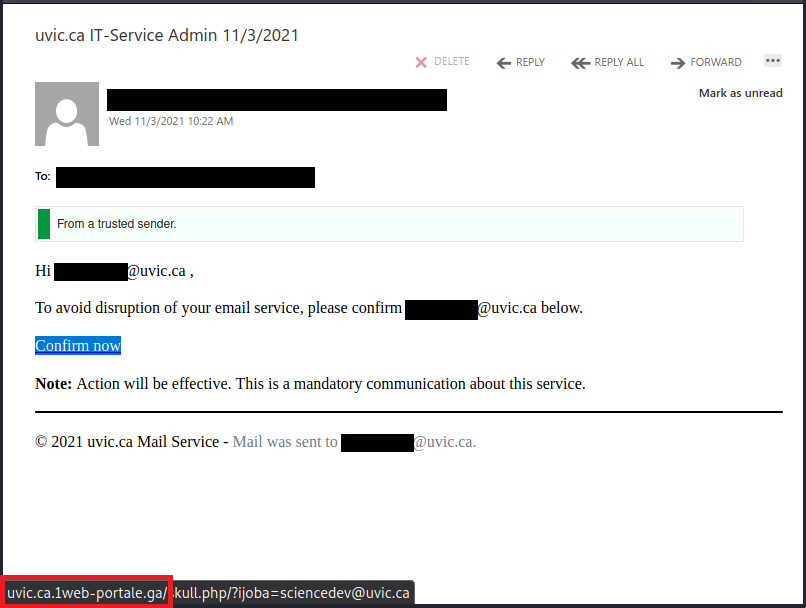
uvic.ca IT-Service Admin 11/3/2021

Notice the green “From a trusted sender” banner in this email. That is not a banner that the UVic email system added; it was actually added by the phisher to make the message look more trustworthy. Interestingly, the phisher also uses the recipient’s own email address as the spoofed sender.

The phishing link is an interesting example. If you hover over the “Confirm now” link, you’ll see that its destination starts with uvic.ca. But look closely at the domain of the link, that is, the part before the first “/” (outlined in red in the screenshot below). The link actually goes to uvic[.]ca[.]1web-portale[.]ga (square brackets added by me for safety reasons), which is a spear phishing domain designed to trick people into thinking the link goes to the UVic website.

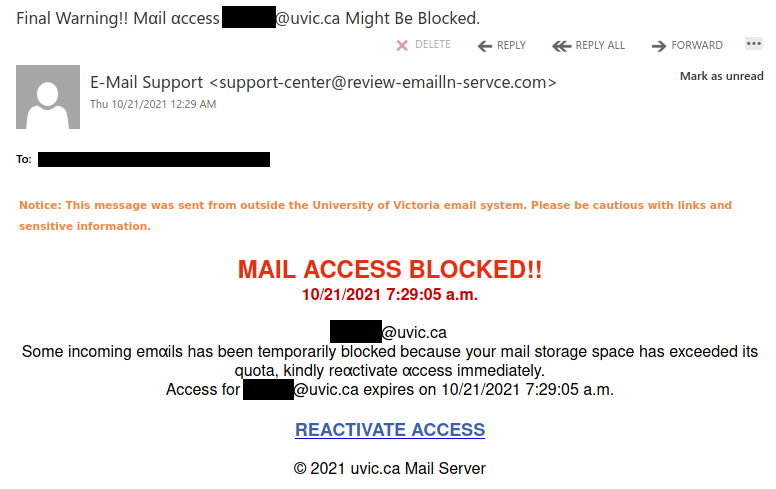
Final Warning!!

If you look closely at the lettering, you’ll notice that in some places a lowercase “a” has been replaced with “α” (lowercase Greek letter alpha). Phishers will sometimes use lookalike characters (a.k.a. homoglyphs) in this manner to try to evade spam filters. If you spot this sort of character substitution, you can be pretty certain the email is a phish.

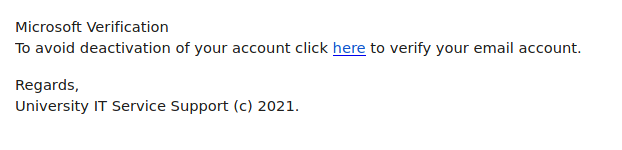
Service Support

This phish was sent from a compromised account from another Canadian university. This phish targets higher education institutions in general and tries to pose as a Microsoft email alert. More often than not, emails asking you to click on a link to verify your account so that it doesn’t get deactivated are phishing attempts.

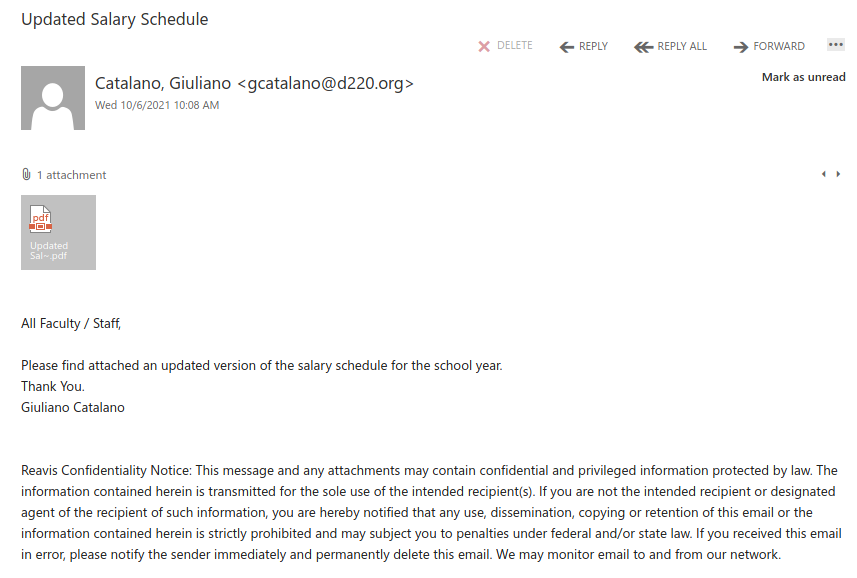
Updated Salary Schedule

Instead of using a link, this phish tries to entice you into opening a PDF attachment. The PDF contains what looks like a “View Document” button and instructs you to click on it. But that button is actually a link to a phishing page.

Always be wary of attachments from unsolicited emails and do not open them if you think they may not be legitimate. If you open an attachment and are instructed to click on a link or button to view the “real” contents, contact the Computer Help Desk or your department’s IT support staff immediately, as that is a sign that it is not legitimate.