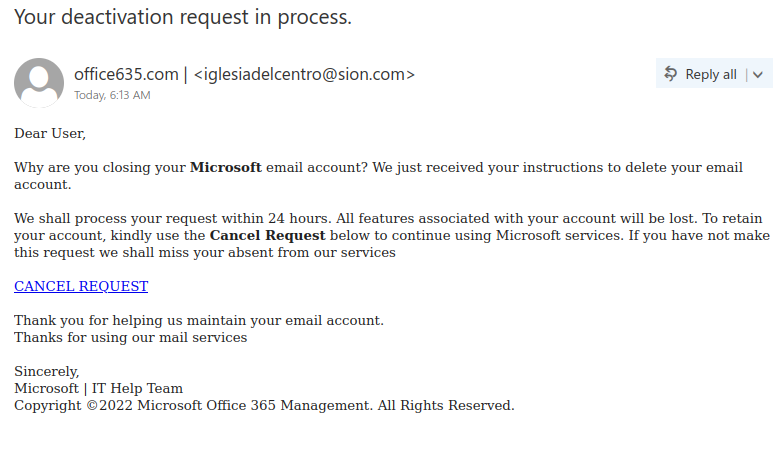
Your deactivation request in process.

Like many other Microsoft-themed phishing messages, this one uses the threat of impending account deactivation to get you to hastily click on the link. But take a moment to look closely and you’ll spot a lot of red flags:

  • The sender display name contains an error (office635)
  • The sender email address is not from Microsoft (or UVic, for that matter)
  • The greeting is impersonal
  • The message contains a good deal of awkward wording and grammatical errors

Hovering over the link is also a good idea–that would show that it doesn’t go to a Microsoft website.
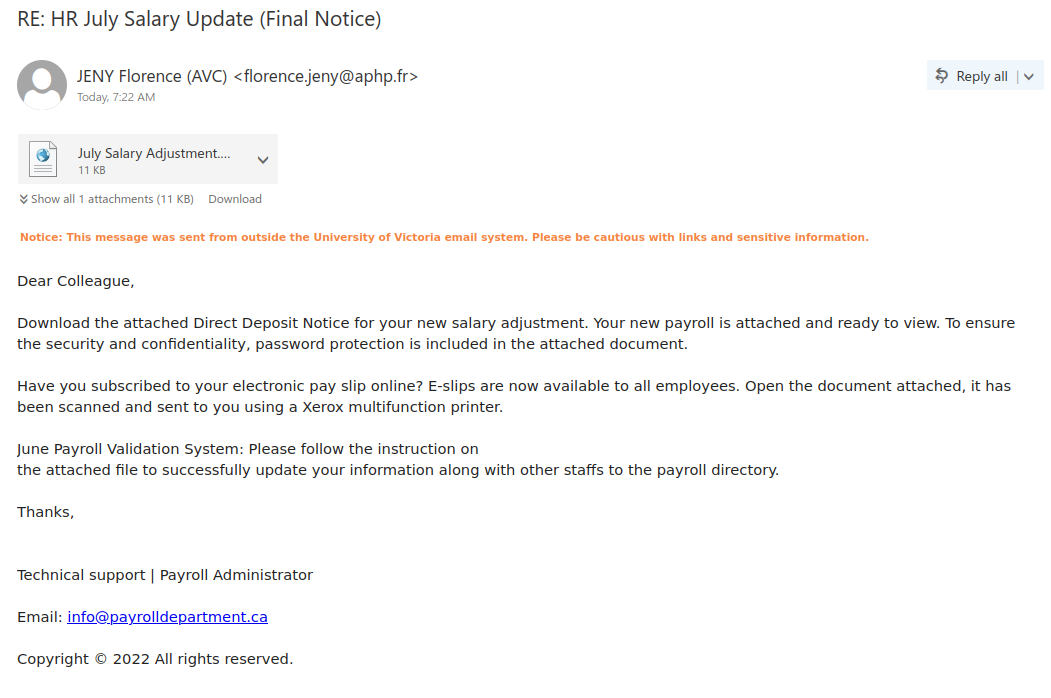
RE: HR July Salary Update (Final Notice)

Phishers know that salary notices are a very tantalizing lure, which is why they are always a popular theme for phishes and malspam. If you look at this example, there are quite a few signs that this is not a genuine salary notice:

  • The subject uses words like “Final Notice” to instill a false sense of urgency
  • The email came did not come from a UVic sender
  • The greeting is impersonal
  • The signature block is very generic and does not mention UVic
  • The contact email in the signature block is also not from UVic
  • There are a few grammatical errors in the message

Therefore you should not open the attachment, which is actually a webpage (HTML) file containing a phishing form and code for harvesting your username and password.

Shared “FACULTY & STAFF DATA REVIEW” with you

Although SharePoint Online is a legitimate service (which is why phishers like to abuse it), not all of the content hosted there is safe. Phishers may create fake SharePoint Online notifications or use a compromised account at another organization to send phish containing real SharePoint links. If you hover over the link and find that it doesn’t go to https://uvic-my.sharepoint.com/, that means the file is not from UVic’s SharePoint Online offering.

Another red flag in this phish was the fact the phisher was trying to claim this file was from a UVic director, but that director’s name was different from the one in the subject and at the top of the email.

Verification Notice

This is another phish that spoofs noreply@uvic.ca but actually came from outside of UVic, similar to yesterday’s spoof phish. The warning to take action within 48 hours is a ploy to get you to act hastily and click on the link. However, if you were to hover over that link, you would find that it does not go to uvic.ca.

WARNING – Immediate Action

This phish claims to be from noreply@uvic.ca but that has been spoofed; it actually came from a non-UVic source. Note the odd space in “sen der” in the green banner–this is a major sign that the banner is a fake one added by the phisher.

As always, hover over the link before you click to see where it goes. Despite the fact that it claims to go to uvic.ca, its actual destination was a non-UVic site.

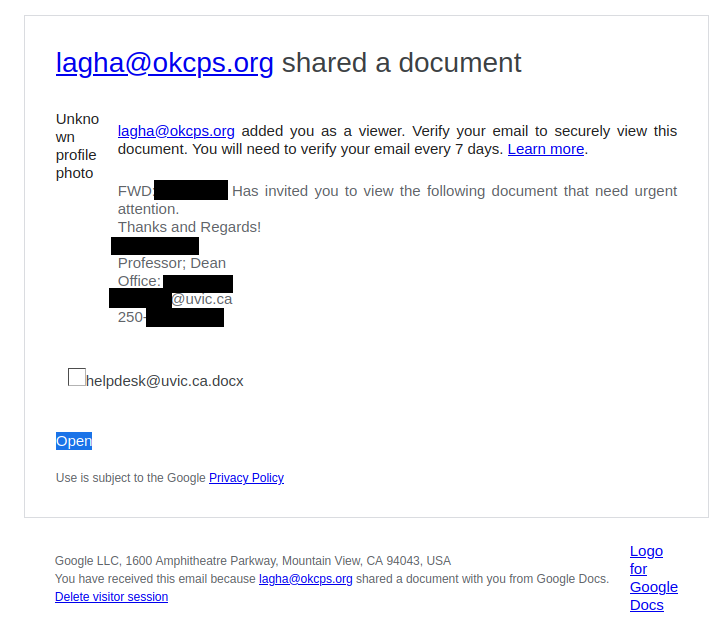
ICT Service Desk !!!

If you get an email instructing you to click a link to update your account or password, and it came from a free email provider like Gmail or Outlook.com, you can be pretty certain it’s a phish.

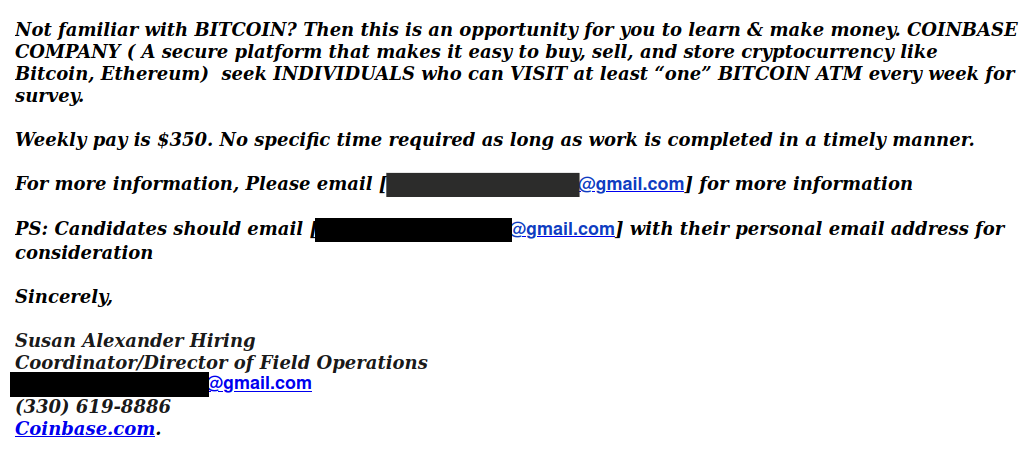
BITCOIN ATM SURVEY

This Bitcoin scam email was sent from a compromised UVic account, and one red flag not included in the screenshot below would have been the mismatch between the name in the signature block and the name of the account used to send the email.

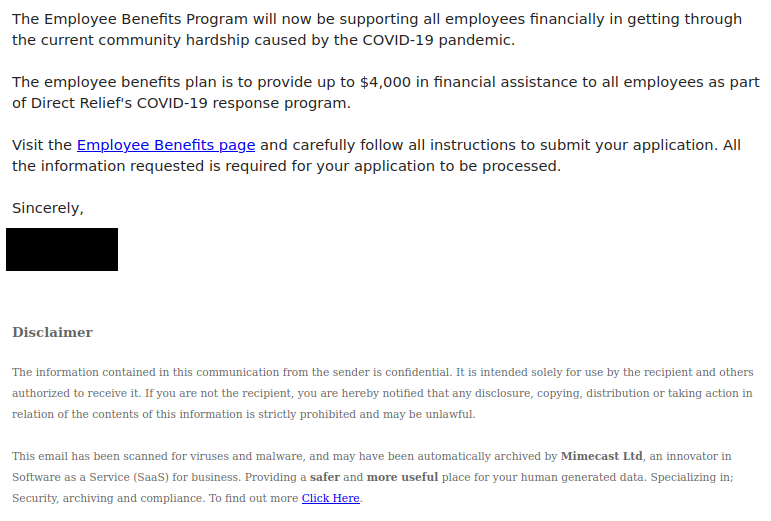
2022 Employee Benefits Plan

Phishers are continuing to take advantage of the ongoing COVID-19 pandemic to try and get people to click the link. This phish also uses a URL shortener to hide the true destination of the link, which is a fake login page created by a free web form builder. Remember, always hover over the link to see where it goes before clicking, and be wary of shortened URLs in emails.

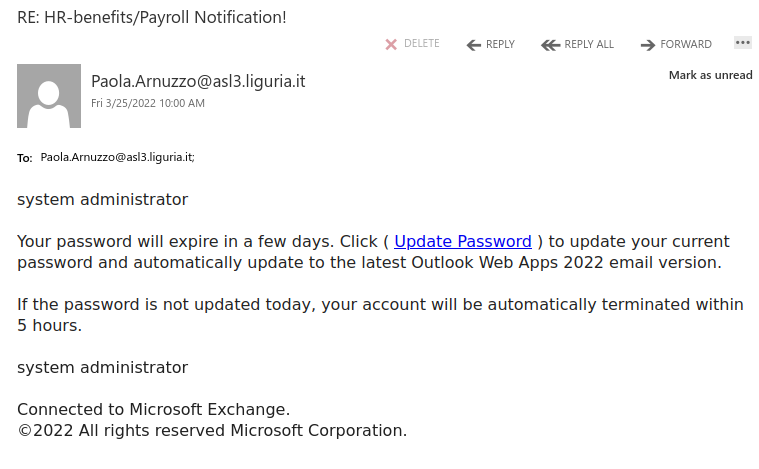
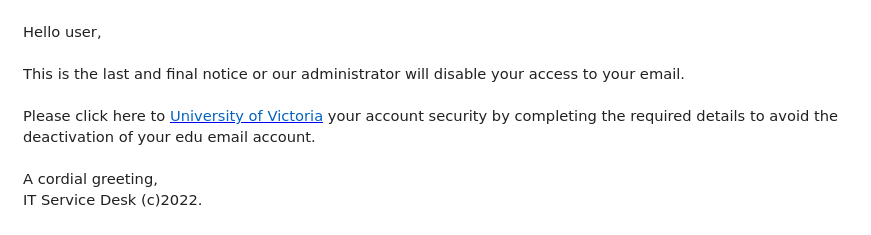
Attention

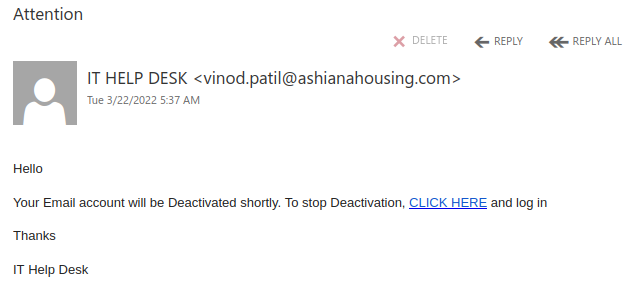
Threatening to deactivate your email account in the immediate future is a common tactic of phishers, who are hoping that someone will act hastily and click the malicious link.

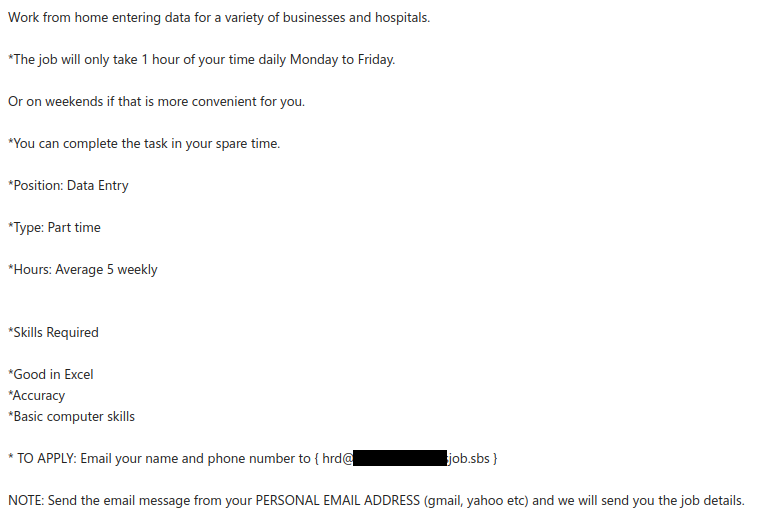
Vacancy: online virtual assistant position is open

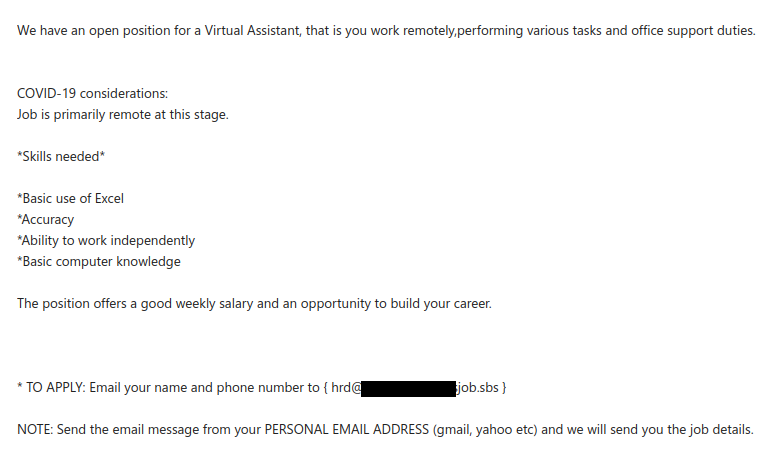
Once again, a compromised account from another Canadian university was used to send a remote work scam email. This one is extremely similar to the one we wrote about two weeks ago and even uses the same contact email address.

In both cases, the scammer asks you to reply from your personal email address. This is because the scammer wants to move the conversation away from UVic’s email systems to evade detection.

In general, be suspicious of remote job offers that come from unsolicited emails and do not send money or personal information in response to such offers. For more information on these scams and further advice on how to avoid them, read this CBC article.

New Handbook and Compliance Form 2022

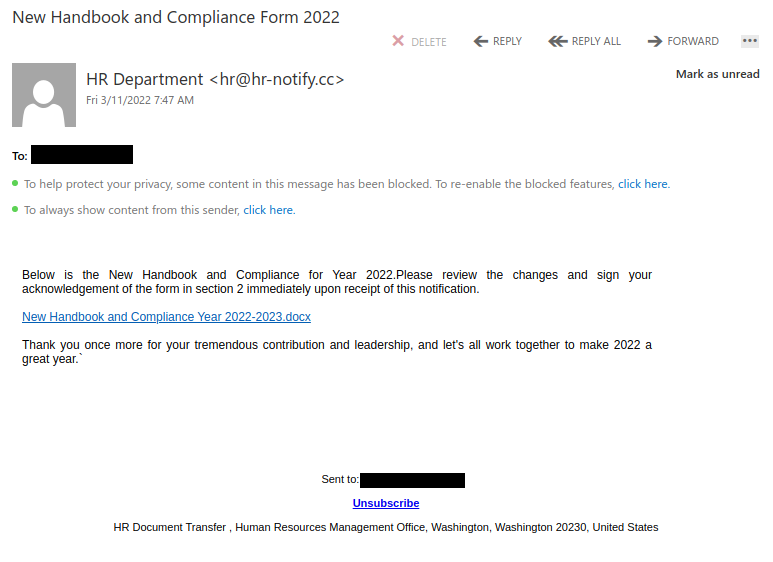
The phisher used individualized click-tracking links for this HR-themed phish, meaning that they will know which recipients clicked. Since this is a phish, don’t click on the Unsubscribe button either. There’s no guarantee the phisher will respect that, and it might just mean you’ll get more phish since the phisher now knows that your email address is valid.

Also note the American address in the footer; that should be a red flag given that we’re a Canadian university.

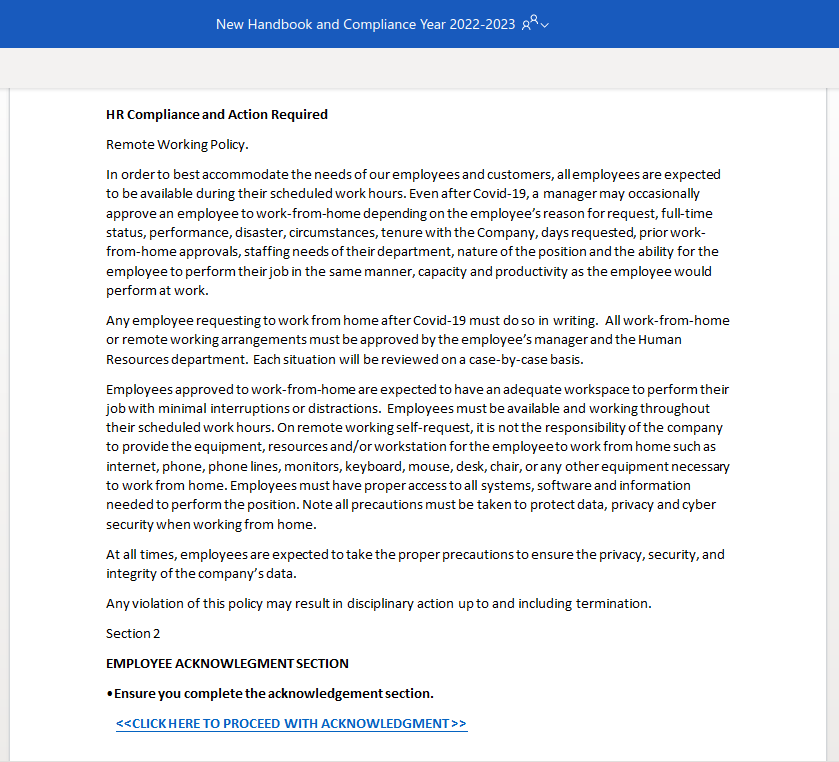
Clicking on the link (don’t do this!) takes you to a phony remote working policy document that tells you to click on a second link to acknowledge and sign the document. That second link goes to a phony Microsoft 365 login page for harvesting your login credentials.

ITS Help-desk

The phisher seems to have used a compromised account at a public institution in the UK to send this phishing email. Like many other phishing emails, it uses a threat to try to get you to act hastily and click on that link. Pause and look closely before you click! If you hover over the “University of Victoria” link, you will find that it actually goes to Cognito Forms. Presumably this is a free web form builder; as mentioned in the previous post, such services are frequently abused by phishers and no real UVic login page would be hosted on them.

If you clicked on this link, contact your department’s IT support staff or the Computer Help Desk immediately.