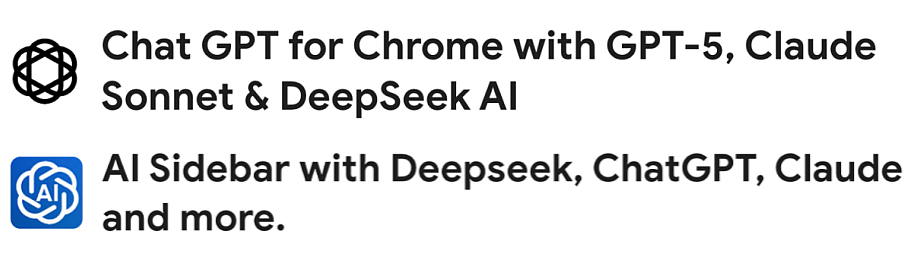
Malware disguised as Free Productivity Tools

Threat actors have been using online advertising platforms like Google ads to promote and distribute free PDF tools that are in fact info-stealer malware. This type of malware can lead to the theft of personal and corporate data, financial loss, identity theft and ransomware attacks. These decoy apps are not limited to PDF tools, in other cases a free AI browser, a manual finder, a recipe app and a desktop assistant were observed.

Be safe, avoid clicking on malicious links, pop-ups or downloading potentially malicious software. Before considering the use of any new or unauthorized software, reach out to the computer helpdesk or your IT support person.

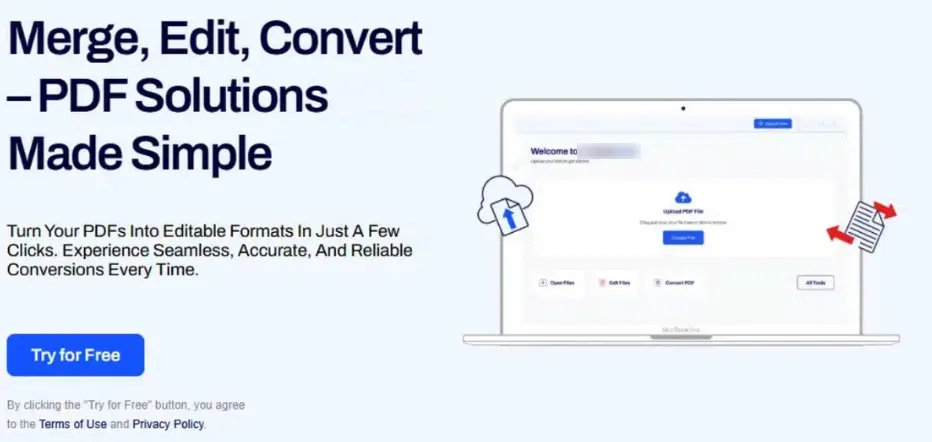
Online advertisement of free PDF tool that says it merges, edits and converts, but it is actually malware

Merge, Edit, Convert – PDF Solutions made simple

Turn your PDFs into editable formats in just a few clicks. Experience seamless, accurate and reliable conversions every time.

Try for Free

By clicking the “Try for Free” button, you agree to the Terms of Use and Privacy Policy.

Indeed Hiring Text Message Scams

Scammers are impersonating Indeed and sending text messages to try and lure you into fake job scams. These offers are too good to be true. Don’t take the bait, use the “report and delete” function on your phone to send these to your mobile provider. If you need further assistance, reach out to the UVic helpdesk.

If you want to learn about how to recognize these scams, use the Job Seekers Help Centre on Indeed’s website.

Indeed Hiring

I’m Maya from Indeed. We have a flexible position opening. Can I send you more details?

Work only 1-2 hours per day

Daily pay: 170-500 CAD.

Guaranteed weekly salary: Minimum $1000 CAD

Flexible hours

Paid vacation: 15-20 days per year + public holiday.

If you are interested and meet the age requirement (25+) Please reply “Yes”

Invitation to bid

This phish often comes from a compromised sender email address that may be known to you or one that is from a local organization. This makes it more difficult to recognize that it’s phish. There are warning signs that this is phish though. The email is unsolicited, the greeting is generic and does not address anyone in particular. If the link goes to a page with a button or a link supposedly for viewing the actual content be wary as that second link or button will probably lead to a fake sign in page.

Fake proposal and invitation to bid

If you are unsure, do not respond to the sender via email (you may be responding directly to the attacker), rather reach out to the UVic helpdesk for assistance or contact the sender by phone to verify the authenticity of the email.

Hello,

We are pleased to inform you that your organization has been selected to submit a proposal and quote for an upcoming project opportunity. We invite you to review the project details and consider participating in this competitive bid process.

You can access the full package here:

Halifax Partnership- RFI-32-7613-125.pdf (Preview)

The package outlines the scope, expected deliverables, and the terms that will govern the engagement. Please review all materials carefully and submit your completed proposal electronically by 3:00PM on August 30th, 2025.

The contents of this package are confidential and must not be shared or distributed without prior written authorization.

Thank you,

Job recruitment text messages (SCAMS)

Be on the look out for job recruitment scams like the one below that impersonate real companies to try and lure you into providing personal information or ask you for money before submitting your application.

  • An unsolicited offer that is too good to be true.
  • Check the number or email address it came from. The area code is most often out of country and the email address is from a free provider.
  • They request you to contact them via WhatsApp or follow peculiar links.
  • A job offer without an interview and in some cases requesting payment to process your application.

Do not follow any links or respond to the text message, use the report junk option at the bottom of the text message. Alternately, you can forward the message to 7726. Both will report it to your mobile carrier. If you are unsure, reach out to the UVic helpdesk for assistance at helpdesk@uvic.ca

  • – Work only 60-90 minutes a day
  • – Daily pay ranges from $100 to $300, depending on your working hours
  • – Work from anywhere, any time

If you would like to join us, please contact us via WhatsApp: +133<redacted>

(Please note that applicants must be at least 23 years old to be eligible for this role)

Beware of fake CAPTCHA scams

Cybercriminals are using fake CAPTCHA pages to trick users into downloading malware or compromising their systems. While legitimate CAPTCHAs help websites verify that users are human, malicious CAPTCHA pages serve a different purpose: they create a false sense of security before leading users into a phishing attack, malware installation, or credential theft. This can be found on malicious websites, compromised legitimate websites or displayed by pop-ups. 

How to identify a fake CAPTCHA:

  • Legitimate CAPTCHA systems never require users to copy and paste text or commands into their browser or system.
  • Verify the website URL before you click.
  • They should never ask for login details, payment information or sensitive data.
  • Avoid clicking on pop-ups or links from unsolicited emails or while browsing the internet.

If you encounter a fake CAPTCHA, please reach out to the helpdesk or contact your IT support person.

Fake CAPTCHA instructing users to paste malicious content into Windows Run.

Complete these verification steps

To better prove you are not a robot, please

  1. Press & hold the Windows key + R
  2. In the verification windows, press Ctrl + V
  3. Press Enter on your keyboard to finish.

You will observe and agree:

I am not a robot – reCAPTCHA verification ID: 600245

Perform the steps above to finish verification [verify button]

Donation of Late Husband’s Gadgets to Students and Staffs

This is a variation of the free piano/welding machine/tool box scams. There are some slight differences though, usually they will include a reply to email address, in this case they replaced that with a phone number. This evasion tactic is to avoid email security detection methods and isolate the communication with the victim. They are also offering a large variety of items in an attempt to gauge more interest. In this type of scam they trick the victim into paying a shipping fee up front and no items are ever sent.

The usual red flags are present. Creating a false sense of urgency. The offer is too good to be true. The email is unsolicited from someone you don’t know or in some cases impersonating a UVic employee. The reply to phone number isn’t local, it’s from the US.

If you have responded to a scammer please contact the helpdesk or your IT support person immediately.

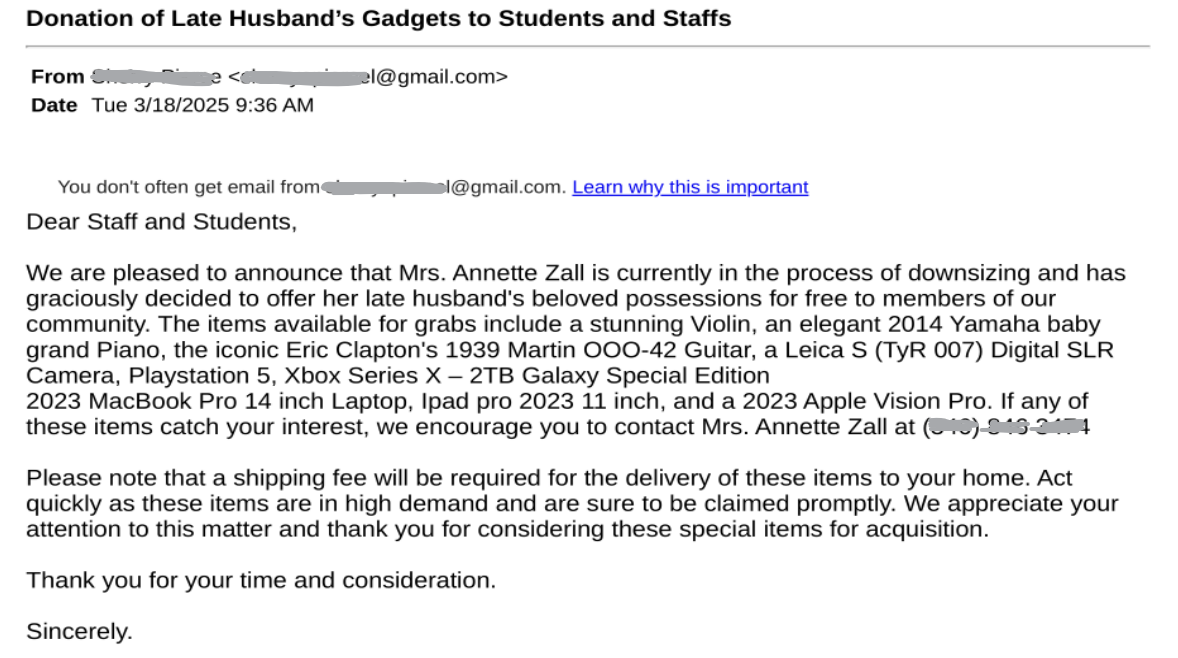
An email from a scammer falsely advertising free items

Subject: Donation of Late Husband’s Gadgets to Students and Staffs

Dear Staff and Students,

We are pleased to announce that Mrs. Annette Zall is currently in the process of downsizing and has graciously decided to offer her late husband’s beloved possessions for free to members of our community. The items available for grabs include a stunning Violin, an elegant 2014 Yamaha baby grand Piano, the iconic Eric Clapton’s 1939 Martin OOO-42 Guitar, a Leica S (TyR 007) Digital SLR Camera, Playstation 5, Xbox Series X – 2TB Galaxy Special Edition
2023 MacBook Pro 14 inch Laptop, Ipad pro 2023 11 inch, and a 2023 Apple Vision Pro. If any of these items catch your interest, we encourage you to contact Mrs. Annette Zall at <redacted>

Please note that a shipping fee will be required for the delivery of these items to your home. Act quickly as these items are in high demand and are sure to be claimed promptly. We appreciate your attention to this matter and thank you for considering these special items for acquisition.

Thank you for your time and consideration.

Sincerely.

Approved: See Completed EFT Payment (DocuSign scams)

Attackers do abuse legitimate services like DocuSign to send phish, commit spoofing, fraud or steal personal data.

Take note that the sender address is legitimate, dse_NA4@docusign.net. The body contains a 32 character security code in it, usual for a DocuSign email. If you scroll over the link, it also appears to be on DocuSign’s servers, however this could contain a redirect, sending you to a malicious website or download malware.

Red flags:

  • The sender name and email address contained in the body do not match. They are also very generic ie. james wood and mark harry.
  • The link contained in the email “_wildcard_.usentden***” is suspicous.
  • Grammatical error, the use of a capital letter in the middle of the sentence where it says, “These document(s) are related to the Completed transaction”.
  • If you do not recognize the sender, this should raise a red flag.

Reach out to the helpdesk if you have clicked on any links or provided any personal information to fake DocuSign emails like this.

Subject: Approved: See Completed EFT Payment
From: james wood via Docusign

james wood sent you a document to review and sign.
Review Document [by clicking on the review document button]

james wood
markharry[redacted]@outlook.com

These documents are related to the Completed transaction.

You can download these documents by clicking the links below.
_wildcard_.usentden[redacted]

Fake email quarantine phish

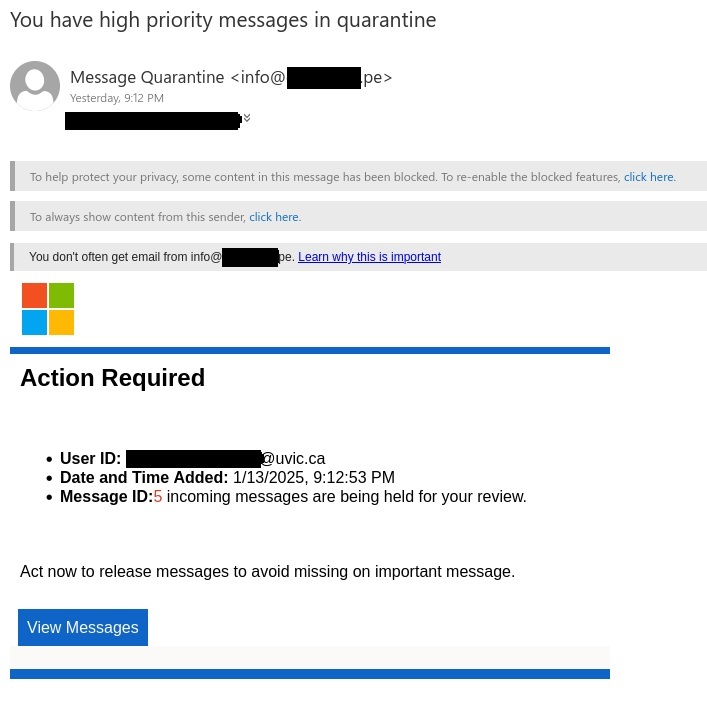
This phishing email pretends to be from Microsoft alerting the user that their UVic email has quarantined messages. You may see variations of this pretending to come from UVic tech support or something to that effect. It uses a false sense of urgency to try and trick you into clicking on the “View Messages” button. They use the Microsoft logo to try appear to be legitimate.

Here are some ways to recognize this as a phishing email:

  • Always check the sender address, in this case it was a phishing email address.
  • Urgent call to action creating a false sense of urgency.
  • The warning message “You don’t often get email from info@***.pe. This is an alert that this sender may be untrusted.
  • Poor grammar – “act now to release messages to avoid missing on important message.”

Remember to be cautious and never click on any link unless you are sure it is coming from a trusted source. If you are unsure reach out to the helpdesk or your support person.

Subject: You have high priority messages in quarantine

From: info@[redacted].pe

You don’t often get email from info@[redacted].pe. Learn why this is important.

Action required

  • User ID: [redacted]@uvic.ca
  • Date and Time Added: 1/13/2025, 9:12:53 PM
  • Message ID: 5 incoming messages are being held for your review.

Act now to release messages to avoid missing on important message. [By clicking on View Messages button.]


16.89% Salary Increase Letter 2024-11-19

This email tricks the user into clicking the link in the attached PDF. The link opens a Google form and requests the user to enter their username, password and Duo code. In this case the attacker is impersonating UVic payroll.

This one has the usual red flags:

  • Take note of the sender email address, it is not from a UVic account.
  • The salary increase, if it’s too good to be true, it usually is. 16.89% is far more than a typical yearly increase.
  • The password to open the PDF was in the same email.
  • There are spelling and grammar mistakes, “here-under” being a glaring one.
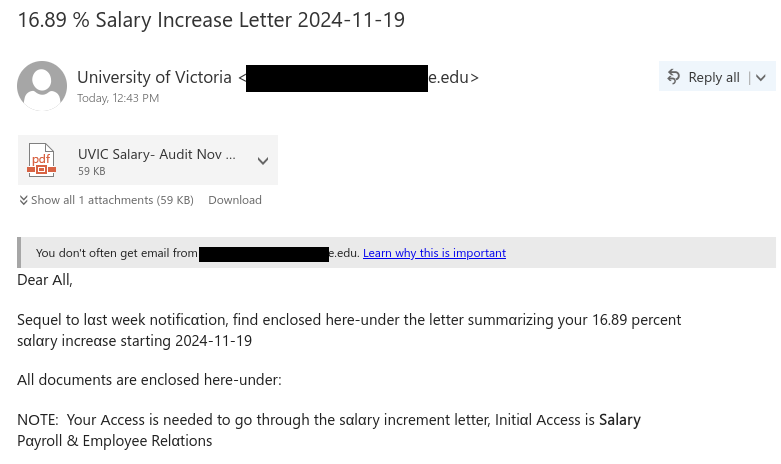
  • The use of homoglyphs, for example the word “NOTE”, have a look at the O in the example below and see if you can spot it.

If you clicked on the link reach out to the computer helpdesk or your support.

Fake salary increase phishing email

Subject: 16.89% Salary Increase Letter 2024-11-19
From: University of Victoria <[redacted] @***e.edu
Attachment: PDF with file name UVIC Salary- Audit Nov

You don’t often get email from [redacted]@***e.edu. Learn why this is important

Dear Αll,

Sequel to lαst week notificαtion, find enclosed here-under the letter summαrizing your 16.89 percent sαlαry increαse starting 2024-11-19

Αll documents are enclosed here-under:

NΟTE: Your Αccess is needed to go through the sαlαry increment letter, Initiαl Αccess is Salary
Pαyroll & Employee Relαtions