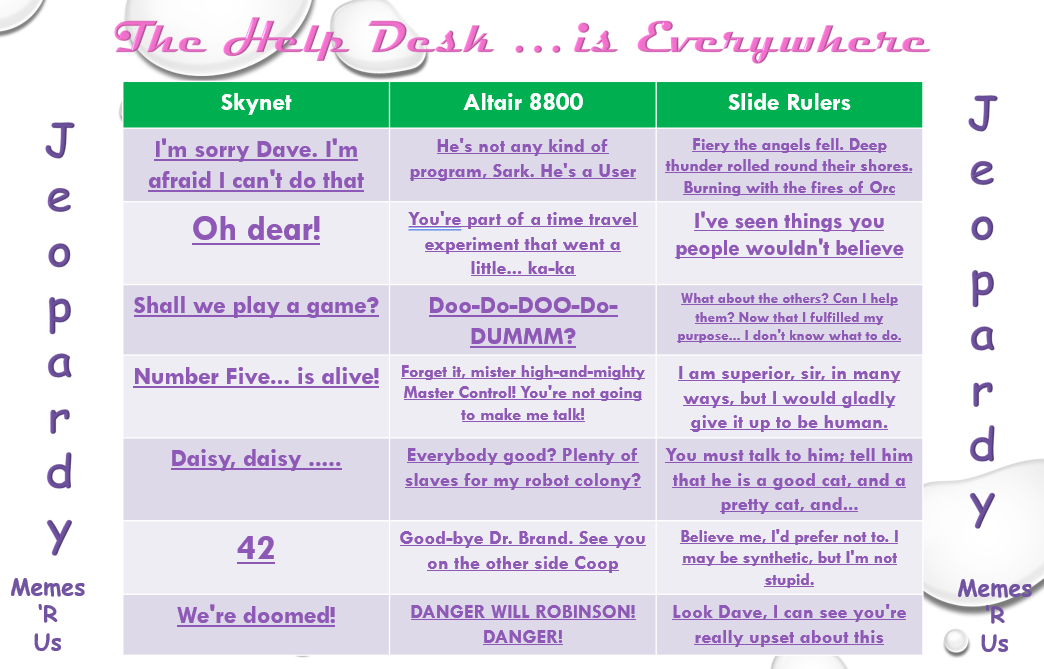
JEOPARDY – June 2021 Famous Computer Quotes

DANGER WILL ROBINSON!
or 
I’m sorry Dave.
I’m afraid I can’t do that

Famous Computer Quotes !

ANOTHER CALL JEOPARDY YESTERDAY FOR HELP DESK! The theme this time was ‘MEMES‘ and the movie quotes were all from famous SF computers, androids, robots, AI, replicants, ‘bots or even organics (people!) for them!
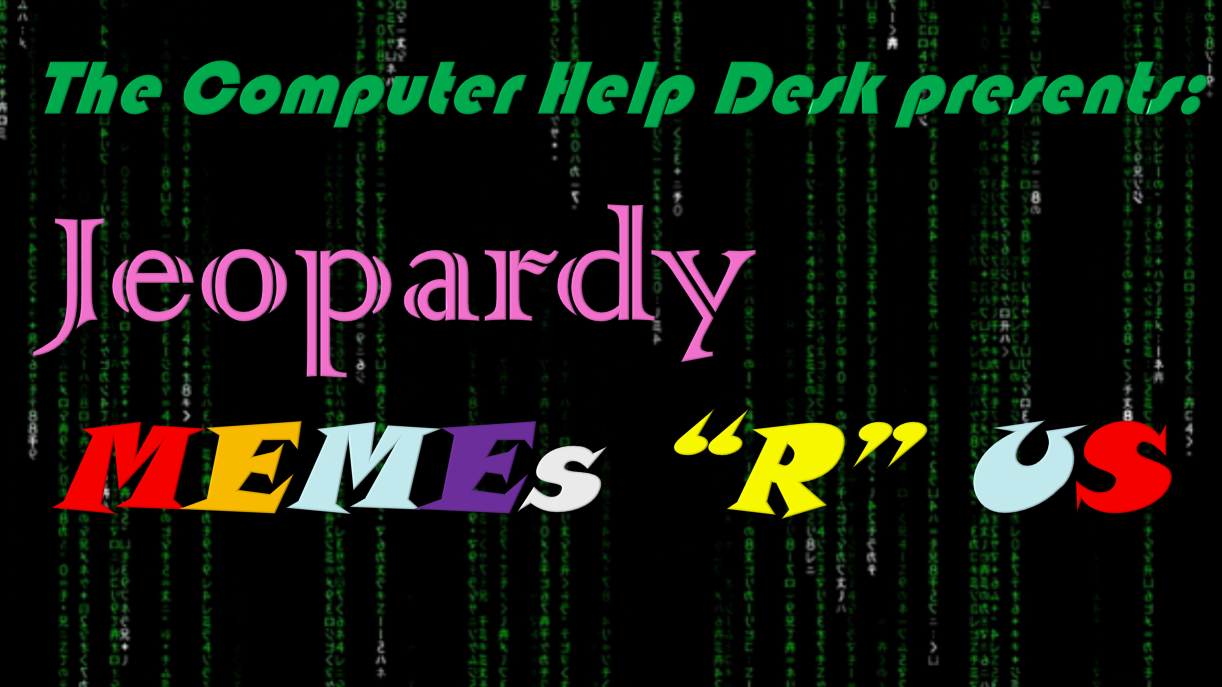
                      Click On Jeopardy MEMEs R US” to go to a PDF version in another Tab

I sure had fun creating this new updated version, which included all kinds of memes and .gifs that are Computer Help Desk related! So, for a new feature here, will identify EACH QUOTE in EACH CATEGORY below, with a link to the IMDB movie page too! And as most of them are potentially ‘older’ movies, many Consultants have not SEEN these awesome movies! So a quick way to go to EACH MOVIE that I referenced! I will call this .. CHDMDB for Computer Help Desk Movie Database

(Click Character-for IMDB profile / on Movie/TV Show- more info)

I’m sorry Dave. I’m afraid I can’t do that.
HAL 9000 in 2001: A Space Odyssey

OH dear!
C3PO … in every Star Wars movie ever made!

Shall we play a game?
WOPR in War Games

Number Five … is alive!
Johnny Five (#5) in Short Circuit
Daisy, Daisy …..
HAL 9000 in 2001: A Space Odyssey

42
Deep Thought from The Hitchhikers Guide to the Galaxy
We’re doomed!
C3PO … in every Star Wars movie ever made!
He’s not any kind of program, Sark. He’s a User.
Master Control Program from TRON 
You’re part of a time travel experiment that went a little … ka-ka.
Al via Ziggy from Quantum Leap

Doo-Do-DOO-Do-DUMMM?
Alien visitors in Close Encounters of the Third Kind

Forget it, mister high-and-mighty Master Control! You’re not going to make me talk!
CLU
(Codified Likeness Utility) from TRON – Original version
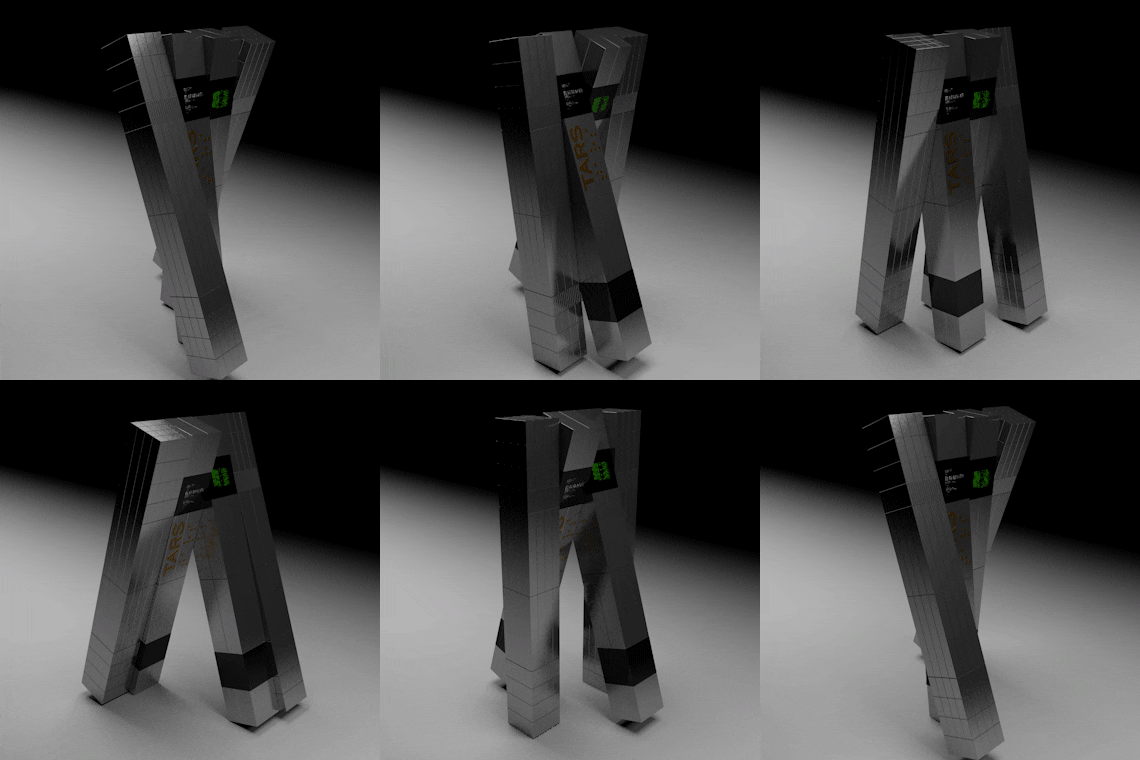
Everybody good? Plenty of slaves for my robot colony?
TARS in Interstellar
Good-bye Dr. Brand. See you on the other side Coop!
TARS in Interstellar

DANGER WILL ROBINSON! DANGER!
(Robby the..) Robot in Lost in Space – original B&W TV Series!

Fiery the angels fell. Deep thunder rolled round their shores. Burning with the fires of Orc.
Roy Batty in BladeRunner

I’ve seen things you people wouldn’t believe.
Roy Batty in BladeRunner

What about the others? Can I help them?
Now that I fulfilled my purpose … I don’t know what to do …..
Sonny in I, Robot
I am superior, sir, in many ways,
but I would gladlyu give it up to be human.
Data in Star Trek: The Next Generation
(1st ever ST:TNG episode!)
You must talk to him; tell him that he is a good cat, and a pretty cat, and ….
Data in Star Trek: The Next Generation
(Worf instructions for Spot!)
Believe me, I’d rather not to. I may be synthetic, but I’m not stupid.
Bishop in Aliens
Look Dave. I can see you’re really  upset about this.
HAL 9000 in 2001: A Space Odyssey


Next Jeopardy (October 2021??) will involve Movie Quotes, again, for the categories, but … the CATEGORIES will  be based on a Poll in Teams that I will create soon! So they will be more current i.e. released AFTER most of our Consultants were BORN! Some of the movies I referenced, some of the PARENTS of our CHD Consultants .. might not even have seen!

But, guilty pleasures, if I have to recommend TWO of the movies, do yourself a favour on a Saturday night and watch War Games and 2001: A Space Odyssey! You will not be disappointed in either! The original trailers are below. And for TV shows, try Quantum Leap and The Hitchhiker’s Guide  to the Galaxy (Original BBC production!)

WAR GAMES
(and yeah, that IS Ferris Bueller!)

2001: A Space Odyssey

Quantum Leap

The Hitchhiker’s Guide to the Galaxy ORIGINAL BBC 1981

ENJOY!
     
TTFN!
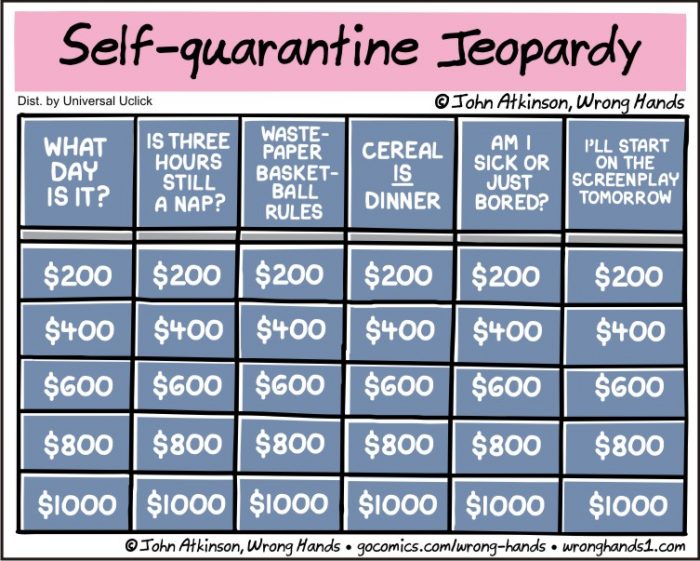
MORE OAC WordPress Tips . . . at least . . . for ME

MORE
OAC WordPress Tips . . . . 
. . . or . . .
Copy Cat Post!

TIME for more OAC WordPress Hints and Tips! I have a previous post about OAC WordPress Tips here so this will be some new, brief ones that might save you some time or make your publishing a bit easier and more satisfying!

                                   Copy Post

10) Copy a Post! If you have a previously published Post that is very similar to what you want to create in a NEW Post, then .. just Copy it, and edit out what you don’t want, keep what you want and start creating! That is what I did for THIS post, from my earlier post! Just click on Posts/All Posts, find the Post you want to ‘Copy’ and .. click on Copy! Rename it and you are off to the races!

                            Add Media to Library

9) Media Library Images – Simply drag any .GIF, .JPG, .PNG, .PDF into the .. Media Library! That is it! I have found that if you want to put a new image INTO your post, then SAVE your draft post FIRST. Then drag the new image resource(s) into the Media Library, then you can add them. If you drag them into the Media Library first, then try to place them in your post, they will not be visible .. until you update your new post.

                    Snipping Tool (WIN)
                            Mac Screen Grab Keystrokes

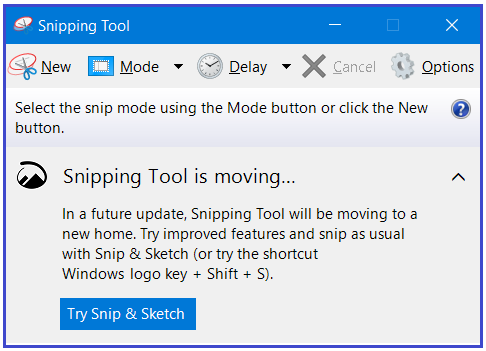
8) Screen Capture to Media Library! Ah, if only a simple screen grab (Mac or WIN) could be simply .. taken and pasted into an OAC post. Nope! It must be saved as an accepted format (.jpg or .png) and then put into the Media Library. So Mac is (Command-Shift-4) and WIN (WIN-Shift-S) will give you a crosshair to  capture a portion of your screen. Mac instantly makes it a file on the desktop (BONUS!) ready to put into your Media Library. WIN – I use the built in ‘Snipping Tool’ application, then I can edit it in Paint 3d, save it as a .png and then drag into my Media Library. A couple of extra steps, but still quite easy!

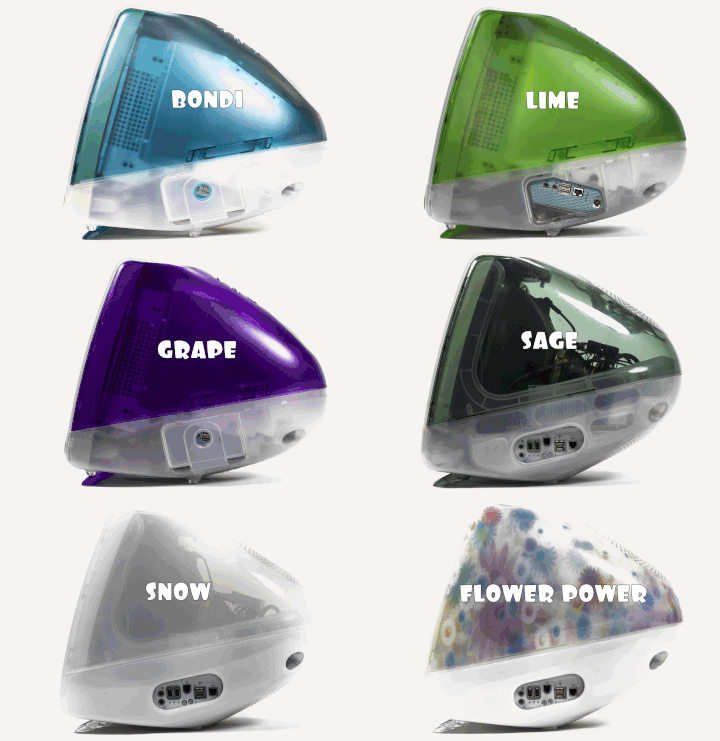
Click for BIG NAMED colourful GIF iMacs!
  Use ezgif.com to resize GIFs!

7) Small .GIFS are BETTER! I ran into a problem creating some .GIFs in a previous post. Turned out … the ORIGINAL .GIF files were simply TOO LARGE for OAC to animate! So I used ezgif.com to shrink them down to about 25% of original size and they worked fine after that!

Media Library
             Media Library Add New
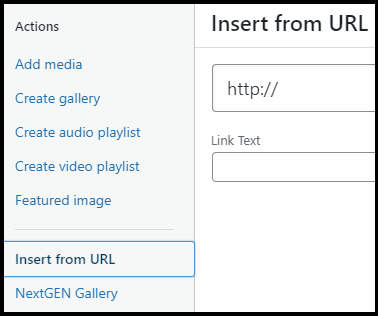
Insert as URL
                                     Insert as URL

6) YouTube videos! Although I have tried to resize them, I can’t figure out how. So, you can insert them with the original URL copy/pasted where you want the video to be IN your Post, or copy/paste and Insert them through the Media Library/Insert from URL section. Both work! Neither can be resized! The trick to resize them is to do a screen grab of a frame. Then put that screen grab in the Media Library, then link it to the actual YouTube Video. Cludgy, but it works, such as at my Post about UVic’s YouTube Channel!

        Captions Here NOW!
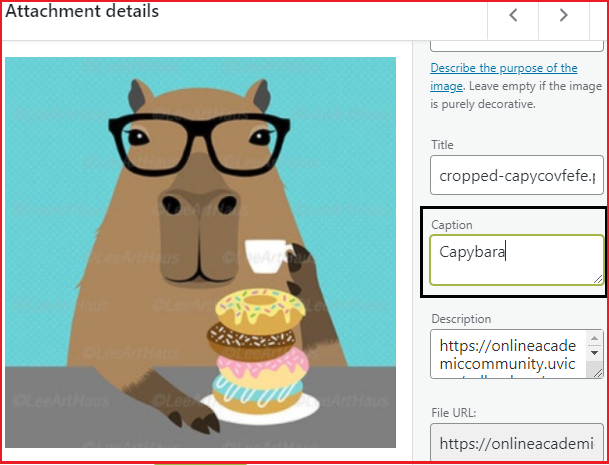
                 Edit Image

5) Captions for Images! Once I discovered how to put a Caption BENEATH each image, I was off to the races! Adds a nice little touch to each image. AND you can also make it a clickable link to open in a new Tab to a site or even a larger image. It is basically anchored text to the image!

Adding the Caption can be done when you add a new image to the library or on the fly, by clicking on the inserted image, then on the Edit icon and then update the Caption field. It is THAT easy! I do NOT want to go back and edit EACH image, to include a Caption. So when I place one, and it does NOT have a caption, I update it .. and it is there for all the subsequent uses. It does not update older placed images, as far as I know.

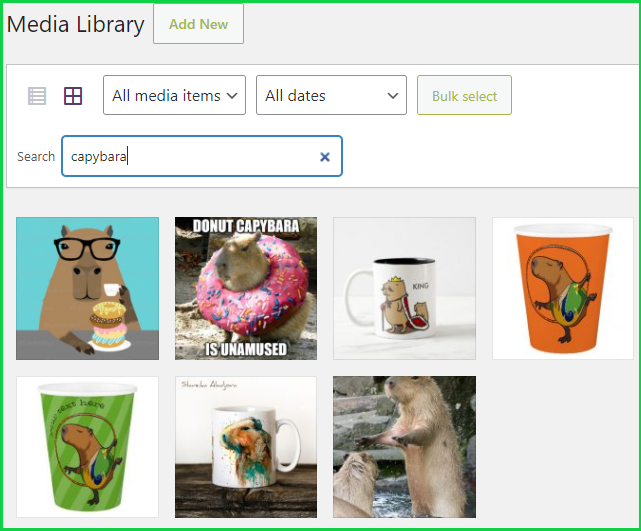
     Search my Media Library for ‘Capybara

4) Search your Media Library! I have … many … images in my Media Library! I should have been including Captions, ALT-Text and Descriptions initially but … did not know! About as simple a search as possible! Will find your criteria in any of the categories associated with your images (Alternative Text, Title, Caption, Description etc.) and even including the file name if you edit it BEFORE adding it to your Media Library. The image above is when I searched my own library for ‘Capybara‘.

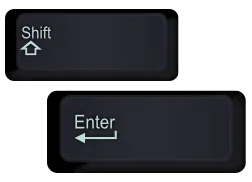
SHIFT RETURN or ENTER
     shift-return (enter)

3) SINGLE SPACING! This is simple. Sometimes you want to separate a paragraph, image, text by a single line, not the default double when you hit Enter. Just hit SHIFT-ENTER (or RETURN) and … single space. Works especially well for formatting … poetry!

Paragraphs
           Paragraphs

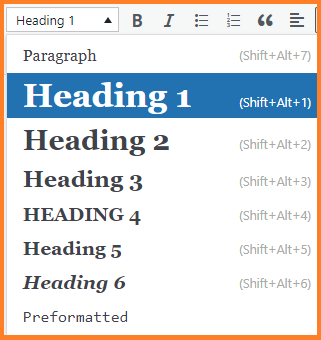
2) Paragraph/Section Titles! You can use Paragraph and Headings throughout your Post! I use them for titles to YouTube videos and seemingly … out of the blue too!

THIS IS AN OUT OF THE BLUE
“HEADING 1”!

          Take chances! Make mistakes!

1) JUST CREATE! TRY SOMETHING NEW! This will probably ALWAYS be my #1 Hint and Tip! I tried creating a Table a few posts ago and it was slightly tricky, but now .. it is my new favourite OAC WP TOY! Go find some other OAC posts and just …. Surf OAC for ideas!

The links below are the same ones from my previous post on OAC WP Hints and Tips. Newer ones are below and are
                                🔥 HOT OFF THE PRESS WINNERS 🔥

OAC Online Academic Community
                     OAC Online Academic Community
  1. OAC – Get Started – What is the OAC? (and more!) 
  2. OAC – Get Started: -How to Create a Site (and more!)
  3. OAC Tutorials – The Dashboard (and more!)
  4. OAC Tutorials – Posts (and more!)
  5. OAC Tutorials – Pages (and more!)
  6. OAC Tutorials – Media Library (and more!) 
  7. OAC Community Members – FIND UVIC BLOGS!

                              🔥HOT OFF THE PRESS WINNERS🔥
(Note:
Not all Hints at these sites will work/are permitted with OAC)

  1. Learning Management System: Online Academic Community (OAC) 🔥
  2. 55+ Most Wanted WordPress Tips, Tricks, and Hacks
  3. 101 WordPress Tips, Tricks and Hacks Every Serious Blogger Must Know
  4. 7 Essential Tips for WordPress Beginners
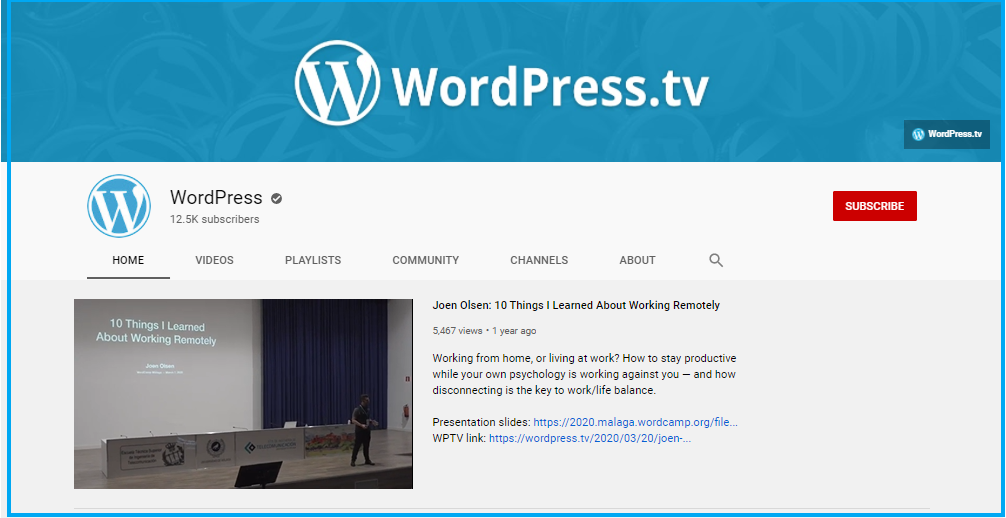
WordPress YouTube Channel
                                         Official WordPress YouTube Channel

BE SAFE EVERYONE!

Pandemic


SSShhhh . . . Clearihue’s Hidden Secrets . . . & GEMS

 . . . . SSShhh . . .
. . . or . . .
Clearihue’s Hidden Secrets
. . . or . . .
CLEARIHUE’S HIDDEN GEMS!!!! 

Clearihue has … SECRETS? Well, maybe not … secrets …. exactly! More like HIDDEN GEMS that many students might not know about! So I will list a few of what I consider to be Clearihue’s Hidden Gems! And … Spoiler Alertthe VERY BEST ONE IS AT THE END! [Double Spoiler – shameless product placement on my part!]

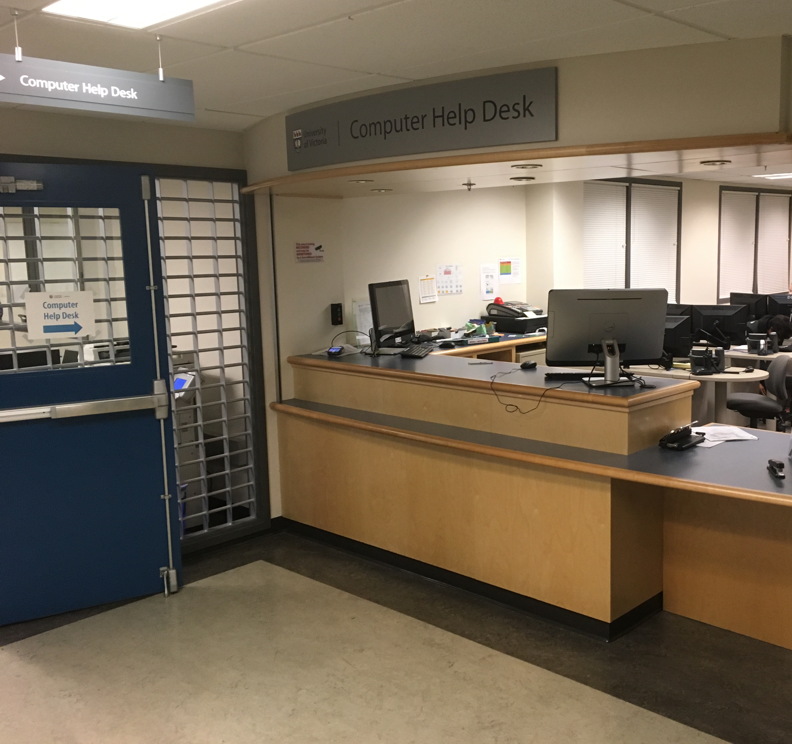
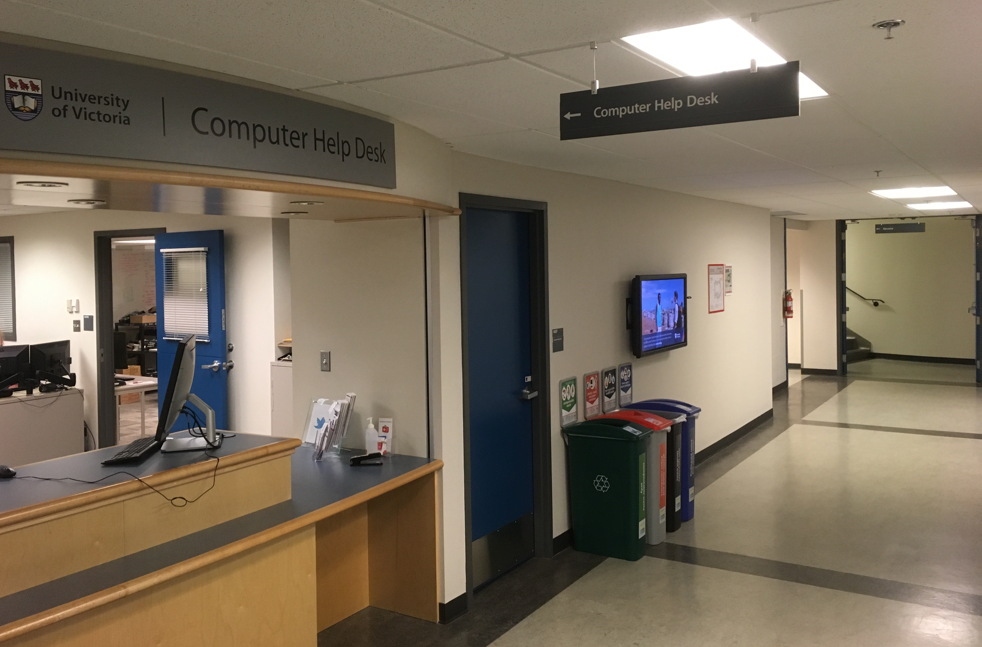
The Computer Help Desk! What, how can CHD be a Hidden Gem? Well, why not ask someone … how to get there! We are located in the A-Wing of the BASEMENT of Clearihue! Simple enough, but only 2 stairwells with twists and turns, or ONLY ONE elevator with MORE twists and turns … will get you to the front counter of The Computer Help Desk

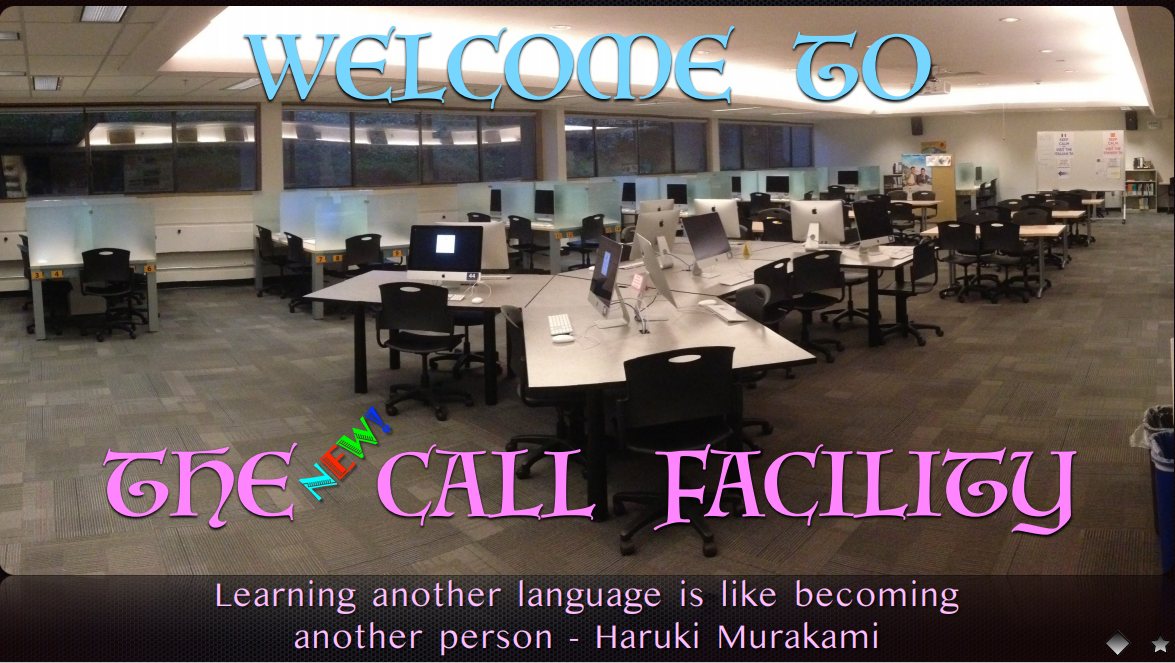
And did you also know there are TWO MORE satellite CHD locations in Clearihue? At the entrance to all the Computing Classrooms in A-wing, first floor and …. in The CALL Facility too! I’ll bet you didn’t know that!

Computing Classrooms! The actual computing classrooms, 1st Floor of A-Wing … AND in the Lower Floor of A-Wing too!. Many students do not know that there are 4 classrooms (3 WIN / 1 MAC) and a Multi-Media (WIN & MAC) alcove for drop-in use upstairs! AND that there are 3 MORE classrooms and Multimedia computers in the basement! Rooms ARE booked for scheduled classroom use, but are fully drop-in outside of those posted times. And when Covid is over, hopefully we can go back to just dropping into the computer labs!

And during Covid, you can BOOK A WORKSTATION in CLE A102 (WIN), A103 (MAC) and A108 (WIN)

During Covid, all other rooms in all other buildings are unavailable. We strictly adhere to UVIC Covid guidelines in ALL our Computing Facilities and The Computer Help Desk in Clearihue.

Clearihue A102
Clearihue A102
Clearihue A030
Clearihue A030 (Click photo  for more pictures)

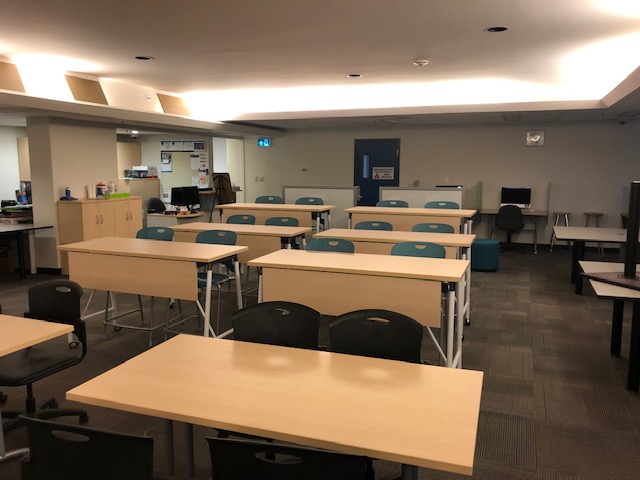
And if you have not been to our newest upgrade classroom in Clearihue A030 in the basement of Clearihue, just down the hallway from The Computer Help Desk CLEA037. It is a really SPIFF CLASSROOM!

BEC Bookable Rooms
BEC Bookable Rooms

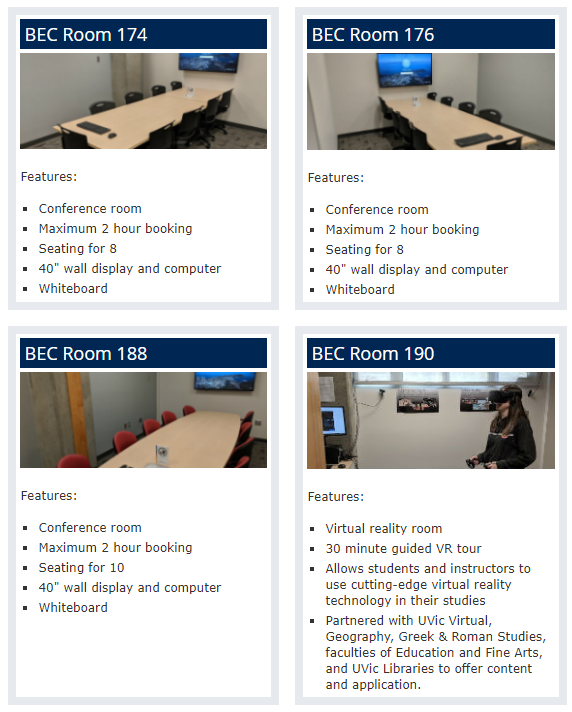
And it gets even BETTER! Ever want to book a room for a study session  or a group project and nothing is available at the Library? Well, check out BEC and their Rooms that you can book! AND THAT INCLUDES A ROOM DEDICATED TO VR TECHNOLOGY! Okay,  so technically, not in Clearihue, but let’s call it a HIDDEN HIDDEN GEM, eh! Bet you  didn’t know THAT!

And there are a few other locations in Clearihue that might warrant a bit of a scavenger hunt on your part ……

Clearihue Corner (CLE B001b)
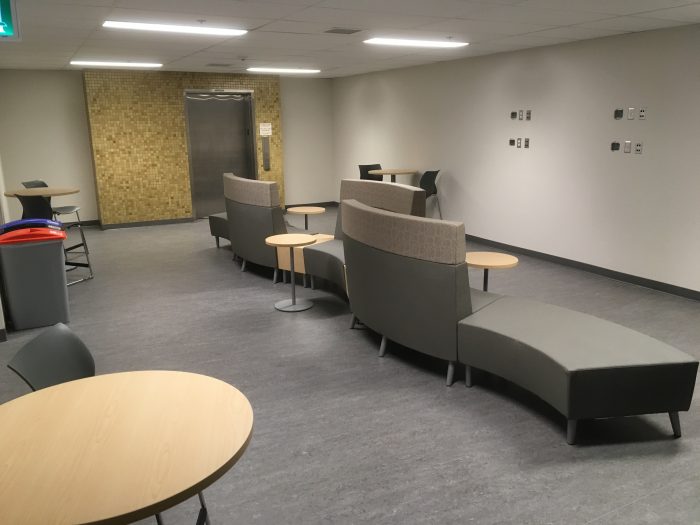
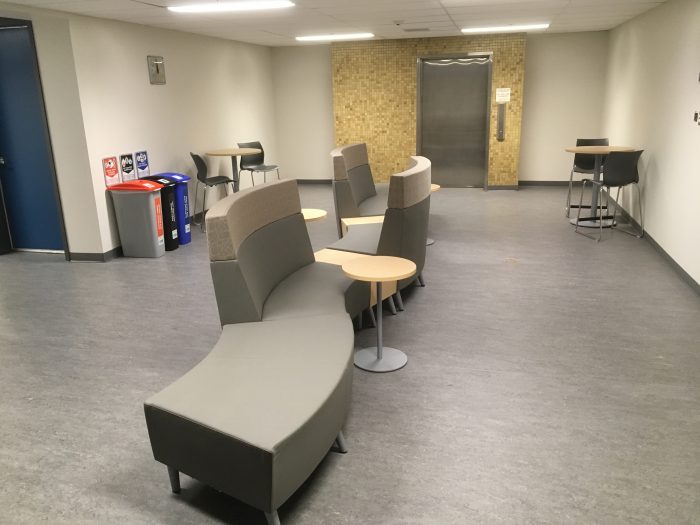
And this is a highly guarded,  super secret, need to know basis location ….. NOT! But it is just as hard to get to as The Computer Help Desk! Either from the pictured elevator in B-Wing, or the stairwells at the groundlevel corners of B-Wing. Spacious,  quiet, comfy sofas and plugins too! There are even recycle bins to put your organics, plastics, refuse and paper! BE GREEN! There are classrooms, office space and meeting rooms, so just remember to be quiet and polite in this section of Clearihue please.

CLE B001b
CLE B001b
CLE B001b
CLE B001b

Clearihue Inner Courtyard

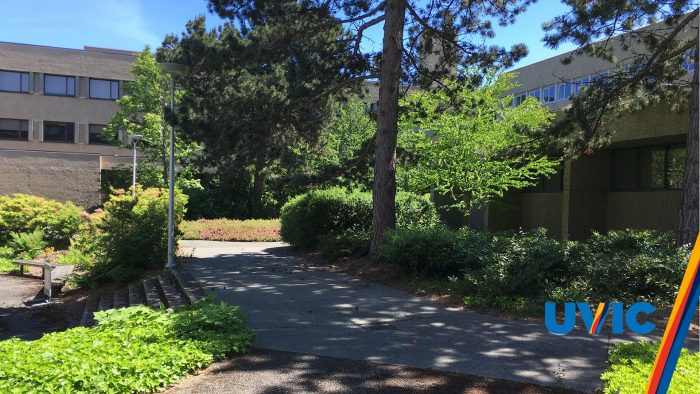
What a great hidden gem .. hidden in plain site! Quiet, accessible from literally every corner, with sun and shade for all! Even some steps to sit on for a group lunch! Hidden in plain site! the photo below is actually available as a Virtual Background for Zoom! Oh, and … remember …  no smoking anywhere inside Ring Road! 

Clearihue Courtyard
Clearihue Courtyard

 The CALL Facility

BogBlog Pages
BogBlog Pages

And, I saved the BEST for the last! And no apologies for .. WORKING IN THE CALL FACILITY! Shameless promotion! CALL has been around since the Fall of 1989 … and so have I! I have given countless demos, orientations, workshops, projects and assistance to countless students, staff, faculty and guests. And I am amazed each year how many people DO NOT KNOW WE EXIST! I have done many CALL OAC posts and I have a PAGE that is always available no matter what Post you are reading, listing all the Pages too. It is only current to January of 2020 … because … well … Covid. As soon as we are back, I will update absolutely EVERYTHING!

The CALL Facility CLE A025

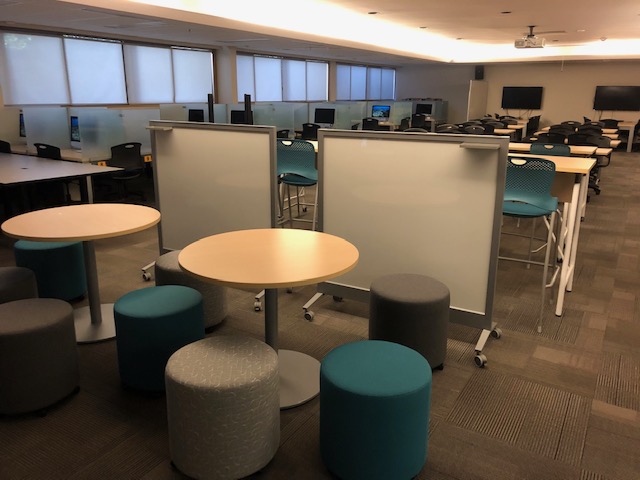
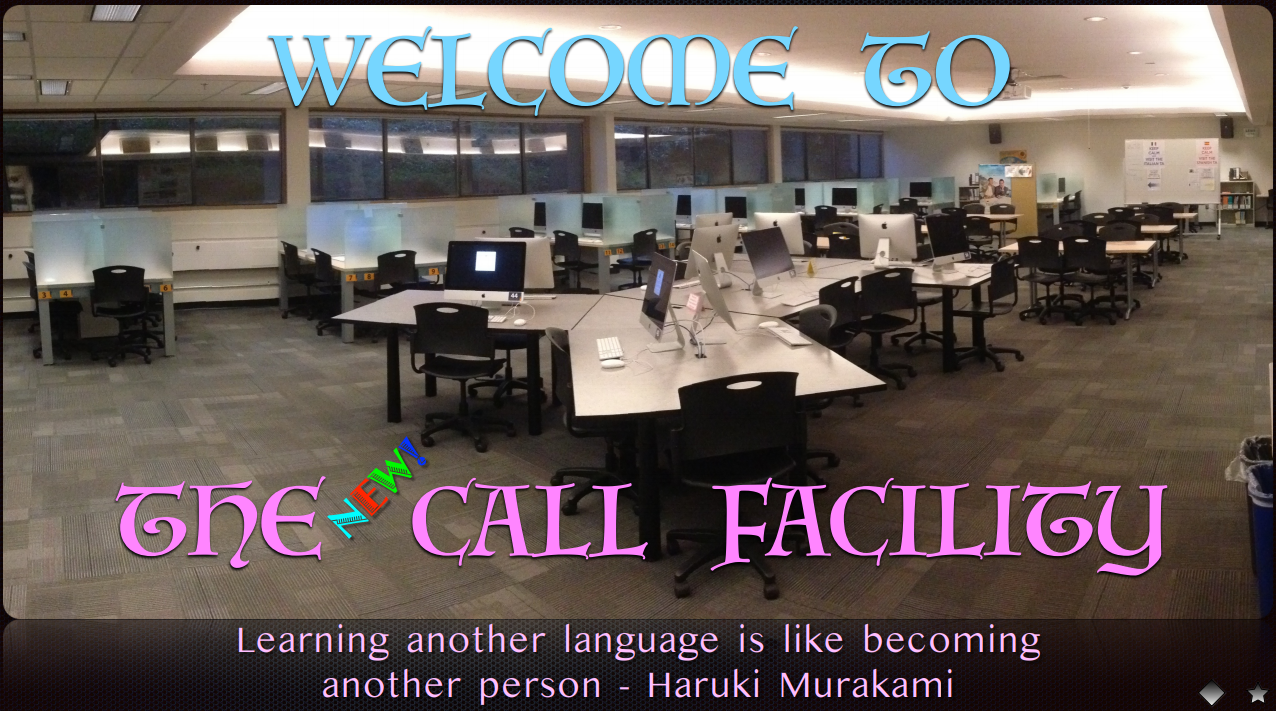
What is VERY exciting is that just after everyone started to work from home .. NEW FURNITURE ARRIVED IN THE CALL FACILITY! I wrote a post about it here and a few of the photos are below! Click here to see all the new furniture!

New CALL Furniture
New CALL Furniture
New CALL Furniture
New CALL Furniture

And could it get BETTER? YES, OF COURSE!

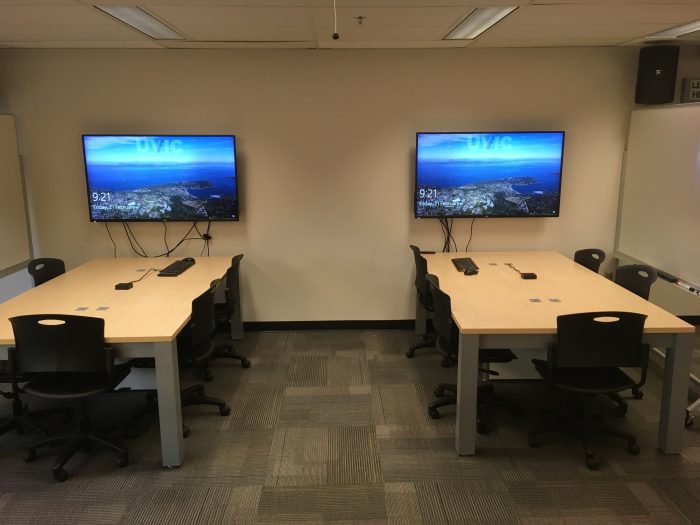
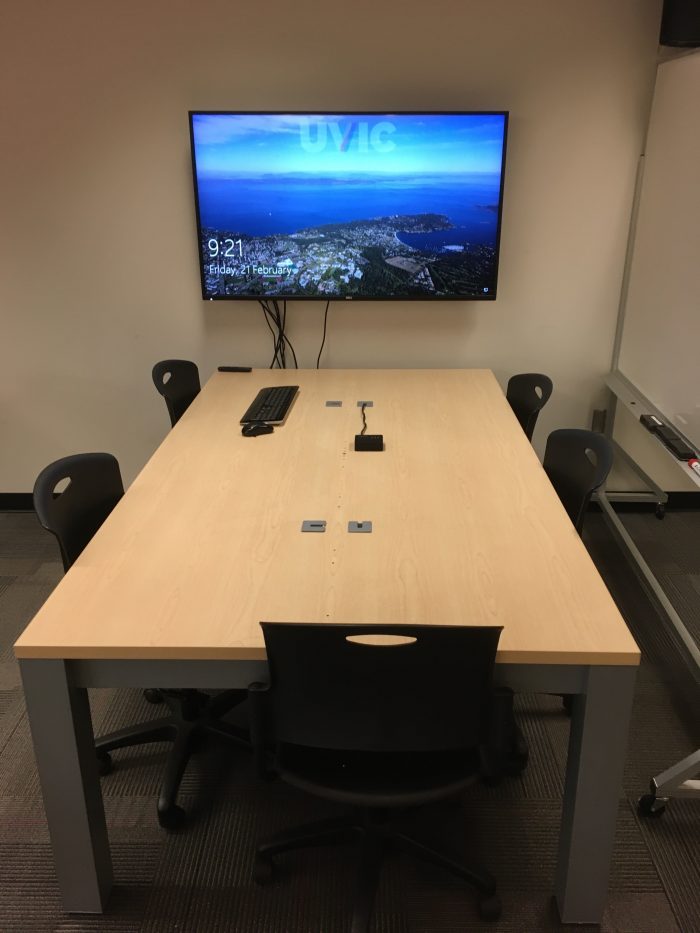
At the back of CALL are 2 new large screen monitors and desk space for 6 people at each one! Want to preview your group project in PowerPoint? Want to watch a movie for class? Want to see your Word document SUPER SIZED? Then use this area!

CALL Facility Large Screens

And CALL has USB headsets, optical media, Dual-Boot computers, study space and … The Computer Help Desk BUILT IN TOO! The CALL Facility is the LARGEST COMPUTING CLASSROOM ON CAMPUS!! And yeah, I have been working there since 1989 and it is SO MUCH FUN! Great learning environment and best of all … GREAT UVic STUDENTS AND FANTASTIC COLLEAGUES AT THE HELP DESK!

True story – a student wandered into CALL one day, asking if she could find a computer to charge her iPhone. I said sure, she could use one of the iMacs for either WIN or MAC or just to charge! She asked what ‘this place‘ was. I then asked her what her degree/major was. She replied ‘Linguistics and Italian’. I told her that CALL was HER lab to use, not only for her courses, but at any time she wanted!

And then she said that she was ABOUT TO GRADUATE AND HER PROFS HAD NEVER TOLD HER ABOUT THE CALL FACILITY!

That definitely qualifes The CALL Facility as a Hidden Gem!

I  hope you investigate and look for all these Hidden Gems in Clearihue!

  1. The Computer Help Desk – 3 locations in Clearihue
  2. Computing Classrooms – Upstairs and Down
  3. Clearihue Corner – So quiet
  4. Inner Courtyard – Hiding in Plain Sight
  5. The CALL Facility – You can check out, but you can never leave

BE SAFE EVERYONE!

Pandemic


OAC WordPress Tutorials . . . UPDATED

OA WordPress  Tutorials
ARE  BUILT  IN  FOR  YOU!

  🔥   UPDATED POST!   🔥

(Original  Post is here)

So, you are about to create a strange new thing – A BLOG! But not just ANY blog – your very own Online Academic Community OAC UVic FREE  BLOG!

If you have UVic Netlink ID credentials … then you can have a WordPress blog hosted by UVic! It is that simple … mostly! It really IS that simple!

And this will be a very short post … just to get started on what to simply WATCH FIRST before you do anything, other than … create your blog name first. And you CAN create multiple blogs too, one to test and one to actually post on. Totally up to you!

So, if you are THIS far, then you have already created a blog name for yourself. If not, then go to Online Academic Community OAC and create one for yourself with your credentials.

The WordPress Tutorials, as originally posted and directly from your Dashboard, do not seem to be available right now. BUT there are new videos at Tutorials: The Dashboard, as shown below! The link is also here, and you can also click on the image below to go directly there. The categories below are all clickable too!

That is it! You are basically reading the recipe book, before picking out what dish to make first! And as you go through, in any order, go back to a previous one as it might just be a ‘light bulb’ moment of connecting various tutorials, techniques, features and ideas!

Post photos, quotes, YouTube links, UVic sites, recipes, essays, thoughts, poetry, art, jokes, and anything you want to share! Release your inner artist! See what happens!

I still go here and will continue to check out the tutorials to discover new things to try! All you need to get going is all waiting inside OAC for you!

ENJOY!

Pandemic

Happy Holidays and . . . Goodbye 2020 … Hello 2021 !!!

Goodbye 2020 . . . . 
. . . and even BETTER . . .
HELLO 2021 !!!!!!!!!!!!!

After today (18th) I am on holidays until January 4th, 2021! YAY! And they can’t come soon enough! This  has been a very challenging year ….. to say the least. And I think we can all agree on one thing ………………

2020 – DON’T EVER COME BACK AGAIN!
AND I MEAN EVER!!!!

I am SO grateful to be working with such amazing, talented and imaginative colleagues at The Computer Help Desk! They are more than friends, and they all feel like family to me, especially during this year! They have made it fun to ‘come to work’ each and every day … at the West End of my Dining Room Table! I am pretty sure I would have been fired from any other job … for all my jokes and puns!

The Computer Help Desk  is my ‘Team OF Teams‘ for 2020!!!

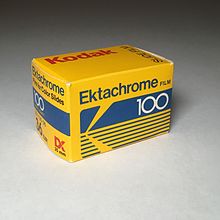
I will be back in 2021 with more Posts and Pages! I am even thinking of creating one just for my photography! Just photos I have taken over the years and share them. I must admit that my preferred photograpic media has always been … SLIDE PHOTOGRAPHY! Good old Kodachrome! And to be even more specific, Ektachrome! Visions of Paul Simon and my summers of ’77-78 working at the Banff Camera Shop! Except, I had a Canon A-1 camera!

But digital photography is amazing – darn cheap too! I like to think of my iPhone, not as a phone that has a camera … but as a camera that has a phone!

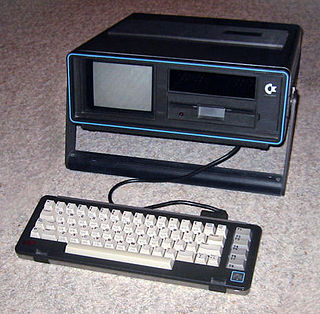
And of course, all kinds of computer hints, tips, stories and just miscellaneous ramblings of someone who is still amazed that his vintage  Commodore SX-64 ……is still working! It was the first computer I bought!

SX-64
                                           SX-64

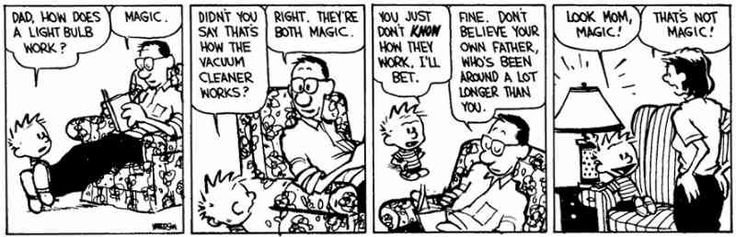
And technology is still … MAGICAL … to me!

Everyone have a safe and healthy holiday season!

The best is yet to come in 2021!

BE SAFE EVERYONE!
See you all in 2021!!
!

Pandemic


OAC WordPress Tips . . . at least . . . for ME

OAC WordPress Tips . . . . 
. . . or . . .
How to Avoid <html>
. . . and . . .
TAG! You’re . . . IT !

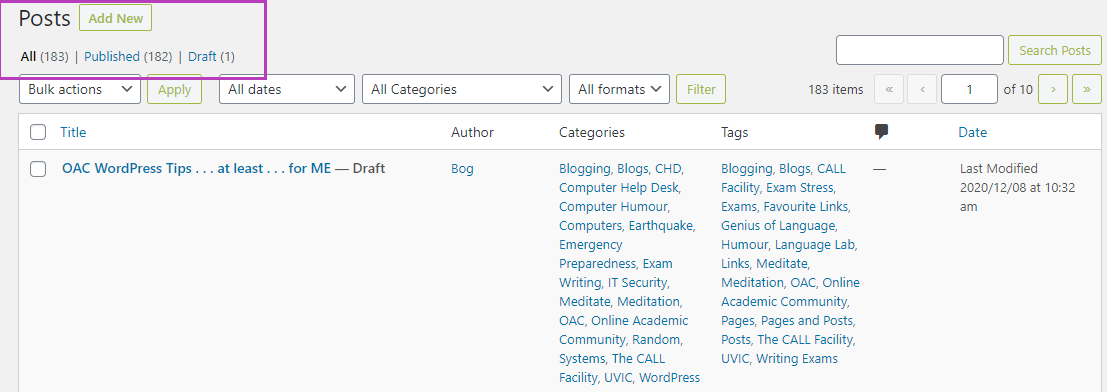
I had been doing a daily OAC post here since everyone started working from home, late last March. I paused daily posts, after my August holidays as I knew the Fall session would be crazy busy … and it has been.  But I was surprised when I looked at my Posts ‘roster’ and …. 182 posts? And this one would make 183? They sure do add up! And that doesn’t include Pages, but only 4 there, so far.

So, along the way, I have figured out a few very basic shortcuts that help me actually concentrate on the content, not the tools, buttons or menus that are literally .. EVERYWHERE .. on our OAC Dashboard! So I thought I would list my Top 5(-ish) OAC WordPress tips and/or hints … as a start! I might even turn them into a Page as well! 

FIRST, create your blog!
OAC is free for the UVic community! Create a new site by going directly to The Online Academic Community (Instructions here too!)and clicking on “Create a Site”. You will be asked for your NetLink credentials and then you will be given a form to create your own blog! You can have MANY blogs – practice ones, photos, documents, diaries, public, private, shared, collaborative, etc. Just blog responsibly! 

Your first post could be just that … a message that it is your first post! For many details of creating your first post, I highly, HIGHLY recommend viewing all the training videos that are available within your Dashboard!

Now, you have your own blog, have watched the videos – they are short and easy to undertand …. now some hints!

Keep  it Simple … especially your First Post … and … SAVE OFTEN!
That is my first and probably most important hint – SAVE OFTEN!!!!!

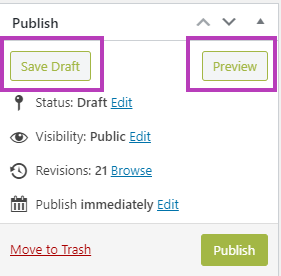
Just make your first post … your first post! You can say who you are, what you hope to accomplish and keep it simple, straightforward and just text! Use the ‘Preview‘ button to see what it looks like, use the ‘Save Draft‘ button to save every so often (first and best hint EVER!) and then click ‘Publish‘ and .. you just made your first Post! You can email a colleague or UVic community member and they can now see your first Post!

Here are a few more basic and simple hints, with just a brief explanation why … and I can see you nodding your head too! 

Use ‘CTRL Z’ to undo anything you … just did! It works for quite a few potential ‘Undos’, so if you go TOO far, just use ‘SHIFT CTRL Z‘ to .. yes, Undo your Undos…. but the one  caveat is ….. if you SAVE, then you can’t go back and do any Undo’s. But if you Save enough times, there are earler versions called ‘Revisions‘ which appear at the VERY bottom of each Dashboard Post you are working on. And not good with the keyboard? It is part of the menu above each Post – hilited with a purple box below.
Create a new Post … but only as a notepad for ideas! Yes, your SECOND Post will never, ever be published! I use this as my Ideas Post and constantly add thoughts, ideas, websites, notes or anything that I might use LATER, and it just stays as an unpublshed Post! What could be better than all your ideas and potential future Posts, waiting there for you in your OAC blog! Do it! And I do the same in a draft Pages document too. Earlier I ‘posted’ about the differences between Pages and Posts … here! (Shameless self promotion!)

Spacing between paragraphs. That drove me nuts at the beginning! Then, much like Word, there is a secret ‘handshake’ … which really isn’t so secret. I stick with the default spacing for each paragraph. Then I hit ‘Enter’ and it will automatically insert a DOUBLE SPACE between paragraphs. Sometimes, you don’t want that. So … just use ‘SHIFT ENTER’ and you get spacing tight between paragraphs! You are thinking .. why would I want this? Well, you will know when … at least for me, once you start inserting images, or perhaps wanting to space short, one line paragraphs (say poetry) in close proximity to one another. Try it … you will like it! Very handy!

Preview before Posting …. but always a safe route out … or back! Always a good idea to Preview your post ahead of time. Just click ‘Preview’ and a new tab will open with a … preview of your Post! Nothing written in stone, and what I do is read down my own Post, and as I see a mistake or something that needs editing, I close THAT tab, I immediately return to my Post to fix it and then Preview again! Only takes a few seconds to Preview, find the mistake, close the Preview, and fix it. Then Preview again until done! It will be frustrating to notice quite a few mistakes, mostly cosmetic or typos most likely, but FORGET one of them if you just Preview your Post once. 

Best Closing Hint is THE most dangerous one …. GO AHEAD AND MAKE MISTAKES! You can edit, add, revise, remove, modify, enhance, return to Draft,  and even make Private, any of your Posts and Pages! If you aren’t making mistakes … you aren’t learning … or at least, you aren’t Blogging! This ain’t rocket science … unless of course, your Blog is about …. Rocket Science!

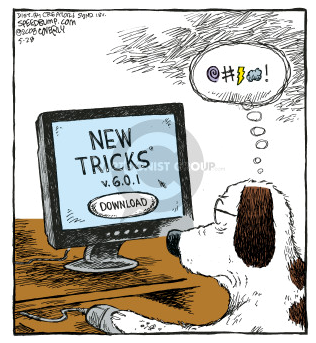
And, you CAN teach an old dog new tricks … I was always unhappy with my scribbly pen drawing feature. Today, figured out how to draw a nice regular shaped hilite box around a part of an image! And that might be a more detailed hint, as it involves screen grabs, editing the screen grab, exporting to .png format, then adding to my Media Library, but saving my blog before inserting the new media image …. yeah…sounds hard, but isn’t! A future hint!

Some FUTURE Favourite OAC WordPress tips and hints and tips

    • Copying a Post
    • Your Media library
    • Inserting media and resizing them – they never really fit perfectly!!
    • Best WP sites for hints and help (UVic is AWESOME!)
    • YouTube video(s) in your Blog (Releasse … The Kraken!)
    • Screen grabs and modifying them before adding to your Media Library

And the links below area ALL here at UVic! They will be your absolutely BEST resource of ALL for OAC! Have fun! And I would describe them all as …
🔥 HOT OFF THE PRESS WINNERS 🔥

  1. OAC – Get Started – What is the OAC? (and more!) 
  2. OAC – Get Started: -How to Create a Site (and more!)
  3. OAC Tutorials – The Dashboard (and more!)
  4. OAC Tutorials – Posts (and more!)
  5. OAC Tutorials – Pages (and more!)
  6. OAC Tutorials – Media Library (and more!) 
  7. OAC Community Members – FIND UVIC BLOGS!

And just to be different, a TED Talk about .. early Blogging! Mena Trott is hilarious and there are many entertaining and close to home (for me!) events that made her an early blogger! Enjoy, I certainly did!

BE SAFE EVERYONE!

Pandemic


Throwback Thursday . . . Language Quotes!

Throwback Thursday
. . . or . . .
Language Quotes!
(and a bit of nostalgia!)

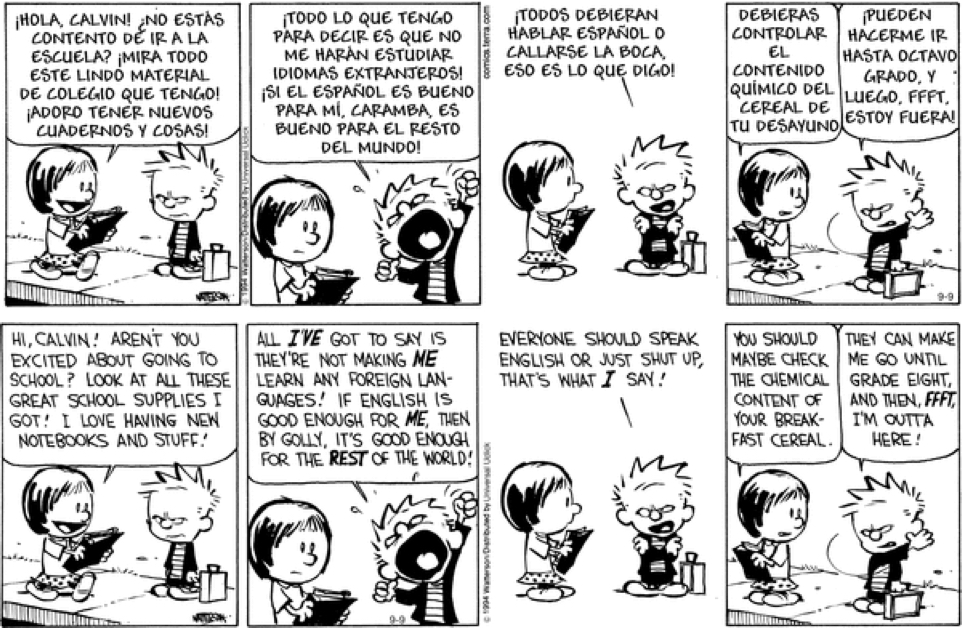
Learning another language is like becoming another person. One of my favourite quotes, ever!

Haruki Murakami
Haruki Murakami

You can take the boy out of The CALL Facility, but you can’t take The CALL Facility out of the boy!

I have been around for a few days … since October of 1989! Whoa, that seems like yesterday to me! A future post will have some slightly grainy images of what CALL once looked like  … well before numerous renovations (scheduled and unscheduled!) and before The Great Flood of 2015! That was some kind of day! There are a few images in a previous post, which includes a pdf of exactly what CALL is!

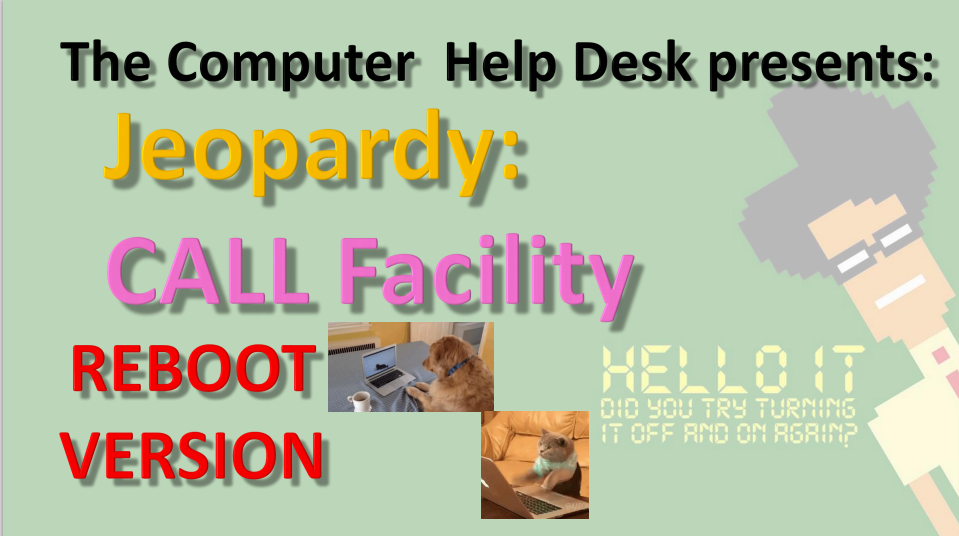
CALL Jeopardy: REBOOT VERSION

And the most recent version of my CALL Jeopardy file is here. ALL of the files are there too, including old photos of CALL, the Great Flood and the rebooted CALL!

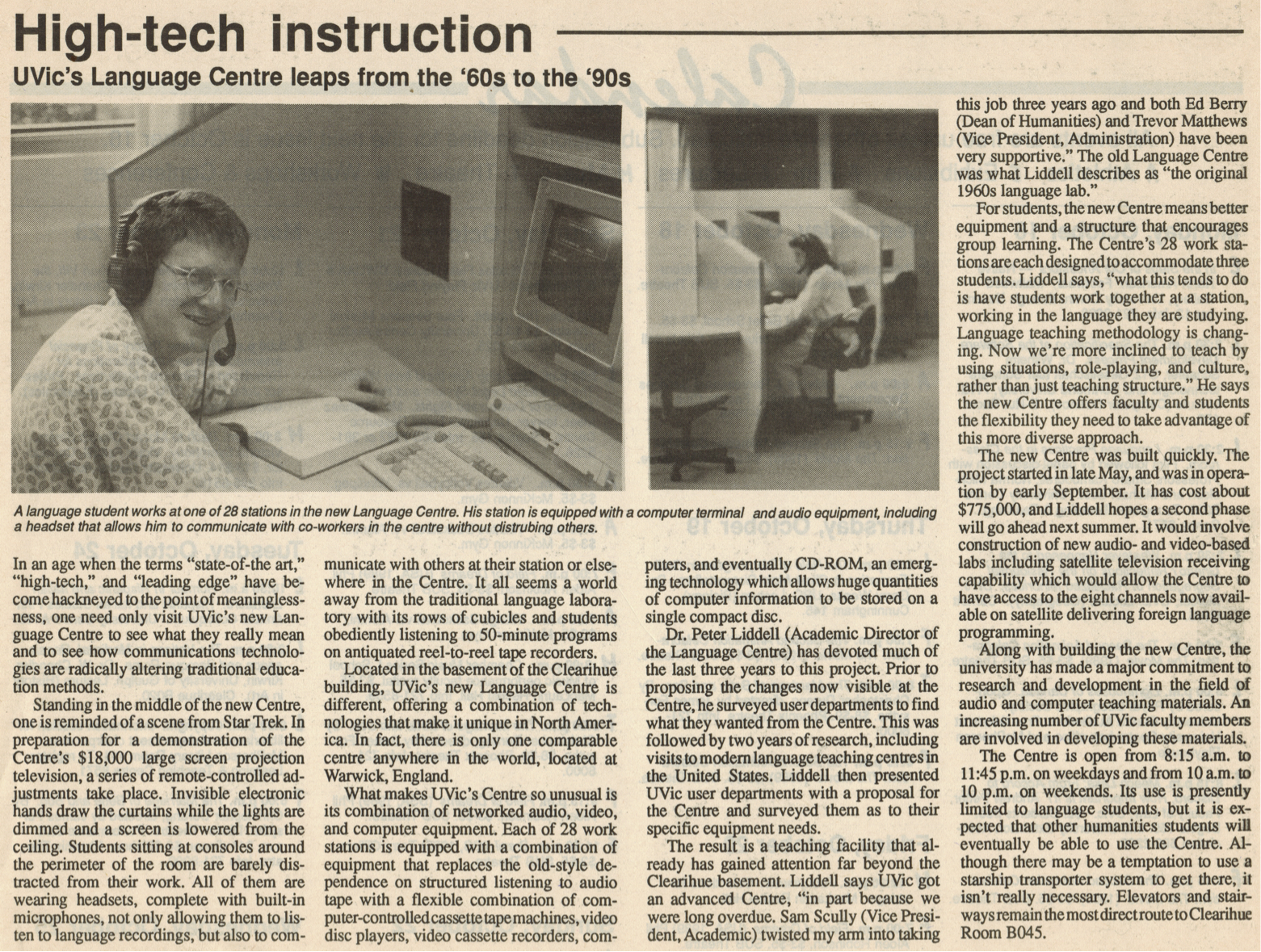
 ‘State of the Art’ in 1989!

An earlier post mentioned the 30th Anniversary of The CALL Facility! Technology certainly has changed!

And changes are still coming! Just AFTER we started working remotely from home, NEW FURNITURE ARRIVED FOR THE CALL FACILITY!

I was VERY BRIEFLY back at CHD earlier this month, to upgrade my remote laptop, and went in to look at the new furniture … AND IT LOOKS FANTASTIC! I sure hope we can get back to using our facilities, classrooms and ALL OF UVic soon, but in a safe, VERY SAFE manner!

A fairly busy day today, so some quick quotes about learning languages. I also include quotes in each slide when I give my CALL Facility orientation, so you can click HERE to see those too! They are current to January 2020!

Mostly, these are new, but there are a few favourites in here too!

And some Albert Einstein quotes too! After all … on the Quantum Level … everyone speaks the same language … and other magical things like that! Yeah, too many Marvel movies clunking around my head! But that is a GOOD THING!

All the usual  Daily Links and YouTube videos are after the language quotes below!

Enjoy!

  1. Language Learning Quotes – GoodReads
  2. 50 of the Best Quotes to Learn a Foreign Language
  3. 25+ Inspirational Quotes About Language
  4. The 5 Best Inspirational Language Quotes
  5. 10 Inspirational Quotes for Language Learners
  6. Light Up Your Brain with 10 Quotes About Language Learning
  7. Inspirational Quotes for Language Learners
  8. 42 Awesome Inspirational Quotes for Language Learners
  9. Language Learning Quotes

As long as I have words at my disposal … … and Google, there will be
Throwback Thursdays!


ENJOY!

TTFN!

 

Top 20 Quotes
About Language

Inspirational Quotes About Learning
A New Second Language

Quotes About
Learning Languages

Learning Quotes About
Learning a Second Language

Language Learning Quotes

Inspirational Quotes
for English Learners

Language Quote #9

The Best Quotes From
Albert Einstein

Top 20 Amazing Quotes on Patience
From Famous People


Pandemic


Where Are My Keys . . . or . . . Forgotten Computers and Software

Where Are My Keys
. . . or . . .
Forgotten Computers and Software

Where are my car keys? I can just ping them, right? Ah, if Life were that easy. Wait a minute, some car keys DO have bluetooth and only need to be close to the car to open and start it! Remember when car keys were actually … KEYS! LOL!

Full  Disclosure – I still have car keys that look, act and FEEL like car keys! Most now have bluetooth and all you have to do is be NEAR the door, NEAR the car and the keys open and start the car! Ah, the good old days of fiddling with multiple keys … good times, good times.

So how many computers have YOU worked on and have … forgotten about! I had a post awhile ago about just that topic, ‘Open the Pod Bay Doors, HAL“.

Whether you bought them or used them at school or work, there are probably a dozen or more … Forgotten Computers and Software over the years. Me? Maybe a couple of dozen computers and many, many more software programs or applications!

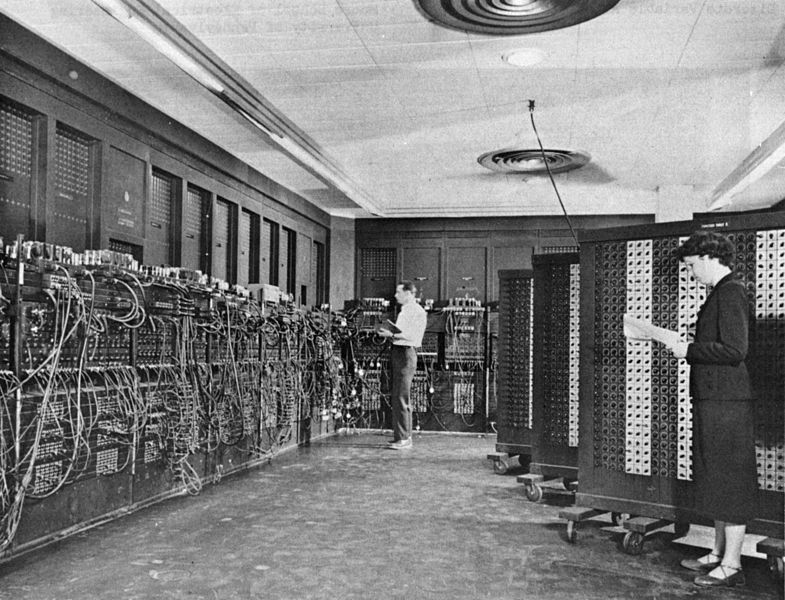
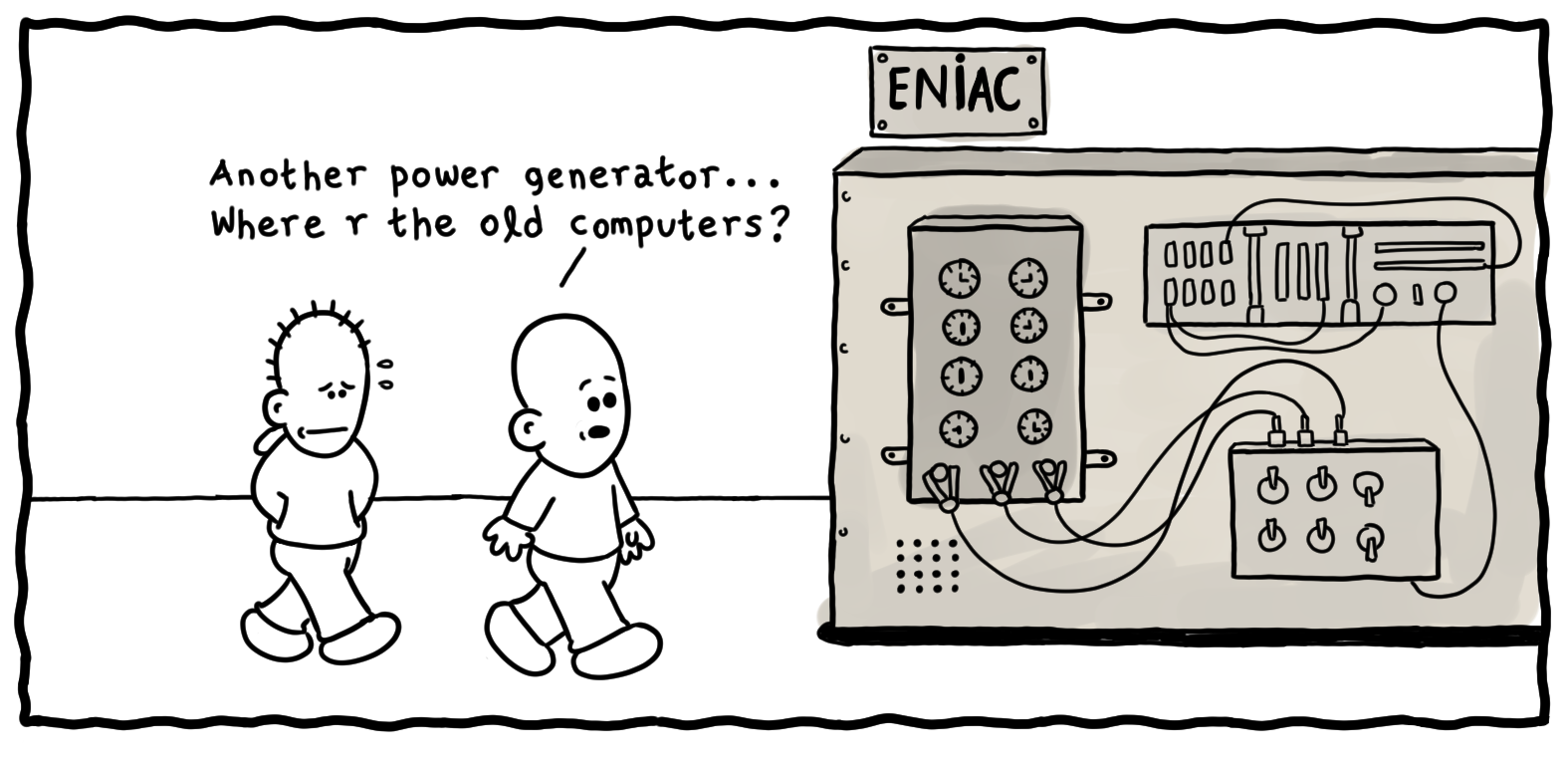
ENIAC
ENIAC

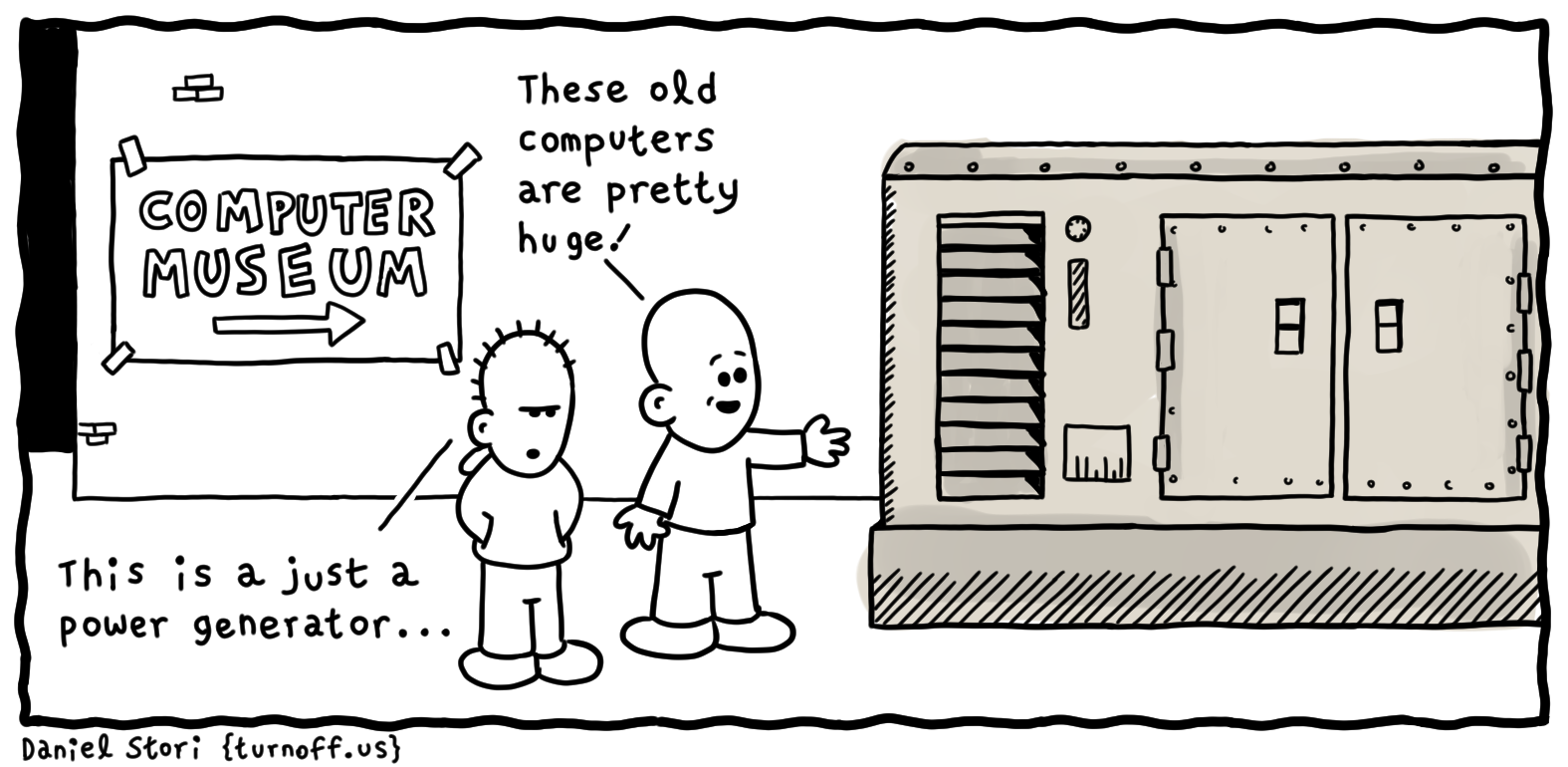
Remember when the ENTIRE COMPUTER was one huge modular unit! And the very first computers I worked on at U of Calgary, were either hidden from site and you presented your punched cards (FORTRAN!) and waited for  the output!

Then when I started taking ‘Computers in Education’ courses, I was handed the keys to The Vault! I had access to the ‘teletype’ room where I could code in BASIC and run the output on rolls of newsprint! Good times, good times!

ENIAC
 ENIAC

The first program I worked on was for Probablity with a simulation of pulling coloured balls out of a ‘Greecian Urn’. And it even printed out an ASCII Greecian Urn! Yeah, I have a printout, somewhere in  ‘The Garage’ and will look for it one day! LOL!

I was fortunate enough to be invited to a lecture given by Grace Hopper. And you might rightly say … WHO? Well, she was a TITAN OF COMPUTER SCIENCE! And she gave us all a … NANOSECOND at the  end of her lecture! Wait, what?

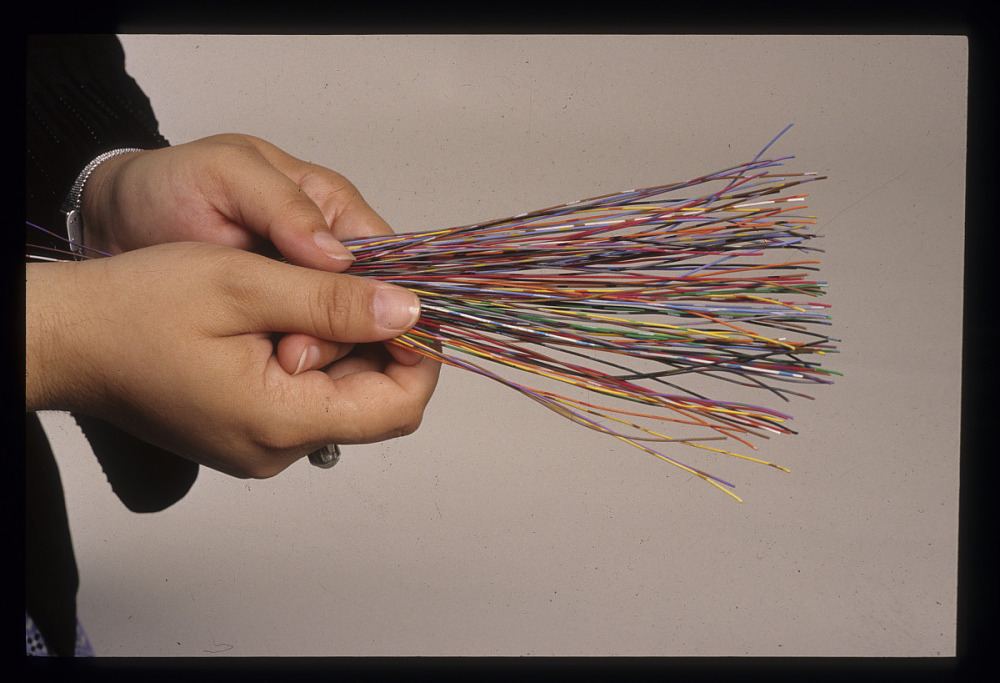
She concluded her lecture (best lecture of all time!) with how  she explained to her Non-Techie Supervisor, how fast light travels and how that impacts any lag or delay with satellite communications! She brought out lengths of ROPE to demonstrate how far light travels in a second and working her way down to a NANOSECOND or a BILLIONTH OF A SECOND! Turns out, it is about a foot!

Grace Hopper Nanosecond
    Grace Hopper Nanosecond

And she pulled out about 100 small lengths of multi-coloured wire and spread them on the desk for us to take as we walked out. Well, I have never seen such a rush of people to get their ‘Grace Hopper Nanosecond‘! Fortunately I was able to get one for myself! Unfortunately, it has disappeared in my many moves over the years! But what a memory for me!

And I bet I can name a MASSIVE computer related piece of ‘software’ that almost everyone will have forgotten about … Y2K! And if you have NEVER  heard of that term … then you are probably not much older than 20 years old!

Y2K refers to a software ‘glitch’ that did not take into account the calendar year 2000 in most computer code developed between 1980-1999. Basically, EVERYTHING!

Typically, amongst other problems, only 2 digits were used to indicate the calendar year, thus ’89’ and ’99’ were used for ‘1989’ and ‘1999’ in databases, calculations, spreadsheets, banks .. YOU NAME IT! So when the decade ended and we entered the year 2000 … uh-oh! Right back to the year 1900!!!!

I remember staying up, hoisting a glass of champagne and welcoming … ‘The End of the World’!!! But, or more punny, ‘Byte‘ nothing happened! LOL!

So that brings up … Y3K! LOL! I sure hope I am still around to toast 3000!

Grace Hopper Bug
Grace Hooper Bug

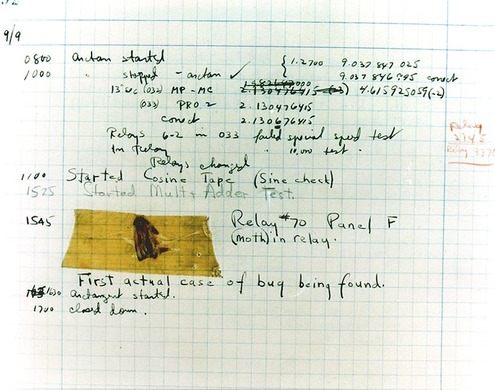
And this post quickly turned to Grace Hopper, didn’t it! I love telling people this story AND most people have never heard of Grace Hopper! AND an even BETTER Grace Hopper story! She is credited with the first EVER case of ‘debugging’ a computer …. LITERALLY!

She  crawled into a computer …  it  was that big! And she found a relay switch, an actual MOVING PART INSIDE A COMPUTER and a moth had become ‘trapped’ beneath the lever! She then proceeded to ….’debug’ the computer and documented it! That document, moth and all, are in the Smithsonian now!

I found SO many articles, images, cartoons and resources while doing my usual bit of research for my post, I have more links below than ever before!

Articles on ENIAC, UNIVAC, Personal Computers, COBOL and most especially, Grace Hopper. Take a trip through time, wax nostalgic, and think back to when a computer took up an entire room, if not an entire building!

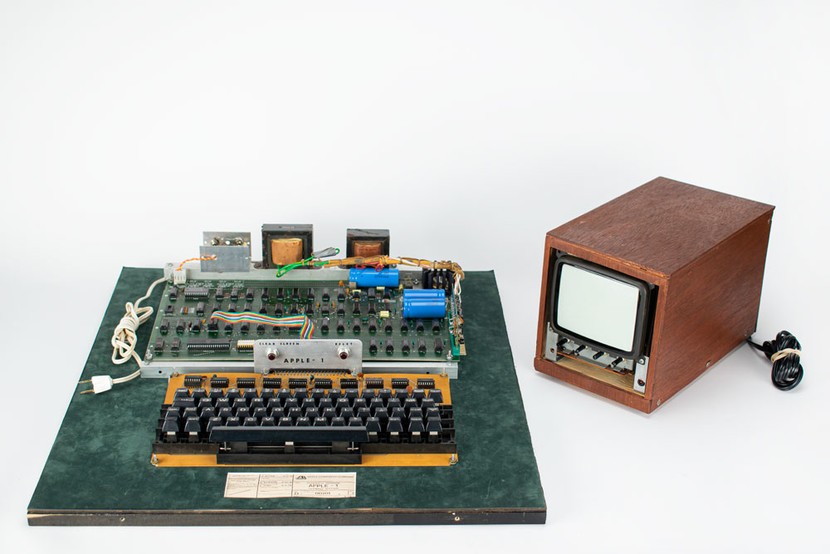
Oh, and if you see an old, really old, Apple Computer at a garage sale … maybe think about buying it! It could turn out to be this one! worth almost HALF A MILLION DOLLARS!

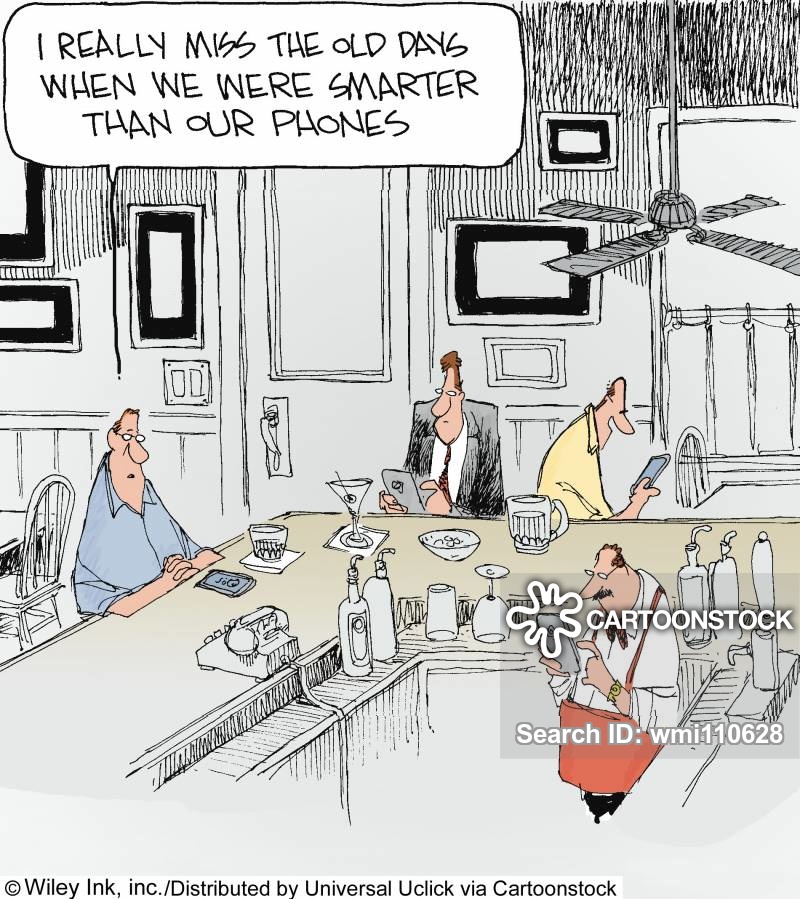
What you hold in your hands now is not just a phone – it is the FUTURE that visionaries like Grace Hopper could only DREAM of would eventually be possible!

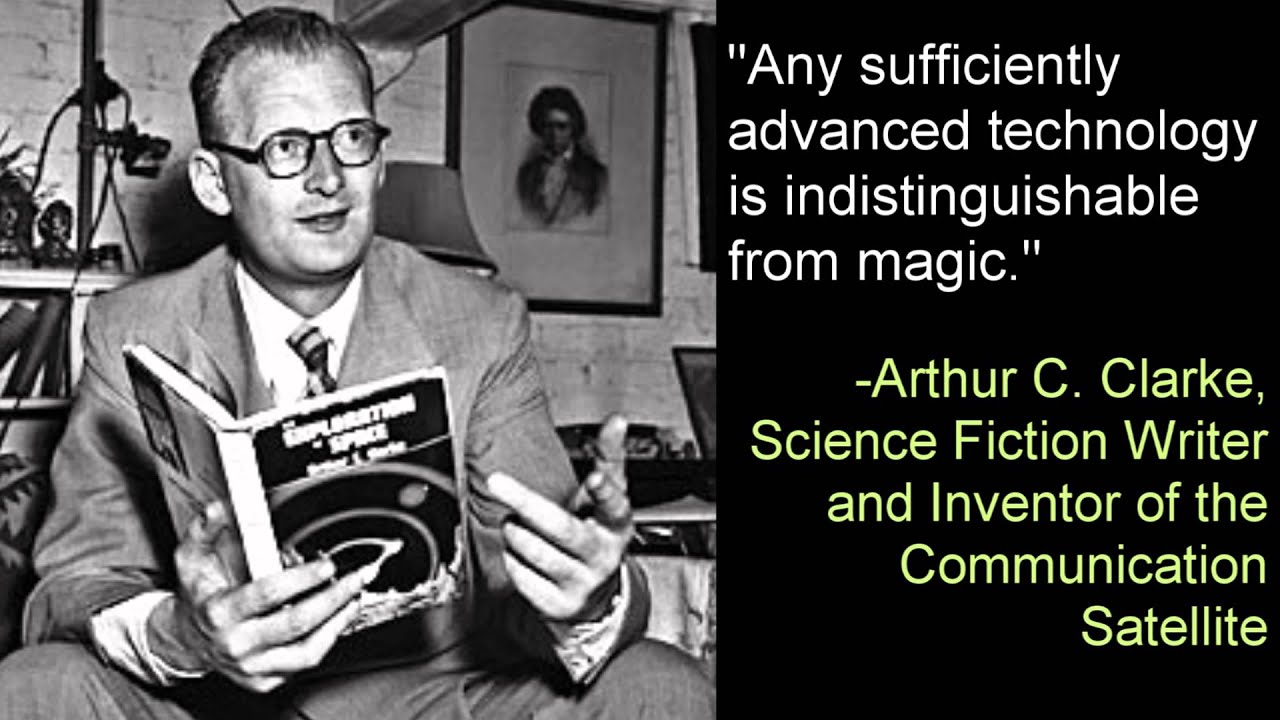
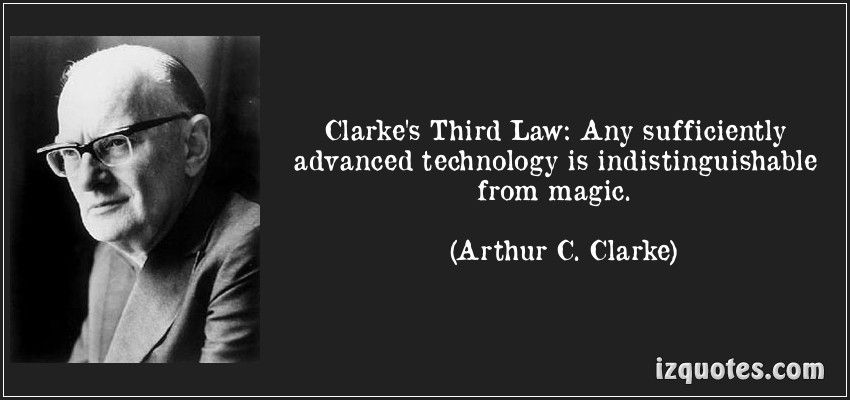
And as Arthur C. Clarke described in ‘Clarke’s Three Laws” at Wikipedia:

    1. When a distinguished but elderly scientist states that something is possible, he is almost certainly right. When he states that something is impossible, he is very probably wrong.
    2. The only way of discovering the limits of the possible is to venture a little way past them into the impossible.
    3. Any sufficiently advanced technology is indistinguishable from magic.
Clarke's 3rd Law
                                                     Clarke’s 3rd Law

We truly live in a Magical Time now!


Enjoy the Magic!

Grace Hopper
         Grace Hopper


  1. Personal Computer – Wikipedia
  2. Grace Hopper – Wikipedia
  3. Five Fast Facts About Technologist Grace Hopper
  4. Grace Murray Hopper (1906-1992): A legacy of innovation and service
  5. Grace Hopper To Programmers: Mind Your Nanoseconds!
  6. Nanoseconds Associated with Grace Hopper
  7. Untold History of AI: Invisible Women Programmed America’s First Electronic Computer
  8. 10 Oldest Computers in The World
  9. 10 Colossal Old Computers That Changed History
  10. Timeline of Computer History
  11. Computer History Museum – YouTube
  12. 11 Mind-Blowing Collectible Computers That Will Make You Nostalgic!
  13. Acorn, Sinclair, Amstrad and Epson: 10 computers that time forgot
  14. Rare Apple Macintosh prototype up for auction
  15. Ultra-rare Apple-1 sells for the price of 8 Mac Pro computers
  16. The Vintage Mac Museum – Rare Items
  17. Computer Collectibles
  18. Andrew Booth and the Forgotten Computers
  19. Forgotten PC history: The true origins of the personal computer
  20. The forgotten software that inspired our modern world
  21. PC Pioneers: The Forgotten World of S-100 Bus Computers
  22. The Lost Civilization of Dial-Up Bulletin Board Systems
  23. Alan Turing’s Forgotten Ideas in Computer Science
  24. 10 Ancient computers that are still in use today
  25. How Forgotten Legacy Systems Could Be Your Downfall
  26. If It Ain’t Broke, Don’t Fix It: Ancient Computers in Use Today
  27. Avoid the Trash Heap: 15 Great Uses for an Old PC
  28. I Wrote This on a 30-Year-Old Computer – And it was awesome!
  29. What Is the Oldest Computer Program Still in Use?
  30. COBOLed together: the oldest legacy systems still in use today
  31. Meet the world’s oldest computer program that’s still in use today
  32. Brush up your COBOL: Why is a 60 year old language suddenly in demand?
  33. 5 ancient software programs we refuse to give up
  34. The 10 oldest, significant open-source programs
  35. Legacy systems: Too old to die?
  36. How Government Agencies Walk the Line with Legacy Software
  37. We care about old computers
  38. Candorville – Comics

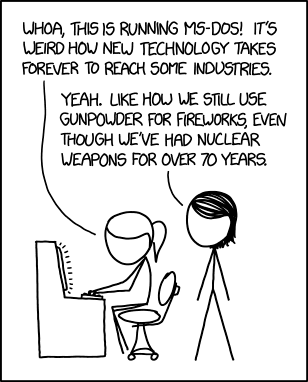
As long as I have ‘The Garage’ there will be forgotten and old computers stored there . . . and magical OAC posts!


ENJOY!

TTFN!
 

Computer Pioneers – Part 1

ENIAC – The First Computer

Apollo’s Forgotten Computer
The LVDC

Forgotten Fun
Texas Instruments TI-99/4A

Tano Dragon 64
Unboxing

Panasonic JR-200U

1983 Radio Shack TRS80
Color Computer 2

Tandy 1000

Sinclair ZX81 – British Computer

Why Apple Products
Use 30 Year Old Software

Evolution of Laptops
1975 – 2020

Top 10 Horribly Outdated
Technologies Still in Use Today

Quantum Computers
Animated


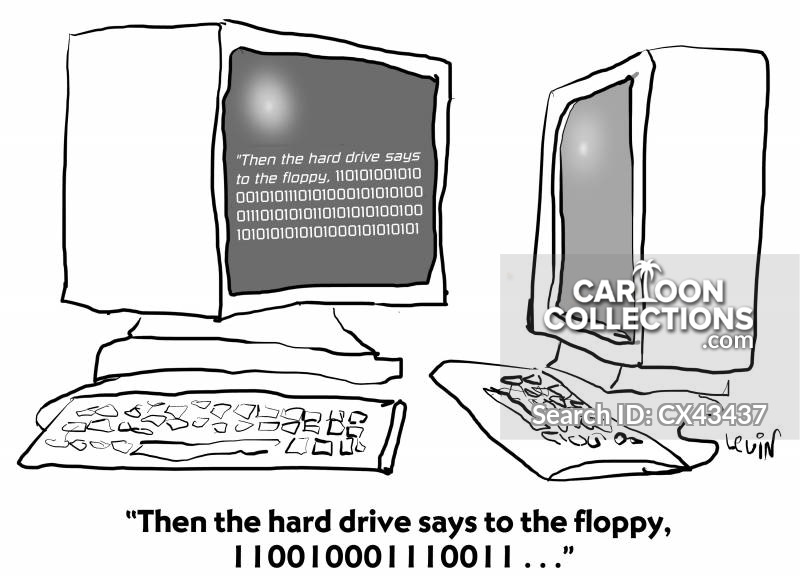
“Then the hard drive says to the floppy, 110010001110011…”
‘This is what people had to use before they got antennae.’


Pandemic


Daisy Daisy . . . or . . . Songs About Computers . . . kinda . . .

Daisy    Daisy
. . . or . . .
Songs About Computers
. . . kinda . . .

Daisy Daisy … on a bicycle built for DU  –  PLEX? Well, the HAL 9000 never could carry a tune! This might technically be cheating, as HAL is singing a song, but I prefer to think that this was part of his diagnostics and it truly is a song about a computer. A very lethal computer! LOL!

Full  Disclosure – I  have never taken ANY music lessons and …  it shows! And on my iPhone, I don’t have a single track of music. Not one. I have some movies, but not a single song! 

So why songs about computers? Why not! It is my OAC blog and I try to combine computers, languages, words, programming, learning, pop culture and legacy technology …. all in one place! Hit and miss, sometimes you win, sometimes you lose and sometimes …. it rains! Can you name the movie line came from? No computer songs, but a great movie and soundtrack!

Surprisingly, there were not too many actual songs ABOUT computers ‘out there’. Lots of soundtracks geared towards the computer content of a movie, but a little digging and found a few things.

I consider the soundtrack to ANY movie, more like a character IN THE MOVIE! I bet that if I just mention movies with famous soundtracks, you can instantly bring to mind, some of the tunes that are part of that movie – The Hobbit, Pirates of the Caribbean, Pulp Fiction, 2001: A Space Odyssey, Apocalypse Now, Guardians of the Galaxy … you get the idea! At least, that works for me! LOL!

So, after this, I just might put some tracks onto my iPhone! I will probably start with the soundtrack from … Guardians of the Galaxy – Volume I! LOL! Yeah, probably bent my rules a bit to include songs sung by computers, songs written by computers and just plain old … favourite songs and soundtracks! Thus and hence and therefore …. KINDA!!!!! All those data bits gotta end up somewhere!

And the usual YouTube videos to follow with some BRILLIANT and HILARIOUS computer parodies of popular music videos! I was … amused by them!

And especially weird and wonderful – how to make a huge array of floppy disk drives actually perform in concert …. POP MUSIC! Definitely Weird and Wonderful today!

Enjoy!

  1. Top 10 Songs About (or to) Computers
  2. Songs About Computers and the Tech Industry
  3. 12 songs inspired by tech
  4. The top 10 songs about video games
  5. Listen to These Odd Pop Songs Composed by a Computer
  6. Now computers are writing perfectly acceptable pop songs
  7. Songs about computers music
  8. Songs About Computers or Technology
  9. The Best Songs About Computers
  10. Computer Songs – Lyrics
  11. The 50 Best Movie Soundtracks of All Time

As long as I have an old iPhone with literally NO music on it … there will be OAC posts! Seriously.. no music!


ENJOY!

TTFN!

 

Database Skills
Sia Cheap Thrills Parody

Sia – Actual Cheap Thrills

Call Me Maybe – Parody Video
Sys Admin Song

Call Me Maybe – ACTUAL Song

Lady Java

Lady Gaga – ACTUAL Poker Face

Seven Databases in Song

Pikotaro – PPAP
Pen Pineapple Apple Pen

THUNDERSTRUCK
on FLOPPOTRON

Bohemian Rhapsody
on FLOPPOTRON

Sheldon Allman
Univac and Humanoid

Wintergatan – Marble Machine


‘No one does research with such flair. He’s the Boogie Woogie Google Boy of Division B.’

Mozart on a computer,

Pandemic


Throwback Thursday . . . or . . . Laughter and Chuckles!

Throwback Thursday
. . . or . . .
Laughter and Chuckles!

Why did the chicken cross the road? Error 404. Road can not be found.
ALMOST a … Dad Joke! Years ago, I once ‘collected’ cartoons from the comic section of newspapers or editorial pages, specifically looking for Math, Statistics or Numbers in general – for use as motivation in my classes! I probably still have them somewhere in ‘The Garage’ and will look for them one day and have a post dedicated to really old math cartoons!

Once, I included a funny math cartoon at the very END of a printed math test for my Grade 12 Math 31 (Advanced) class. This was during my Student Teaching year at U of Calgary.

I had the opportunity to teach ‘Probability’ to my highly motivated International Baccalaureat program at the school I was assigned! Well, this threw them for a loop! “Is this a question?“, “Is this for marks?“, “How do I answer this question?” and ‘What is this for?

And to his  credit,  my Supporting Teacher let me do all kinds of crazy things in all my classes! This will be a theme for another OAC post one day!

One small amazing Fun Fact: I ended up being paired with not one, but TWO of my OWN High School Math teachers from my high school years … just by chance! What are the odds on that !!! Well, that is what statistics are for! LOL!

So, some Throwback Thursday humour and  random images, YouTube videos and cartoons to maybe provide a chuckle or two!

And that is about it for today! A busy day with some meetings, documents and workshops at the speed of Self Pace too! I might throw new stuff in later! You just never know!   


Enjoy!

  1. Windows Vs Mac Vs Linux: 10 Funny Jokes In Pictures
  2. The 12 Most Ridiculous Windows Errors of All Time
  3. 21 Hilarious Microsoft Windows Fails
  4. Top 10 Programmer Jokes, Explained for the Rest of Us
  5. The 10 Funniest Computer Fails, Bugs and Errors
  6. Computer Memes

As long as I have stuff in ‘The Garage’ … and the “World Wide Web“, there will be Throwback Thursdays!


ENJOY!

TTFN!

 

Why Computer Engineering
is Like Standup Comedy

I’ve Got a Problem with My Apple
The One Ronnie – BBC

One Day, A Computer Will Fit …
… On A Desk – Arthur C. Clarke (1974)

Computer Joke of the Day
May 1, 2020

Modern Upgrades
for Classic Computers

15+ Funny MS Windows Jokes
That Will Make You Laugh

10 Funniest TED Talks
Compilation

Computer Predicts the
End of Civilization (1973)

Arthur C. Clark
Predicts the Internet (1964)

A Funny Look at the Unintended Consequences
of Technology (TED)

BYOD issues were an even bigger problem in the 1950s.
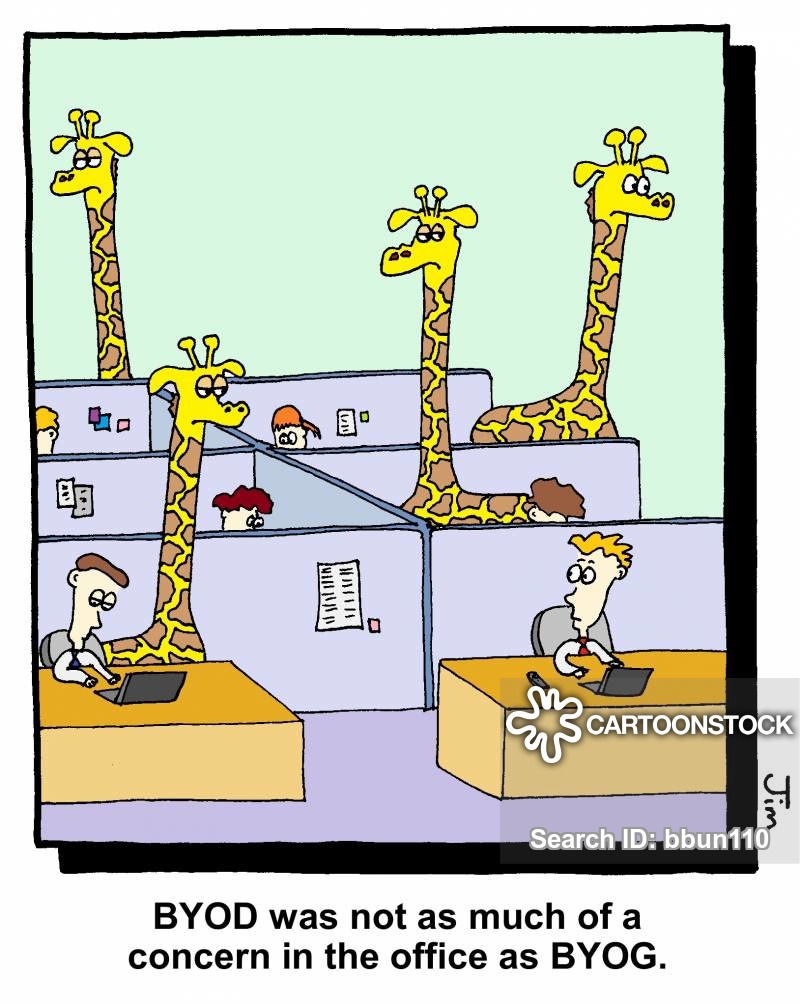
BYOD was not as much of a concern in the office as BYOG.

‘Well, for starters, I’ve never seen a laptop in Roman Numerals.’
“It’s a fantastic computer! It’s so old that none of today’s hackers know how to hack it!”
“That old computer we recycled in 1989 is now worth a fortune.”

Old-fashioned computer

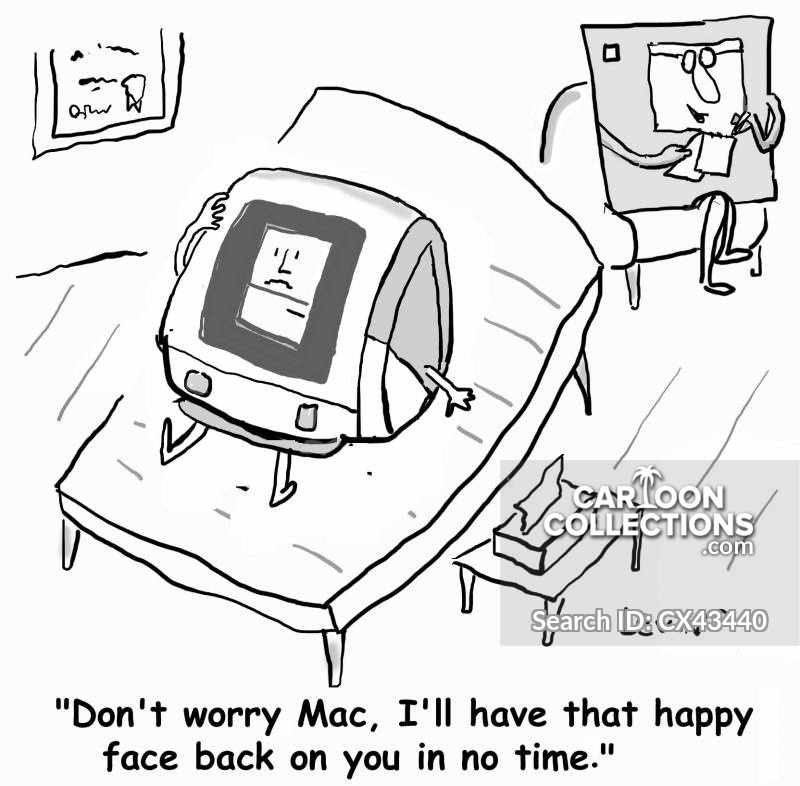
“Don’t worry Mac, I’ll have that happy face back in no time.”


Pandemic