Comparing Apples and Oranges II . . . Technology!

Comparing Apples and Oranges
but this time …..
TECHNOLOGY!!

My last post was about Recycling, but .. prefaced with a mea culpa of ‘Comparing Apples and Oranges‘. I liked that concept so much, I am going  to do it again … and whenever the mood strikes me!

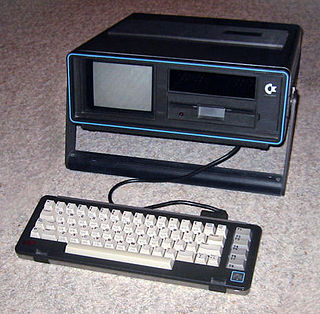
How about camparing Apples to … Commodores! Yes, compare a few ingredients between my first ever computer – a Commodore SX-64 and a new iMac! An earlier post was entitled “Open the Pod Bay Door HAL. . . or Computers I Have Owned or Worked With” and talks a bit about my beloved Commodore SX-64!

I will still go out on a limb and say that the SX-64, that I still own, and still WORKS, is the fastest computer ever built! EVER! Well, EVER .. for startup!

I will prove it too! BUT in a future post about how fast computers are! You will have to stay tuned for that!

Okay,  so Google is your friend and I will display a few offerings when I searched for “compare commodore 64 with new mac“.

SX-64 vs iMac (Apples vs Oranges!)


INSTALLEDSX-64
iMac
RAM64KUp to
32GB 2666MHz DDR4
STORAGEHAHA!1TB SSD
SCREEN4"21.5"
MOUSEJoystick!Wireless
WIRELESSHAHA x 2!Oh, yeah!
INTERNETHAHA x ♾Can't live without it...
PROCESSOR & SPEEDMOS Technology 6510 @ 1.02 MHz (NTSC version) @ 0.985 MHz (PAL version)3.0GHz 6-core 8th-generation Intel Core i5 processor
Operating System Commodore KERNAL Commodore BASIC 2.0macOS 11 Big Sur

And that is about it! Definitely .. Apples and Oranges Commodores!

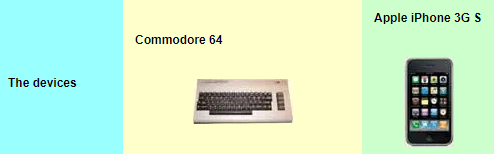
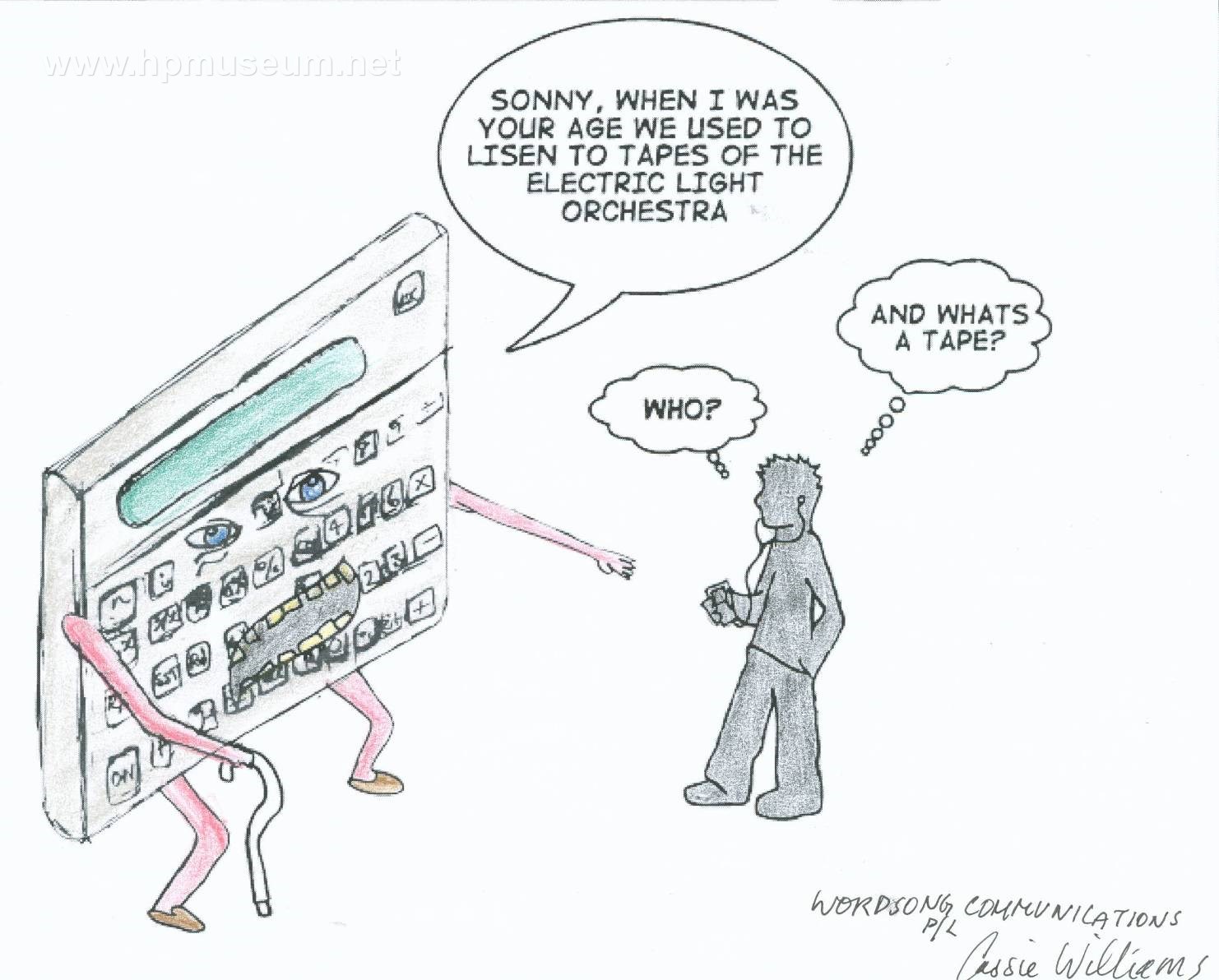
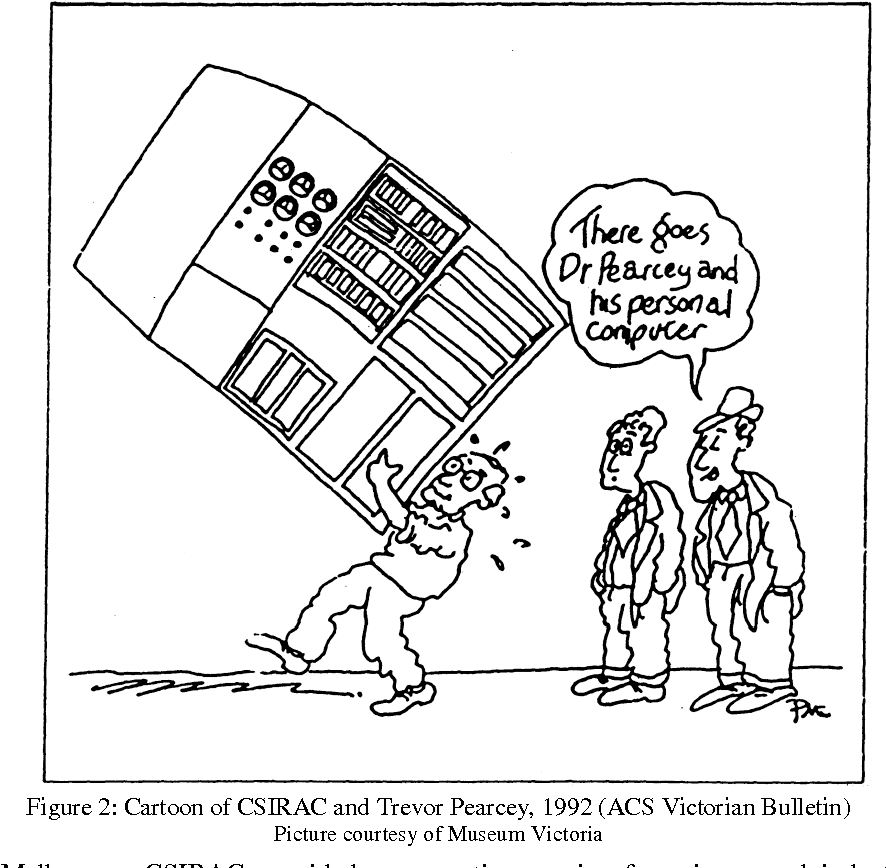
Yes, a bit cheeky, but just think about how much technology has not only changed, but IMPROVED! Look below for a comparison between a mobile phone and the computers used to … LAND A MAN ON THE MOON! And don’t be so hasty to dismiss …. older technology!

Oh, and … learned about inserting a TABLE here too! BONUS! Tables are very curious beasties here at OAC. A bit of fiddling but .. they do work. Just fussy! And I did learn about them! And that will be a future post too!

Curious Links for 
Comparing Technologies!

  1. Did Commodore, more than Apple, contribute to the birth of the personal computer?
  2. C64 cs iPhone
                            C64 vs iPhone

    The Commodore 64 vs. the iPhone 3G S: The Ultimate Showdown

  3. Your Mobile Phone vs. Apollo 11’s Guidance Computer
  4. Your Smart Toaster Can’t Hold a Candle to the Apollo Computer
  5. Mac, iPod, iPhone & iPad Specs – EveryMac.com’s Ultimate Mac Comparison
  6. 1984 Apple Macintosh vs today’s Apple iMac: Spec comparison (A Little Dated but fun to read!)
  7. Showdown: Original 1984 Macintosh vs. Today’s Apple iMac (A more up to date comparison – still fun to read!)
  8. Comparison of Macintosh models (Need at least ONE Wikipedia Article per post!)
  9. Systems ‘Meet the Team’ Open House (December 2017 & I set up my old SX-64!)
  10. Cray-1 v. MacBook Pro (A threaded conversation .. but interesting!)
  11. The 80’s supercomputer that’s sitting in your lap (Dated, but so much fun!)

Is a new Mac slower than a Commodore 64? Old 🆚 New

https://www.youtube.com/watch?v=nI3C9yLVsVE

Can an 80s computer beat a new one at Chess? Old 🆚 New

https://www.youtube.com/watch?v=qN8AbHpCRF0

Apple 1984 Super Bowl Commercial Introducing Macintosh Computer (HD)

The Real Story Behind Apple’s Famous ‘1984’ Super Bowl Ad

BE SAFE EVERYONE!

Pandemic


Comparing Apples and Oranges . . . but Not Oranges

Comparing Apples and Oranges
but not actually …..
Oranges!

Ah, one of my favourite lines is ‘You can’t compare apples to oranges!‘ OF COURSE YOU CAN! I just did! LOL!

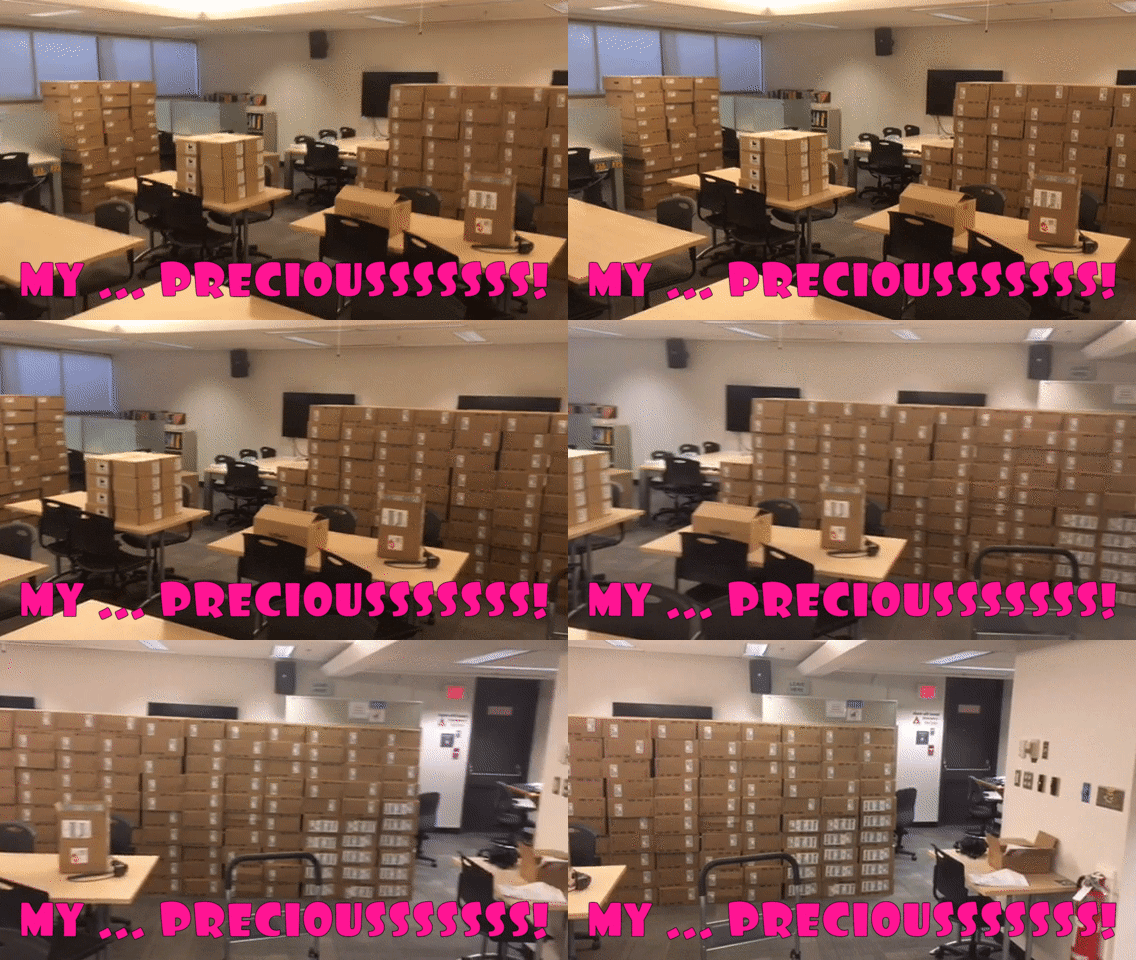
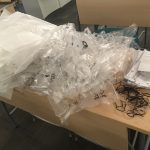
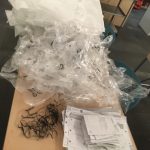
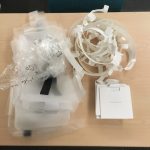
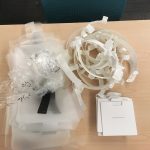
I am unpacking the new tech for The CALL Facility and the old adage of ‘clean as you go’ works well in tandem with ‘clean as you go AND RECYCLE‘ TOO! So I kept the DELL ‘thinking inside the box‘ pile beside the Apple ‘thinking inside the box‘ pile on separate tables, just as a curiosity. Well, it was very interesting!

First, the new tech is AMAZING! This is the first tech refresh in many years for CALL and I am certain that all the students are going to be impressed! AND the new furniture and a few more wonderful surprises are in store for when we do go back to UVic in September! ALL GOOD! MANY THANKS FOR ALL THE NEW TECH IN CALL!

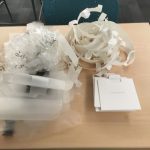
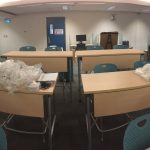
So below is a little gallery of the pile of everything that was inside the DELL  tech (computers & monitors) and the Apple tech (computers). Can you tell which pile came from which tech?

And that is just the interior contents, wrappings around stands, monitors, cables, etc. but does NOT show the actual BOXES that all the tech CAME IN! Basically all the plastic wrap, paper, twist ties, etc. The boxes are still there and I will be recycling them too – cardboard and internal cardboard holders for the tech.

I am scheduled on campus, each Tuesday, so I am slowly working my way around opening everything up (DONE!), taking inventory (SN#s), and then finally plugging things in! Slow, but steady progress! Do it right!

I will also do updates here, new Recycle Posts and update my Favourite UVic Links Page too!

Whatever CAN be recycled 
WILL be recycled!

  1. Recycling – UVic
  2. Sort-It-Out-Stations – UVic
  3. Zero Waste Program – UVic
  4. Water – UVic
  5. Energy and Climate – UVic
  6. Dining and Food – UVic
  7. Computing – UVic
  8. UVic’s Built and Natural Environments – UVic
  9. Sustainability in Academics and Research – UVic
  10. UVic’s Waste Reduction Hub – UVic
  11. Campus Planning at UVic
  12. Campus Plan – UVic
  13. Sustainable Transportation – UVic
  14. Sustainability Champion Awards – UVic
  15. Featured Stories – UVic
  16. Campaigns – UVic
  17. Campus Sustainability Fund – UVic
  18. Resources – UVic
  19. Sustainability Videos – UVic
  20. Tips for Living a Sustainable Lifestyle – UVic
  21. Sustainability Reports – UVic
  22. Sustainability policy – UVic
  23. Campus Guides – UVic
  24. Vision and Values – UVic
  25. Green Buildings – UVic

BE SAFE EVERYONE!

Pandemic

On Campus Photo Shoot

ON CAMPUS
PHOTO SHOOT!

(mostly!)

I have actually been working on campus, every Tuesday, since September. I alternate sharing an office with three incredible colleagues, strictly following our Safe Return to Work plans, set out specifically for our return to work.

My anxiety level has lessened but is still there, even though I take ALL the precautions necessary. But it was nice to be back ON CAMPUS for the first time since late last March. And with the Fall session, it looks like we might all be back on campus, Full Time. So, why not celebrate a bit with some great spots ON CAMPUS to check out .. and a few … slightly OFF campus!

One of the best parts of working at UVic is biking up to work. I have been biking every day, for 22 years! Well, not 2020/2021 due to Covid, and not most of 2018 (knee replacement) but I was fully back in the saddle by 2019! And the best part of biking … SUNRISE! SPOILER – I actually took this last week, while … GASP … driving to UVic, but I did bike last Tuesday to campus and will each day from now on … barring horrible weather! Mea culpa!

Oak Bay Sunrise
        Oak Bay Sunrise
Oak Bay Sunrise II
                        Oak Bay Sunrise II
Click on the title below the photo for a much larger image.

And I really like using a Gallery too! And I will include some video for some soothing UVic fountain moments for everyone too! Okay,  some aren’t QUITE from campus, but they were taken on the WAY to campus!

Mystic Vale Sunrise Bike Ride to CHD
Who doesn’t miss the fountain and the sound of water?
Just sit back and enjoy the sound of moving water!

UVic Cool Sites … Just for fun … when you need them!

  1. Campus Virtual Tour (Until we can go back!)
  2. Finnerty Gardens (Ducks and Flowers!)
  3. Munchie Bar(Great coffee!)
  4. Cinecenta (Best popcorn in town!)
  5. Mystic Market (Food galore!)
  6. David Petch Fountain (WordPress site)
  7. Mystic Vale (OAC WordPress site!)
  8. Legend Pole 
  9. Cadboro Bay & Gyro Park (10 minute walk from Campus … TO THE OCEAN!)
  10. TOFINO & Pacific Rim National Park! (Technically … not UVic, but a favourite place of mine!)
  11. Restored Legend Pole in centre of campus rededicated and blessed
  12. Indigenous Art on Campus Tour
  13. The Raven Soaring Pole (Replica of a Gitxsan Memorial Pole by Kweenu)
  14. S’YEWE Legend Pole rededicated(I actually helped out back then, but not in photo!)

ENJOY!

Territory Acknowledgement
University of Victoria

UVic Impact Day

UVic United Way Campaign

BE SAFE EVERYONE!

Pandemic


Social Media at UVic or … LIKES and FOLLOWS

SOCIAL MEDIA AT UVIC
or
LIKES & FOLLOWS!

Social Media
          Social Media

“Social Media” – absolutely …. everywhere!  And that includes UVic!

SPOILER ALERT #1 – I personally am not that much into “Social Media“. Go ahead and use Google to search for me, but .. not much there! Besides this post is about UVic social media!

… AND THERE ARE
MORE UVIC SITES
THAN I IMAGINED!

OAC Online Academic Community
                   OAC Online Academic Community

OAC or Online Academic Community (WordPress) is the most visible and most used by yours truly, so it is #1 on my list of UVic social media!

If you are reading this … YOU ARE AT OAC! Valid UVic NetLink credentials gives you not just a free site, but FREE SITES PLURAL! Make one for courses, for photos, for recipes or for … anything you want! In fact, some courses might even allow for it to be a project or an actual assignment!

UVIC Facebook
                        UVIC Facebook

And of course, Facebook. EVERYONE has a Facebook account! Spoiler Alert #2 – I DO have a Facebook account … but good luck finding it!

One of the BEST UVic OAC sites is My UVic Life! Written by and for students at UVic always has a timely, informative and FUN perspective on life at UVic!

My UVic Life - OAC
                                                               My UVic Life – OAC
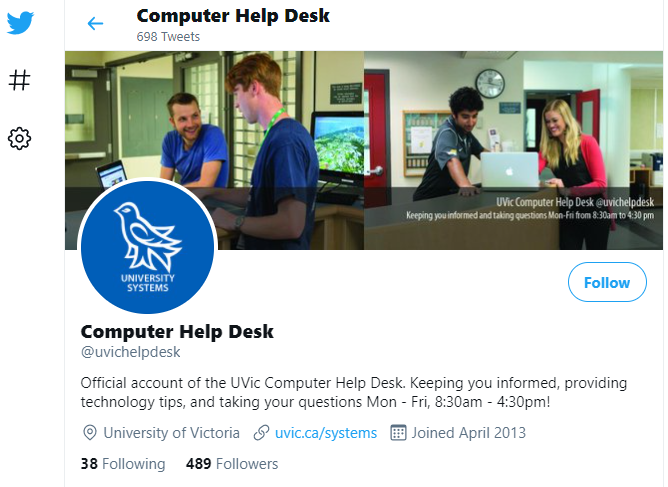
Computer Help Desk
Computer Help Desk Twitter

And The Computer Help Desk (shameless plug, yet again!) has a Twitter account to let the UVic community know about any issues affecting them!

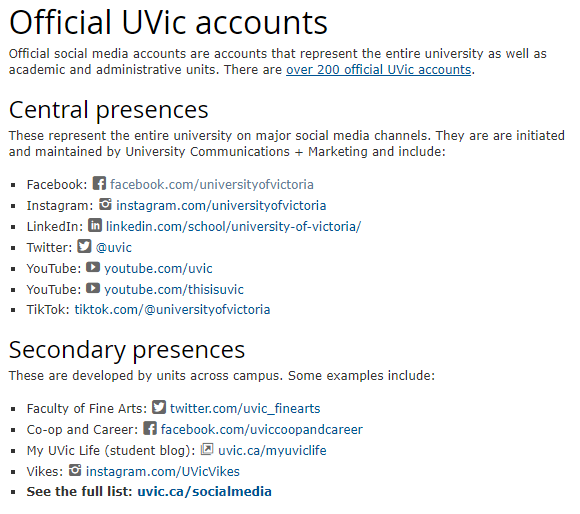
Official UVIC Social Media
      Official UVIC Social Media

When I went to find a list OF all the social media at UVIC, I found the following site of all the Official UVic Accounts … to the right …

A great list of sites! But then ….. right at the bottom, there is a line that says ‘See the full list: uvic.ca/socialmedia and it takes you to THIS BELOW! The treasure chest of ALL UVic social media sites! WOW AND WOW!

UVIC Social Media
                                                                      UVIC Social Media

It is truly amazing how many Departments, Programs, Services, Galleries and …  YOU NAME IT …  have a social media account of some kind! Everything from “Academic Communication, Centre for (CAC)” to “Youth and Society, Centre for” … JUST shy of a ‘Z’ category … and missing ‘X’ too!

UVic Ecogastronomy
                        UVic Ecogastronomy

And I wonder what is at UVic Ecogastronomy! Click and find out!

Enough UVic social media sites to surf to .. Hawaii! 

UVic Social Media Sites to Surf Towards …..

  1. OAC Online Academic Community (WordPress)
  2. Official UVic Accounts (UVic)
  3. ALL ACROSS UVIC Social Media Sites (SO MANY!!)
  4. My UVic Life (OAC Blog!)
  5. My First Year @ UVic (Facebook)
  6. University of Victoria (Facebook)
  7. University of Victoria (Instagram)
  8. University of Victoria (Twitter)
  9. University of Victoria – Computer Help Desk (Twitter)
  10. University Systems (Twitter)
  11. This is UVic (YouTube)
  12. UVic 2021: What you need to know (YouTube)
  13. Why Choose UVic – Undergraduate Studies
  14. Why Choose UVic – Graduate Admissions

ENJOY!

This is UVic (YouTube)

This is UVic (YouTube)
                                                                                This is UVic (YouTube)

UVic 2021
What You Need to Know

BE SAFE EVERYONE!

Pandemic


OS Emulators on WIN and macOS

 Did You Know
You might be able to experience . . .
macOS on a WIN computer?
. . . OR other neat EMULATORS too?

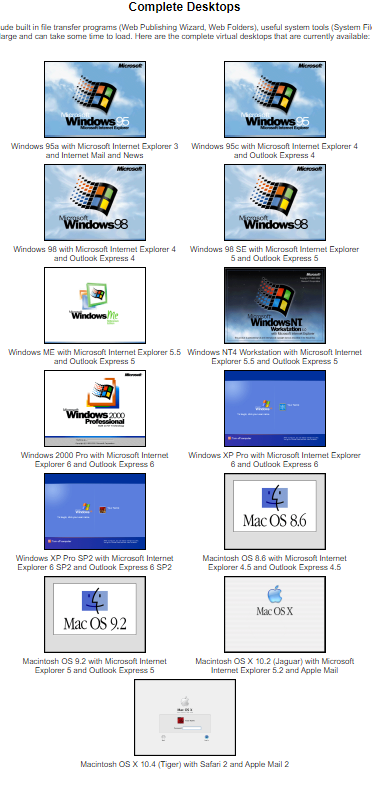
You can actually try legacy operating systems … on a browser! And it does not matter if you have WIN or macOS either! There are websites that … almost … let you Time Travel to see what earlier version of (then) current Operating Systems were like! They are not intended to be functional, only descriptive and ..  kinda fun, most of them! And no implied guarantee of success here! Just some emulator sites I found out there! 

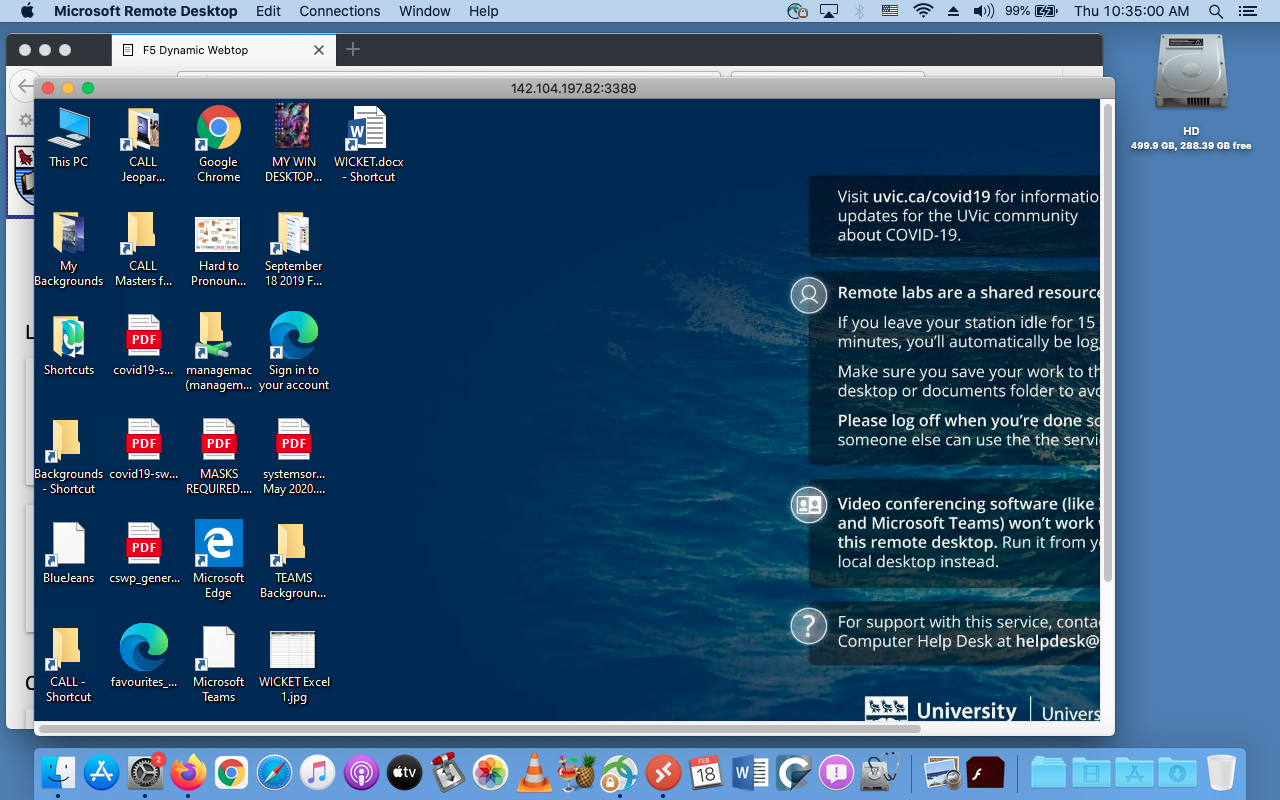
And a HUGE distinction between an emulator of an OS, running on a browser and … actually remote access TO a real computer on campus. That is through  a real service at: remotelab.uvic.ca and is EVEN COOLER! The screen grab below is of my old  MacBook Pro, accessing a WIN computer in Clearihue! A rather existential question arises … is this Windows IN a Mac, or Windows ON a Mac! 🙂 This will be a future post, just to whet your whistle!

remote.uvic.ca
                                                                               remote.uvic.ca

Emulators! According to Wikipedia an emulator is:

In computing, an emulator is hardware or software that enables one computer system (called the host) to behave like another computer system (called the guest). 

There are many, many, MANY browser based emulators out there! So I will show a few of them, and then put a list below to try out.

Let’s try Mac emulators first!

Quite a few of these sites have both operating systems listed, so … a Treasure Trove of Emulators!

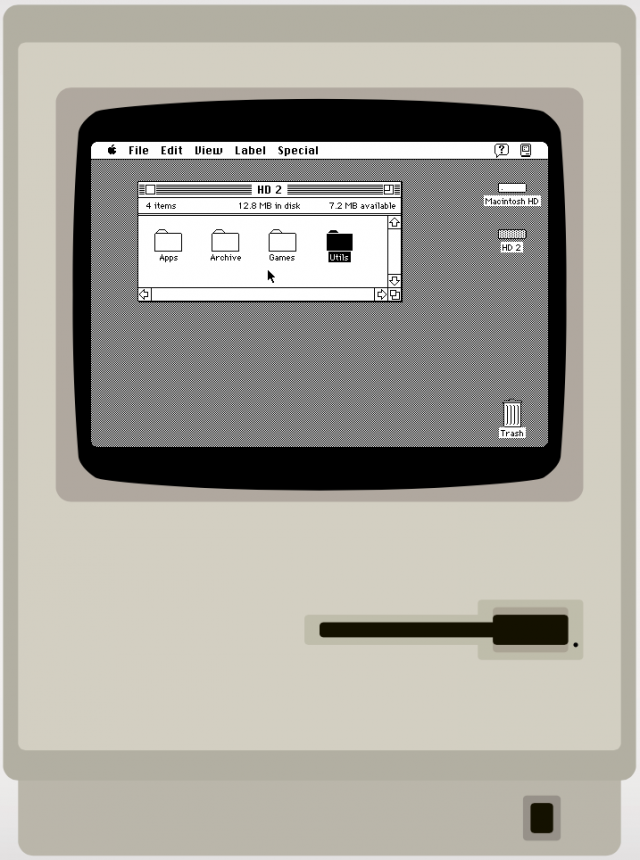
7 classic versions of Windows and Mac OS you can run in a browser lets you try Mac System 7! This is even before the Cats took over the Mac! Fun Fact – I still own a functioning Mac SE, bought way back in … 1989!!! Such a cool computer!

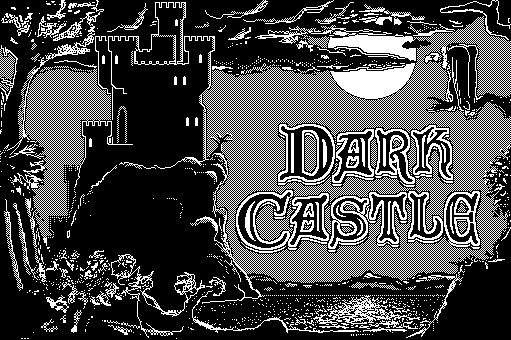
And what is regarded as the single greatest Macintosh game of all time is … DARK CASTLE! And you can try it out at the same Mac System 7 site! A bit more on games later ….

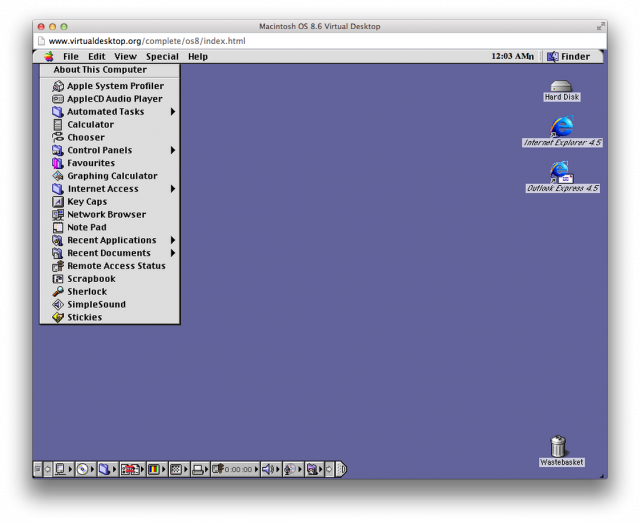
MAC 8.6
                MAC 8.6

Inevitable updates to all operating  systems are … inevitable! And one of the next ones was Mac OS 8.6: The classic Mac OS nears the end of its life and this was a HUGE upgrade from System 7 – the number alone is … 1+! You can go directly there from here or click the Mac desktop to the left.

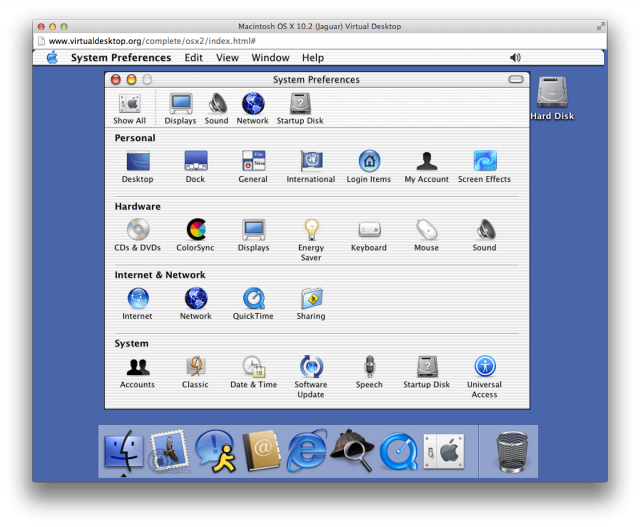
OSX 10.2 Jaguar
           OSX 10.2 Jaguar

And one final Macintosh emulator OS X 10.2: The classic Mac OS is retired …ah, good times, good times …. A HUGE selection of MANY emulators is at VirtualDesktop.org, including OS X 10.2.


And now WINDOWS

The one that started them all .. well, at least in 1995 .. WINDOWS 95! And again, these are all from VirtualDesktop.org, amongst many others! Considering The CALL Facility started out with DOS based machines, running McMaster French, more closely resembling a text adventure game … WINDOWS 95 WAS CONSIDERED SLICED BREAD at the time!

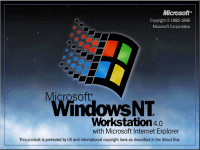
WINDOWS NT
           WINDOWS NT
WINDOWS ME
       WINDOWS ME

And a final pairing of WINDOWS ME and WINDOWS NT! Microsoft sure like using lots of letters of the alphabet! But, to be fair … Apple liked using cats before Roman Numerals and then portable devices started to show up and now all kinds of … flavours …  just like an ice cream shop!

For more Virtual Experiences, I will list a few sites below, but the best to see the most, is at VirtualDesktop.org. Not all there, but .. enough to do a decent days work of Time Travel and see how Operating Systems have changed considerably over the years!

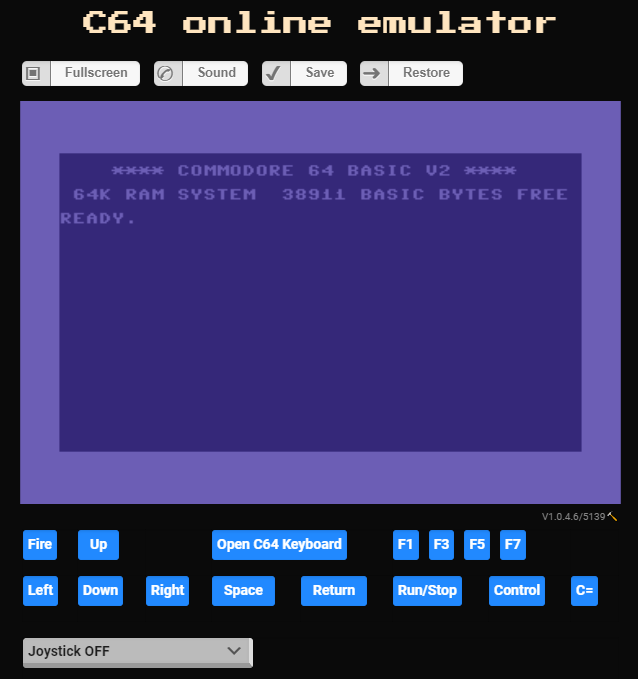
C64 Emulator
              C64 Emulator

And one last emulator, from my first ever computer that I bought … COMMODORE – C64 Online Emulator! The drawback here is that you need to upload some kind of file FROM an original C64, then it works. So, not much to try here. But I am going to find out HOW to do it though! And even more Online Emulators from the same place too!

I mentioned games earlier, but will have another post in the future about games. Spoile – I am NOT a Gamer!

Emulator Sites to Surf Towards …..

Virtual Desktops
                              Virtual Desktops
  1. List of Emulators (Wikipedia)
  2. List of Computer System Emulators (Wikipedia)
  3. Commodore 64 emulators (Wikipedia Category)
  4. 7 classic versions of Windows and Mac OS you can run in a browser
  5. Mac OS 8 emulator lets you relive the past for the first time
  6. 5 best PC emulation software for Mac [2021 Guide]
  7. Emulators can turn your PC into a Mac, let you play games from any era, and more — here’s what you should know about the potential benefits and risks of using one
    VICE – the Versatile Commodore Emulator
  8. Commodore 64 emulators (Wikipedia)
  9. Commodore 64 emulators for Windows 10
  10. C64 Forever 8 “R3”: Create & Play
  11. C64 online emulator
  12. CCS64 – A Commodore 64 Emulator – By Per Håkan Sundell
  13. On-line Emulators
  14. Virtual (Complete) Desktops – SAVED THE BEST FOR LAST!

ENJOY!

How to Play Commodore 64 Games on PC!
Commodore 64 emulator! Vice Emulator Setup!

Kim Justice’s Top 50 Commodore 64 Games
of All-Time (YouTube)

Pawn Stars:
A Working Commodore 64
(Season 14) | History


SSShhhh . . . Clearihue’s Hidden Secrets . . . & GEMS

 . . . . SSShhh . . .
. . . or . . .
Clearihue’s Hidden Secrets
. . . or . . .
CLEARIHUE’S HIDDEN GEMS!!!! 

Clearihue has … SECRETS? Well, maybe not … secrets …. exactly! More like HIDDEN GEMS that many students might not know about! So I will list a few of what I consider to be Clearihue’s Hidden Gems! And … Spoiler Alertthe VERY BEST ONE IS AT THE END! [Double Spoiler – shameless product placement on my part!]

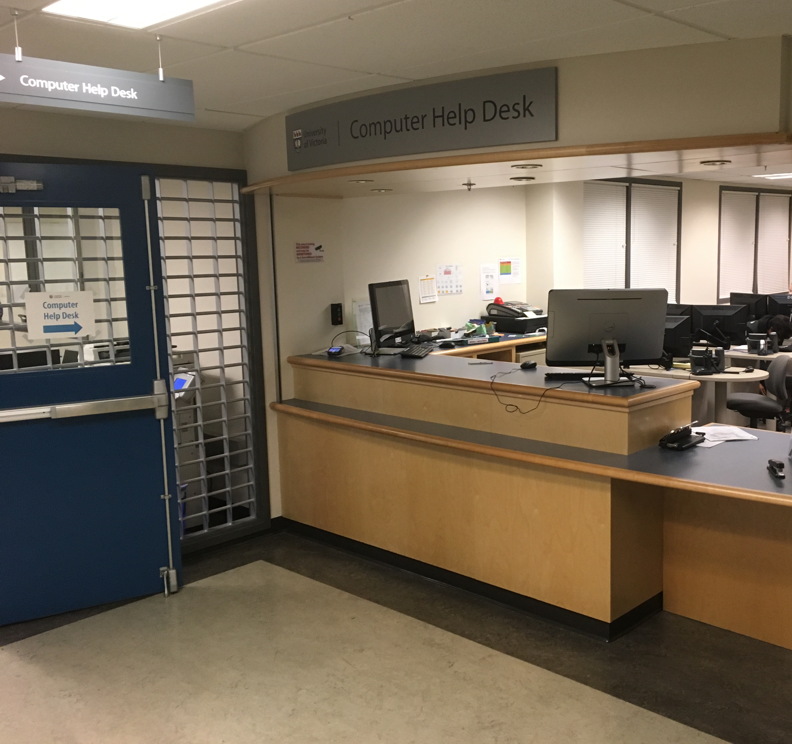
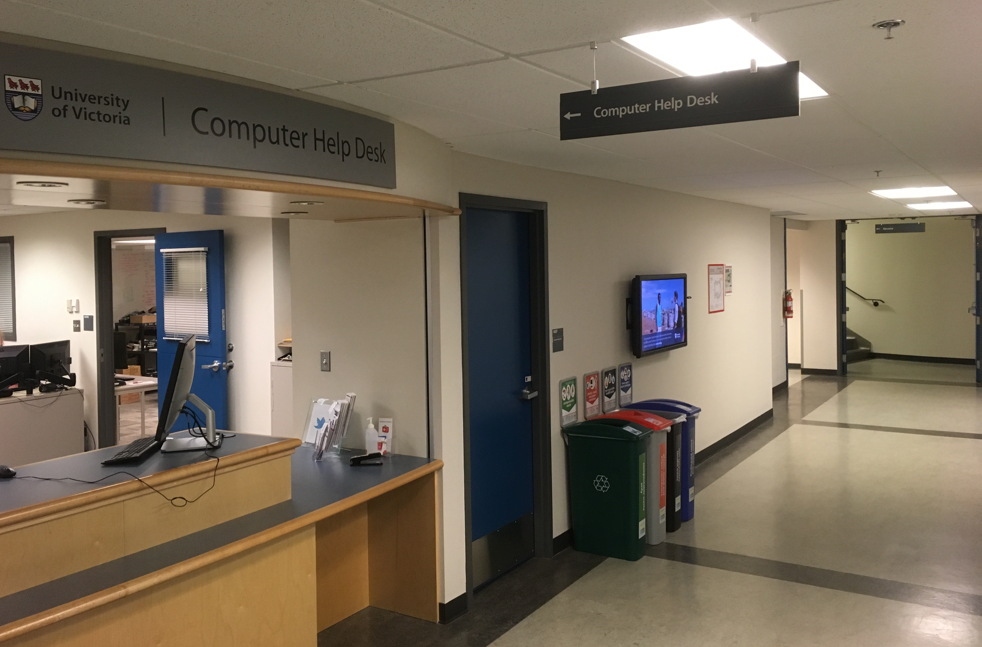
The Computer Help Desk! What, how can CHD be a Hidden Gem? Well, why not ask someone … how to get there! We are located in the A-Wing of the BASEMENT of Clearihue! Simple enough, but only 2 stairwells with twists and turns, or ONLY ONE elevator with MORE twists and turns … will get you to the front counter of The Computer Help Desk

And did you also know there are TWO MORE satellite CHD locations in Clearihue? At the entrance to all the Computing Classrooms in A-wing, first floor and …. in The CALL Facility too! I’ll bet you didn’t know that!

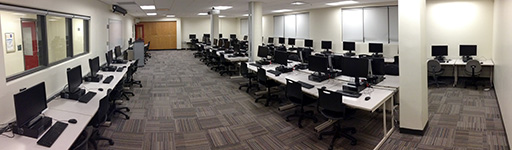
Computing Classrooms! The actual computing classrooms, 1st Floor of A-Wing … AND in the Lower Floor of A-Wing too!. Many students do not know that there are 4 classrooms (3 WIN / 1 MAC) and a Multi-Media (WIN & MAC) alcove for drop-in use upstairs! AND that there are 3 MORE classrooms and Multimedia computers in the basement! Rooms ARE booked for scheduled classroom use, but are fully drop-in outside of those posted times. And when Covid is over, hopefully we can go back to just dropping into the computer labs!

And during Covid, you can BOOK A WORKSTATION in CLE A102 (WIN), A103 (MAC) and A108 (WIN)

During Covid, all other rooms in all other buildings are unavailable. We strictly adhere to UVIC Covid guidelines in ALL our Computing Facilities and The Computer Help Desk in Clearihue.

Clearihue A102
Clearihue A102
Clearihue A030
Clearihue A030 (Click photo  for more pictures)

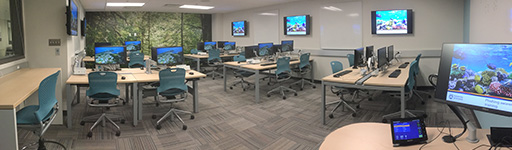
And if you have not been to our newest upgrade classroom in Clearihue A030 in the basement of Clearihue, just down the hallway from The Computer Help Desk CLEA037. It is a really SPIFF CLASSROOM!

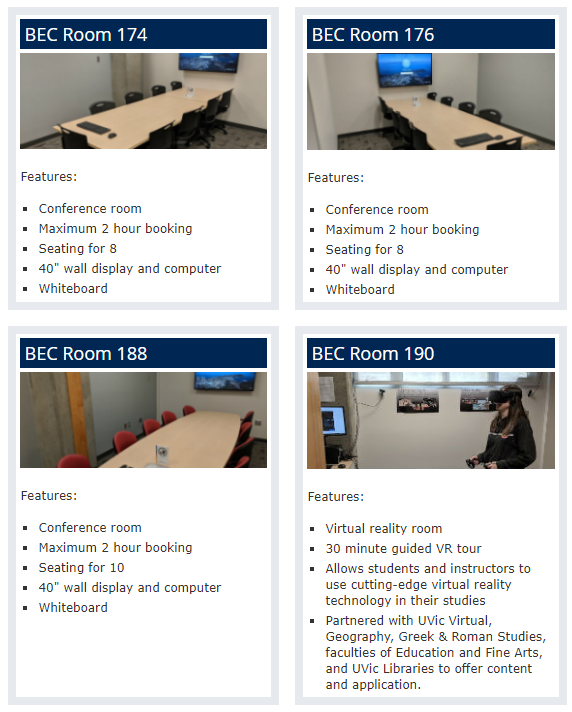
BEC Bookable Rooms
BEC Bookable Rooms

And it gets even BETTER! Ever want to book a room for a study session  or a group project and nothing is available at the Library? Well, check out BEC and their Rooms that you can book! AND THAT INCLUDES A ROOM DEDICATED TO VR TECHNOLOGY! Okay,  so technically, not in Clearihue, but let’s call it a HIDDEN HIDDEN GEM, eh! Bet you  didn’t know THAT!

And there are a few other locations in Clearihue that might warrant a bit of a scavenger hunt on your part ……

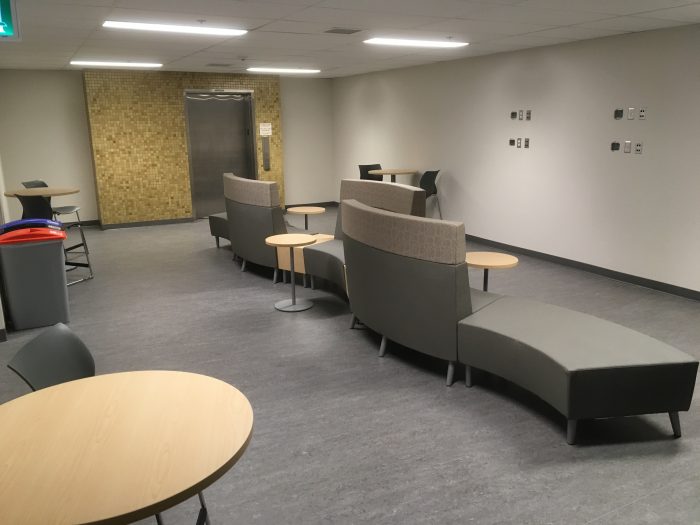
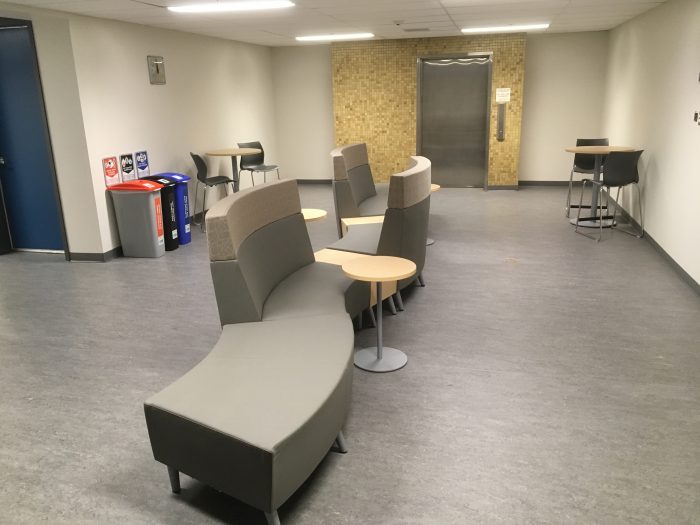
Clearihue Corner (CLE B001b)
And this is a highly guarded,  super secret, need to know basis location ….. NOT! But it is just as hard to get to as The Computer Help Desk! Either from the pictured elevator in B-Wing, or the stairwells at the groundlevel corners of B-Wing. Spacious,  quiet, comfy sofas and plugins too! There are even recycle bins to put your organics, plastics, refuse and paper! BE GREEN! There are classrooms, office space and meeting rooms, so just remember to be quiet and polite in this section of Clearihue please.

CLE B001b
CLE B001b
CLE B001b
CLE B001b

Clearihue Inner Courtyard

What a great hidden gem .. hidden in plain site! Quiet, accessible from literally every corner, with sun and shade for all! Even some steps to sit on for a group lunch! Hidden in plain site! the photo below is actually available as a Virtual Background for Zoom! Oh, and … remember …  no smoking anywhere inside Ring Road! 

Clearihue Courtyard
Clearihue Courtyard

 The CALL Facility

BogBlog Pages
BogBlog Pages

And, I saved the BEST for the last! And no apologies for .. WORKING IN THE CALL FACILITY! Shameless promotion! CALL has been around since the Fall of 1989 … and so have I! I have given countless demos, orientations, workshops, projects and assistance to countless students, staff, faculty and guests. And I am amazed each year how many people DO NOT KNOW WE EXIST! I have done many CALL OAC posts and I have a PAGE that is always available no matter what Post you are reading, listing all the Pages too. It is only current to January of 2020 … because … well … Covid. As soon as we are back, I will update absolutely EVERYTHING!

The CALL Facility CLE A025

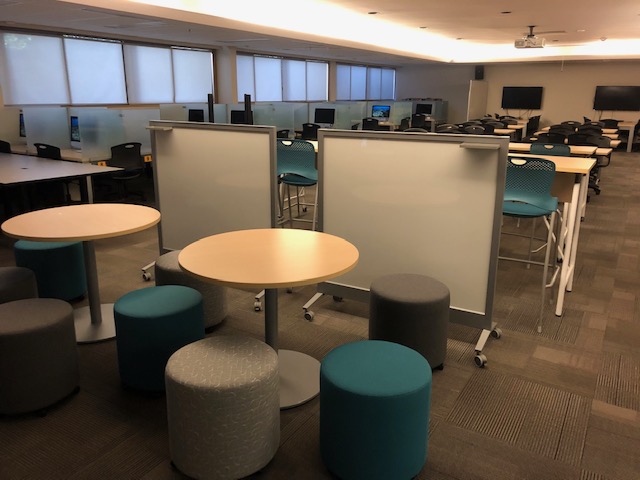
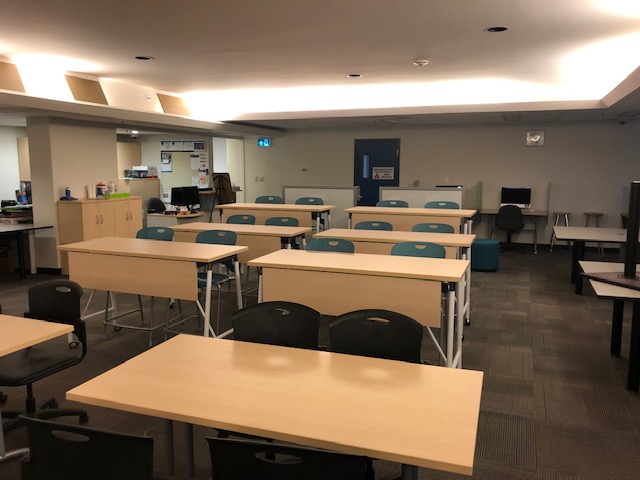
What is VERY exciting is that just after everyone started to work from home .. NEW FURNITURE ARRIVED IN THE CALL FACILITY! I wrote a post about it here and a few of the photos are below! Click here to see all the new furniture!

New CALL Furniture
New CALL Furniture
New CALL Furniture
New CALL Furniture

And could it get BETTER? YES, OF COURSE!

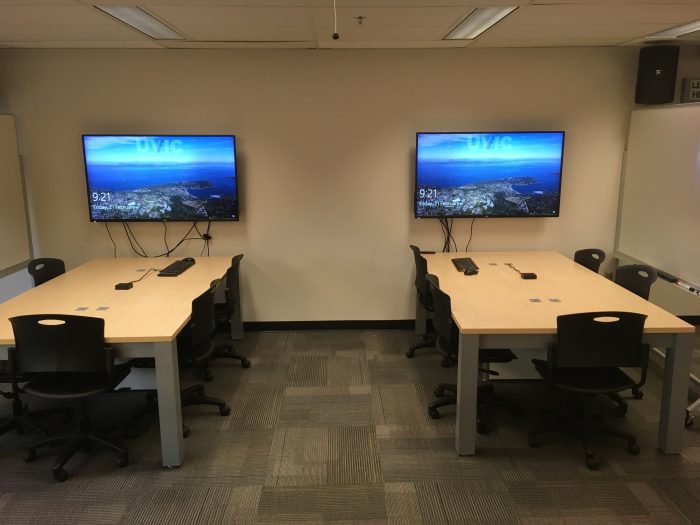
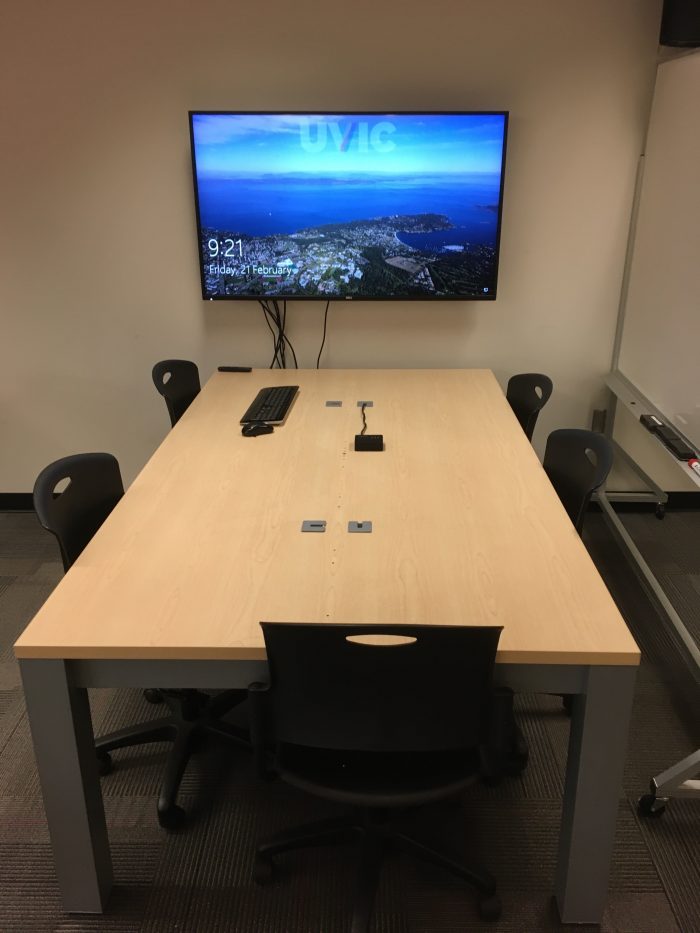
At the back of CALL are 2 new large screen monitors and desk space for 6 people at each one! Want to preview your group project in PowerPoint? Want to watch a movie for class? Want to see your Word document SUPER SIZED? Then use this area!

CALL Facility Large Screens

And CALL has USB headsets, optical media, Dual-Boot computers, study space and … The Computer Help Desk BUILT IN TOO! The CALL Facility is the LARGEST COMPUTING CLASSROOM ON CAMPUS!! And yeah, I have been working there since 1989 and it is SO MUCH FUN! Great learning environment and best of all … GREAT UVic STUDENTS AND FANTASTIC COLLEAGUES AT THE HELP DESK!

True story – a student wandered into CALL one day, asking if she could find a computer to charge her iPhone. I said sure, she could use one of the iMacs for either WIN or MAC or just to charge! She asked what ‘this place‘ was. I then asked her what her degree/major was. She replied ‘Linguistics and Italian’. I told her that CALL was HER lab to use, not only for her courses, but at any time she wanted!

And then she said that she was ABOUT TO GRADUATE AND HER PROFS HAD NEVER TOLD HER ABOUT THE CALL FACILITY!

That definitely qualifes The CALL Facility as a Hidden Gem!

I  hope you investigate and look for all these Hidden Gems in Clearihue!

  1. The Computer Help Desk – 3 locations in Clearihue
  2. Computing Classrooms – Upstairs and Down
  3. Clearihue Corner – So quiet
  4. Inner Courtyard – Hiding in Plain Sight
  5. The CALL Facility – You can check out, but you can never leave

BE SAFE EVERYONE!

Pandemic


Happy Holidays and . . . Goodbye 2020 … Hello 2021 !!!

Goodbye 2020 . . . . 
. . . and even BETTER . . .
HELLO 2021 !!!!!!!!!!!!!

After today (18th) I am on holidays until January 4th, 2021! YAY! And they can’t come soon enough! This  has been a very challenging year ….. to say the least. And I think we can all agree on one thing ………………

2020 – DON’T EVER COME BACK AGAIN!
AND I MEAN EVER!!!!

I am SO grateful to be working with such amazing, talented and imaginative colleagues at The Computer Help Desk! They are more than friends, and they all feel like family to me, especially during this year! They have made it fun to ‘come to work’ each and every day … at the West End of my Dining Room Table! I am pretty sure I would have been fired from any other job … for all my jokes and puns!

The Computer Help Desk  is my ‘Team OF Teams‘ for 2020!!!

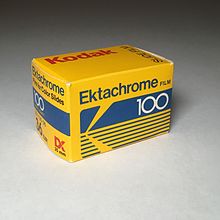
I will be back in 2021 with more Posts and Pages! I am even thinking of creating one just for my photography! Just photos I have taken over the years and share them. I must admit that my preferred photograpic media has always been … SLIDE PHOTOGRAPHY! Good old Kodachrome! And to be even more specific, Ektachrome! Visions of Paul Simon and my summers of ’77-78 working at the Banff Camera Shop! Except, I had a Canon A-1 camera!

But digital photography is amazing – darn cheap too! I like to think of my iPhone, not as a phone that has a camera … but as a camera that has a phone!

And of course, all kinds of computer hints, tips, stories and just miscellaneous ramblings of someone who is still amazed that his vintage  Commodore SX-64 ……is still working! It was the first computer I bought!

SX-64
                                           SX-64

And technology is still … MAGICAL … to me!

Everyone have a safe and healthy holiday season!

The best is yet to come in 2021!

BE SAFE EVERYONE!
See you all in 2021!!
!

Pandemic


OAC WordPress Tips . . . at least . . . for ME

OAC WordPress Tips . . . . 
. . . or . . .
How to Avoid <html>
. . . and . . .
TAG! You’re . . . IT !

I had been doing a daily OAC post here since everyone started working from home, late last March. I paused daily posts, after my August holidays as I knew the Fall session would be crazy busy … and it has been.  But I was surprised when I looked at my Posts ‘roster’ and …. 182 posts? And this one would make 183? They sure do add up! And that doesn’t include Pages, but only 4 there, so far.
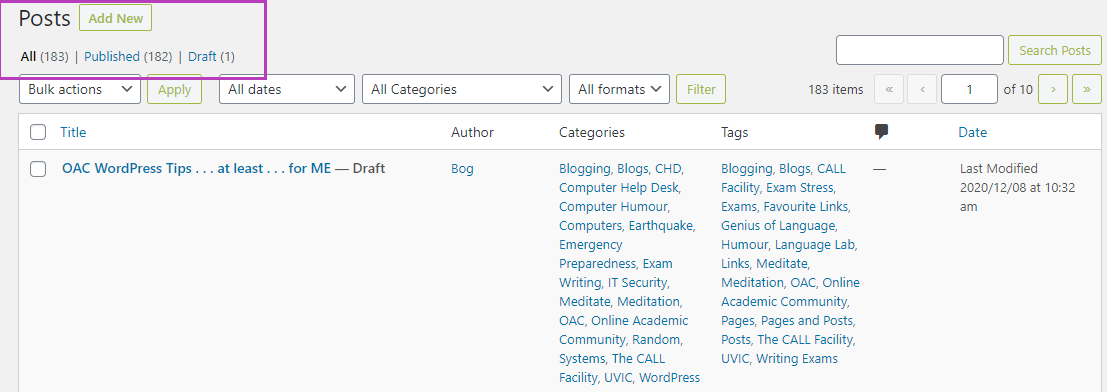
So, along the way, I have figured out a few very basic shortcuts that help me actually concentrate on the content, not the tools, buttons or menus that are literally .. EVERYWHERE .. on our OAC Dashboard! So I thought I would list my Top 5(-ish) OAC WordPress tips and/or hints … as a start! I might even turn them into a Page as well! 

FIRST, create your blog!
OAC is free for the UVic community! Create a new site by going directly to The Online Academic Community (Instructions here too!)and clicking on “Create a Site”. You will be asked for your NetLink credentials and then you will be given a form to create your own blog! You can have MANY blogs – practice ones, photos, documents, diaries, public, private, shared, collaborative, etc. Just blog responsibly! 

Your first post could be just that … a message that it is your first post! For many details of creating your first post, I highly, HIGHLY recommend viewing all the training videos that are available within your Dashboard!
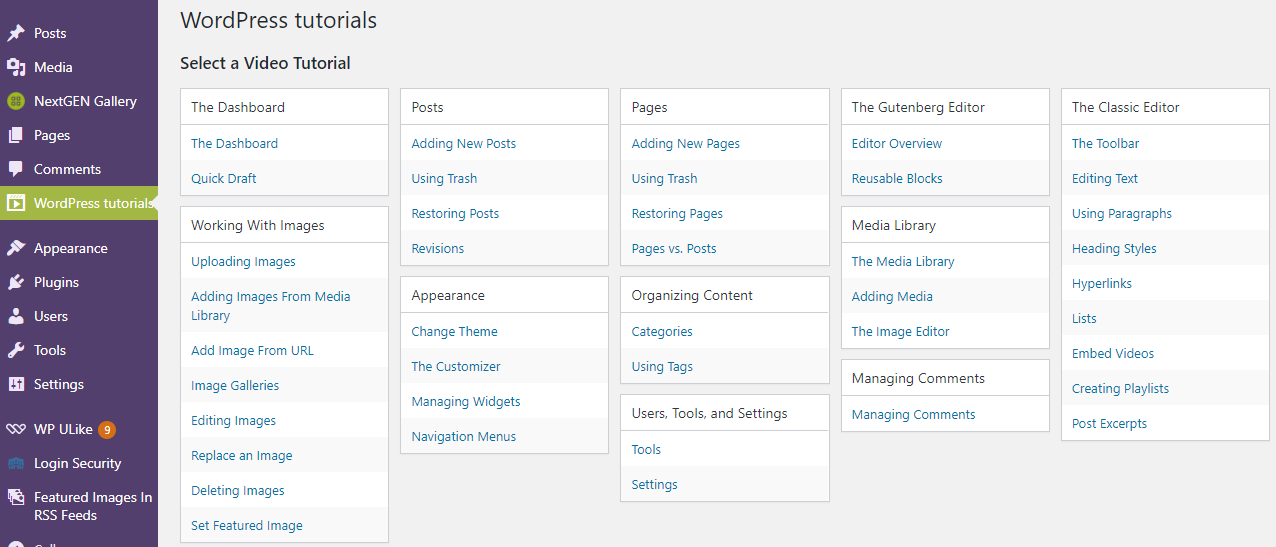
Now, you have your own blog, have watched the videos – they are short and easy to undertand …. now some hints!
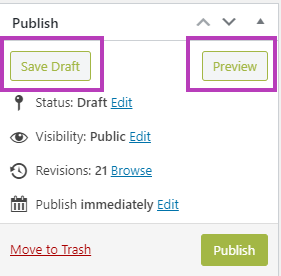
Keep  it Simple … especially your First Post … and … SAVE OFTEN!
That is my first and probably most important hint – SAVE OFTEN!!!!!

Just make your first post … your first post! You can say who you are, what you hope to accomplish and keep it simple, straightforward and just text! Use the ‘Preview‘ button to see what it looks like, use the ‘Save Draft‘ button to save every so often (first and best hint EVER!) and then click ‘Publish‘ and .. you just made your first Post! You can email a colleague or UVic community member and they can now see your first Post!

Here are a few more basic and simple hints, with just a brief explanation why … and I can see you nodding your head too! 

Use ‘CTRL Z’ to undo anything you … just did! It works for quite a few potential ‘Undos’, so if you go TOO far, just use ‘SHIFT CTRL Z‘ to .. yes, Undo your Undos…. but the one  caveat is ….. if you SAVE, then you can’t go back and do any Undo’s. But if you Save enough times, there are earler versions called ‘Revisions‘ which appear at the VERY bottom of each Dashboard Post you are working on. And not good with the keyboard? It is part of the menu above each Post – hilited with a purple box below.

Create a new Post … but only as a notepad for ideas! Yes, your SECOND Post will never, ever be published! I use this as my Ideas Post and constantly add thoughts, ideas, websites, notes or anything that I might use LATER, and it just stays as an unpublshed Post! What could be better than all your ideas and potential future Posts, waiting there for you in your OAC blog! Do it! And I do the same in a draft Pages document too. Earlier I ‘posted’ about the differences between Pages and Posts … here! (Shameless self promotion!)
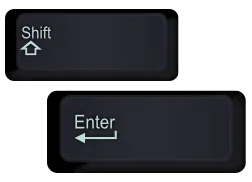
Spacing between paragraphs. That drove me nuts at the beginning! Then, much like Word, there is a secret ‘handshake’ … which really isn’t so secret. I stick with the default spacing for each paragraph. Then I hit ‘Enter’ and it will automatically insert a DOUBLE SPACE between paragraphs. Sometimes, you don’t want that. So … just use ‘SHIFT ENTER’ and you get spacing tight between paragraphs! You are thinking .. why would I want this? Well, you will know when … at least for me, once you start inserting images, or perhaps wanting to space short, one line paragraphs (say poetry) in close proximity to one another. Try it … you will like it! Very handy!

Preview before Posting …. but always a safe route out … or back! Always a good idea to Preview your post ahead of time. Just click ‘Preview’ and a new tab will open with a … preview of your Post! Nothing written in stone, and what I do is read down my own Post, and as I see a mistake or something that needs editing, I close THAT tab, I immediately return to my Post to fix it and then Preview again! Only takes a few seconds to Preview, find the mistake, close the Preview, and fix it. Then Preview again until done! It will be frustrating to notice quite a few mistakes, mostly cosmetic or typos most likely, but FORGET one of them if you just Preview your Post once. 

Best Closing Hint is THE most dangerous one …. GO AHEAD AND MAKE MISTAKES! You can edit, add, revise, remove, modify, enhance, return to Draft,  and even make Private, any of your Posts and Pages! If you aren’t making mistakes … you aren’t learning … or at least, you aren’t Blogging! This ain’t rocket science … unless of course, your Blog is about …. Rocket Science!

And, you CAN teach an old dog new tricks … I was always unhappy with my scribbly pen drawing feature. Today, figured out how to draw a nice regular shaped hilite box around a part of an image! And that might be a more detailed hint, as it involves screen grabs, editing the screen grab, exporting to .png format, then adding to my Media Library, but saving my blog before inserting the new media image …. yeah…sounds hard, but isn’t! A future hint!

Some FUTURE Favourite OAC WordPress tips and hints and tips

    • Copying a Post
    • Your Media library
    • Inserting media and resizing them – they never really fit perfectly!!
    • Best WP sites for hints and help (UVic is AWESOME!)
    • YouTube video(s) in your Blog (Releasse … The Kraken!)
    • Screen grabs and modifying them before adding to your Media Library

And the links below area ALL here at UVic! They will be your absolutely BEST resource of ALL for OAC! Have fun! And I would describe them all as …
🔥 HOT OFF THE PRESS WINNERS 🔥

  1. OAC – Get Started – What is the OAC? (and more!) 
  2. OAC – Get Started: -How to Create a Site (and more!)
  3. OAC Tutorials – The Dashboard (and more!)
  4. OAC Tutorials – Posts (and more!)
  5. OAC Tutorials – Pages (and more!)
  6. OAC Tutorials – Media Library (and more!) 
  7. OAC Community Members – FIND UVIC BLOGS!

And just to be different, a TED Talk about .. early Blogging! Mena Trott is hilarious and there are many entertaining and close to home (for me!) events that made her an early blogger! Enjoy, I certainly did!

BE SAFE EVERYONE!
Pandemic


Throwback Thursday . . . Language Quotes!

Throwback Thursday
. . . or . . .
Language Quotes!
(and a bit of nostalgia!)

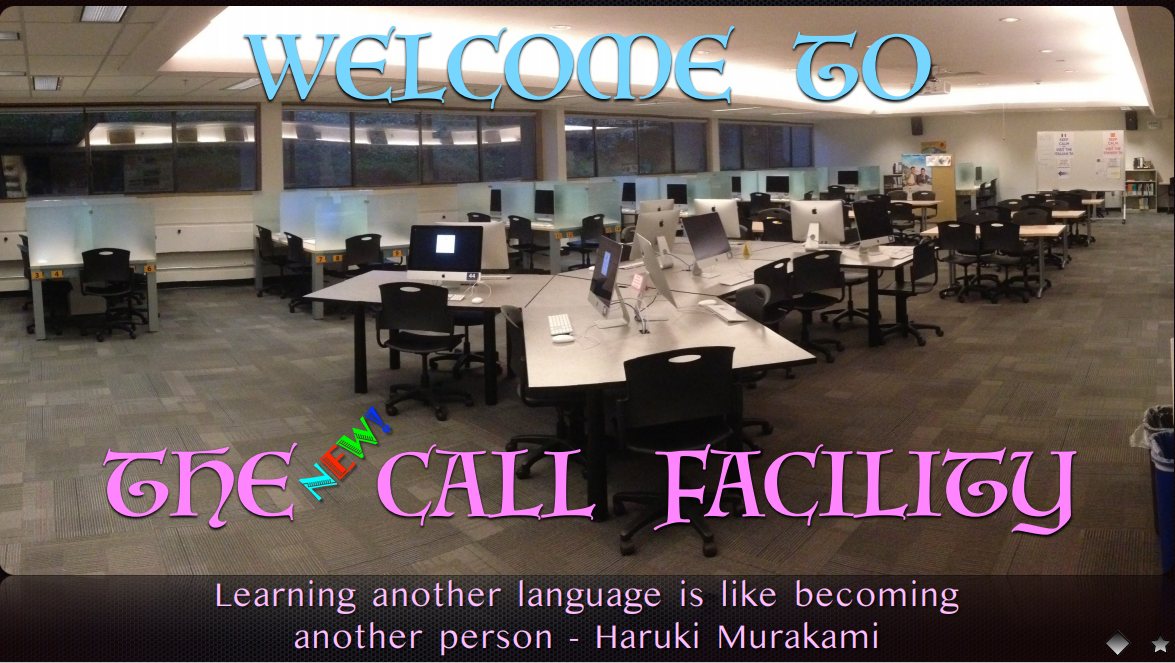
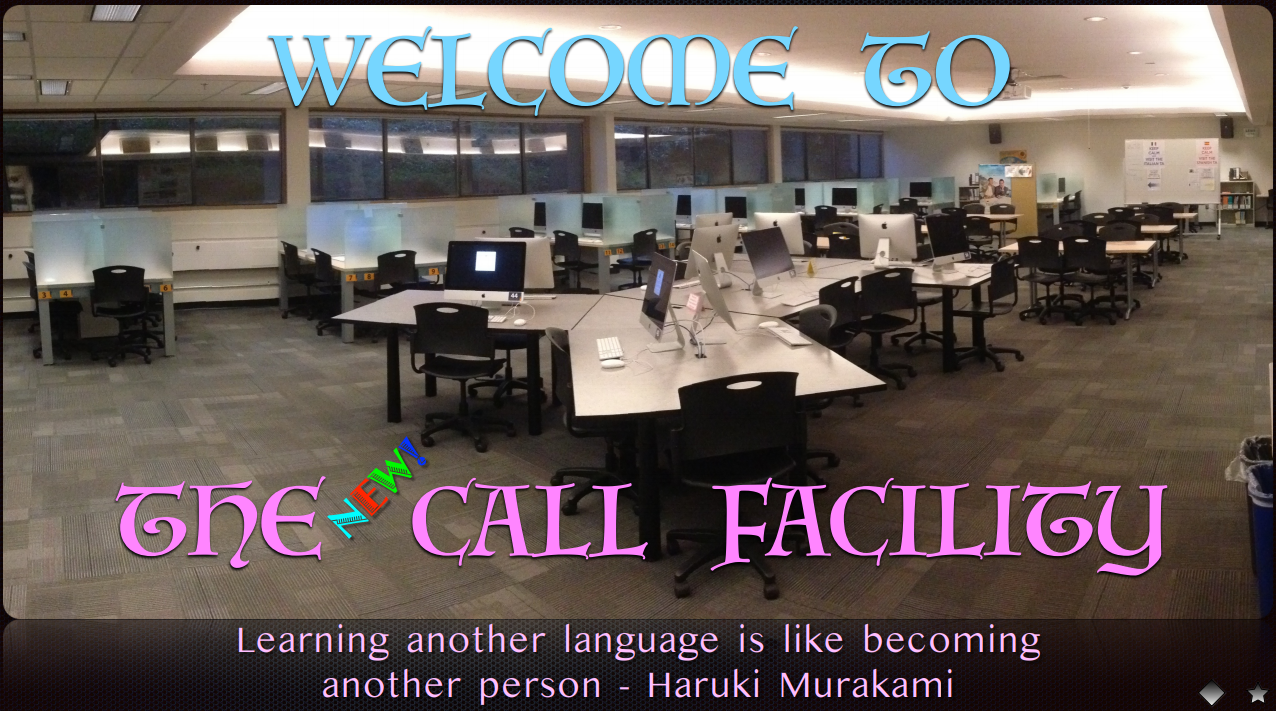
Learning another language is like becoming another person. One of my favourite quotes, ever!

Haruki Murakami
Haruki Murakami

You can take the boy out of The CALL Facility, but you can’t take The CALL Facility out of the boy!

I have been around for a few days … since October of 1989! Whoa, that seems like yesterday to me! A future post will have some slightly grainy images of what CALL once looked like  … well before numerous renovations (scheduled and unscheduled!) and before The Great Flood of 2015! That was some kind of day! There are a few images in a previous post, which includes a pdf of exactly what CALL is!

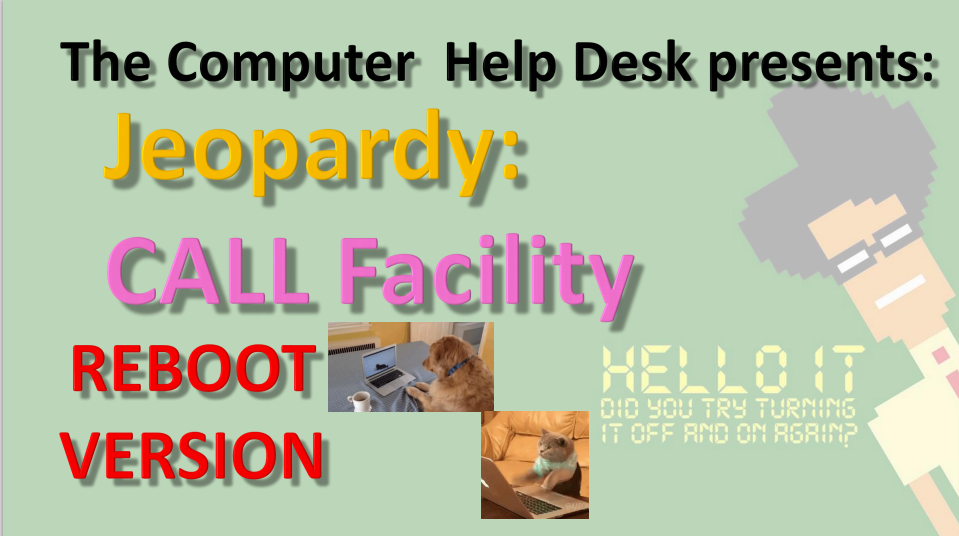
CALL Jeopardy: REBOOT VERSION

And the most recent version of my CALL Jeopardy file is here. ALL of the files are there too, including old photos of CALL, the Great Flood and the rebooted CALL!

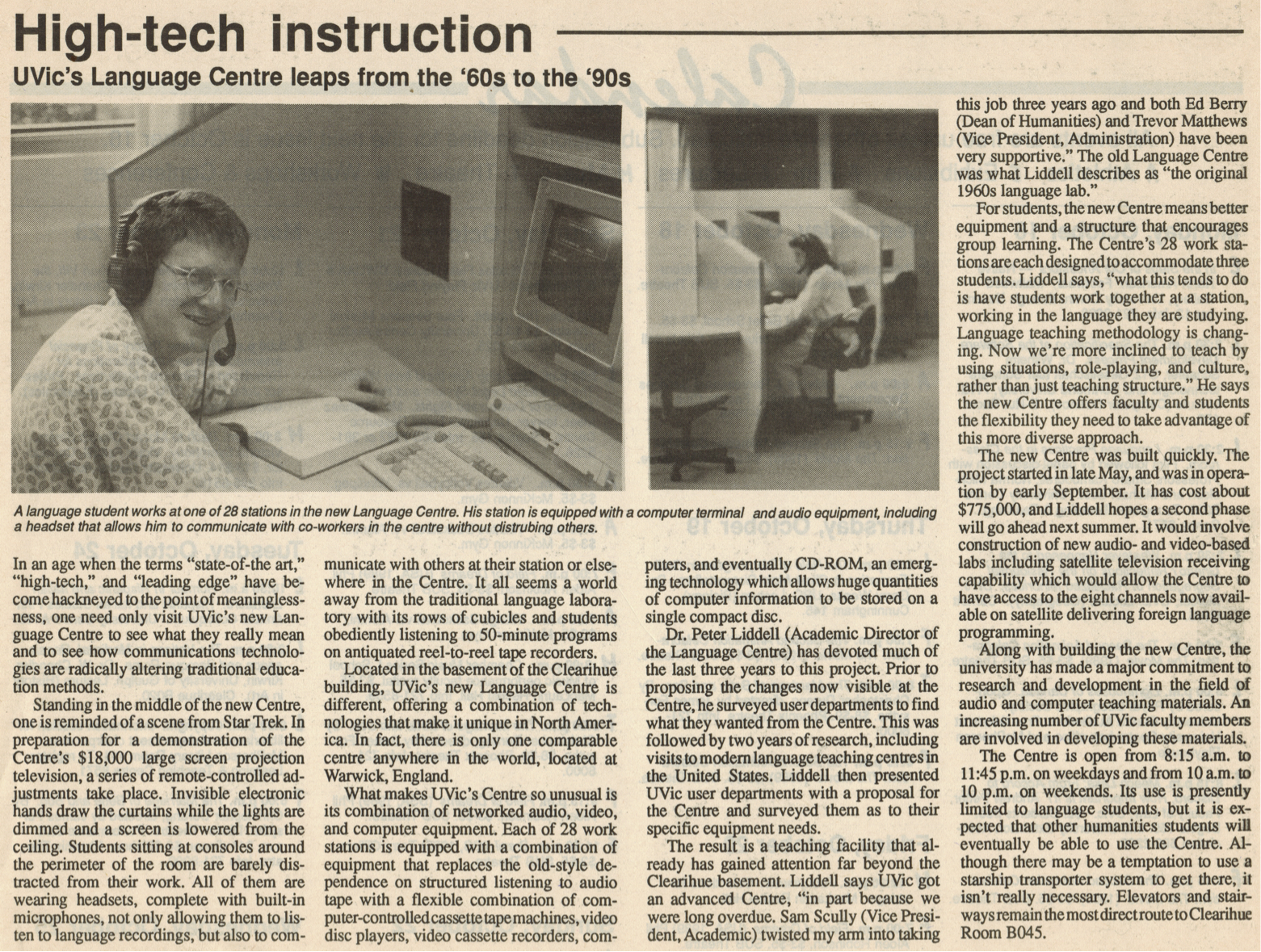
 ‘State of the Art’ in 1989!

An earlier post mentioned the 30th Anniversary of The CALL Facility! Technology certainly has changed!

And changes are still coming! Just AFTER we started working remotely from home, NEW FURNITURE ARRIVED FOR THE CALL FACILITY!

I was VERY BRIEFLY back at CHD earlier this month, to upgrade my remote laptop, and went in to look at the new furniture … AND IT LOOKS FANTASTIC! I sure hope we can get back to using our facilities, classrooms and ALL OF UVic soon, but in a safe, VERY SAFE manner!

A fairly busy day today, so some quick quotes about learning languages. I also include quotes in each slide when I give my CALL Facility orientation, so you can click HERE to see those too! They are current to January 2020!

Mostly, these are new, but there are a few favourites in here too!

And some Albert Einstein quotes too! After all … on the Quantum Level … everyone speaks the same language … and other magical things like that! Yeah, too many Marvel movies clunking around my head! But that is a GOOD THING!

All the usual  Daily Links and YouTube videos are after the language quotes below!

Enjoy!

  1. Language Learning Quotes – GoodReads
  2. 50 of the Best Quotes to Learn a Foreign Language
  3. 25+ Inspirational Quotes About Language
  4. The 5 Best Inspirational Language Quotes
  5. 10 Inspirational Quotes for Language Learners
  6. Light Up Your Brain with 10 Quotes About Language Learning
  7. Inspirational Quotes for Language Learners
  8. 42 Awesome Inspirational Quotes for Language Learners
  9. Language Learning Quotes

As long as I have words at my disposal … … and Google, there will be
Throwback Thursdays!


ENJOY!

TTFN!


Top 20 Quotes
About Language

Inspirational Quotes About Learning
A New Second Language

Quotes About
Learning Languages

Learning Quotes About
Learning a Second Language

Language Learning Quotes

Inspirational Quotes
for English Learners

Language Quote #9

The Best Quotes From
Albert Einstein

Top 20 Amazing Quotes on Patience
From Famous People


Pandemic


Where Are My Keys . . . or . . . Forgotten Computers and Software

Where Are My Keys
. . . or . . .
Forgotten Computers and Software

Where are my car keys? I can just ping them, right? Ah, if Life were that easy. Wait a minute, some car keys DO have bluetooth and only need to be close to the car to open and start it! Remember when car keys were actually … KEYS! LOL!

Full  Disclosure – I still have car keys that look, act and FEEL like car keys! Most now have bluetooth and all you have to do is be NEAR the door, NEAR the car and the keys open and start the car! Ah, the good old days of fiddling with multiple keys … good times, good times.

So how many computers have YOU worked on and have … forgotten about! I had a post awhile ago about just that topic, ‘Open the Pod Bay Doors, HAL“.

Whether you bought them or used them at school or work, there are probably a dozen or more … Forgotten Computers and Software over the years. Me? Maybe a couple of dozen computers and many, many more software programs or applications!

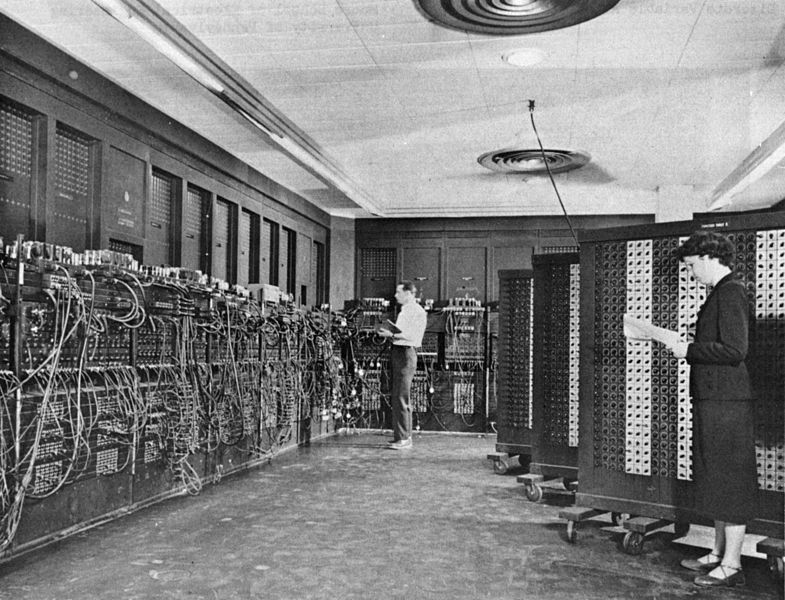
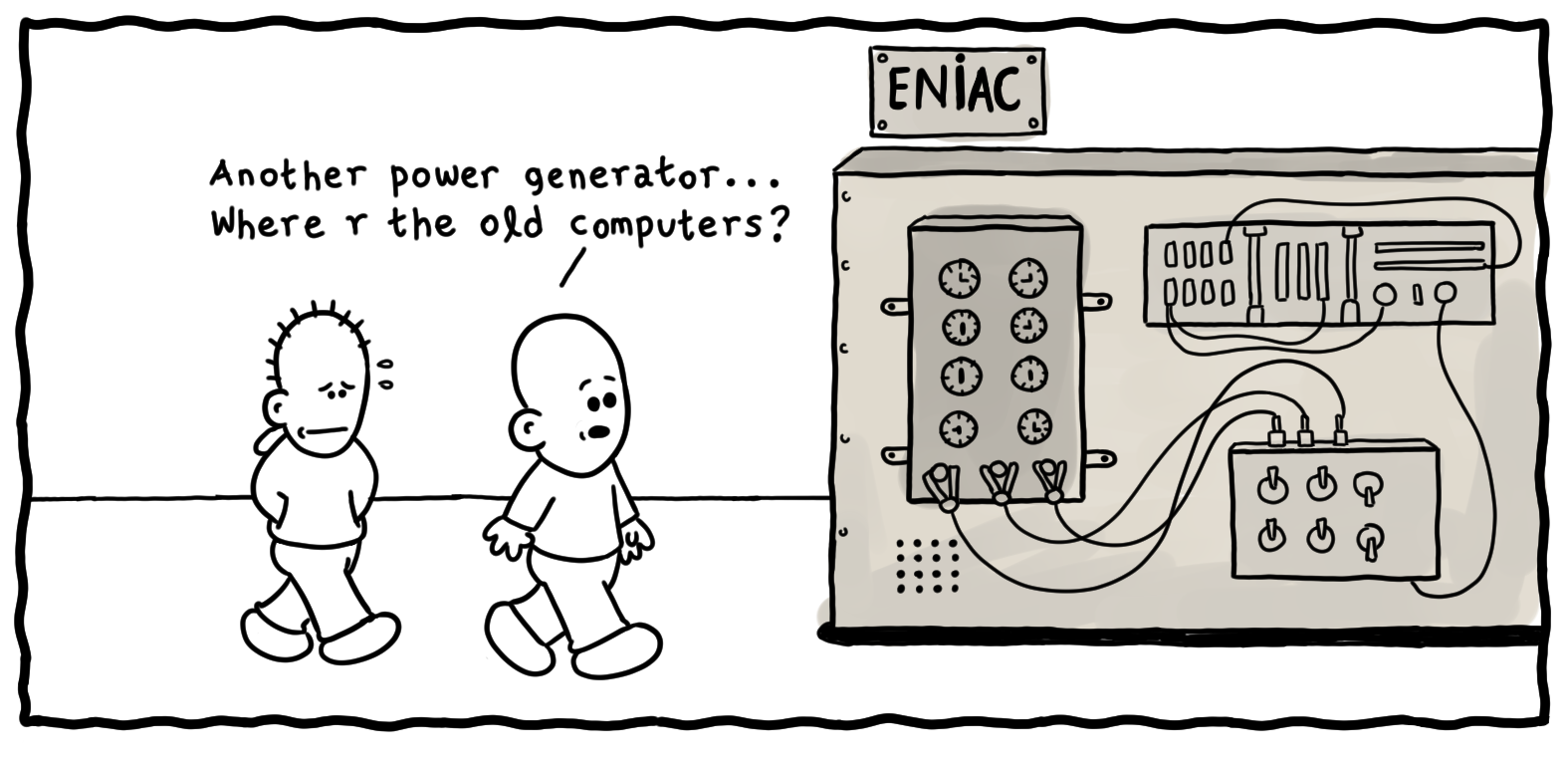
ENIAC
ENIAC

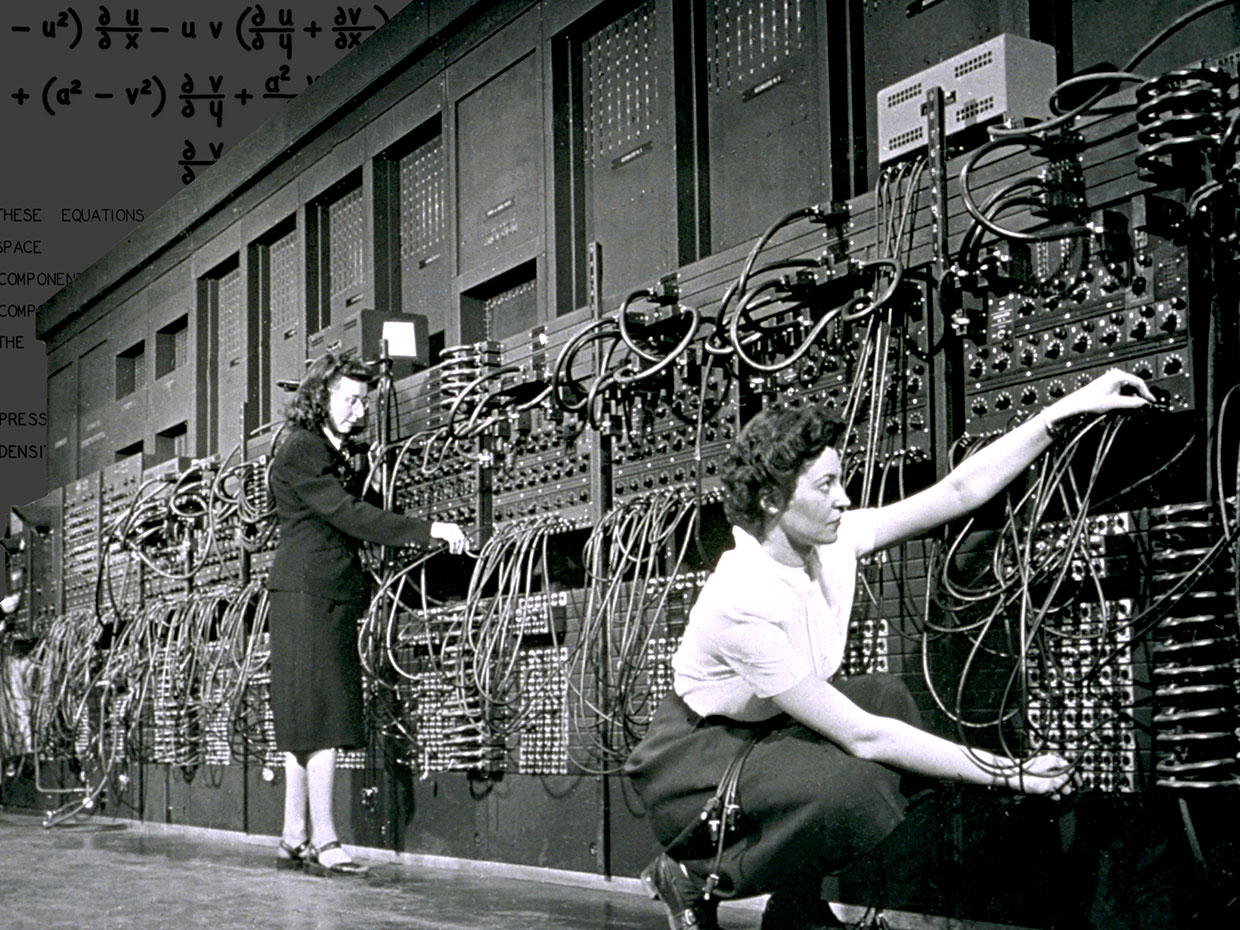
Remember when the ENTIRE COMPUTER was one huge modular unit! And the very first computers I worked on at U of Calgary, were either hidden from site and you presented your punched cards (FORTRAN!) and waited for  the output!

Then when I started taking ‘Computers in Education’ courses, I was handed the keys to The Vault! I had access to the ‘teletype’ room where I could code in BASIC and run the output on rolls of newsprint! Good times, good times!

ENIAC
 ENIAC

The first program I worked on was for Probablity with a simulation of pulling coloured balls out of a ‘Greecian Urn’. And it even printed out an ASCII Greecian Urn! Yeah, I have a printout, somewhere in  ‘The Garage’ and will look for it one day! LOL!

I was fortunate enough to be invited to a lecture given by Grace Hopper. And you might rightly say … WHO? Well, she was a TITAN OF COMPUTER SCIENCE! And she gave us all a … NANOSECOND at the  end of her lecture! Wait, what?

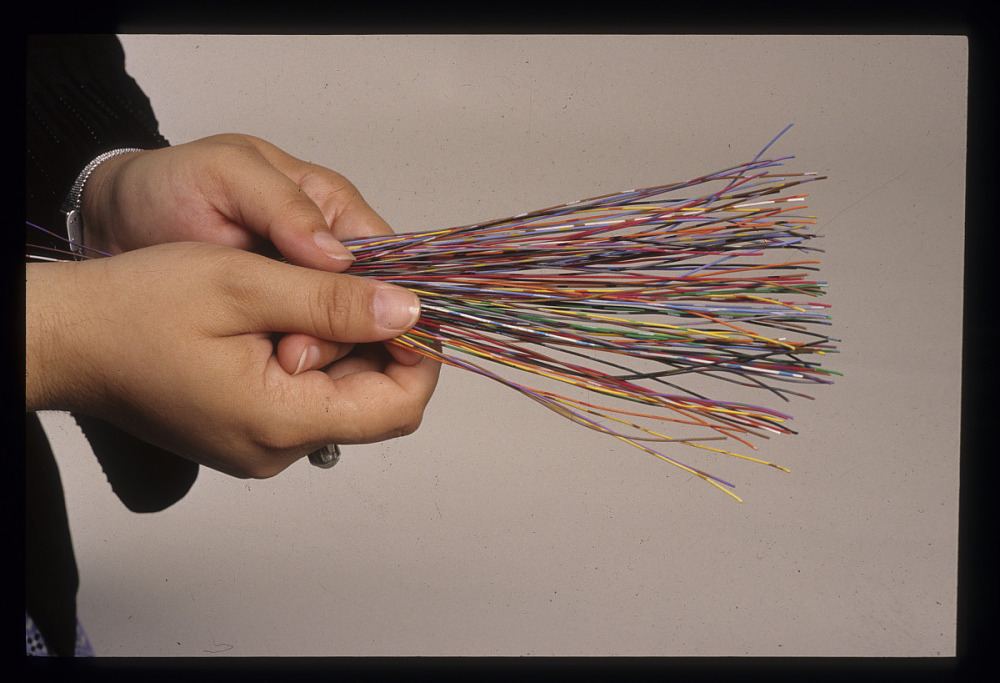
She concluded her lecture (best lecture of all time!) with how  she explained to her Non-Techie Supervisor, how fast light travels and how that impacts any lag or delay with satellite communications! She brought out lengths of ROPE to demonstrate how far light travels in a second and working her way down to a NANOSECOND or a BILLIONTH OF A SECOND! Turns out, it is about a foot!

Grace Hopper Nanosecond
    Grace Hopper Nanosecond

And she pulled out about 100 small lengths of multi-coloured wire and spread them on the desk for us to take as we walked out. Well, I have never seen such a rush of people to get their ‘Grace Hopper Nanosecond‘! Fortunately I was able to get one for myself! Unfortunately, it has disappeared in my many moves over the years! But what a memory for me!

And I bet I can name a MASSIVE computer related piece of ‘software’ that almost everyone will have forgotten about … Y2K! And if you have NEVER  heard of that term … then you are probably not much older than 20 years old!

Y2K refers to a software ‘glitch’ that did not take into account the calendar year 2000 in most computer code developed between 1980-1999. Basically, EVERYTHING!

Typically, amongst other problems, only 2 digits were used to indicate the calendar year, thus ’89’ and ’99’ were used for ‘1989’ and ‘1999’ in databases, calculations, spreadsheets, banks .. YOU NAME IT! So when the decade ended and we entered the year 2000 … uh-oh! Right back to the year 1900!!!!

I remember staying up, hoisting a glass of champagne and welcoming … ‘The End of the World’!!! But, or more punny, ‘Byte‘ nothing happened! LOL!

So that brings up … Y3K! LOL! I sure hope I am still around to toast 3000!

Grace Hopper Bug
Grace Hooper Bug

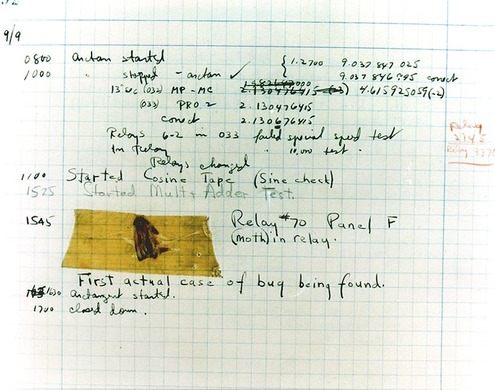
And this post quickly turned to Grace Hopper, didn’t it! I love telling people this story AND most people have never heard of Grace Hopper! AND an even BETTER Grace Hopper story! She is credited with the first EVER case of ‘debugging’ a computer …. LITERALLY!

She  crawled into a computer …  it  was that big! And she found a relay switch, an actual MOVING PART INSIDE A COMPUTER and a moth had become ‘trapped’ beneath the lever! She then proceeded to ….’debug’ the computer and documented it! That document, moth and all, are in the Smithsonian now!

I found SO many articles, images, cartoons and resources while doing my usual bit of research for my post, I have more links below than ever before!

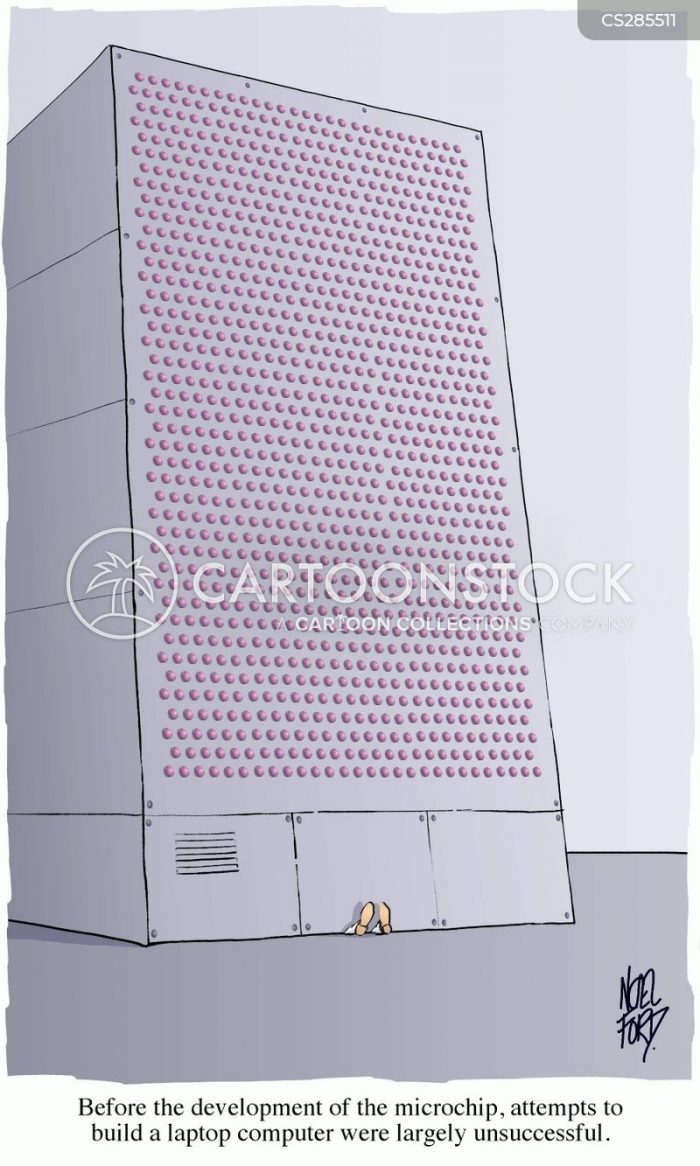
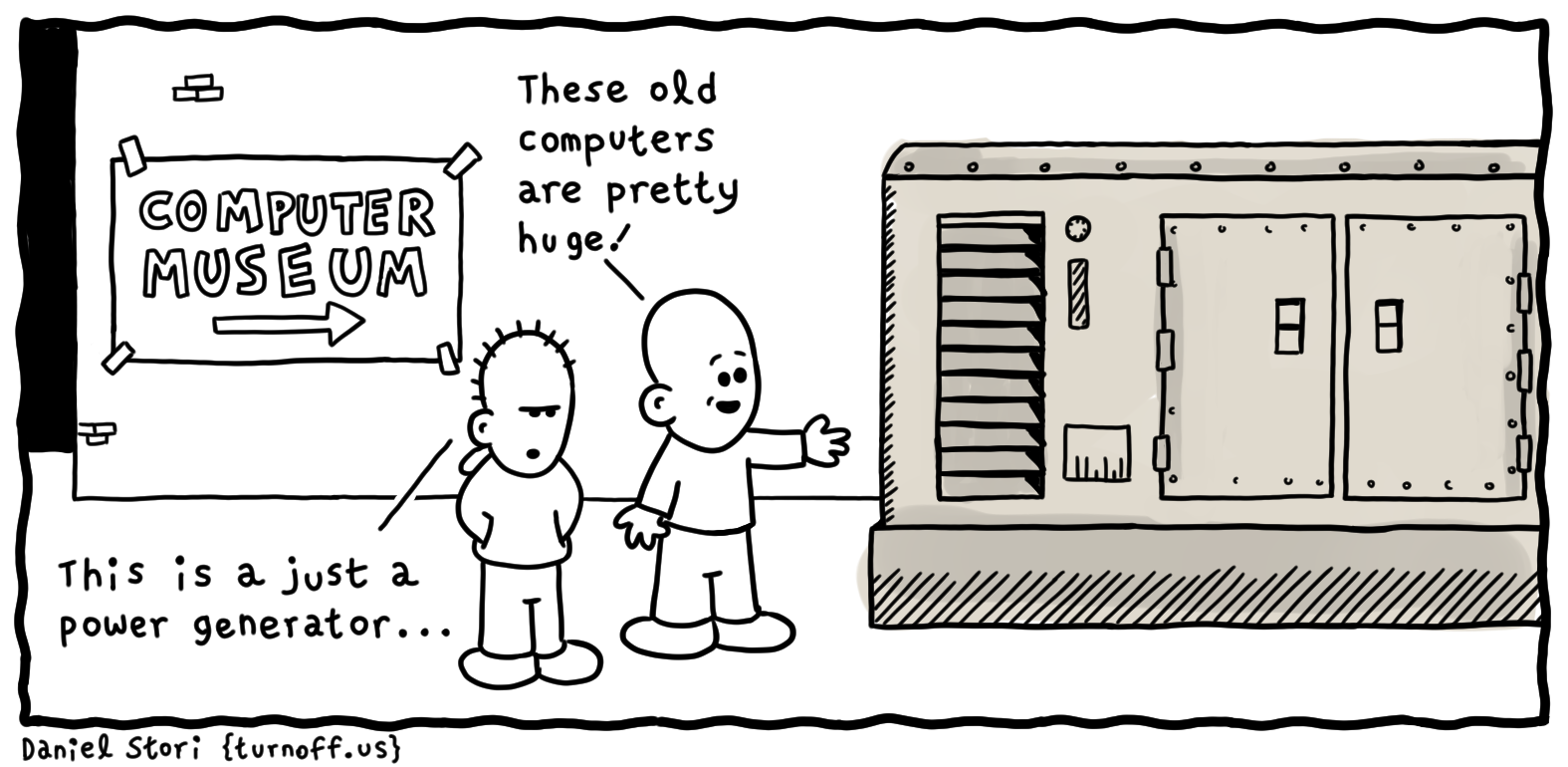
Articles on ENIAC, UNIVAC, Personal Computers, COBOL and most especially, Grace Hopper. Take a trip through time, wax nostalgic, and think back to when a computer took up an entire room, if not an entire building!

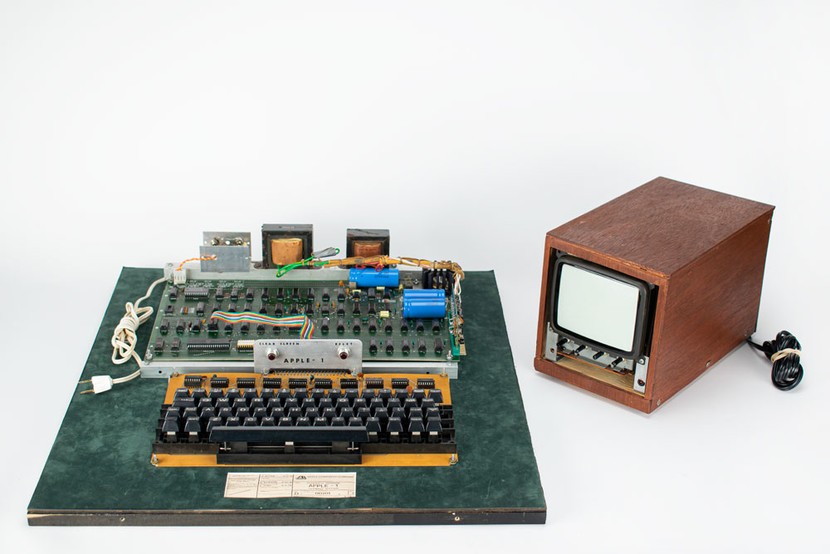
Oh, and if you see an old, really old, Apple Computer at a garage sale … maybe think about buying it! It could turn out to be this one! worth almost HALF A MILLION DOLLARS!

What you hold in your hands now is not just a phone – it is the FUTURE that visionaries like Grace Hopper could only DREAM of would eventually be possible!

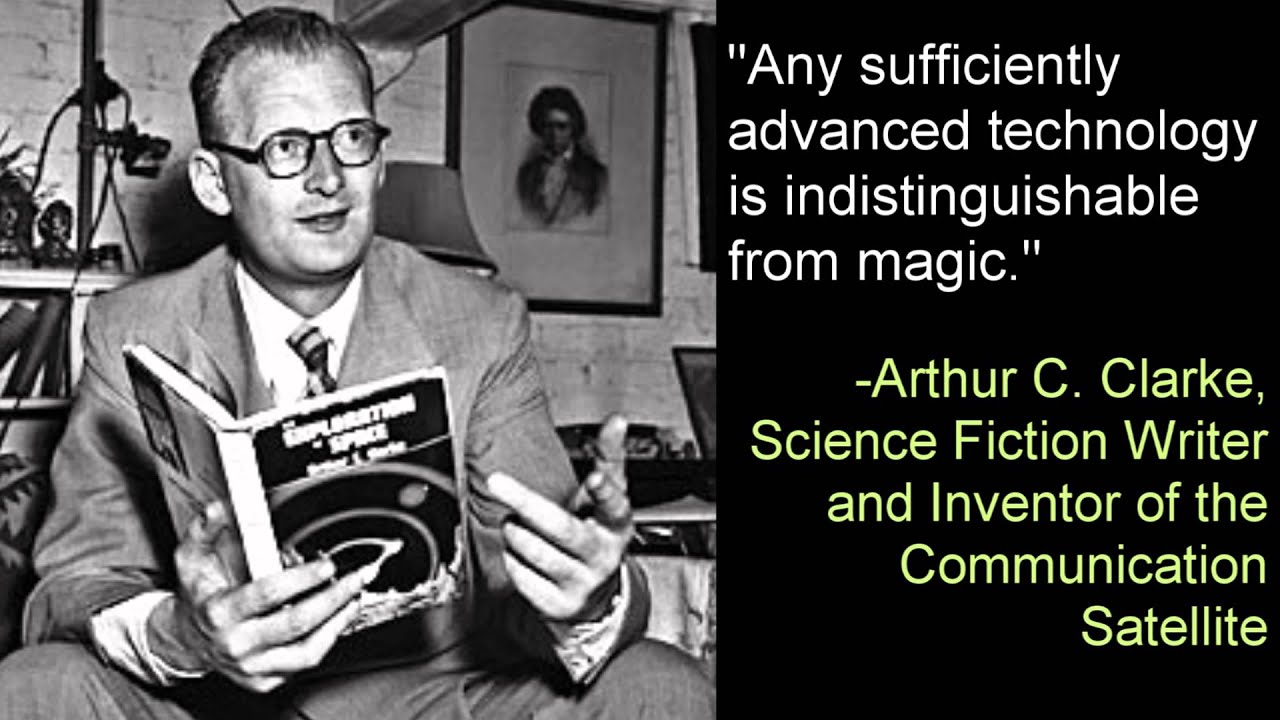
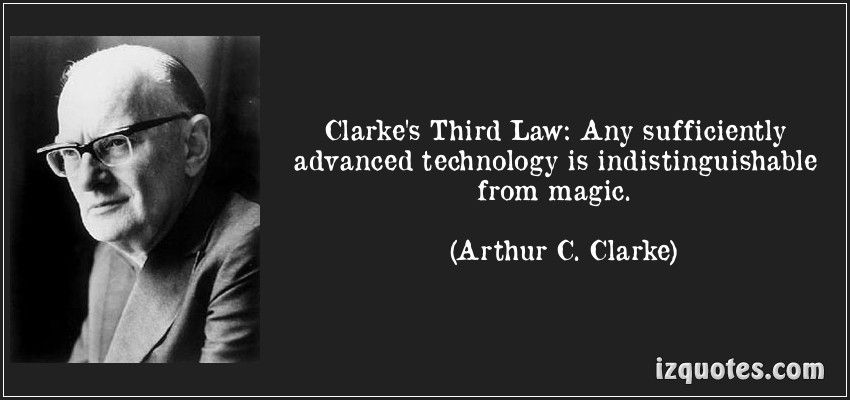
And as Arthur C. Clarke described in ‘Clarke’s Three Laws” at Wikipedia:

    1. When a distinguished but elderly scientist states that something is possible, he is almost certainly right. When he states that something is impossible, he is very probably wrong.
    2. The only way of discovering the limits of the possible is to venture a little way past them into the impossible.
    3. Any sufficiently advanced technology is indistinguishable from magic.
Clarke's 3rd Law
                                                     Clarke’s 3rd Law

We truly live in a Magical Time now!


Enjoy the Magic!

Grace Hopper
         Grace Hopper


  1. Personal Computer – Wikipedia
  2. Grace Hopper – Wikipedia
  3. Five Fast Facts About Technologist Grace Hopper
  4. Grace Murray Hopper (1906-1992): A legacy of innovation and service
  5. Grace Hopper To Programmers: Mind Your Nanoseconds!
  6. Nanoseconds Associated with Grace Hopper
  7. Untold History of AI: Invisible Women Programmed America’s First Electronic Computer
  8. 10 Oldest Computers in The World
  9. 10 Colossal Old Computers That Changed History
  10. Timeline of Computer History
  11. Computer History Museum – YouTube
  12. 11 Mind-Blowing Collectible Computers That Will Make You Nostalgic!
  13. Acorn, Sinclair, Amstrad and Epson: 10 computers that time forgot
  14. Rare Apple Macintosh prototype up for auction
  15. Ultra-rare Apple-1 sells for the price of 8 Mac Pro computers
  16. The Vintage Mac Museum – Rare Items
  17. Computer Collectibles
  18. Andrew Booth and the Forgotten Computers
  19. Forgotten PC history: The true origins of the personal computer
  20. The forgotten software that inspired our modern world
  21. PC Pioneers: The Forgotten World of S-100 Bus Computers
  22. The Lost Civilization of Dial-Up Bulletin Board Systems
  23. Alan Turing’s Forgotten Ideas in Computer Science
  24. 10 Ancient computers that are still in use today
  25. How Forgotten Legacy Systems Could Be Your Downfall
  26. If It Ain’t Broke, Don’t Fix It: Ancient Computers in Use Today
  27. Avoid the Trash Heap: 15 Great Uses for an Old PC
  28. I Wrote This on a 30-Year-Old Computer – And it was awesome!
  29. What Is the Oldest Computer Program Still in Use?
  30. COBOLed together: the oldest legacy systems still in use today
  31. Meet the world’s oldest computer program that’s still in use today
  32. Brush up your COBOL: Why is a 60 year old language suddenly in demand?
  33. 5 ancient software programs we refuse to give up
  34. The 10 oldest, significant open-source programs
  35. Legacy systems: Too old to die?
  36. How Government Agencies Walk the Line with Legacy Software
  37. We care about old computers
  38. Candorville – Comics

As long as I have ‘The Garage’ there will be forgotten and old computers stored there . . . and magical OAC posts!


ENJOY!

TTFN!


Computer Pioneers – Part 1

ENIAC – The First Computer

Apollo’s Forgotten Computer
The LVDC

Forgotten Fun
Texas Instruments TI-99/4A

Tano Dragon 64
Unboxing

Panasonic JR-200U

1983 Radio Shack TRS80
Color Computer 2

Tandy 1000

Sinclair ZX81 – British Computer

Why Apple Products
Use 30 Year Old Software

Evolution of Laptops
1975 – 2020

Top 10 Horribly Outdated
Technologies Still in Use Today

Quantum Computers
Animated


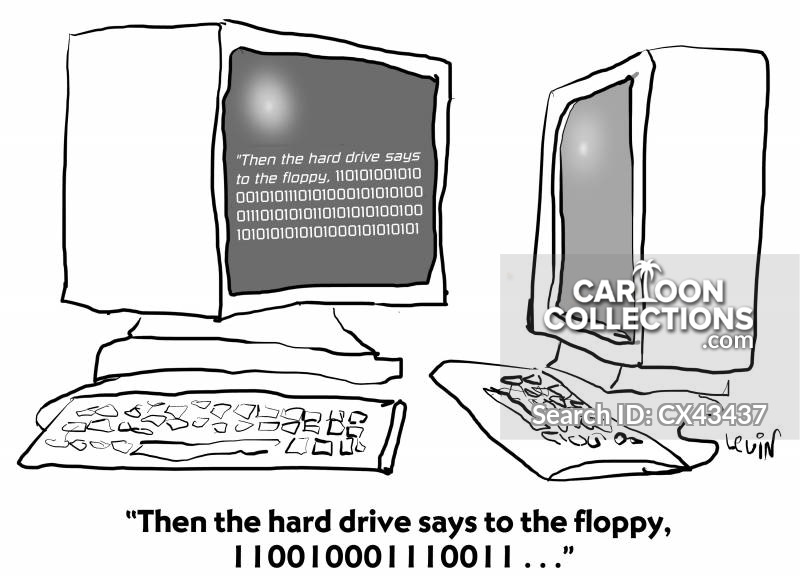
“Then the hard drive says to the floppy, 110010001110011…”
‘This is what people had to use before they got antennae.’


Pandemic