
Please follow these steps:
- On Chromebooks, go to Makecode.microbit.org.
- Click on New Project.
- Name your project with the Period Number and Group Letter.
For example, Period 1 Group A
- Click on Create.
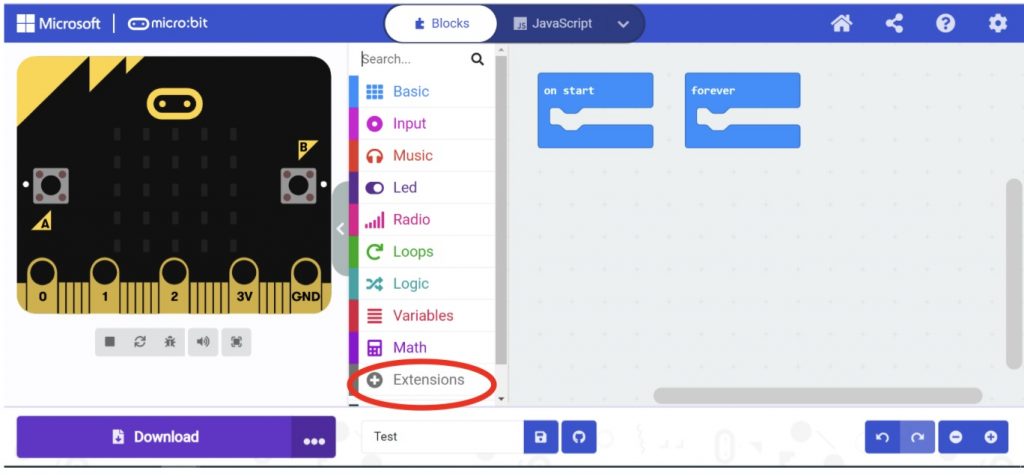
- In the micro:bit code window, click on Extensions
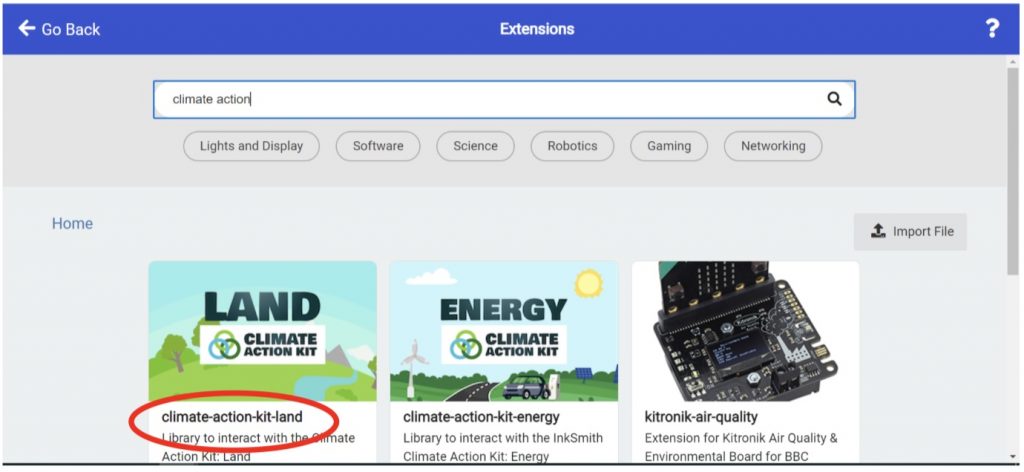
Search for “climate action” and select “climate-action-kit-land”.
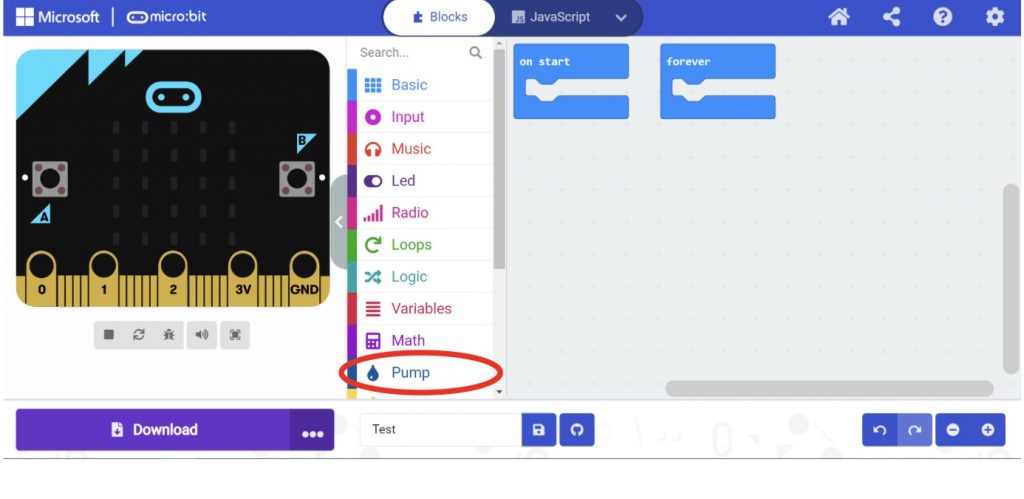
Now the Pump extension has been added to your coding tools.
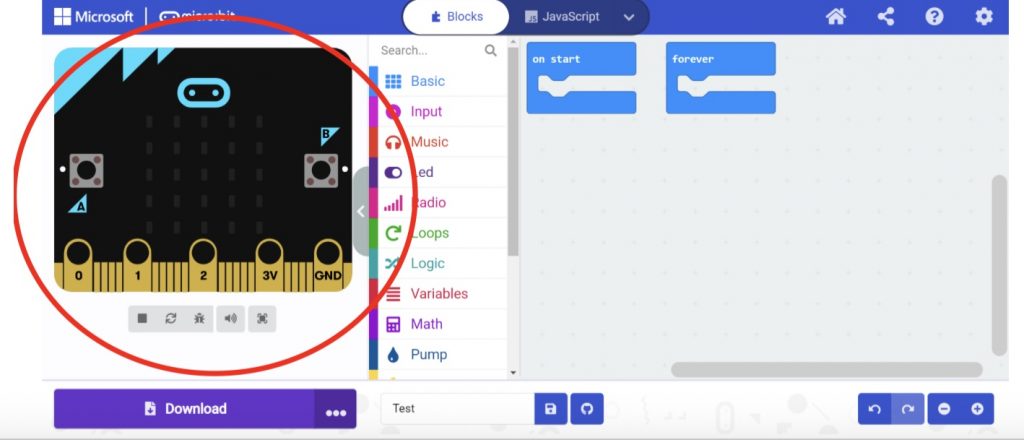
Transfer your flow chart to Make Code so that you can program the micro:bit to dispense water using the water pump. Be sure to test your code it using the virtual micro:bit.
SHARE YOUR CODE FOR THE PUMP WITH SCIENCE STUDENTS
Once you are satisfied with your code, take a screenshot of your final code for the pump and paste it below. The science students have access to this Doc as well so they will be able to see it when they come back to the library for their next session.
Hint – You can take screenshots on the Chromebooks by:
- Pressing Control + [] ||
- Click Edit
- Optional: edit your screenshot, for example crop it
- Click the Share icon,
, from the top row
- Click Copy
- In this Google Doc select Paste from the Edit Menu
CODE FOR WATER PUMP
Pump C (code):